Kupu Whakataki
Thank you for choosing the HTC True Wireless Bluetooth Earbuds 2. This manual provides detailed instructions on how to set up, operate, and maintain your earbuds to ensure optimal performance and longevity. Please read this manual carefully before using the product.
He aha kei roto i te Pouaka
- 1x te take Kaare
- 1x USB Momo-C taura
- 1x Aratohu Tere Panoni
- 2x True Wireless Earbuds (Left and Right)
- 2x pairs of rubber tips (large and small) - Note: A medium pair is likely pre-installed.
Ka mutu te huaview
Familiarize yourself with the components of your HTC True Wireless Bluetooth Earbuds 2 and their charging case.

Image: The HTC True Wireless Earbuds 2, with one earbud outside the open charging case, showing the charging contacts and indicator light.
The charging case features a USB-C port for charging and an LED indicator to show charging status. Each earbud has touch-sensitive surfaces for control and charging contacts at the bottom.
Tatūnga
1. Te Whakataki i nga Paorooro me te Puhi
I mua i te whakamahi tuatahi, me whakarite kia whakakiia katoatia nga pukoro taringa me te putea utu.
- Place the earbuds into the charging case. Ensure they are correctly seated; the indicator lights on the earbuds should illuminate, indicating charging.
- Honoa te taura USB Momo-C ki te tauranga utu i runga i te pouaka, me te pito kē atu ki te pūtake hiko USB (hei tauira, rorohiko, urutau pakitara).
- The charging case's indicator light will show charging status. A full charge for the case provides up to 3 additional charges for the earbuds, extending total playtime to 32 hours.

Image: The HTC True Wireless Earbuds 2 in their charging case, illustrating the long battery life performance with up to 8 hours listening time per charge and 32 hours total with the 500mAh charging case.
2. Tauhoa ki te Pūrere
Ka whakamahia e ngā pane taringa te Nihokikorangi 5.1 mō ngā hononga tere, pumau hoki.
- Whakatuwherahia te putea utu. Ka uru aunoa nga taringa ki te aratau takirua.
- I runga i to taputapu (waea atamai, papa, pona), whakaahei i te Nihokikorangi.
- Rapua "HTC TWS3" or "HTC True Wireless Earbuds 2" in the list of available Bluetooth devices.
- Select the earbuds to connect. Once connected, you will hear a confirmation tone.

Image: The HTC True Wireless Earbuds 2 and their charging case positioned near a smartphone, demonstrating the quick and easy pairing process facilitated by the latest Bluetooth 5.1 chipset.
The earbuds can be used individually or together. For optimal stereo sound, use both earbuds. They maintain a stable connection up to 10 meters (32 feet) from your device.
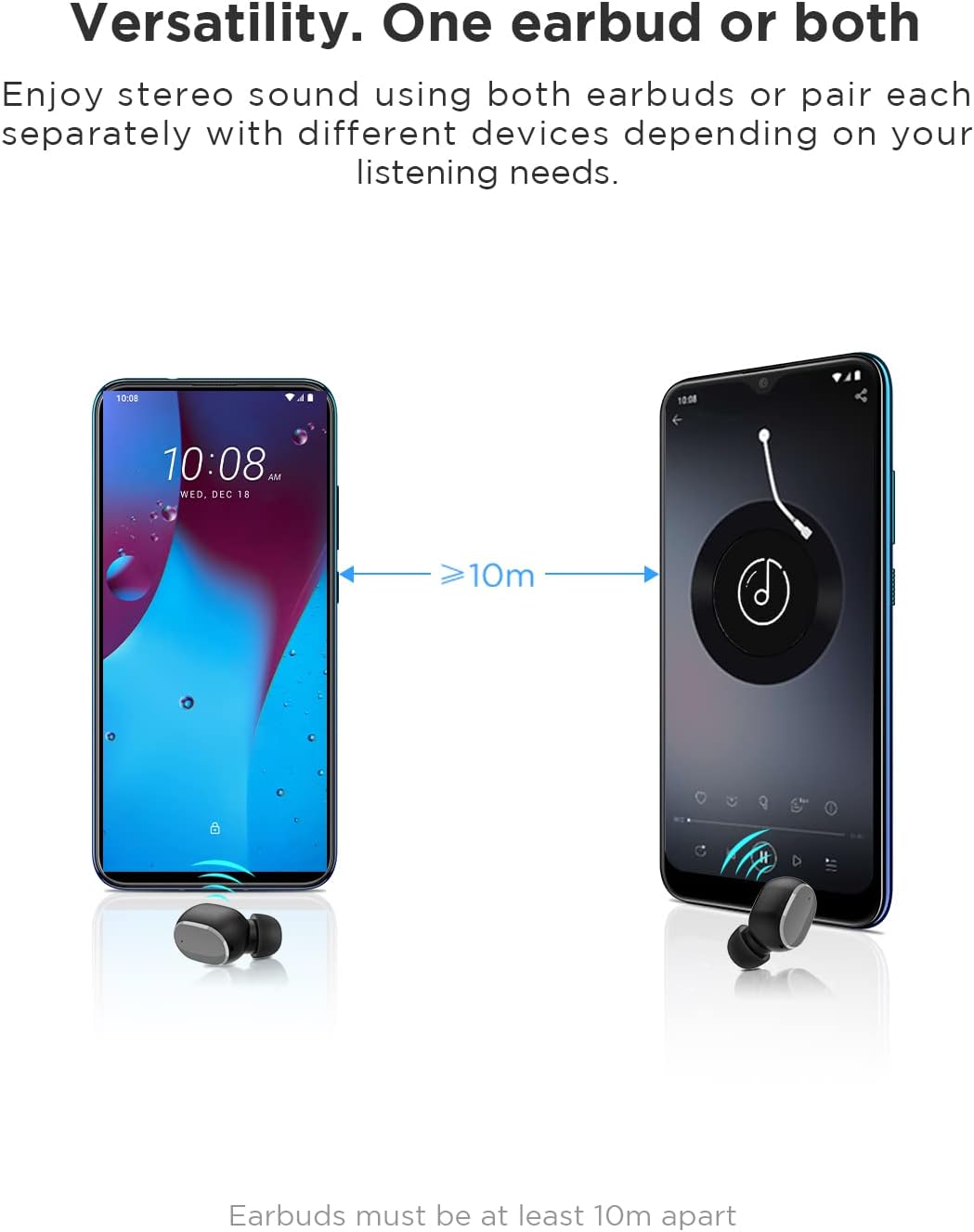
Image: An illustration showing two smartphones and earbuds, emphasizing the versatility of using one or both earbuds and the effective operating range of at least 10 meters.
Nga Tohutohu Whakahaere
The HTC True Wireless Bluetooth Earbuds 2 feature intuitive touch controls for various functions.

Image: A detailed diagram illustrating the simple touch controls for the HTC True Wireless Earbuds 2, including commands for play/pause, track navigation, call management, voice assistant, and volume control.
| Mahi | Mahi |
|---|---|
| Patohia tetahi purongo kia kotahi | Play / Pause music, Answer / End call |
| Kia rua nga wa pato i te purongo maui | Whakanuia te Rōrahi |
| Pato rua te purongo matau | Whakaheke Rōrahi |
| Patohia tetahi purongo kia toru nga wa | Whakahohe Kaiāwhina Reo |
| Paoa ka pupuri i te taringa taringa maui mo te 2 hēkona | Purei Waiata o Mua |
| Paoa ka pupuri i te taringa taringa matau mo te 2 hēkona | Purei Waiata Panuku |
| Tap and hold either earbud for 2 seconds (during incoming call) | Whakakahore Waea |
| Tap either earbud 5 times | Clear pairing / Restore factory settings |
The earbuds are designed for comfortable, long-term wear, weighing only 4.4g per earbud. They come with three different sizes of ear tips to ensure a secure and comfortable fit.

Image: A person comfortably wearing an HTC earbud, accompanied by illustrations highlighting the ergonomic design, skin-friendly material, and the inclusion of three different earplug sizes for optimal fit and comfort.
Te tiaki
Te horoi
Ko te horoi i nga wa katoa ka awhina i te pupuri i te kounga oro me te akuaku.
- Whakamahia he kakahu ngohengohe, maroke, korekore ki te muru i nga purongo me te putea utu.
- For earwax or debris in the ear tips or speaker mesh, use a small, soft brush or cotton swab. Do not use sharp objects.
- A ape i te whakamahi i nga kai horoi, te waipiro, te whakarewa matū ranei.
Rokiroki
Mena karekau e whakamahia, penapenahia nga purongo ki roto i to pukoro hei tiaki kia mau tonu te utu.
- Whakaorangia ki te waahi makariri, maroke, kia matara atu i nga wera nui me te ra tika.
- Kaua e rongoa ki roto i ngā taiao puehu, paru rānei.
Ātete Wai (IPX5)
The HTC True Wireless Bluetooth Earbuds 2 are rated IPX5 water-resistant, meaning they can withstand a sustained, low-pressure water jet spray. This makes them suitable for workouts and light rain.
- Kaua e rukuhia nga taringa ki te wai.
- Ko te putea utu kaore i te wai-atete. Kia maroke.
- Me whakarite kia maroke ngā pane taringa i mua i te whakahokinga ki roto i te pouaka utu hei ārai i te pakaru.
Raparongoā
Mena ka raru koe ki o purongo, tirohia nga rongoa e whai ake nei:
| Raruraru | Rongoā |
|---|---|
| Karekau nga taringa e hono ana ki te taputapu |
|
| Kotahi anake te taringa e oro ana |
|
| Karekau nga taringa e utu ana |
|
| He kino te kounga oro, he momotuhanga ranei |
|
Whakatakotoranga
Detailed technical specifications for the HTC True Wireless Bluetooth Earbuds 2.
| Āhuahira | Taipitopito |
|---|---|
| Ingoa Tauira | TWS 2 (HTC TWS3) |
| Hangarau Hononga | Ahokore (Nihokikorangi 5.1) |
| Pooro Jack | USB (mo te putea utu) |
| Momo Mana | Pā, Mana Oro |
| Taumata Atete Wai | IPX5 (Ponorongo) |
| Hōputu Hopuoro | Built-In, Stereo |
| Wā Purei (Ngā taringa) | Tae atu ki te 8 haora (te utu kotahi) |
| Wā Kōrero (Taringa) | Tae atu ki te 6 haora (te utu kotahi) |
| Te Wā Tākaro Katoa me te Pouaka Utu | Tae atu ki te 32 haora |
| Whakatauhia te kaha o te pākahiko | 500mAh |
| Earbud Weight (Single) | 4.4g |
| Tawhiti Mahi Morahi | 32 Puawai (tata ki te 10 mita) |
| Pūrere Hototahi | Android, Pona, iPhone |
| Rauemi | Kirihou |
| Hunga Hua | 4.34 x 4.34 x 3.45 cm; 160 g (overall package) |
Nga korero haumaru
Please observe the following safety guidelines for safe and effective use:
- Kaua e wetewete, kaua e whakatika, kaua hoki e whakarerekē i te hua. Tērā pea ka puta he ahi, he ru hiko, he kino rawa rānei ki te hua.
- Puritia te hua kia matara atu i ngā pāmahana tino kino, te rā tika, me te haumākū tiketike.
- A ape i te tuku, te tuku ranei i te hua ki nga paanga kaha.
- Kaua e whakamahia ngā pane taringa ki te nui rawa o ngā oro mō te wā roa, kei pakaru pea te whakarongo.
- Kaua e taea e nga tamariki me nga kararehe.
- Makahia te hua me ōna pākahiko me te whakaaro nui, kia rite ki ngā ture ā-rohe.
Tautoko Kiritaki
For further assistance or inquiries, please contact HTC customer support through their official channels. Refer to the product packaging or the official HTC webpae mo nga korero whakapā.
Note: Specific warranty details are not provided in this manual. Please refer to your purchase documentation or the manufacturer's webpae mo nga korero whakamana.


