Kupu Whakataki
This instruction manual provides detailed guidance for the assembly, operation, and maintenance of your Rfiver Mobile TV Cart. Please read this manual thoroughly before assembly and use to ensure safe and optimal performance of the product.

Figure 1: Rfiver Mobile TV Cart with a television mounted and a laptop on the adjustable shelf.
Nga korero haumaru
Me whai tonu i ngā mahi ārai haumaru e whai ake nei hei ārai i te whara, i te kino rānei o te hua:
- Do not exceed the maximum weight capacity of 110 lbs (50 kg) for the TV mount.
- Do not exceed the maximum weight capacity of 11 lbs (5 kg) for the adjustable shelf.
- Me whakarite kia mau te whakau o ngā tīwiri me ngā pūtu katoa i mua i te whakamahinga, ā, tirohia hoki i ia wā mēnā he wetekina.
- Always lock the casters when the TV cart is in a stationary position to prevent accidental movement.
- Distribute weight evenly on the shelf and avoid placing heavy objects on the edges.
- Keep children and pets away from the TV cart during movement or adjustment.
- Avoid placing the TV cart on uneven surfaces to prevent tipping.
- Do not hang or climb on the TV cart.
Ihirangi mokete
Before assembly, verify that all components are present. If any parts are missing or damaged, please contact customer service.
- Base Frame with Casters
- Vertical Support Poles (2)
- Pouaka Whakapiki TV
- Adjustable Media Shelf
- Hardware Kit (screws, washers, spacers, allen wrench, Phillips head screwdriver, small wrench)
- Pukapuka Tohutohu
Tatūnga me te Runanga
Assembly is designed to be straightforward and can typically be completed within 15 minutes. All necessary tools are included.
- Huihuia te turanga: Attach the vertical support poles to the H-shaped base frame. Ensure they are securely fastened to provide a stable foundation.
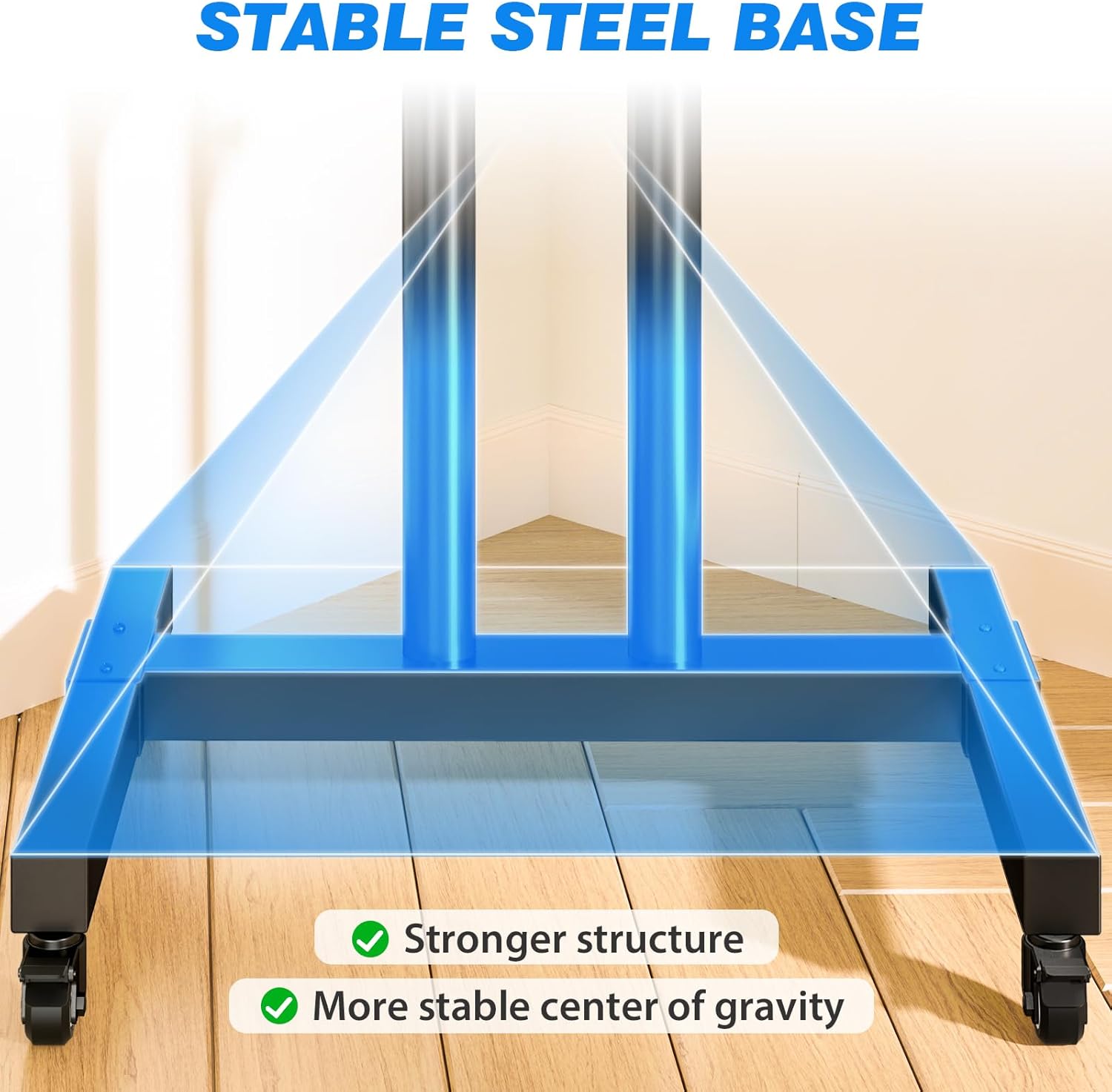
Figure 2: The stable H-shaped steel base provides a strong structure and a low center of gravity.
- Tāutahia nga Kaata: The base comes with 360° silent swivel casters. Ensure they are properly installed and understand the locking mechanism for stability.

Figure 3: Detail of the durable metal/rubber casters with lockable feature for secure positioning.
- Tāpirihia te Pūmau Whakamau Pouaka Whakaata: Secure the TV mounting bracket to the vertical poles. This bracket supports VESA patterns from 100x100mm to 600x400mm.
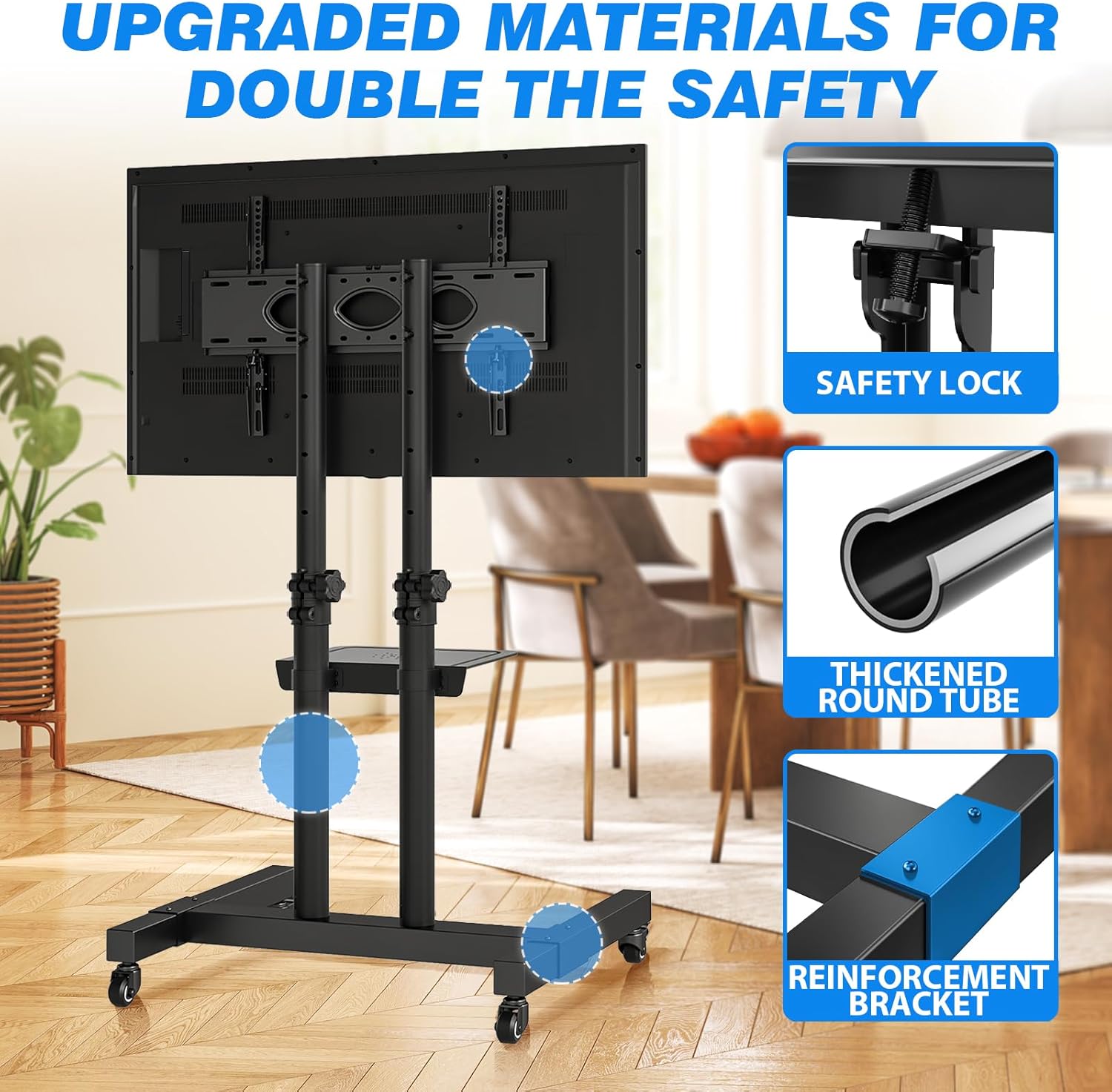
Figure 4: Upgraded materials including safety locks and thickened tubes ensure double the safety.
- Maunga te TV: Attach your TV to the mounting bracket using the provided hardware. Ensure the TV is centered and securely fastened. The stand supports TVs from 32" to 83" and up to 110 lbs.
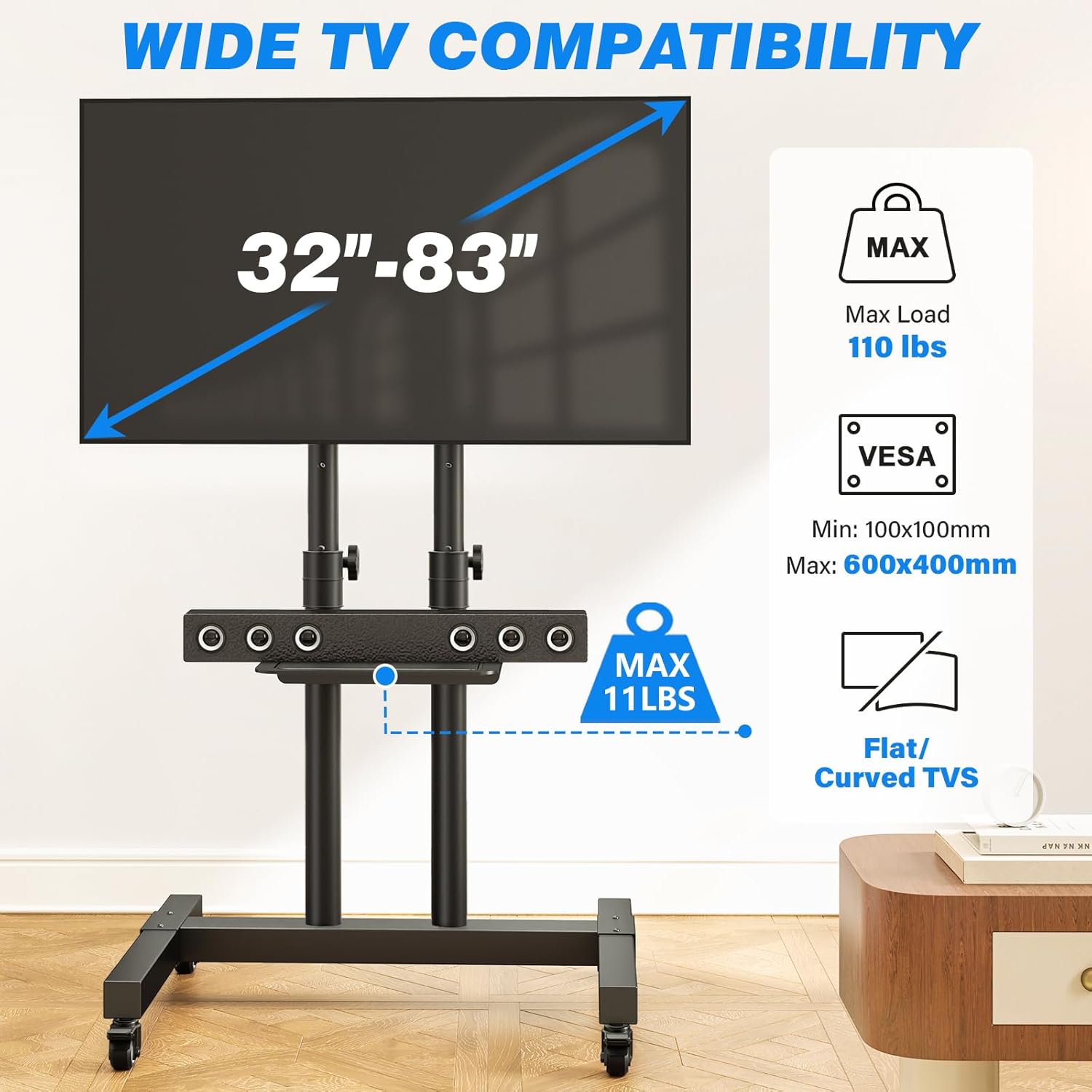
Figure 5: Compatibility details for TV sizes, weight capacity, and VESA mounting patterns.
- Tāutahia te Papa Whakaritea: Position the media shelf at your desired height on the vertical poles. It is designed to be stable and can hold up to 11 lbs.
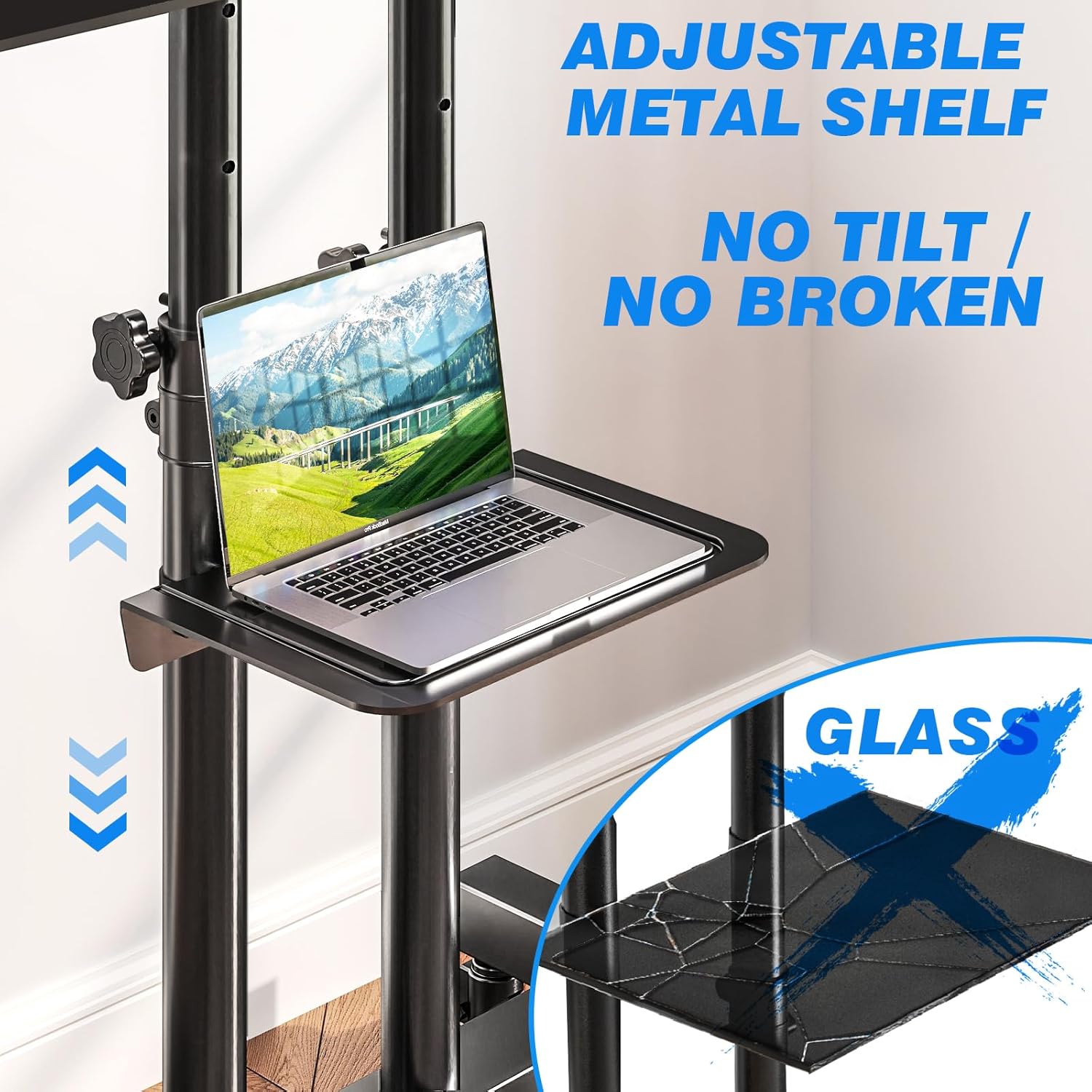
Figure 6: The adjustable metal shelf provides a stable surface for devices without tilting.
For any assembly difficulties, refer to the included detailed installation instructions or contact customer service.
Nga Tohutohu Whakahaere
Whakatikatika Teitei
The TV stand offers 15 levels of height adjustment for optimal viewing. Both the poles and hangers are equipped with height adjustment functions, allowing you to set the TV height between 44.1 inches and 63.8 inches.
- To adjust the height, loosen the securing mechanisms on the vertical poles and carefully slide the TV mount to the desired position.
- Once the desired height is reached, securely tighten all mechanisms to prevent slippage.

Figure 7: The stand offers a wide range of height adjustments for ideal viewing.
Mobility and Locking Casters
The TV cart is designed for easy mobility across various surfaces (hardwood, tile, carpet) thanks to its 360° silent swivel casters.
- To move the cart, ensure all caster locks are disengaged.
- Gently push the cart to its new location.
- Once in position, engage the wheel locks on all four casters to secure the stand and prevent unintended movement.
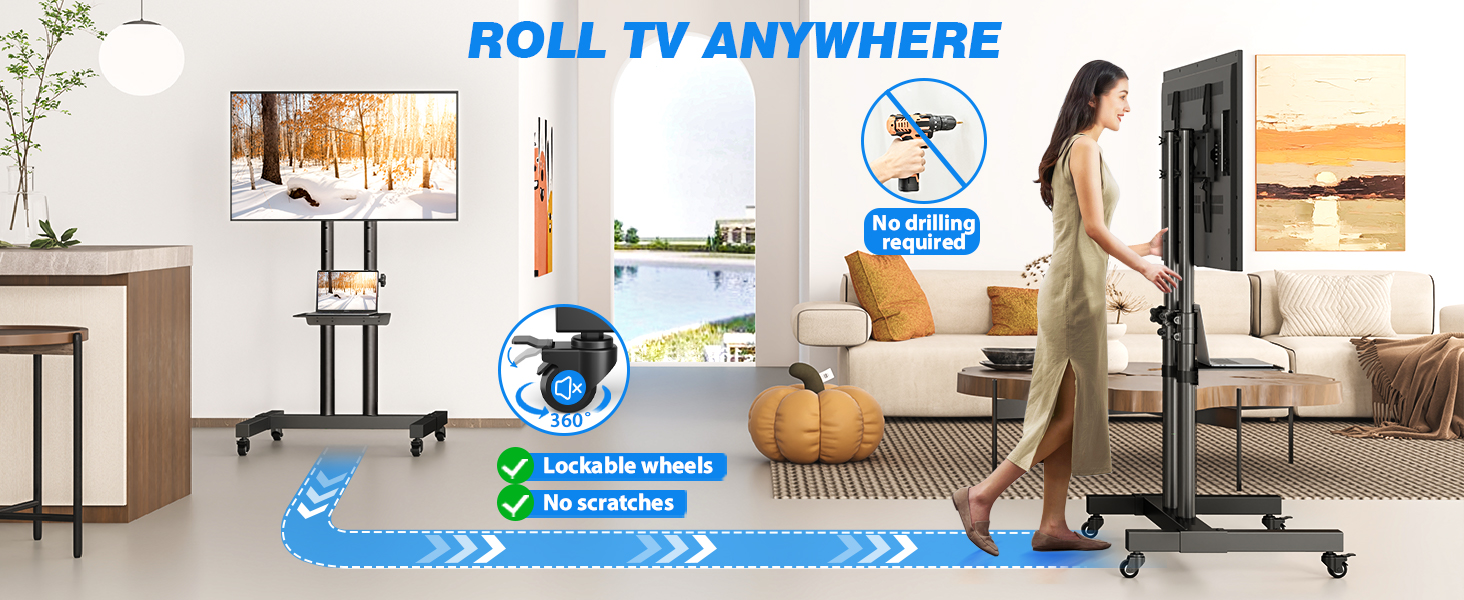
Figure 8: The mobile TV cart can be easily rolled and secured in any desired location.
Hototahi
This TV cart is universally compatible with a wide range of televisions and display types.
- Rahinga Mata: Supports TVs from 32 inches to 83 inches.
- Raukaha Taumaha: Maximum load capacity of 110 lbs (50 kg).
- Hototahitanga VESA: Supports VESA mounting patterns from 100x100mm up to 600x400mm.
- TV Types: Compatible with most LCD, LED, OLED, Plasma, Smart TVs, curved screens, computer monitors, and weatherproof outdoor televisions.

Figure 9: Visual guide to TV size, weight, and VESA compatibility.
Te tiaki
Regular maintenance will prolong the life and appearance of your TV cart:
- Te horoi: Horoia nga mata ki te ngohengohe, damp kakahu. A ape i nga kaihoroi awhiowhio, nga whakarewa ranei ka pakaru te mutunga.
- Taki Pūmārō: Periodically inspect all bolts and screws to ensure they remain tight. Re-tighten if necessary.
- Tiaki Caster: Keep casters free of debris (hair, lint) to ensure smooth rolling. Lubricate if they become stiff.
- Rokiroki: If storing for an extended period, ensure the cart is clean, dry, and stored in a stable position with casters locked.
Raparongoā
| Raruraru | Take pea | Rongoā |
|---|---|---|
| TV cart is unstable or wobbles. | Loose connections; uneven floor; overloaded. | Ensure all bolts are tightened. Move to a level surface. Check TV weight against capacity. |
| Kaore e pai te huri o nga casters. | Debris in casters; caster locks engaged. | Clean casters of any obstructions. Disengage all caster locks. |
| TV cannot be adjusted to desired height. | Securing mechanisms are too tight; obstruction. | Loosen height adjustment knobs/bolts. Check for any obstructions in the poles. |
| Kua ngaro nga waahanga i te wa e huihui ana. | He hapa te takai. | Contact Rfiver customer service immediately. |
Whakatakotoranga
- Rahi Hua: 29.3 x 23.5 x 64 inihi
- Taumaha Tūemi: 23.6 pauna
- Maximum Compatible TV Size: 83 Inihi
- Minimum Compatible TV Size: 32 Inihi
- Maximum TV Load Capacity: 110 lbs
- Hototahitanga VESA: 100x100mm ki te 600x400mm
- Raukaha Uta Paa Ka taea te whakarite: 11 lbs
- Awhe Whakatikatika Teitei: 44.1 inches to 63.8 inches (15 levels)
- Rauemi: Metal (High-quality thickened steel)
- Tae: Pango
- Momo Nekehanga: Rotate (TV mount), Mobile (Cart)
- Momo Whakapuru: Maunga Papa
- Kaihanga: Rfiver
- Whenua Taketake: Haina
Tautoko Kiritaki
If you encounter any problems during installation, operation, or have questions regarding your Rfiver Mobile TV Cart, please do not hesitate to contact our customer service team directly for assistance.
For more information and support, visit the official Rfiver store: Rfiver Official Store


