Kupu Whakataki
This manual provides detailed instructions for the safe and effective use of your Brookstone Powershine Platinum Micro Hair Dryer. Please read all instructions carefully before use and retain this manual for future reference.
Ka mutu te huaview
The Brookstone Powershine Platinum Micro Hair Dryer is designed for efficient hair drying with features aimed at reducing frizz and enhancing shine. Its compact and lightweight design makes it suitable for both home use and travel.

Image: The Brookstone Powershine Platinum Micro Hair Dryer, showcasing its sleek black and rose gold design.
Nga waahanga matua
- Ionic Generator: Helps to reduce frizz and enhance hair shine by drying hair faster with lower heat.
- Pātene Matā Matao: Provides a burst of cool air to set your hairstyle for a long-lasting hold and added shine.
- Infinity Temperature and Speed Control Wheel: Offers precise adjustment of heat and airflow settings for various hair types and styling needs.
- Hoahoa Tohu Ngaio: Engineered for quiet operation and powerful performance, delivering superior styling results.
- Roopu Whakairi Watea: Allows for easy storage, saving counter and cabinet space.
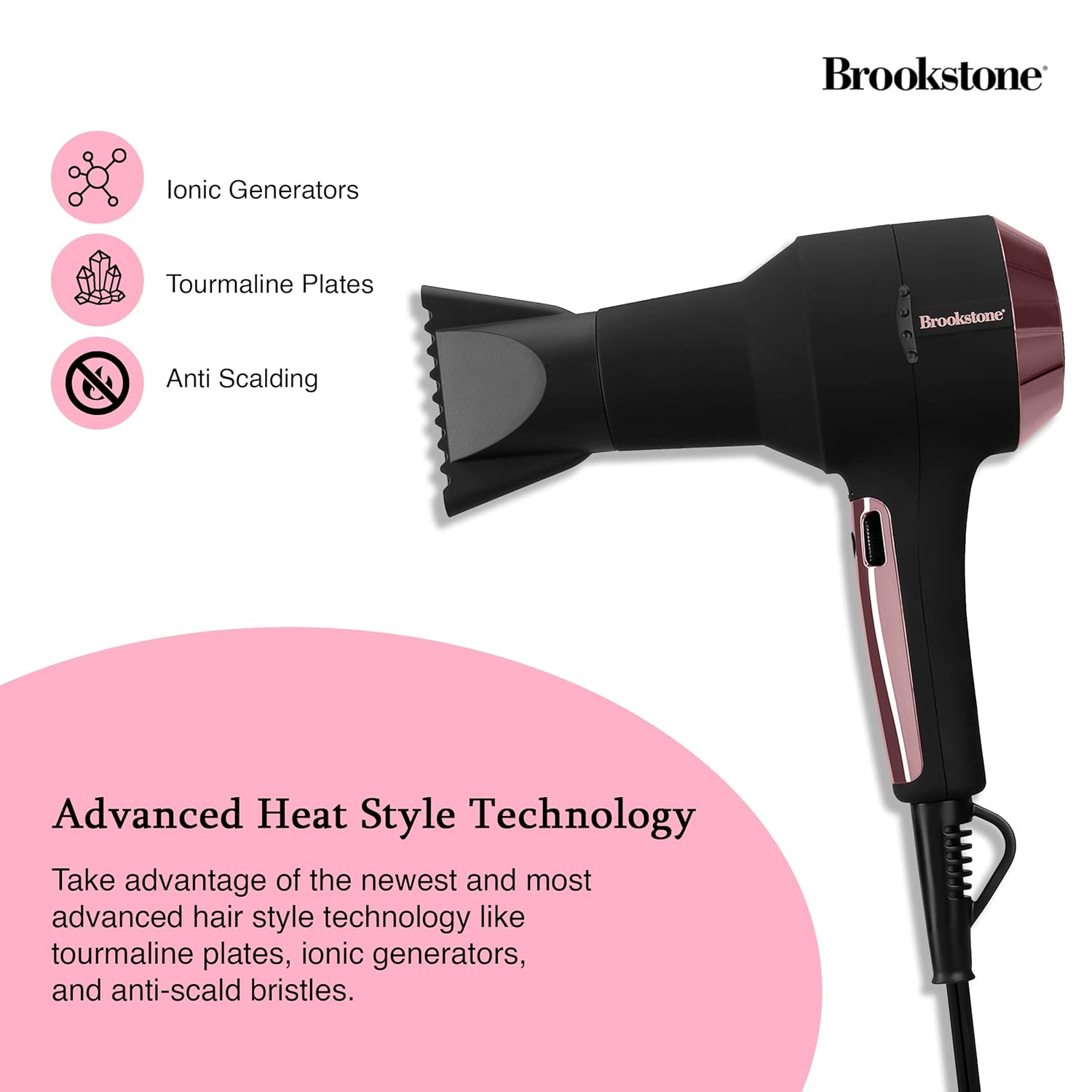
Image: Close-up of the hair dryer with icons indicating Ionic Generators, Tourmaline Plates, and Anti Scalding technology.
Nga Korero Haumaru Nui
Hei whakaiti i te mōrearea o te ru hiko, te wera, te ahi, te whara rānei, me whai tonu i ēnei whakatūpato haumaru taketake:
- Kaua e taea e nga tamariki.
- Kaua e whakamahia i te wa e kaukau ana, e tata ana ranei ki te wai.
- Kaua e rukuhia te taputapu ki te wai, ki tetahi atu wai ranei.
- Puritia te mono hiko me te taura mai i nga papa wera.
- Tukua kia whakamatao rawa te whakamaroke makawe i mua i te penapena.
- Always unplug the hair dryer immediately after use and before cleaning.
- Kaua e whakahaere i tetahi taputapu me te taura pakaru, te mono ranei, ki te hee te mahi, kua taka ranei, kua pakaru ranei ahakoa he aha.
- Kaua e āraia ngā pūaha hau, kaua hoki e whakatakoto i te taputapu ki runga i tētahi mata ngohengohe, pērā i te moenga, i te tūru rānei, kei reira pea e āraia ai ngā pūaha hau.
- Kaua rawa e whakamahia i te wa e moe ana.

Image: The hair dryer illustrating protective features such as prevention of scalp burns, overheating, and the inclusion of protective heat sleeves.
Tatūnga
- Wewete: Kia ata tangohia te whakamaroke makawe me nga taputapu katoa mai i te kete.
- Tirotiro: Tirohia te taputapu mo nga tohu o te kino. Kaua e whakamahia mena kua pakaru.
- Hononga Hiko: Ensure your hands are dry, then plug the power cord into a standard electrical outlet (120V AC, 60Hz).
- Āpitihanga (Kōwhiringa): If using a concentrator nozzle, align it with the front of the dryer and push it firmly into place.
Nga Tohutohu Whakahaere
Whakakahuria/Weto
- To turn the dryer ON, slide the power switch to the desired setting.
- To turn the dryer OFF, slide the power switch to the '0' position.
Adjusting Temperature and Speed
The hair dryer features an infinity control wheel for precise adjustment of both temperature and airflow speed.
- Mana Pawera: Rotate the infinity control wheel to increase or decrease the heat level. Lower settings are ideal for fine, fragile, or sensitive hair, while higher settings are suitable for faster drying of thicker hair.
- Mana Tere: The same infinity control wheel also adjusts the airflow speed. Rotate it to find the optimal speed for your styling needs.
Te Whakamahi i te Pātene Whakamatao
After drying and styling your hair with heat, press and hold the Cool Shot button to deliver a stream of cool air. This helps to seal the hair cuticle, lock in your style, and add shine. Release the button to return to the previous heat setting.
Te tiaki
Te horoi i te Tātari Hau
Regular cleaning of the air filter is essential for optimal performance and to prolong the life of your hair dryer.
- Wetewete: Momotuhia te momotu o te whakamaroke makawe i te putanga hiko i mua i te horoinga.
- Tangohia te Taupoki Tātari: Locate the removable rear filter cover. Gently twist or pull to detach it.
- Tātari Ma: Use a soft brush or a vacuum cleaner with a brush attachment to remove any accumulated dust, lint, or hair from the filter screen.
- Āpiti anō: Once clean, securely reattach the filter cover.
Rokiroki
When not in use, ensure the hair dryer is unplugged and completely cool. Store it in a dry location. The integrated hanging loop allows for convenient storage on a hook, saving space.

Image: The hair dryer with its integrated hanging loop, illustrating a convenient storage option.
Raparongoā
If you encounter any issues with your Brookstone Powershine Platinum Micro Hair Dryer, please refer to the following common problems and solutions:
- Kāore te mīhini whakamaroke e tahuri:
- Me mohio kua honoa te taura hiko ki tetahi putanga hiko mahi.
- Tirohia mēnā kei te 'ON' te whakakā hiko.
- Manatokohia kaore ano te wehenga iahiko i taka.
- Insufficient heat or airflow:
- Check the infinity control wheel to ensure it is set to a higher heat/speed setting.
- Clean the air intake filter at the rear of the dryer, as a blocked filter can restrict airflow.
- Dryer is excessively noisy:
- A clogged air filter can cause increased noise. Clean the air intake filter.
- Ensure no foreign objects are obstructing the air vents.
- Hair is still frizzy:
- Ensure the ionic generator is functioning (though not visibly indicated, it operates automatically).
- Use the Cool Shot button at the end of your drying routine to help seal the hair cuticle.
- Consider using a heat protectant or anti-frizz styling product in conjunction with the dryer.
Mena kei te haere tonu te raru i muri i te whakamatau i enei otinga, tena koa whakapā atu ki te tautoko a te kaihoko.
Whakatakotoranga
| Hunga Hua | 9.5 x 4 x 12 inihi |
| Taumaha Tūemi | 3.4 Pauna |
| Tau tauira | HS1002-BK8 |
| Waitohu | Brookstone |
| Tae | Black/Rose Gold |
| Puna Mana | Hiko Hiko |
| Nga waahanga motuhake | Compact, Cool Shot Button, Hanging Loop |
| Nga Whakamahinga Manakohia | Te whakamaroke |
| UPC | 191205489919 |
Pūtāhui me te Tautoko
Your Brookstone Powershine Platinum Micro Hair Dryer is covered by a limited warranty. Please refer to the warranty card included with your purchase for specific terms and conditions.
For technical support, warranty claims, or further assistance, please visit the official Brookstone webpaetukutuku, whakapā atu rānei ki tā rātou tari ratonga kiritaki mā te whakamahi i ngā taipitopito whakapā kua whakaratohia i roto i te takai o tō hua.


