Kupu Whakataki
This manual provides comprehensive instructions for the safe and efficient use of your Coby True Wireless Earbuds (Model CETW535). Please read this manual thoroughly before using the product and retain it for future reference.
The Coby True Wireless Earbuds offer a seamless audio experience with Bluetooth 5.3 technology, a smart battery display, and intuitive controls for music and calls. They are designed for comfort and convenience, featuring a built-in microphone for hands-free communication.
Ihirangi mokete
- Ngā Taringa Ahokore Coby True (Mauī me te Matau)
- Charging Case with Smart Battery Display
- Tauira Whakatau USB
- Pukapuka Kaiwhakamahi (tenei tuhinga)
Tatūnga
1. Whakataki Tuatahi
Before first use, fully charge the earbuds and the charging case. Connect the charging case to a USB power source using the provided USB cable. The digital display on the case will indicate the charging status and battery level.

Image: The Coby True Wireless Earbuds are shown inside their open charging case, which displays "100%" on its digital screen, indicating a full charge. The earbuds are black and fit snugly into their respective slots.
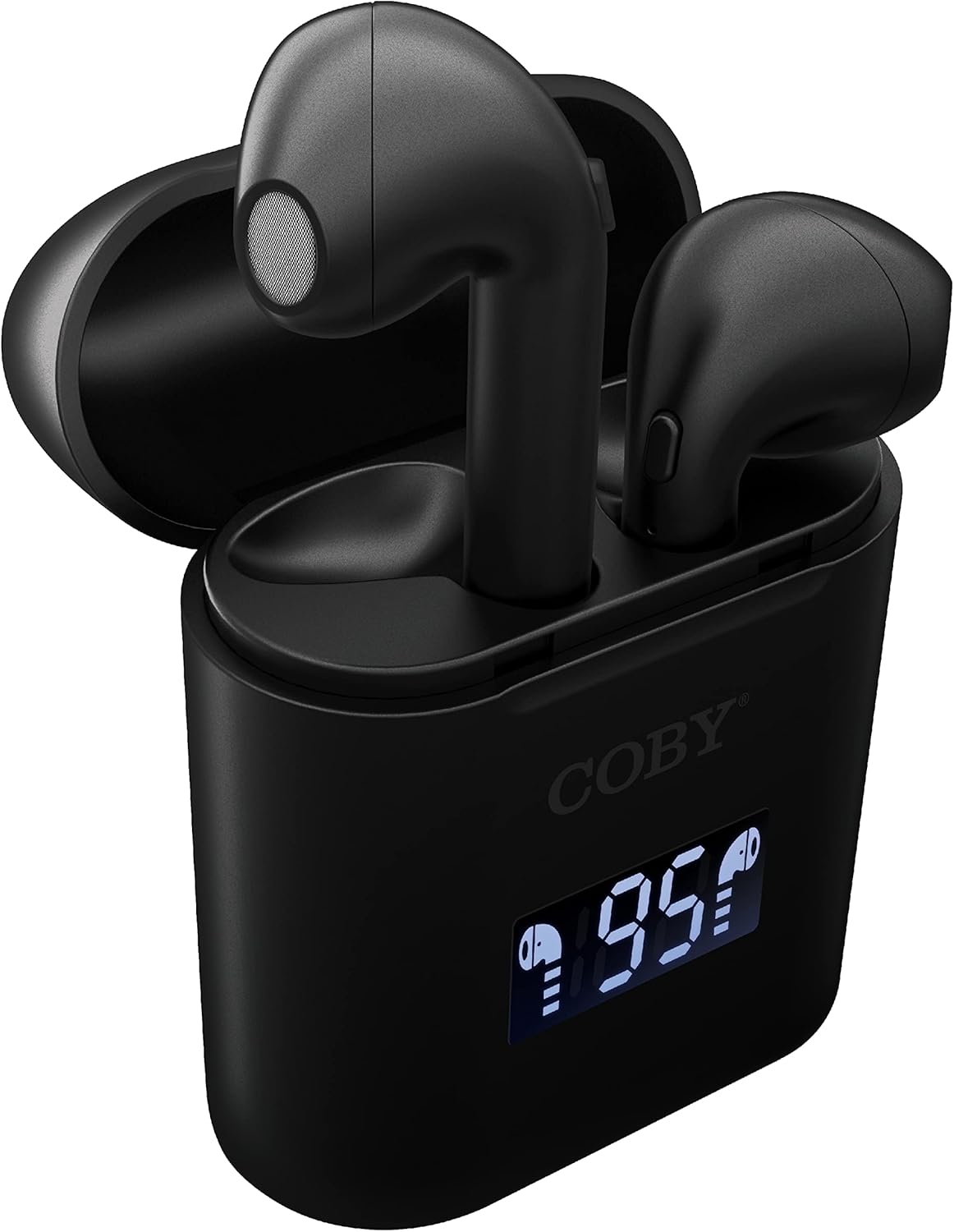
Whakaahua: He tata view of the Coby True Wireless Earbuds resting in their open charging case. The case features a digital display showing "95%", indicating the current battery level of the case. The black earbuds are visible, with their microphones facing upwards.
2. Te hono ki te Pūrere Nihokikorangi
- Me whakarite kei te utuhia nga purongo, kei roto hoki i te pukoro utu.
- Whakatuwherahia te putea utu. Ka hiko aunoa nga taringa ka uru ki te aratau takirua.
- I runga i to taputapu (waea atamai, papa, aha atu), whakaahei i a Nihokikorangi.
- Rapua "CETW535" or "Coby Earbuds" in the list of available Bluetooth devices.
- Select the device name to connect. Once connected, you will hear a confirmation tone.
- The earbuds will automatically re-pair with the last connected device when removed from the case, if Bluetooth is enabled on the device.
3. Te Whakapai i nga Puka-taringa
Gently insert each earbud into the corresponding ear (L for left, R for right). Adjust them slightly until they feel secure and comfortable. A proper fit ensures optimal sound quality and comfort.

Image: A woman is shown smiling while wearing a black Coby True Wireless Earbud in her right ear, demonstrating a comfortable and secure fit.
Nga Tohutohu Whakahaere
Te Hiko / Whakaweto
- Whakahiko: Open the charging case, or press and hold the touch control area on each earbud for 3 seconds.
- Weto Whakakore: Place the earbuds back into the charging case and close the lid, or press and hold the touch control area on each earbud for 5 seconds.
Mana Waiata
The earbuds feature touch-sensitive controls for easy management of your audio playback.
- Purei/Tatari: Patohia tetahi purongo kia kotahi.
- Riu Panuku: Patohia-rua te purongo taringa matau.
- Riu o mua: Paoa rua te purongo maui.
- Runga Runga: Patohia-toru te purongo taringa matau.
- Raro Raro: Patohia-toru te purongo maui.

Image: A man is shown wearing a Coby True Wireless Earbud in his right ear, taking a drink from a water bottle, illustrating the earbuds' use during active moments.
Waea Mana
Manage your calls effortlessly with the built-in microphone and touch controls.
- Whakautu/Whakamutu Waea: Patohia tetahi purongo kia kotahi.
- Whakakore Waea: Patohia me te pupuri i tetahi purongo mo te 2 hēkona.

Image: A man is depicted wearing a Coby True Wireless Earbud in his left ear while concentrating on a laptop screen, highlighting the earbuds' suitability for work or study environments.
Whakahohe Kaiāwhina Reo
Activate your device's voice assistant (Siri or Google Assistant) for hands-free commands.
- Whakahohe i te Kaiawhina Reo: Press and hold either earbud for 3 seconds (after powering on, before powering off gesture).
Intelligent Digital Battery Display
The charging case features a digital display that shows the remaining battery percentage of the case and individual charging status of the earbuds.
- The large number indicates the charging case's battery percentage.
- Small icons next to the percentage indicate the charging status of the left and right earbuds.

Image: The Coby True Wireless Earbuds are shown in their open charging case, with the digital display indicating "95%" battery life for the case. The black earbuds are visible, ready for use or charging.
Te tiaki
- Te horoi: Whakamahia he kakahu ngohengohe, maroke, kore-raro hei horoi i nga pukoro taringa me te putea utu. Kaua e whakamahi i nga matū kino, i nga mea awhiowhio ranei.
- Rokiroki: Mena karekau e whakamahia, penapenahia nga purongo ki roto i to pukoro hei tiaki kia mau tonu te utu. Whakaorangia ki te waahi makariri, maroke atu i nga wera nui.
- Kei te utu: To prolong battery life, avoid fully discharging the battery frequently. Charge the case and earbuds regularly, even if not in constant use.
Raparongoā
| Raruraru | Rongoa pea |
|---|---|
| Karekau nga taringa e hono ana ki te taputapu. |
|
| Kotahi anake te taringa e whakatangi ana i te oro. |
|
| Karekau e utuhia ana. |
|
| Te kounga oro ngoikore, te momotu rānei o ngā hononga. |
|
Whakatakotoranga
| Āhuahira | Taipitopito |
|---|---|
| Waitohu | Coby |
| Ingoa Tauira | Nga Waea Ahokore Pono |
| Tau tauira | CETW535 |
| Hangarau Hononga | Nihokikorangi 5.3 |
| Tae | Pango |
| Waa purei Puoro | Up to 6.5 hours (on a full charge) |
| Wā Takaro Tapeke (me te pouaka) | Tae atu ki te 22 haora |
| hopuoro | Hanga-i roto |
| Tautoko Kaiawhina Reo | Siri, Kaiawhina a Google |
| Ahu (L x W x H) | 0.99 x 1.85 x 2.44 inihi (Pūkoro Utu) |
| Taumaha Tūemi | 6.1 hekere |
| UPC | 643620020982 |
| Kaihanga | Summit Electronics, LLC |
Pūtāhui me te Tautoko
Specific warranty information for the Coby True Wireless Earbuds (Model CETW535) is not provided within this manual. For details regarding warranty coverage, terms, and conditions, please refer to the warranty card included with your product packaging or visit the official Coby webpae.
For technical support or further assistance, please contact Coby customer service through the contact information provided on their official webte waahi, te kohinga hua ranei.


