1. Kupu Whakataki
Mauruuru koe mo te hokoasing the Comix S360A Cross Cut Paper Shredder. This manual provides essential information for the safe and efficient operation, maintenance, and troubleshooting of your shredder. Please read these instructions carefully before use and retain them for future reference.
The Comix S360A is designed for secure disposal of sensitive documents, credit cards, and CDs. It features a cross-cut mechanism for enhanced security and includes a jam-proof system with reverse and forward functions to clear paper jams. An energy-saving mode ensures optimal efficiency during operation.
2. Nga Tohutohu Haumaru Nui
WHAKATŪPATO: Ki te kore e whai i ēnei tohutohu haumaru, ka pāngia pea koe e te ahi, te ru hiko, te whara rānei.
- Tiakina nga tamariki me nga kararehe mai i te kaitapahi.
- Tiakina nga kakahu taratara, nga whakapaipai, nga makawe, me nga here mai i te mokowhiti pepa.
- Kaua e kuhuhia maihao me etahi atu wahanga tinana ki roto i te mokowhiti pepa.
- Kaua e rehuhia nga hua muramura, whakahinuhinu ranei ki roto i te kaitapahi.
- Kaua e haea nga mea whakarewa, pepa maku, tapanga whakapiri ranei.
- Always unplug the shredder when not in use or before cleaning.
- Do not operate the shredder if the power cord is damaged. Contact customer support for assistance.
- Me whakarite kia noho te kaitapahi ki runga i te mata papa.
- Do not overload the shredder beyond its specified sheet capacity.
3. Ihirangi mokete
Tena koa tirohia te kete mo nga mea e whai ake nei:
- Comix S360A Shredder Head
- Waste Bin (13 Liter capacity)
- Pukapuka Tohutohu (tenei tuhinga)
4. Tatūnga
- Wewetehia te Kaitapahi: Kia ata tangohia nga waahanga katoa mai i te kete.
- Place the Waste Bin: Position the waste bin on a flat, stable surface.
- Tāutahia te Upoko Shredder: Carefully place the shredder head onto the top of the waste bin, ensuring it is securely seated. The shredder will not operate if the head is not correctly positioned.
- Hono Hono: Monohia te taura hiko ki te putanga hiko paerewa.
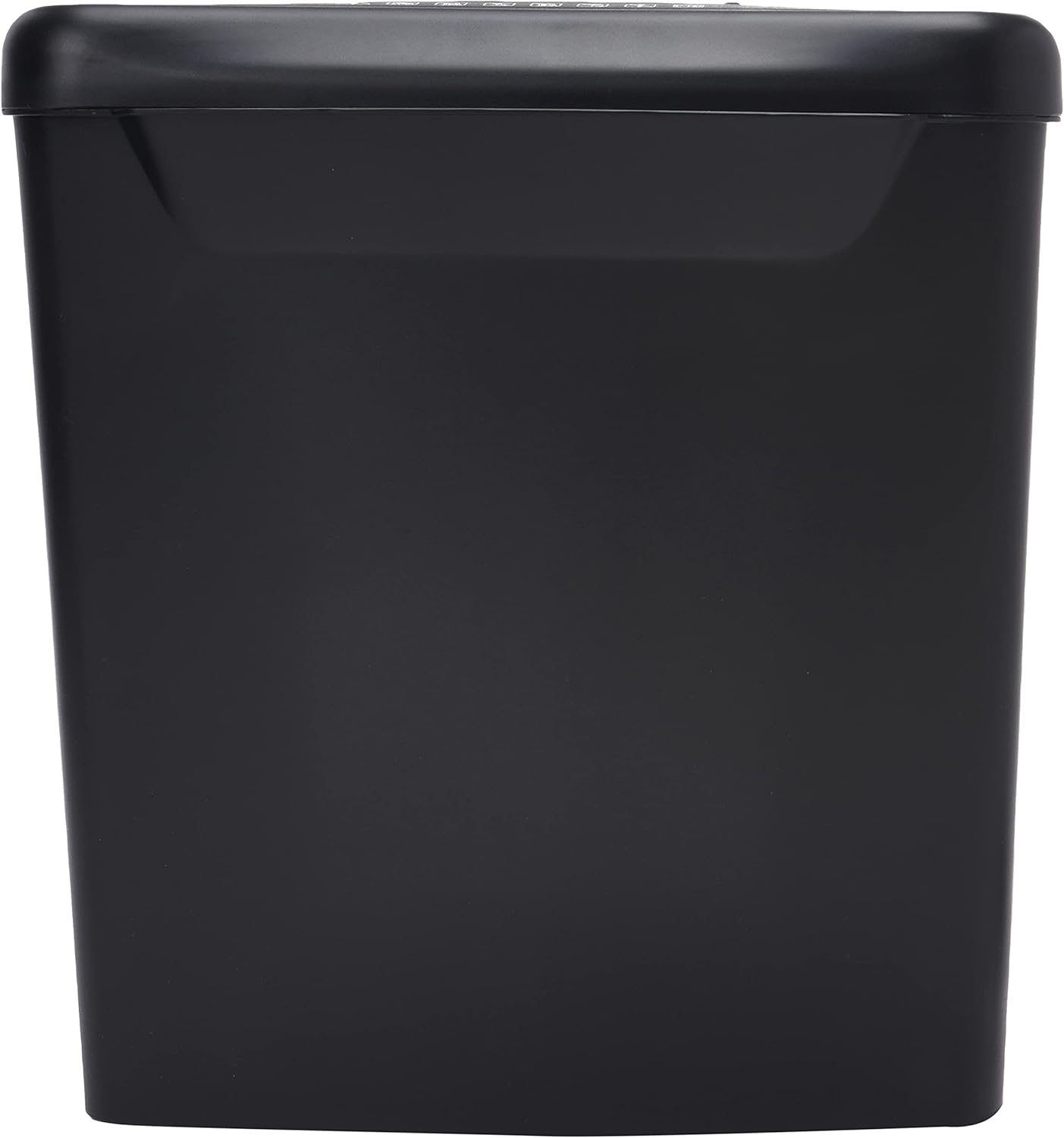
Whakaahua: Taha view of the Comix S360A shredder bin, showing its black exterior and compact design. The shredder head is not visible in this image.
5. Nga Tohutohu Whakahaere
5.1 Whakawhiti Mana
The shredder features a slide switch with three positions:
- MOTO: The shredder will automatically start when paper is inserted and stop when shredding is complete. This is the normal operating mode.
- WATE: The shredder is powered off. Always set the switch to OFF when emptying the bin or when the shredder is not in use.
- REV (Whakamuri): This position reverses the shredder blades to help clear paper jams.

Whakaahua: Runga view of the shredder head, highlighting the paper entry slot, the three-position control switch (Rev, OFF, Auto), and various safety warning icons.
5.2 Tuhi Tuhituhi
- Ensure the shredder head is securely placed on the waste bin.
- Monohia te taura hiko ki te putanga hiko.
- Tautuhia te pana mana ki AUTO.
- Insert up to 8 sheets of 70gsm A4 paper into the paper entry slot. The shredder will start automatically.
- For credit cards or CDs, use the dedicated slot if available (refer to product specifications for capability).
- The shredder will stop automatically once the shredding process is complete.
5.3 Porohita Mahi
The Comix S360A has a continuous run time of meneti 2, followed by a rest time of meneti 40. Exceeding the run time may cause the shredder to overheat and automatically shut off. Allow the shredder to cool down for the specified rest time before resuming operation.
6. Tiaki
6.1 Te Putua i te Ipu Para
- Tautuhia te pana mana ki WATE.
- Wewetehia te kaitahuri mai i te putanga hiko.
- Lift the shredder head off the waste bin.
- Dispose of the shredded paper.
- Whakakapihia te upoko o te kaitapahi ki runga i te ipu para.
- Plug the shredder back into the power outlet.
6.2 Te Whakahinuhia nga Matapihi Whakawhiti
Regular oiling of the shredder blades is recommended to maintain optimal performance and extend the life of your shredder. Use shredder oil specifically designed for paper shredders.
- Hoatu he raina angiangi o te hinu kaitapahi puta noa i te mokowhiti pepa.
- Tautuhia te pana mana ki AUTO.
- Insert a sheet of paper to distribute the oil evenly across the blades.
- Repeat this process periodically, especially after emptying a full waste bin or if the shredder's performance decreases.
6.3 Te horoi
Wipe the exterior of the shredder with a soft, dry cloth. Do not use abrasive cleaners or solvents. Ensure the shredder is unplugged before cleaning.
7. Te Raru
| Raruraru | Take pea | Rongoā |
|---|---|---|
| Kaore e timata te kaipatu. |
|
|
| Pepa tāmi. |
|
|
| Ka mutu te kaipatu i te wa e mahi ana. |
|
|
8. Whakatakotoranga
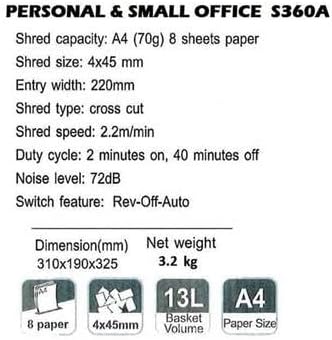
Image: Technical specifications sheet for the Comix S360A, detailing performance metrics and physical attributes.
- Tauira: S360A
- Momo Karipi: Tapahia te ripeka
- Rahi karipi: 4 x 45 mm
- Shred Capacity (A4, 70g): 8 rau
- Whānuitanga Whakauru: 220 mm
- Tere karipi: 2.2 m/min
- Te Raukaha Ipu Para: 13 rita
- Huringa Mahi: 2 meneti I runga / 40 meneti Wee
- Taumata Haruru: 72 dB
- Switch Feature: Rev-Off-Auto
- Rahi Hua: 310 x 190 x 325 mm (L x W x H)
- Taumaha kupenga: 3.2 kg
- Nga waahanga motuhake: Energy Saving Mode, Jam Pro, Quiet Operation
9. Pūtāhui me te Tautoko
For warranty information or technical support, please refer to the warranty card included with your product or contact Comix customer service through their official website or the retailer where the product was purchased. Please have your model number (S360A) and purchase date available when contacting support.


