Kupu Whakataki
Thank you for choosing the Amazon Basics 4V Cordless Stick Screwdriver. This versatile tool is designed for various household tasks, offering convenience and efficiency. It comes with a comprehensive 34-piece bit set and a durable carrying case for easy storage and transport. This manual provides essential information for safe operation, maintenance, and troubleshooting.

Image: The Amazon Basics 4V Cordless Stick Screwdriver shown alongside its included carrying case, highlighting the complete package.
Nga korero haumaru
Pānuihia, kia mārama hoki ngā whakatūpato me ngā tohutohu haumaru katoa i mua i te whakamahi i tēnei taputapu. Ki te kore e whai i ngā whakatūpato me ngā tohutohu, ka pāngia pea koe e te ru hiko, te ahi, me/ranei te whara kino. Puritia tēnei pukapuka ā-ringa mō ngā tirohanga ā muri ake nei.
For detailed safety guidelines, please refer to the official Nga korero haumaru PDF whakaratohia e te kaihanga.
Nga Waeine Neke Atuview

Image: An illustrative diagram pointing out key features of the screwdriver, including torque settings, LED light, USB-C charging port, and 1/4-inch quick change collet.
- Cordless Screwdriver: The main unit, powered by a built-in 2000mAh Lithium-ion battery.
- Huinga Moka-34: A variety of screwdriver bits for different screw types.
- Te Kawe: Durable case for organized storage of the screwdriver and bits.
- USB-C Uira Whakatau: For recharging the screwdriver's internal battery.
- Maama Mahi LED: Ka whakamārama i te mata mahi.
- Tautuhinga Torque: Three adjustable settings for precise control.
Tatūnga
1. Whakataki Tuatahi
Before first use, fully charge the screwdriver. Connect the included USB-A to USB-C charging cable to the screwdriver's USB-C port and a compatible USB power source (not included). The battery indicator lights will show charging progress. A full charge typically takes approximately 2-3 hours.
2. Inserting and Removing Bits
The screwdriver features a 1/4-inch quick-change collet. To insert a bit, simply push it firmly into the collet until it clicks into place. To remove, pull the bit straight out. Ensure the bit is securely seated before operation.

Whakaahua: He taipitopito view of the screwdriver's front, showing the bit collet and control buttons.
Nga Tohutohu Whakahaere
1. Te Whakakaha/Whakaweto me te Mana Whakahaere
The screwdriver is activated by pressing the forward or reverse button. The central button controls the direction of rotation:
- Pehia te pātene pere whakamua to drive screws (clockwise rotation).
- Pehia te reverse arrow button to remove screws (counter-clockwise rotation).
- Tukua te pātene hei whakamutu i te tīwiri.
2. Te Whakatikatika i ngā Tautuhinga Taipana
This screwdriver offers 3 torque settings, allowing you to adjust the power output for different applications. The torque setting button is located near the end of the handle. Press the button to cycle through the settings. Higher torque is suitable for larger screws or tougher materials, while lower torque prevents overtightening or damaging delicate surfaces.
3. Te whakamahi i te Maama Mahi LED
The integrated LED work light automatically illuminates the work surface when the screwdriver is in operation, providing better visibility in dimly lit areas.
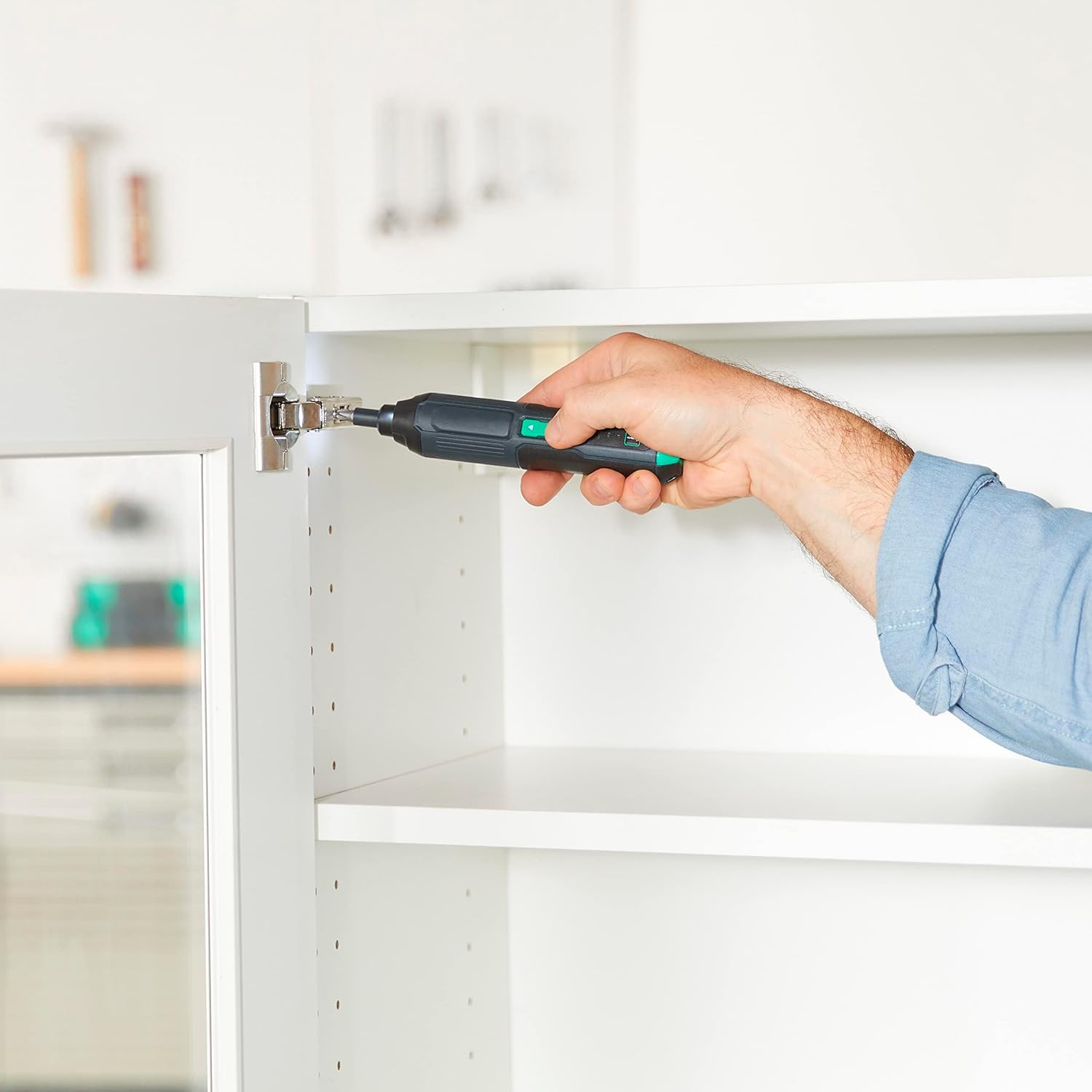
Image: A person using the Amazon Basics Cordless Stick Screwdriver to install a cabinet hinge, demonstrating its practical application in tight spaces.
Te tiaki
- Te horoi: Wipe the tool with a soft, damp kakahu. Kaua e whakamahi i nga matū kino me nga horoi horoi.
- Rokiroki: Store the screwdriver and bit set in the provided carrying case in a dry, cool place, away from direct sunlight and moisture.
- Tiaki Pūhiko: For optimal battery life, avoid fully discharging the battery frequently. Recharge the battery regularly, even if the tool is not in use for extended periods.
Raparongoā
| Raruraru | Take pea | Rongoā |
|---|---|---|
| Karekau te huriwiri e huri ana. | Kua pau te pākahiko. | Charge the battery fully using the provided USB-C cable. |
| Bit slips or does not engage screw. | Te rahi hē o te mata, te mata kua tawhito rānei. | Ensure the correct bit size is used for the screw head. Replace worn bits. |
| Ka mutu te taraiwa i te wa e mahi ana. | Kua whakahohehia te parenga taumaha. | Reduce pressure or switch to a higher torque setting if appropriate. Allow the tool to cool down. |
Whakatakotoranga
| Āhuahira | Taipitopito |
|---|---|
| Tau tauira | ASD2401-02 |
| Voltage | 4V |
| Momo Pūhiko | Hanga-i roto i te 2000mAh Lithium-ion |
| RPM Max | 300 rpm |
| Max Torque | Up to 22 inch-pounds |
| Tautuhinga Torque | 3 |
| Rahi Huka | 1/4-inihi Hex |
| Tauranga Whakatau | USB-C (USB-A to USB-C cable included) |
| Taumaha Tūemi | 10.6 hekere |
| Hunga Hua | 1.38 x 1.42 x 6.97 inihi |
| Rauemi | Plastic, Iron, Copper, Others |

Image: The back of the screwdriver showing the product label with model number and electrical specifications.
Pūtāhui me te Tautoko
This product is covered by the Power Tool 5-Year Tool Warranty. For full details regarding warranty coverage, terms, and conditions, please refer to the official Pupuri PDF.
For customer support or service inquiries, please visit the Amazon Basics Store or contact Amazon customer service.


