1. Kupu Whakataki
This manual provides detailed instructions for the ZIOCOM BT4810E Bluetooth 5.0 2-in-1 Transmitter Receiver. This device allows you to add Bluetooth functionality to non-Bluetooth audio devices, enabling wireless audio transmission (TX mode) or reception (RX mode).

Image 1.1: ZIOCOM BT4810E Bluetooth 2-in-1 Transmitter Receiver. This image shows the compact black device with a 3.5mm audio jack cable connected, and a power button on top.
2. Ihirangi mokete
Manatokona kei roto katoa nga mea kei roto i to kete:
- 1 x ZIOCOM BT4810E Bluetooth 2-in-1 Transmitter Receiver
- 1 x Micro USB Utaura Whakatau
- 1 x 3.5mm Waea Ororongo
- 1 x Pukapuka Kaiwhakamahi

Image 2.1: Package Contents. This image displays the ZIOCOM BT4810E unit, a micro USB charging cable, a 3.5mm audio cable, and the user manual, all neatly arranged.
3. Pūrere Neke Atuview
The ZIOCOM BT4810E features a compact design with essential ports and controls.

Image 3.1: Device and Connectivity Options. This image shows the ZIOCOM BT4810E device alongside various cables including RCA, 3.5mm audio, and USB charging cables, illustrating its versatile connectivity.
Āhuatanga matua:
- Taumahinga 2-i-1: Operates as both a Bluetooth Transmitter (TX) and Receiver (RX).
- Nihokikorangi 5.0: Ensures stable connection and high-quality audio transmission.
- Dual-Link Support: Connects to two Bluetooth headphones in TX mode or two smartphones in RX mode simultaneously.
- Roa te Ora o te Pūhiko: Built-in 250mAh rechargeable battery provides approximately 10 hours of continuous use. Can operate while charging.
- Kiato me te Kawe: Small and lightweight for easy transport.
- Hononga maha: Supports 3.5mm AUX and RCA audio connections.
Note: This device does not have a built-in microphone and cannot be used for phone calls. It also does not support fiber optic interfaces.
4. Tatūnga me te Mahi
4.1 Te Whakataki i te Pūrere
Before first use, fully charge the ZIOCOM BT4810E. Connect the Micro USB charging cable to the device's charging port and the other end to a USB power source (e.g., computer USB port, USB wall adapter).
- Kotahi pea te haora te roa o te utu katoa.
- Ka taea te whakamahi i te taputapu i te wa e utu ana.

Image 4.1: Battery Life and Charging. This image illustrates the ZIOCOM BT4810E being charged via a Micro USB cable, highlighting its 250mAh battery and approximately 10 hours of working time.
4.2 Ngā Aratau Whakawhiti (TX/RX)
The device has a switch to select between Transmitter (TX) and Receiver (RX) modes. Ensure the correct mode is selected for your intended use.
- Aratau TX (Kaiwhakawhiti): For sending audio from a non-Bluetooth device (e.g., TV, PC) to Bluetooth headphones/speakers.
- RX (Kaiwhiwhi) Aratau: For receiving audio from a Bluetooth device (e.g., smartphone) to non-Bluetooth speakers/car stereo.
4.3 Transmitter (TX) Mode Operation
Use TX mode to wirelessly stream audio from your non-Bluetooth devices to Bluetooth headphones or speakers.
- Tautuhia te taputapu ki TX mode using the switch.
- Connect the ZIOCOM BT4810E to your audio source (e.g., TV, PC, MP3 player) using the 3.5mm audio cable. If your source uses RCA, you will need an RCA to 3.5mm adapter (not included).
- Turn on the ZIOCOM BT4810E. It will automatically enter pairing mode (indicator light will flash).
- Whakatakotoria ō paneoro Nihokikorangi, ō kaikorero rānei ki te aratau takirua.
- The ZIOCOM BT4810E will automatically search for and connect to your Bluetooth audio device. Once connected, the indicator light will remain solid.
- Dual-Link (TX Mode): To connect a second pair of Bluetooth headphones, put the second headphones into pairing mode after the first pair is connected. The BT4810E will attempt to connect to the second device.

Image 4.2: TX Mode Example (TV). This image shows the ZIOCOM BT4810E connected to a television, transmitting audio wirelessly to a user wearing Bluetooth headphones, allowing private listening.

Image 4.3: Dual-Link TX Mode. A couple is shown watching TV, both wearing Bluetooth headphones connected simultaneously to the ZIOCOM BT4810E, demonstrating its dual-link capability.
4.4 Receiver (RX) Mode Operation
Use RX mode to stream audio wirelessly from your Bluetooth-enabled smartphone, tablet, or laptop to non-Bluetooth speakers or car stereos.
- Tautuhia te taputapu ki RX mode using the switch.
- Connect the ZIOCOM BT4810E to your non-Bluetooth audio device (e.g., wired speakers, car stereo) using the 3.5mm audio cable.
- Turn on the ZIOCOM BT4810E. It will automatically enter pairing mode (indicator light will flash).
- On your smartphone or other Bluetooth device, search for "BT4810E" in the Bluetooth settings and select it to pair.
- Once connected, the indicator light will remain solid. You can now play audio from your Bluetooth device through your connected speakers.
- Hononga-Rua (Aratau RX): To connect a second smartphone, disconnect the first phone, then pair the second phone. The device can remember multiple paired devices, but only one can play audio at a time in RX mode.
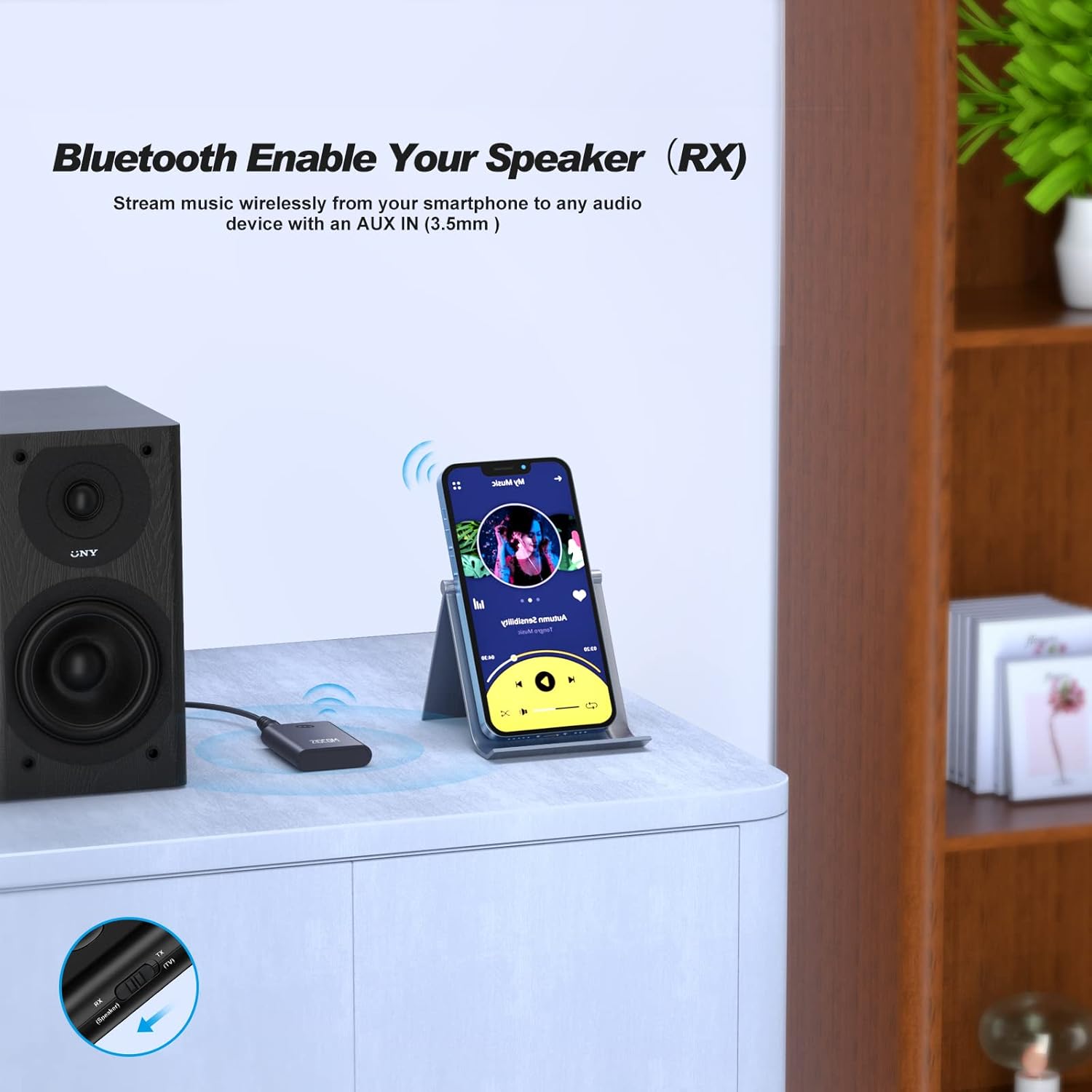
Image 4.4: RX Mode Example (Wired Speaker). This image shows the ZIOCOM BT4810E connected to a wired speaker, receiving audio wirelessly from a smartphone.

Image 4.5: RX Mode Applications. This image illustrates the ZIOCOM BT4810E being used in RX mode to connect a smartphone to both a wired speaker and a car stereo, enabling wireless audio streaming in different environments.
5. Tiaki
- Keep the device dry. Moisture can damage internal circuits.
- Kaua e tukuna te taputapu ki nga wera nui.
- Horoia te taputapu ki te kakahu ngohengohe, maroke. A ape i te whakamahi i nga matū kino, i nga horoi horoi ranei.
- Whakaorangia te taputapu ki te waahi makariri, maroke ki te kore e whakamahia mo te wa roa.
- Turn off the device after each use to conserve battery life.
6. Te Raru
| Raruraru | Take pea | Rongoā |
|---|---|---|
| Kaore te taputapu i te hiko. | He iti te pākahiko. | Whakautuhia te pūrere mā te whakamahi i te taura Micro USB. |
| Kaore e taea te hono ki te taputapu Nihokikorangi. | Kāore te pūrere i te aratau takirua; he tawhiti rawa te pūrere Nihokikorangi; he pokanoa. | Ensure the BT4810E is in the correct TX/RX mode and flashing. Move devices closer. Turn off other Bluetooth devices. |
| Kāore he putanga/tāuru oro. | Incorrect cable connection; wrong mode selected; volume too low. | Check 3.5mm cable connection. Verify TX/RX mode. Adjust volume on both devices. |
| Audio delay/latency. | Bluetooth codec limitations. | For optimal low latency, ensure both the BT4810E and your connected audio device support aptX Low Latency. |
| Cannot connect two headphones in TX mode. | Second headphone not in pairing mode or already connected to another device. | Ensure the first headphone is connected, then put the second headphone into pairing mode. |
7. Whakatakotoranga
- Tauira: BT4810E
- Putanga Nihokikorangi: 5.0
- Hangarau Hononga: Auxiliary, Bluetooth, RCA
- Puna Hiko: Battery Powered (Built-in 250mAh Lithium Polymer battery)
- Wā Mahi: Tata ki te 10 haora
- Wā Whakataki: Tata ki te 1 haora
- Rahi Hua: 0.21 x 1.36 x 0.34 inihi
- Taumaha Tūemi: 2.89 hekere
- Nga waahanga motuhake: 2-in-1 Transmitter/Receiver, Dual-Link
8. Pūtāhui me te Tautoko
Warranty and support information for the ZIOCOM BT4810E is not provided in the available product data. Please refer to the official ZIOCOM website or contact your retailer for specific warranty terms and customer support details.
Mo etahi atu awhina, ka toro atu koe ki te ZIOCOM Store on Amazon.


