1. Kupu Whakataki
Thank you for choosing the ErGear Height Adjustable Electric Standing Desk. This desk is designed to enhance your workspace with dependable, scientifically-designed ergonomic features, promoting a healthier and more productive work environment. It allows for seamless transitions between sitting and standing positions, offering optimal comfort and productivity throughout your day.
This manual provides essential information for the safe and efficient use of your new electric standing desk, including setup, operation, maintenance, and troubleshooting.
2. Nga korero haumaru
WHAKATŪPATO: Tena panuihia nga tohutohu haumaru katoa i mua i te huihuinga me te whakamahi. Ki te kore e whai i enei tohutohu ka whara, ka kino ranei te hua.
- The desk has a maximum weight limit of 176 lbs (80 kg). Do not exceed this weight capacity.
- Proper assembly is required for stability and safety. Ensure all screws and fasteners are securely tightened.
- If the desk is used in an environment with children, consider anchoring the desk to the wall to prevent tipping.
- Keep hands and objects clear of the lifting mechanism during operation to prevent pinching or damage.
- Ensure all cables connected to devices on the desk have sufficient slack to accommodate height adjustments.
- Kaua e noho, kaua e tu ki runga teepu.
- Do not disassemble or modify the motor or control box. Contact customer support for any repairs.
3. Ihirangi mokete
Please verify that all components are present and undamaged. A detailed list of all parts and hardware is provided in the separate installation manual included with your purchase. Key components include:
- Desktop (Two-Piece)
- Lifting Columns (Legs)
- Pouaka Mana
- Kaiwhakahaere Pukoro
- Pūurutau Hiko me te taura
- Dual Cable Access Holes
- Matau Rokiroki
- Huihuinga Taputapu me nga Utauta
4. Tatūnga me te Runanga
The ErGear Electric Standing Desk is designed for straightforward assembly. Most users report an average assembly time of 30 minutes. For detailed, step-by-step instructions, please refer to the dedicated Installation Manual (PDF) provided with your product or available online via the link in the Support section.
Tohutohu Huinga Matua:
- Whakatakotoria nga waahanga me nga taputapu katoa i mua i te tiimata.
- Follow the numbered steps in the installation manual precisely.
- Ensure all connections are secure before plugging in the desk.
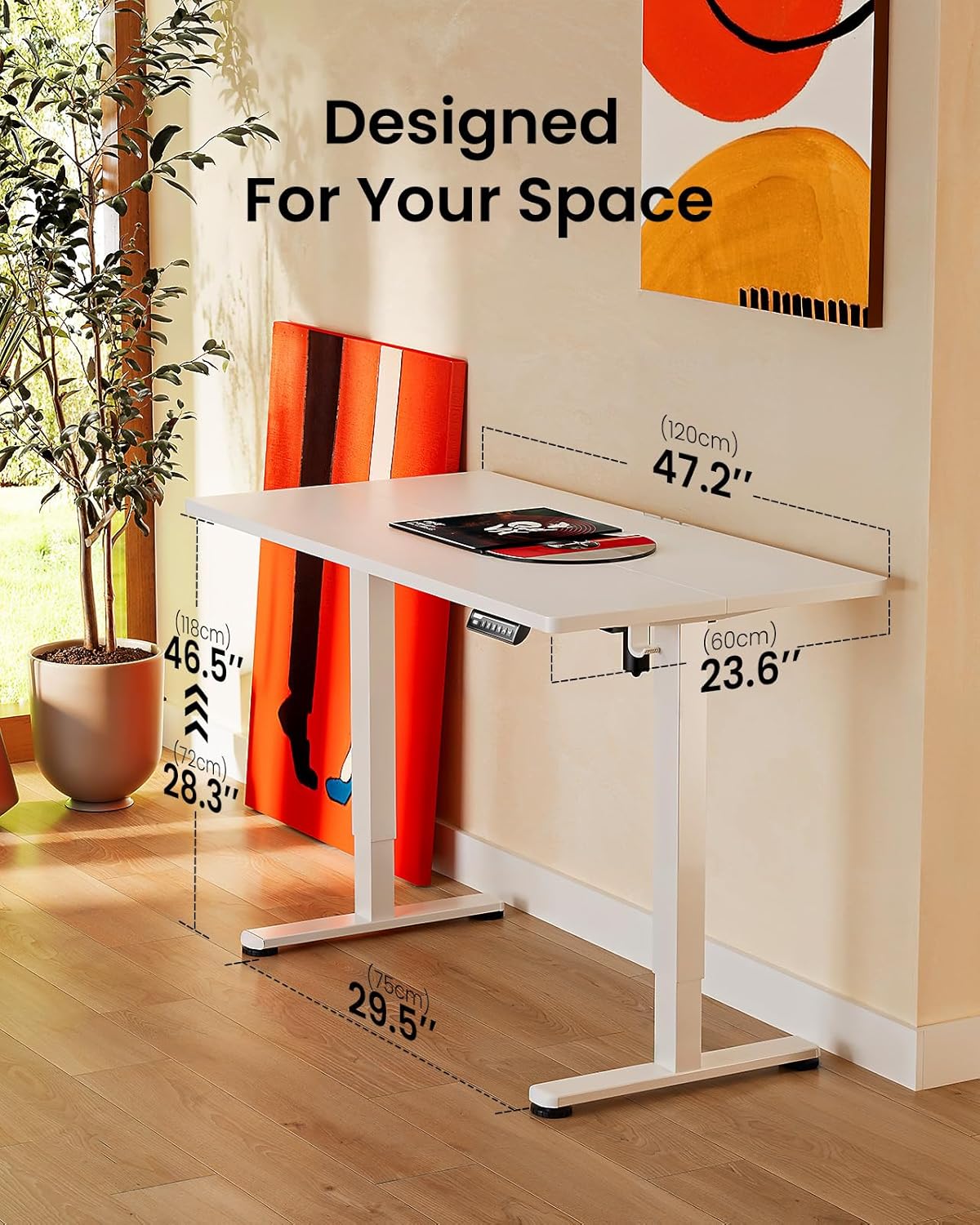
Image: ErGear standing desk with dimensions showing 47.2 inches width, 23.6 inches depth, and height adjustable from 28.3 to 46.5 inches. This illustrates how the desk is designed to fit various spaces.

Image: Diagram illustrating the simplified assembly process of the ErGear standing desk, highlighting an average assembly time of 30 minutes.
5. Nga Tohutohu Whakahaere
Your ErGear Electric Standing Desk features an intuitive control panel for easy height adjustment and memory settings.
Whakatikatika Teitei
The desk's height can be freely adjusted from 28.35 inihi (72 henimita) ki te 46.79 inihi (118.8 henimita). Use the up and down arrows on the control panel to manually adjust the desk to your desired height. The motor provides powerful and smooth lifting performance.
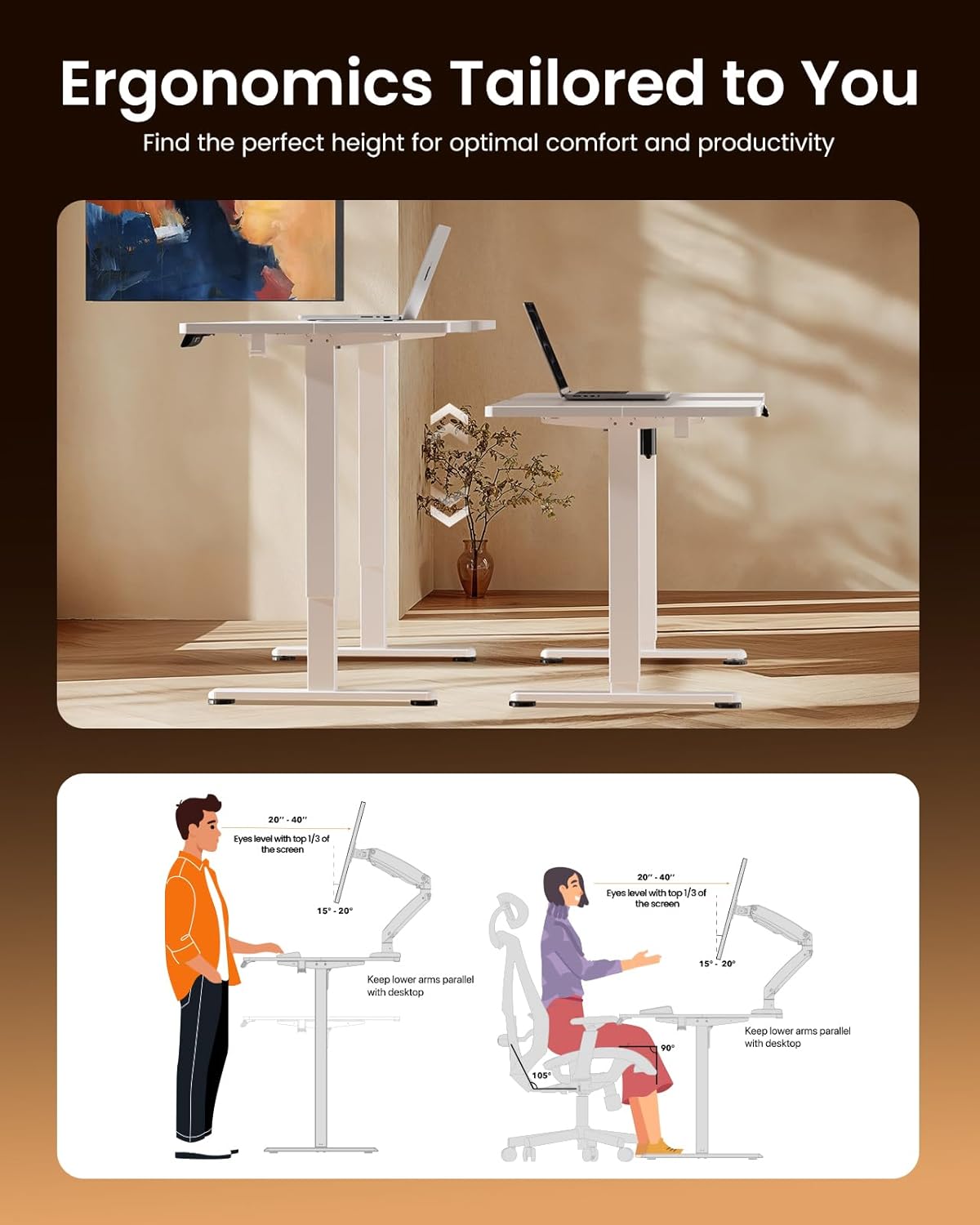
Image: Illustrations demonstrating proper ergonomic postures for both sitting and standing positions when using the ErGear desk, emphasizing ideal screen height and arm placement for comfort and productivity.
Mahara Tatūkē
The control panel includes three memory preset buttons (1, 2, and 3). These allow you to save your favorite sitting and standing heights for quick and convenient adjustment.
- Hei Tiaki Teitei: Adjust the desk to your desired height using the up/down arrows. Press the 'M' button (or 'Set' button, if present) followed by the desired number button (1, 2, or 3). The display will confirm the setting is saved.
- Hei Whakamahara i te Teitei: Pēhia noa te pātene tau e rite ana (1, 2, 3 rānei). Ka neke aunoa te tēpu ki te teitei kua tiakina.
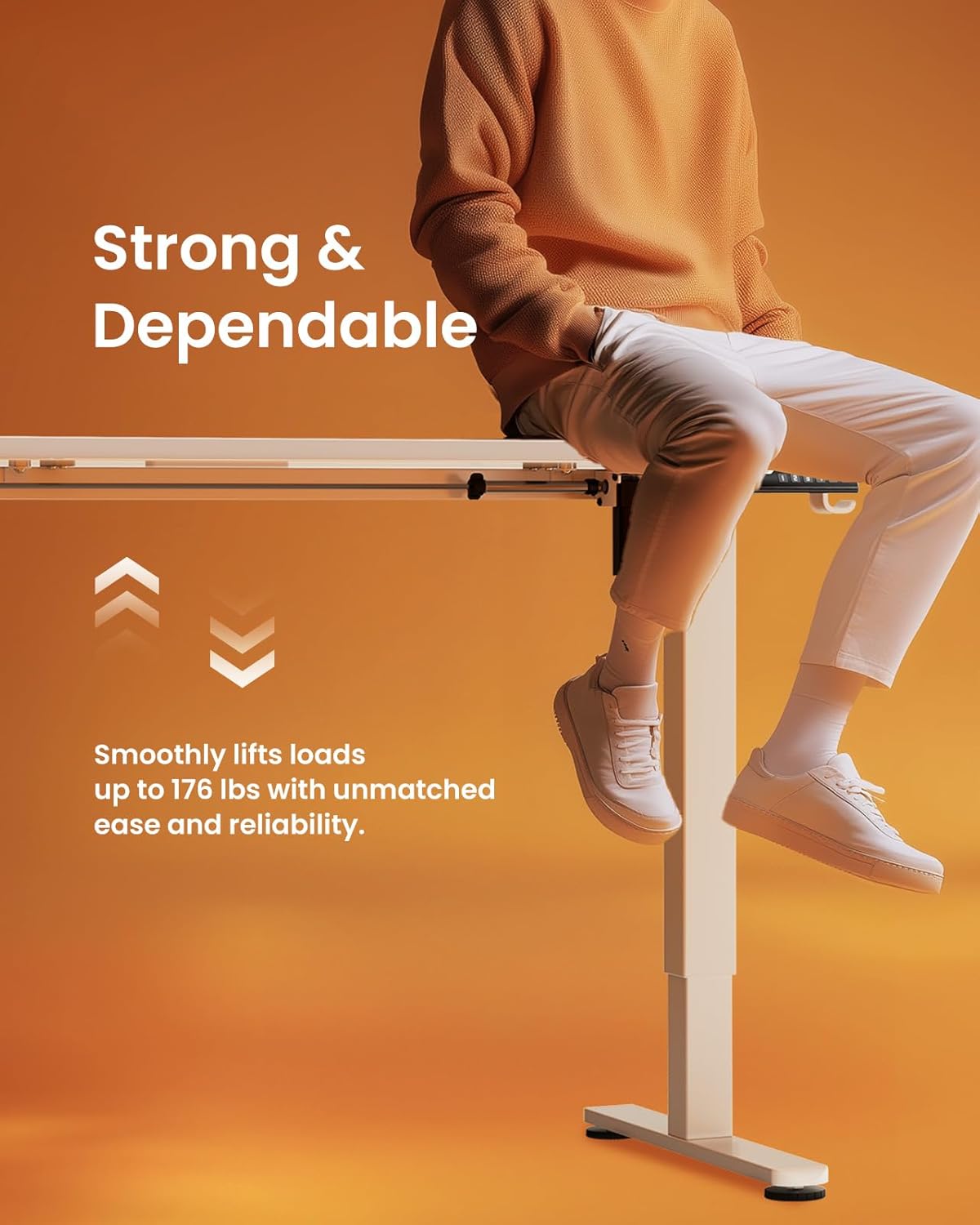
Image: A person sitting on the edge of the ErGear standing desk, illustrating its robust construction and ability to smoothly lift loads up to 176 lbs with ease and reliability.
6. Tiaki
To ensure the longevity and optimal performance of your ErGear Electric Standing Desk, follow these simple maintenance guidelines:
- Te horoi: The desk surface is easy to clean. Use a soft, damp cloth with a mild cleaner to wipe down the desktop and frame. Avoid abrasive cleaners or harsh chemicals that could damage the finish.
- Takitaki auau: Takitaki ia ia nga wa katoa nga wiri me nga here kia mau tonu. Whakapiri ano mehemea e tika ana.
- Whakaha Uepu: Utilize the integrated cable access holes and storage hooks to keep cables organized and prevent tangling, especially during height adjustments.
- Tiaki motuka: The uprated motor is designed for long-term operation (tested 50,033 times). No special maintenance is required for the motor itself, but avoid overloading the desk beyond its 176 lbs capacity.
7. Te Raru
If you encounter any issues with your ErGear Electric Standing Desk, please refer to the following common troubleshooting tips:
- Kaore e nekehia te teepu: Check if the power cable is securely plugged into both the desk and the wall outlet. Ensure there are no obstructions preventing the desk from moving freely.
- Te Nekehanga Korekau/Wobing: Verify that the desk is assembled correctly and all fasteners are tightened. Ensure the desk is placed on a flat, stable surface.
- Paewhiri Mana Kaore i te Whakautu: Unplug the desk from the power outlet for 30 seconds, then plug it back in. This can reset the control system.
- Haruru rerekee: A slight humming sound during operation is normal. If you hear loud grinding or unusual noises, discontinue use and contact customer support. One user reported a loud coil whining noise from the power adapter; if this occurs, contact support for a replacement.
For more complex issues or if the problem persists, please contact ErGear Customer Support.
8. Whakatakotoranga
| Āhuahira | Whakatakotoranga |
|---|---|
| Waitohu | ErGear |
| Rahi Hua (D x W x H) | 24"D x 48"W x 28.35"H |
| Tae | Mā |
| Kāhua | Hou |
| Rauemi turanga | Korotahi Steel |
| Momo Whakaoti | Kua peita |
| Āhuahira Motuhake | Height adjustable electric standing desk |
| Momo Rūma | Tari |
| Nga Whakamahinga Manakohia | Mahi |
| Momo Whakaeke | Maunga Papa |
| Whakaahuatanga Awhe Age | Pakeke |
| Koeke Hua | Hou |
| Kaihanga | ErGear |
| Teitei o te taonga | 46.46 inihi |
| Momo Rawa Runga | Rakau Hangaia |
| Rauemi Waewae Taonga | Korotahi Steel |
| Tikanga Hiki | Hiko |
| Te maha o nga tuunga teitei | 3 (Tautuhi Pumahara) |
| Hanga | Tapawhā |
| Hoahoa Papamahi | Teepu Tuturu |
| Kāhua Waewae | Tapare maitai totoka |
| Tae Runga | Mā |
| Tae Tae | Mā |
| Te Matotoru Ripanga | 0.67 Inihi |
| Teitei Morahi | 46.46 Inihi |
| Teitei iti | 28.35 Inihi |
| Tohunga Taumaha Morahi | 176 Pauna |
| Huihuinga e hiahiatia ana | Ae |
9. Pūtāhui me te Tautoko
ErGear stands behind the quality of its products. Your electric standing desk comes with the following warranty coverage:
- Parenga-5-Tau: On desktop and desk frame.
- Parenga-2-Tau: On motors and electrical components.
For any questions, technical assistance, or warranty claims, please contact ErGear Customer Support. You can also find additional resources, including the full installation manual, on the official ErGear brand store or by visiting the user guide link below:
Aratohu Kaiwhakamahi Whaimana (PDF): Tikiake Here
Visit the ErGear Store: ErGear Official Store


