1. Hua Neke Atuview
The Fitbit Sense 2 is an advanced health and fitness smartwatch designed to help you manage stress, sleep better, and live healthier. It integrates various sensors and smart features to provide a holistic view o to oranga.
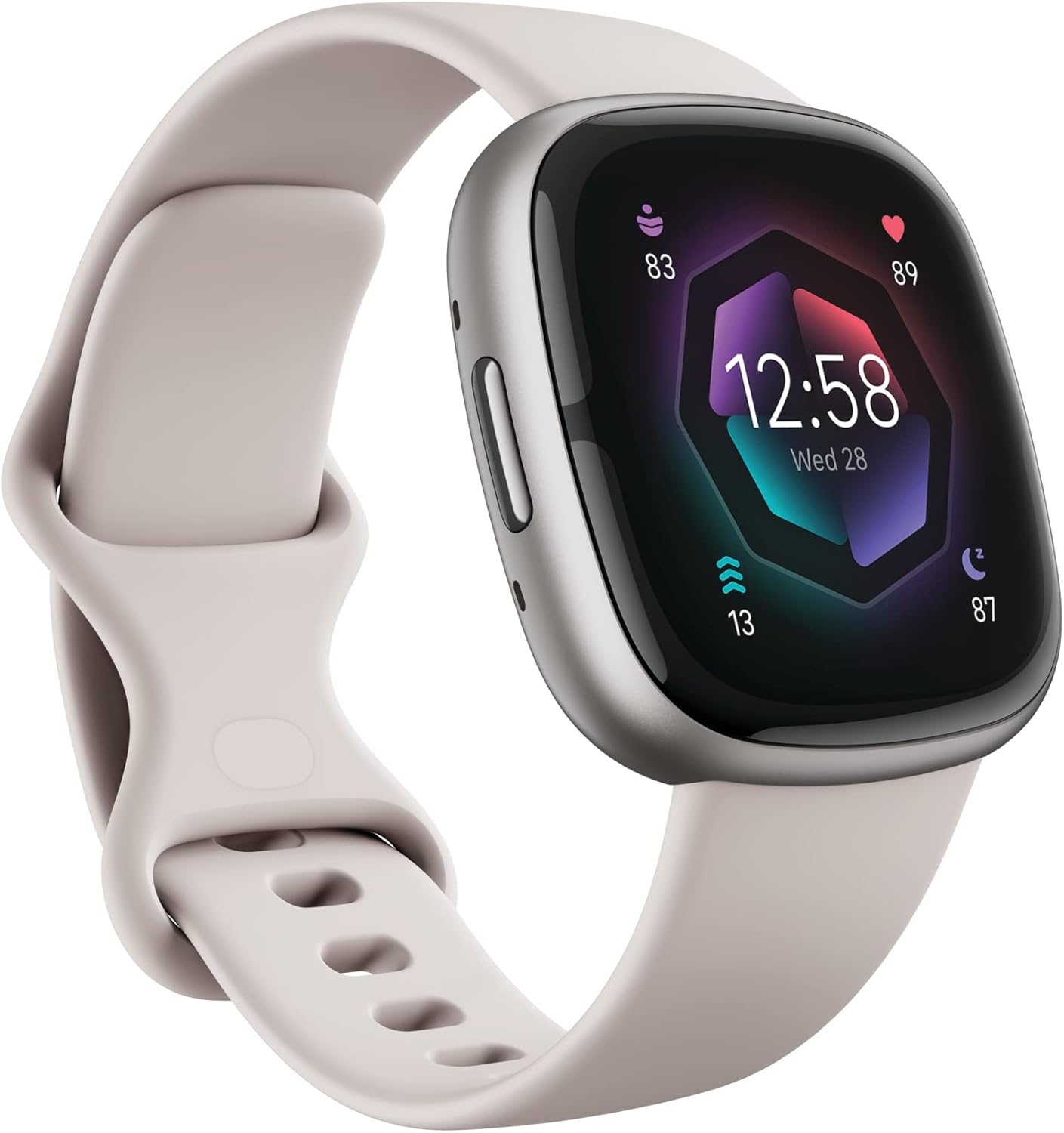
Figure 1.1: Fitbit Sense 2 Smartwatch (Lunar White/Platinum)
Āhuatanga matua:
- Whakahaere ahotea: All-day stress detection with cEDA and daily Stress Management Score.
- Aroturuki Hauora: ECG app for atrial fibrillation assessment, irregular heart rhythm notifications, SpO2 monitoring, and a comprehensive health metrics dashboard.
- Aroturuki Moe: Personalized Sleep Profile, daily sleep stages & Sleep Score, smart wake alarm, and do not disturb mode.
- Activity & Fitness: Built-in GPS with workout intensity map, Daily Readiness Score, Active Zone Minutes, 24/7 heart rate tracking, 40+ exercise modes, and automatic exercise tracking.
- Āhuahira atamai: On-wrist Bluetooth calls, texts, and phone notifications, customizable clock faces, Fitbit Pay, Amazon Alexa built-in, Google Wallet & Maps (Google Maps on Android only, coming Spring 2023 to iOS).
- Ora Pūhiko: 6+ day battery life with fast charge capability.
2. Tatūnga
2.1 Wetewete pouaka me te utu tuatahi
Upon unboxing your Fitbit Sense 2, it is recommended to fully charge the device before first use. The Sense 2 comes with a fast-charging capability, providing significant power in a short time.

Figure 2.1: What's in the Box (Device, Bands, Charger)
2.2 Te Whakapiri i nga Paihere
The Fitbit Sense 2 includes both small and large bands. To attach a band, slide the pin into the watch's lug until it clicks into place. Ensure both ends of the band are securely fastened.
2.3 Pairing with the Fitbit App
To unlock the full functionality of your Sense 2, you must pair it with the Fitbit mobile app on your compatible iPhone or Android device. Download the Fitbit app from your device's app store, create an account or log in, and follow the on-screen instructions to add your new Sense 2.
3. Te whakahaere i to Smartwatch
3.1 Te whakatere i te Atanga
The Fitbit Sense 2 features a responsive touchscreen and a physical button on the side for navigation. Swipe left/right or up/down to access different apps, stats, and quick settings. Press the side button to return to the clock face or access shortcuts.
3.2 Aroturuki Hauora me te Hauora
Your Sense 2 continuously tracks various health and fitness metrics:
- Steps & Activity: Monitor your daily step count, distance, and active minutes.
- Tere Manawa: 24/7 heart rate tracking provides insights into your resting heart rate and heart rate zones during exercise.
- Moe: Automatically tracks your sleep stages (Light, Deep, REM) and provides a Sleep Score. Access your personalized Sleep Profile i te taupānga Fitbit.
- Te ahotea: Utilizes cEDA sensor for all-day stress detection and provides a daily Stress Management Score.
- Taupānga ECG: Take on-demand electrocardiogram readings for atrial fibrillation assessment.
- SpO2: Ka ine i te taumata o te hauhautanga o to toto.

Figure 3.1: Stress Management Features

Figure 3.2: Health Tracking Features

Figure 3.3: Sleep Tracking Features
3.3 Ataahua Ataahua me te Hononga
The Sense 2 keeps you connected and informed:
- Whakamōhiotanga: Receive call, text, and app notifications directly on your wrist when your phone is nearby.
- Waea Nihokikorangi: Answer calls directly from your wrist.
- Amazon Alexa: Use built-in Alexa for quick voice commands and information.
- Google Wallet & Maps: Access Google Wallet for contactless payments and Google Maps for navigation (Maps on Android only, coming Spring 2023 to iOS).
- Kimihia taku Waea: Use your Sense 2 to locate your misplaced smartphone.

Figure 3.4: Convenient On-Wrist Connection
4. Tiaki
4.1 Te Whakataki i to Pūrere
To charge your Fitbit Sense 2, connect the charging cable to a USB power source and align the magnetic charger with the charging pins on the back of your watch. A full charge can last for 6+ days, depending on usage.
4.2 Te Whakapai me te Tiaki
Regularly clean your Sense 2, especially the charging pins and sensors on the back, to ensure optimal performance and prevent issues caused by sweat or dirt buildup. Use a soft, lint-free cloth. The device is water-resistant up to 50 meters, making it suitable for swimming, but it should be dried thoroughly after exposure to water.
5. Te Raru
5.1 Nga take me nga otinga noa
- Nga Raruraru Toha: If your Sense 2 is not charging, ensure the charging pins are clean and free of debris. Try repositioning the watch on the charger to ensure a secure connection.
- Tukutahi Take: If the watch is not syncing with the Fitbit app, ensure Bluetooth is enabled on your phone and the app is open. Try restarting both your watch and your phone.
- Heart Rate Monitor Inaccuracy: For users with tattoos, especially in areas where the watch is worn, the heart rate monitor may not function accurately due to interference with the optical sensors. Try wearing the watch on the other wrist or adjusting its position.
- Nga Whakamōhiotanga Kaore e Puta: Check your phone's notification settings for the Fitbit app and ensure all necessary permissions are granted. Verify that 'Do Not Disturb' mode is not active on your watch.
6. Whakatakotoranga
| Āhuahira | Taipitopito |
|---|---|
| Hunga Hua | 1.57 x 0.47 x 1.57 inihi |
| Taumaha | 7 hekere |
| Tau tauira | Whakaaro 2 |
| Pūhiko | 1 pākahiko Lithium Ion (kei roto) |
| Pūnaha Mahi | iOS / Android compatible |
| Te Rokiroki Mahara | 6 GB |
| Hangarau Hononga | GPS, Nihokikorangi |
| Ātete wai | 50 mita |
| Kaihanga | Fitbit Inc. |
7. Pūtāhui me te Tautoko
7.1 Nga Korero Whakaputanga
For detailed warranty information regarding your Fitbit Sense 2, please refer to the official Fitbit website or the warranty card included with your product. Standard warranty typically covers manufacturing defects for a specified period from the date of purchase.
7.2 Tautoko Kiritaki
If you encounter any issues not covered in this manual or require further assistance, please contact Fitbit Customer Support. You can find contact information and additional resources, including the full User Manual (PDF), on the official Fitbit support webpae: Fitbit Sense 2 User Manual (PDF)


