Kupu Whakataki
This manual provides essential information for the safe and efficient use of your SHARP 24EA4E 24-inch HD-Ready LED TV. Please read these instructions thoroughly before operating the television and retain them for future reference. This television is designed for use in living rooms, bedrooms, or guest rooms, offering an elegant design and intuitive operation.
Ihirangi mokete
Before beginning installation, ensure all items listed below are present in your package:
- SHARP 24EA4E LED TV Unit
- Mana Mamao
- 2 x AAA Battery (mo te mana mamao)
- TV Stand Installation Kit
- Aratohu Timata Tere

Image: SHARP 24EA4E LED TV with its included stand.
Tatūnga
1. Tāutanga Tinana
Your television can be placed on a flat surface using the included stand or mounted on a wall using a VESA-compatible bracket (not included). The VESA standard for this model is 100 x 100 mm.
- Tāutanga Tu: Carefully attach the TV stand to the bottom of the television using the screws provided in the installation kit. Ensure the stand is securely fastened before placing the TV on a stable surface.
- Whakapiki taiepa: If wall mounting, refer to the instructions provided with your VESA 100 x 100 mm wall mount bracket. Ensure proper ventilation around the TV.

Whakaahua: Taha view of the SHARP 24EA4E LED TV, illustrating the stand attachment.
2. Te hono i nga taputapu o waho
The SHARP 24EA4E offers various connection options for your external devices:
- Tauranga HDMI (x2): Connect Blu-Ray players, game consoles, satellite boxes, or other HDMI-enabled devices.
- Tauranga USB (x1): For playing media (music, movies, photos) from USB storage devices.
- Tāuru SCART: Hei hono i ngā taputapu tawhito.
- Satellite Input (DVB-S/S2): Connect your satellite dish.
- RF Input (DVB-T/T2/C): Connect your terrestrial antenna or cable TV.
- Headphone Jack (3.5mm Audio): Mo te whakarongo motuhake.
- CI Port: For Conditional Access Modules (CAM) to decrypt encrypted channels.
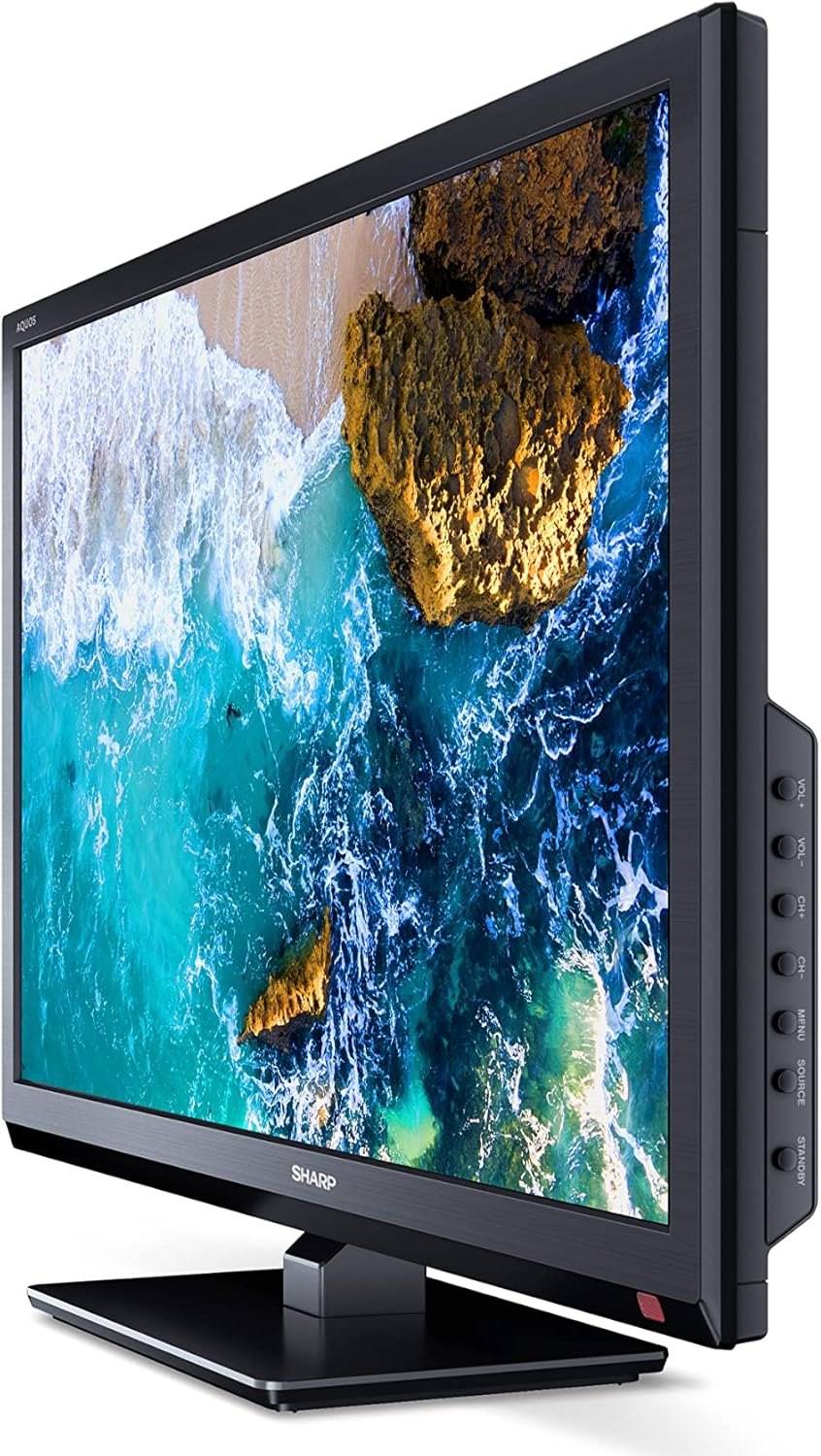
Whakaahua: Taha view of the SHARP 24EA4E LED TV, highlighting the various input ports.
After connecting all desired devices, plug the TV's power cord into a suitable electrical outlet (220V).
Nga Tohutohu Whakahaere
1. First-Time Setup and Channel Scan
Upon first power-on, the TV will guide you through an initial setup process. Follow the on-screen prompts to select your language, country, and perform a channel scan for DVB-T/T2 (terrestrial), DVB-C (cable), or DVB-S/S2 (satellite) signals.
2. Nga Mahi Whakamao Mamao
The included infrared remote control allows full operation of your TV. Insert the 2 AAA batteries into the remote control, ensuring correct polarity.
- Pātene Hiko: Ka whakakā, whakaweto rānei i te pouaka whakaata.
- Channel Buttons (CH+/-): Huri hongere.
- Volume Buttons (VOL+/-): Whakaritea te taumata oro.
- Pene Puna: Selects input sources (HDMI, AV, USB, TV).
- Patene Tahua: Accesses the TV's main menu for settings adjustments.
- Patene Whakaterenga: Ka whakamahia ki te whakatere tahua me te kowhiri i nga whiringa.
- Pene OK: Ka whakamana i nga whiringa.
- Puta Puta: Exits menus.
- Pātene Tau (0-9): Te whiriwhiri hongere tika.

Whakaahua: Taha view of the SHARP 24EA4E LED TV, showing the physical control buttons on the side panel.
3. Media Playback via USB
You can play various media files directly from a USB storage device:
- Insert your USB drive into the USB port on the TV.
- Select the USB input source using the remote control's Source button.
- Whakatere ma te files and folders using the remote control and select the desired media (music, video, or photo) to play.
Te tiaki
To ensure the longevity and optimal performance of your SHARP 24EA4E TV, follow these maintenance guidelines:
- Te horoi i te Mata: Me ata horoia te mata ki te kakahu ngohengohe, kore-puru. Mo nga tohu pakeke, paku dampen te kakahu ki te wai ranei he horoi mata motuhake. Kaua rawa e rehu wai ki runga i te mata.
- Te horoi i te rūnanga: Whakamahia he kakahu ngohengohe, maroke hei muru i te pouaka pouaka whakaata. A ape i te whakamahi i nga kai horoi, i nga whakarewa ranei.
- Whakahau: Me whakarite kia kaua e araia nga kohao hau kei muri o te pouaka whakaata kia kore ai e wera rawa.
- Waea Hiko: Tirohia te taura hiko i ia wā, i ia wā, mēnā he pakaru. Mēnā kua pakaru, whakapā atu ki ngā kaimahi ratonga whai tohu mō te whakakapinga.
Raparongoā
Mena ka raru koe ki to pouaka whakaata, tirohia nga mahi rapurongoā noa e whai ake nei:
| Raruraru | Rongoa pea |
|---|---|
| Karekau he kaha | Check if the power cord is securely plugged into both the TV and the wall outlet. Ensure the wall outlet is functional. |
| Karekau he pikitia, engari he oro | Check the input source selection. Ensure external devices are powered on and connected correctly. |
| Karekau he oro, engari he pikitia kei reira | Check the volume level and mute status. Ensure audio cables are connected correctly for external devices. |
| Te kounga o te pikitia koretake | Check antenna/cable connections. Adjust picture settings in the TV menu. For external devices, check their output resolution. |
| Ko te mana mamao kaore e mahi | Replace the AAA batteries. Ensure there are no obstructions between the remote and the TV's IR sensor. |
If the problem persists after trying these solutions, please contact SHARP customer support.
Whakatakotoranga
Key technical specifications for the SHARP 24EA4E LED TV:
- Tauira: 24EA4E
- Hangarau Whakaatu: LED
- Rahi Mata: 24 inihi (60 cm te hauroki)
- Whakatau: 1366 x 768 pika (HD Reri)
- Ahuatanga ōwehenga: 16:9
- Rere tāmata: 60 Hz (Active Motion 100)
- Tauwehenga Pūrata: 100000:1
- Wā Whakautu: 8 milihakona
- Viewing Koki: 178 nga nekehanga
- Putanga Ororongo: 2 x 5W speakers, Dolby Digital, Dolby Digital Plus, Surround Sound
- Hangarau Tuner: DVB-T/T2 (Terrestrial), DVB-C (Cable), DVB-S/S2 (Satellite) - MPEG4 + HEVC/H.265 (10-bit)
- Hononga: 2 x HDMI, 1 x USB, 1 x SCART, RF Input, Satellite Input, 3.5mm Audio (Headphone Jack), CI Port
- Pūnaha Mahi: Linux
- Whakamahi Hiko: 17 Watts (in SDR mode)
- Voltage: 220V
- Ahu (me te turanga): 56 cm (W) x 38.5 cm (H) x 14 cm (D)
- Taumaha: 3.8 kg
- Paerewa VESA: 100 x 100 mm

Image: Diagram showing the dimensions of the SHARP 24EA4E LED TV.
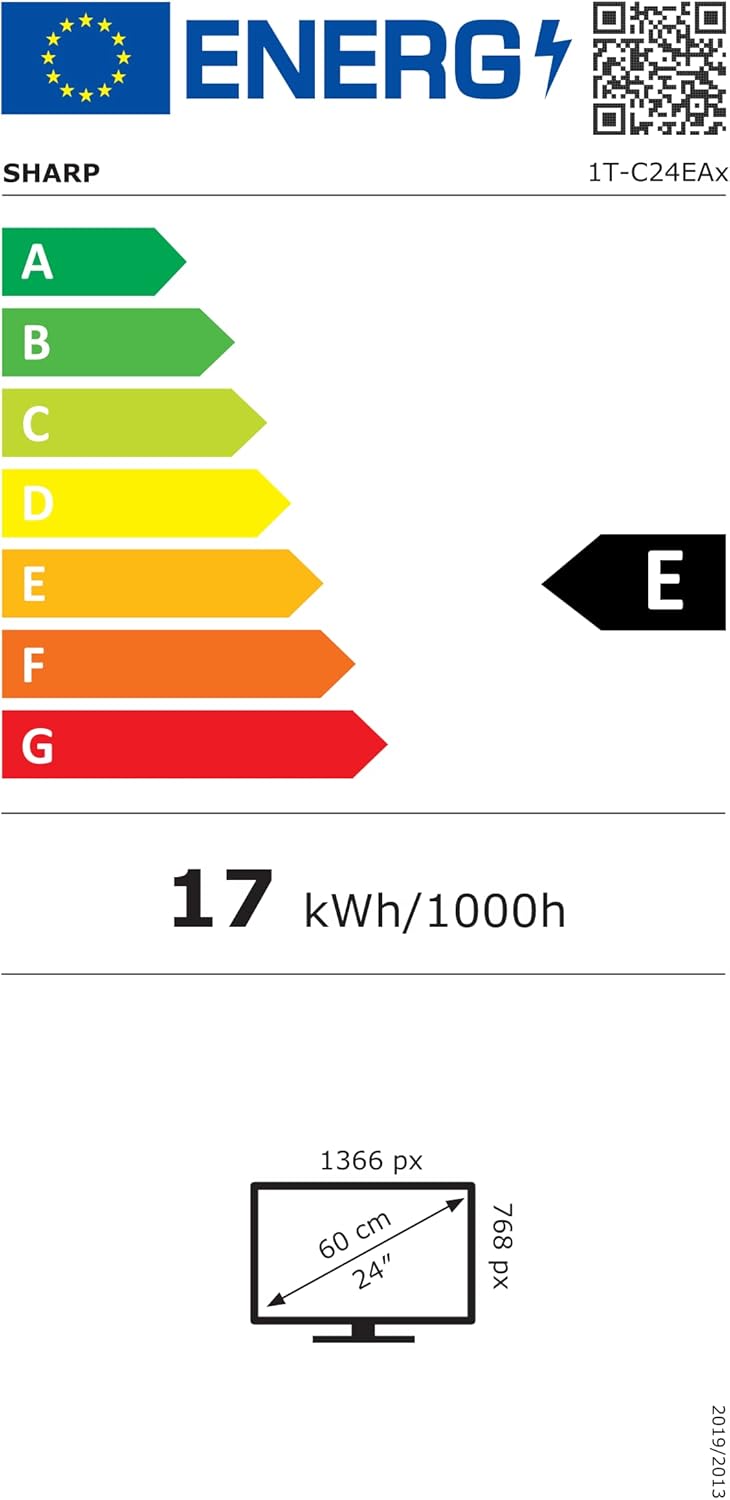
Image: EU Energy Label for the SHARP 24EA4E LED TV, indicating Energy Class E and 17 kWh/1000h consumption.
Mo te roanga atu o nga korero mo nga hua, tirohia te patengi raraunga EU EPREL mana: https://eprel.ec.europa.eu/qr/1242293
Pūtāhui me te Tautoko
Your SHARP 24EA4E LED TV comes with a manufacturer's warranty. The minimum guaranteed product support is 2 years, and the minimum guaranteed availability of spare parts is 8 years from the date of market introduction.
For warranty claims, technical assistance, or further support, please contact your retailer or visit the official SHARP support webpae. Puritia to tohu hoko mo te whakamana whakamana.