Kupu Whakataki
This manual provides detailed instructions for the installation, operation, and maintenance of your INKBIRD IVC-001W 15CM Inline Duct Fan with Smart Controller. This system is designed to provide efficient ventilation, deodorization, dehumidification, and temperature regulation for various indoor environments.
Pānuihia tēnei pukapuka ā-ringa i mua i te whakamahinga o te hua kia pai ai te haumaru me te mahi tino pai.
Nga korero haumaru
Kia mau ki ngā mahi ārai haumaru e whai ake nei hei ārai i te whara, i te kino rānei o te taputapu:
- Haumaru Hiko: Ensure the power supply matches the fan's requirements. Do not operate with damaged cords or plugs.
- Tāutatanga: Install the fan in a stable location, ensuring proper duct connections to prevent air leaks.
- Tiaki: Momotuhia te hiko i mua i te horoi, te mahi tiaki ranei.
- Nga tamariki me nga kararehe: Tiakina te taputapu kia kore e taea e nga tamariki me nga kararehe.
- Taiao: Do not expose the fan or controller to water or extreme temperatures.
Waehanga Hua
The INKBIRD IVC-001W package includes the following:
- 1 x INKBIRD IVC-001W Inline Duct Fan (15CM / 6-inch)
- 1 x Wi-Fi Enabled Smart Controller
- 1 x Temperature and Humidity Probe
- 1 x Te Raimana Tini
- Mounting Hardware (e.g., straps, screws)
- Pukapuka Kaiwhakamahi (tenei tuhinga)
Tatūnga me te Tāuta
Follow these steps to properly install your INKBIRD Inline Duct Fan:
- Wewete ana: Kia ata tangohia nga waahanga katoa mai i te kete. Tirotirohia mo te kino.
- Te Whakaeke i te Poho: Secure the inline duct fan in your desired location (e.g., within a grow tent, basement, or kitchen ductwork). Use the provided mounting hardware to ensure it is stable and vibration-free.
- Connecting Ducting: Connect appropriate ducting to both ends of the fan. Ensure all connections are sealed to prevent air leakage and maximize efficiency.
- Whakapiki i te Kaiwhakahaere: Choose a convenient location for the smart controller. It can be wall-mounted or placed on a flat surface.
- Te hono i te Kaiwhakahaere: Connect the fan to the smart controller using the provided cable. Then, connect the temperature and humidity probe to the controller.
- Hononga Hiko: Plug the power cord into a standard electrical outlet. The controller screen should illuminate.
- Tatūnga Wi-Fi: Download the INKBIRD app on your smartphone. Follow the in-app instructions to connect the smart controller to your Wi-Fi network. This enables remote control and monitoring.

Image: The INKBIRD IVC-001W Inline Duct Fan connected to flexible ducting, shown in an indoor growing environment.

Whakaahua: He taipitopito view of the duct fan illustrating the direction of air flow (inlet and outlet) and its connection to ductwork.
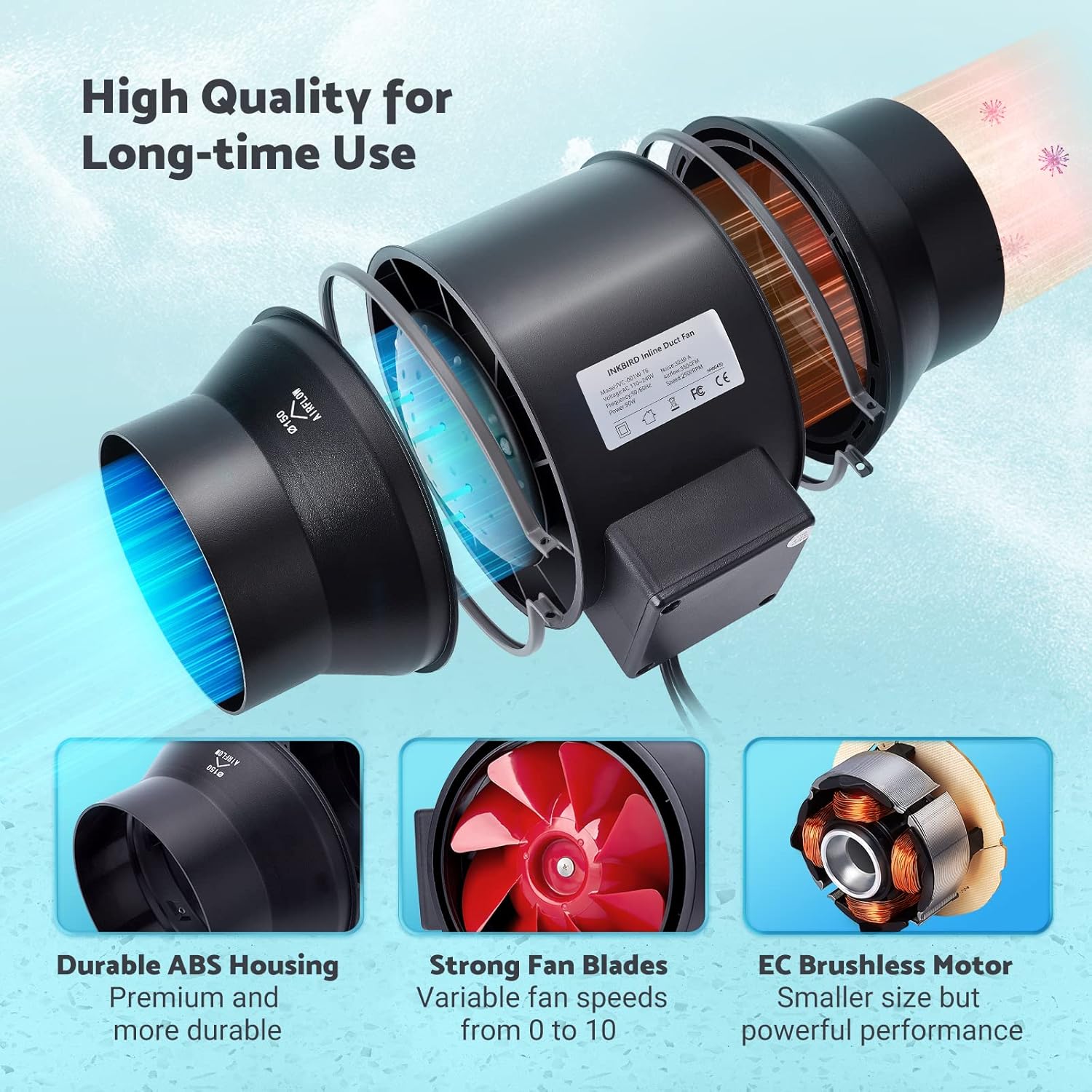
Image: The Wi-Fi enabled smart controller displaying temperature and humidity readings, with its probe connected.
Nga Tohutohu Whakahaere
The INKBIRD IVC-001W offers multiple operating modes for flexible environmental control.
Atanga Whakahaere
The smart controller features a high-definition VA screen displaying current temperature, humidity, fan status, and settings. Buttons on the controller allow for direct interaction.

Whakaahua: He taipitopito view of the smart controller's screen, showing temperature, humidity, and fan speed settings, along with its physical buttons.
Aratau Mahi
You can select from Automatic, Manual, or Timer modes:
- Aratau Aunoa:
- Set desired temperature and humidity ranges.
- The fan will automatically adjust its speed (0-10) to maintain these preset conditions.
- Ideal for maintaining a consistent environment without constant manual adjustment.
- Aratau ā-ringa:
- Manually set the fan speed from 0 (off) to 10 (maximum).
- The fan will operate at the selected speed until manually changed or turned off.
- Aratau Matama:
- Program up to 6 individual operating times per day.
- For each time slot, you can customize the start time, running length, and fan speed.
- This mode allows for precise scheduling of ventilation cycles.

Image: Screenshot of the INKBIRD smartphone app demonstrating the Automatic Mode interface, where users can set temperature and humidity thresholds.

Image: Screenshot of the INKBIRD smartphone app demonstrating the Manual Mode interface, allowing users to set a specific fan speed.

Image: Screenshot of the INKBIRD smartphone app demonstrating the Timer Mode interface, where users can schedule multiple fan operations throughout the day.
Smart App Features
The INKBIRD app provides enhanced control and monitoring capabilities:
- Mana Mamao: Adjust settings and change modes from anywhere.
- Aroturuki: View raraunga pāmahana me te haumākū wā-tūturu.
- Hītori: Access historical temperature and humidity data.
- Nga whakaoho: Receive notification messages on your phone if detected temperature/humidity reaches preset alarm values.
- Maukati Tamariki: Enable the child lock function via the app or by pressing the '+' and '-' buttons simultaneously on the controller for 2 seconds to prevent unintended changes.
- Aratau ECO: The controller supports ECO mode for power saving.
Nga waahanga matua
- Efficient Air Movement: Provides 350 CFM air volume and 2500 RPM fan speed for effective ventilation, deodorization, dehumidification, and temperature regulation.
- Mahi Ataahua: Features an energy-efficient EC motor, producing only 32 dB of noise during operation (measured at 3 meters from the fan connected to a 1-meter duct).
- Rere Poho Taurangi: Fan speed is adjustable from 0 to 10, allowing precise control over airflow.
- Hanga Roa: Built with a durable ABS housing and strong fan blades for long-term use.
- Multi-Fan Control: The smart controller can connect and control two INKBIRD fans simultaneously.
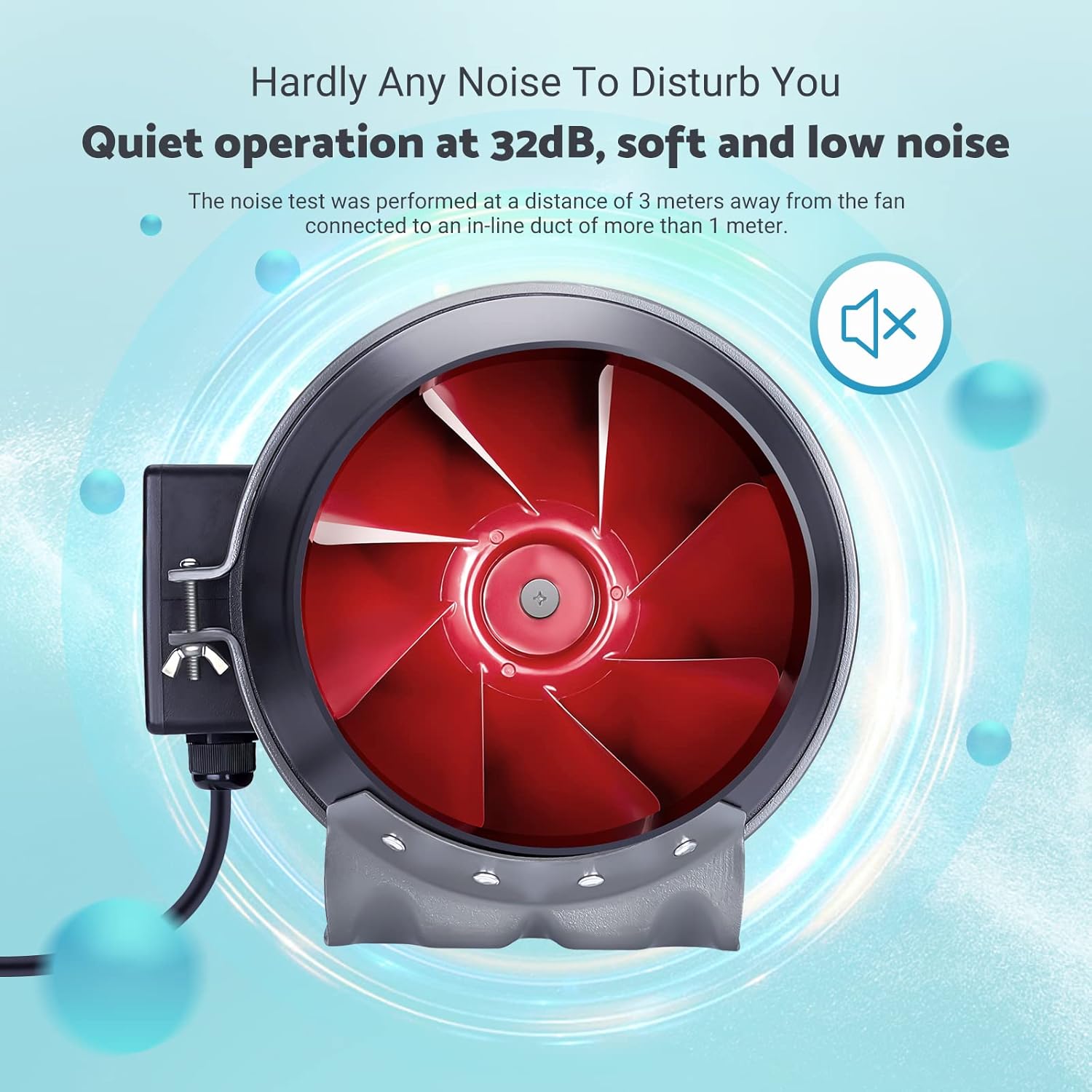
Image: The inline duct fan highlighting its multifunctional capabilities: ventilation, deodorization, humidity regulation, and temperature regulation.

Whakaahua: He roto view of the fan, emphasizing its quiet operation at 32 dB, with the red fan blades visible.
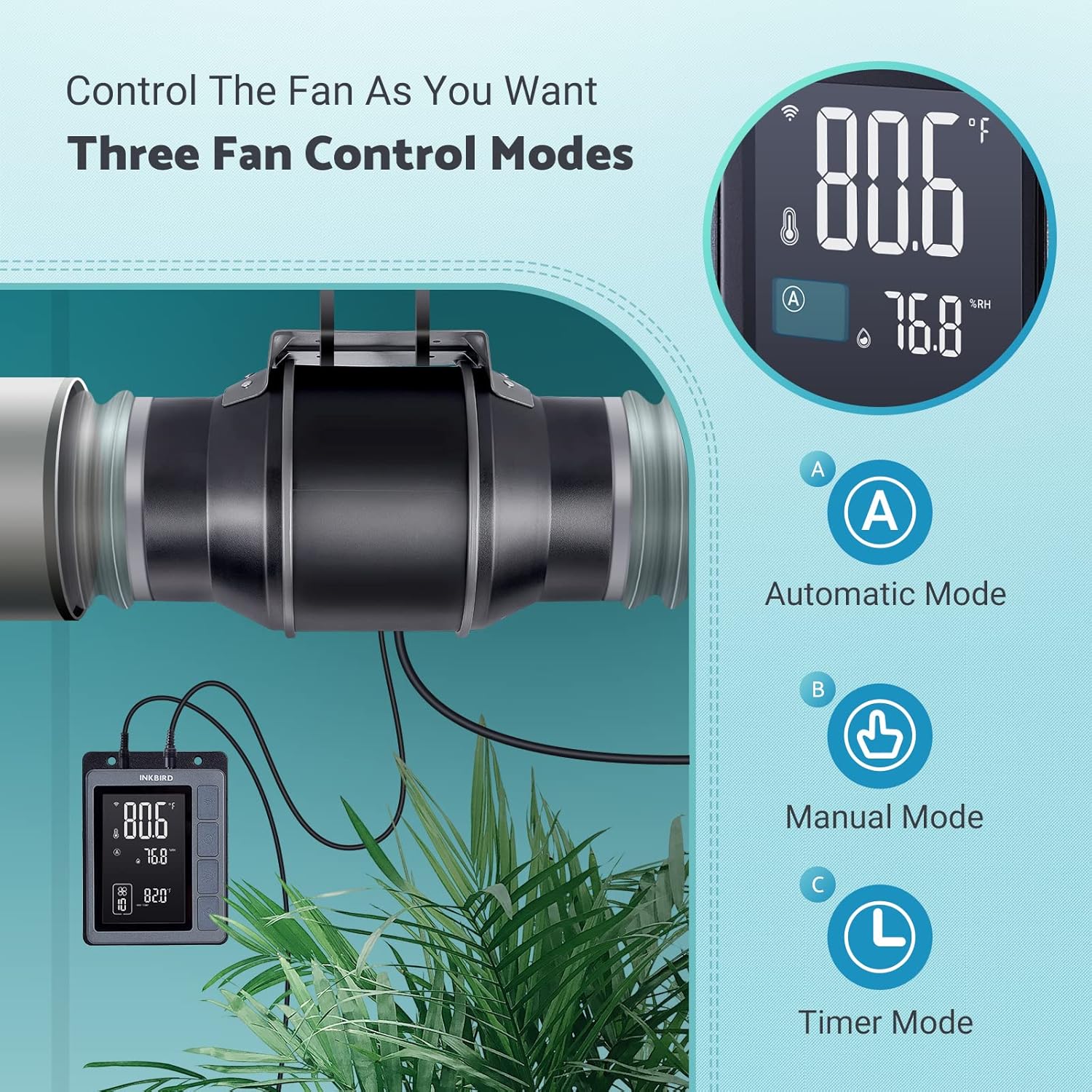
Image: An exploded diagram of the fan, highlighting its durable ABS housing, robust fan blades, and the efficient EC brushless motor.
Te tiaki
Regular maintenance ensures the longevity and efficiency of your INKBIRD Inline Duct Fan.
- Momotu Hiko: Always unplug the fan from the power source before performing any cleaning or maintenance.
- Horoi o waho: Wipe the exterior of the fan and controller with a soft, damp kakahu. Kaua e whakamahi i nga kai horoi me nga whakarewa.
- Whakapai i te Mata Kiri: Periodically inspect the fan blades for dust and debris accumulation. If necessary, carefully remove the fan from the ducting and gently clean the blades with a soft brush or cloth. Ensure no moisture enters the motor housing.
- Whakapai i te tirotiro: Keep the temperature and humidity probe clean and free from obstructions to ensure accurate readings.
- Ducting Inspection: Regularly check the ducting for any blockages, tears, or loose connections that could impede airflow.
Raparongoā
If you encounter issues with your INKBIRD Inline Duct Fan, refer to the following common problems and solutions:
| Raruraru | Take pea | Rongoā |
|---|---|---|
| Kare te Fan e huri. | No power supply; loose connection; child lock enabled. | Check power cord connection and outlet. Ensure fan cable is securely connected to the controller. Disable child lock via app or controller buttons. |
| Ka oma te Fan engari he ngoikore te rere o te hau. | Ducting blockage; fan speed set too low; air leaks in ducting. | Inspect ducting for obstructions. Increase fan speed setting. Check duct connections for leaks and seal if necessary. |
| He kore tika te panui o te pāmahana/makuku. | Probe is dirty or obstructed; probe is placed in an unsuitable location. | Clean the probe. Relocate the probe to an area that accurately represents the environment you wish to monitor. |
| Nga take hononga Wi-Fi. | Kupuhipa Wi-Fi hē; tawhiti rawa te pouara; pokanoa whatunga. | Verify Wi-Fi password. Move controller closer to the router. Restart router and controller. Ensure 2.4GHz Wi-Fi network is used. |
| Haruru te Fan. | High fan speed; loose mounting; debris in fan blades. | Reduce fan speed. Ensure the fan is securely mounted. Disconnect power and inspect/clean fan blades. |
Whakatakotoranga
| Āhuahira | Taipitopito |
|---|---|
| Waitohu | Manuwaituhi |
| Tauira | IVC-001W |
| Diameter Fan | 15CM (6-inch) |
| Rōrahi Hau | 350 CFM |
| Tere Tere | 2500 RPM (Mōrahi) |
| Taumata Haruru | 32 dB (at 3 meters) |
| Voltage | 24V |
| Wattage | 50W |
| Puna Mana | Hiko Hiko |
| Rauemi | Plastic (ABS Housing) |
| Momo Whakaeke | Maunga Taiepa |
| Nga waahanga motuhake | Timer, Wi-Fi Smart Controller, Temperature & Humidity Control, Child Lock, ECO Mode |
| Te Roa Waea Hiko | 150 cm (59 inihi) |
| Fan to Controller Cord Length | 240 cm (94.5 inihi) |
| Te Roro Poro | 250 cm (98.43 inihi) |
| Hunga Hua | 35D x 26.7W x 28H henimita |

Image: A technical diagram illustrating the dimensions of the inline duct fan, smart controller, and the temperature/humidity probe, including cable lengths.
Pūtāhui me te Tautoko
The INKBIRD IVC-001W Inline Duct Fan comes with a 2-tau pūtāhui mai i te ra o te hokonga.
For technical support, warranty claims, or further assistance, please contact INKBIRD customer service through their official webte pae, te korero whakapā ranei e whakaratohia ana me to putunga hua.
Ka taea hoki e koe te toro ki te Toa Inkbird i Amazon mo etahi atu korero hua me nga rauemi tautoko.


