Kupu Whakataki
This manual provides comprehensive instructions for the ENDORFY Omnis Pudding Onyx White Red mechanical keyboard (Model EY5A036). This full-size keyboard features Kailh Red mechanical switches, durable PBT Pudding keycaps, and customizable ARGB backlighting. It is designed for various applications, including gaming, creative work, and general office use, offering a responsive and comfortable typing experience. Key features include a reinforced chassis, a detachable magnetic wrist rest, and a metal volume wheel for convenient audio control.
Ihirangi mokete
- ENDORFY Omnis Pudding Onyx White Red Mechanical Keyboard
- Detachable USB-A Cable
- Te okioki ringa aukume
- Pukapuka Kaiwhakamahi (tenei tuhinga)
Tatūnga
1. Te hono i te Papapātuhi
Connect the detachable USB-A cable to the USB-C port on the keyboard and then to an available USB-A port on your computer. The keyboard is plug-and-play and should be recognized automatically by your operating system.
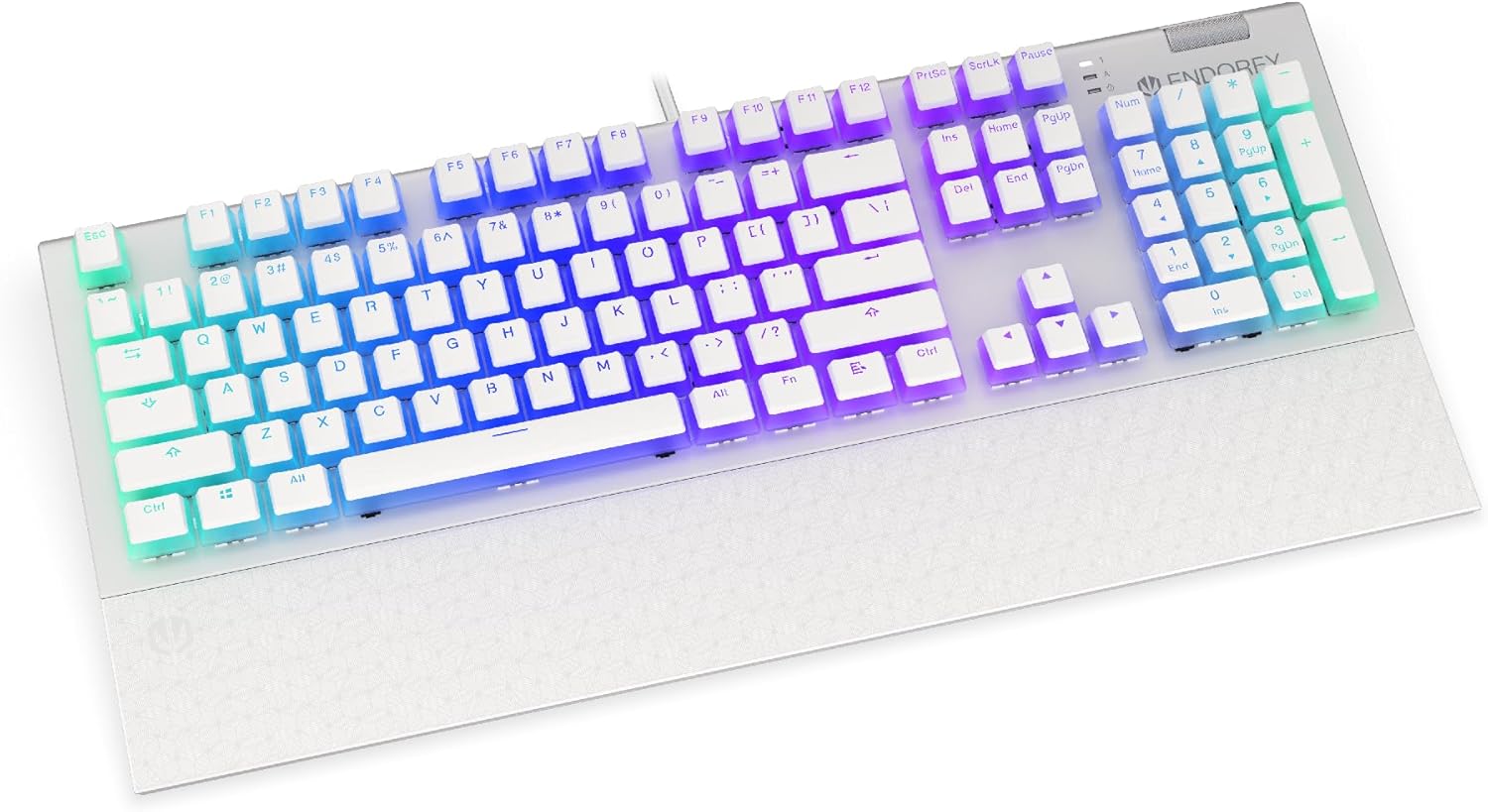
Whakaahua: Mua view of the ENDORFY Omnis Pudding Onyx White Red mechanical keyboard, showcasing its full layout and connected cable.
2. Attaching the Wrist Rest
Align the magnetic wrist rest with the front edge of the keyboard. The magnets will automatically secure it in place, providing ergonomic support during use.

Whakaahua: Koki view of the ENDORFY Omnis Pudding Onyx White Red mechanical keyboard with the magnetic wrist rest attached, highlighting the seamless integration.
3. Tāuta Pūmanawa (Kōwhiringa)
For advanced customization of lighting effects, key assignments, and macros, download the official ENDORFY software from the manufacturer's webpae. Whaia nga tohutohu i runga-mata mo te whakaurunga.
Nga Tohutohu Whakahaere
Nga Mahi Papapātuhi Taketake
The keyboard features a standard full-size layout with a dedicated numpad, function keys (F1-F12), and navigation keys. All keys operate as standard input devices for your computer.
Volume Wheel Operation
The metal volume wheel located on the top right of the keyboard allows for quick audio adjustments:
- Rotate Up: Whakanuia te rōrahi.
- Rotate Down: Whakaitihia te rōrahi.
- Pēhi Raro: Wahangu/Wahangu ororongo.
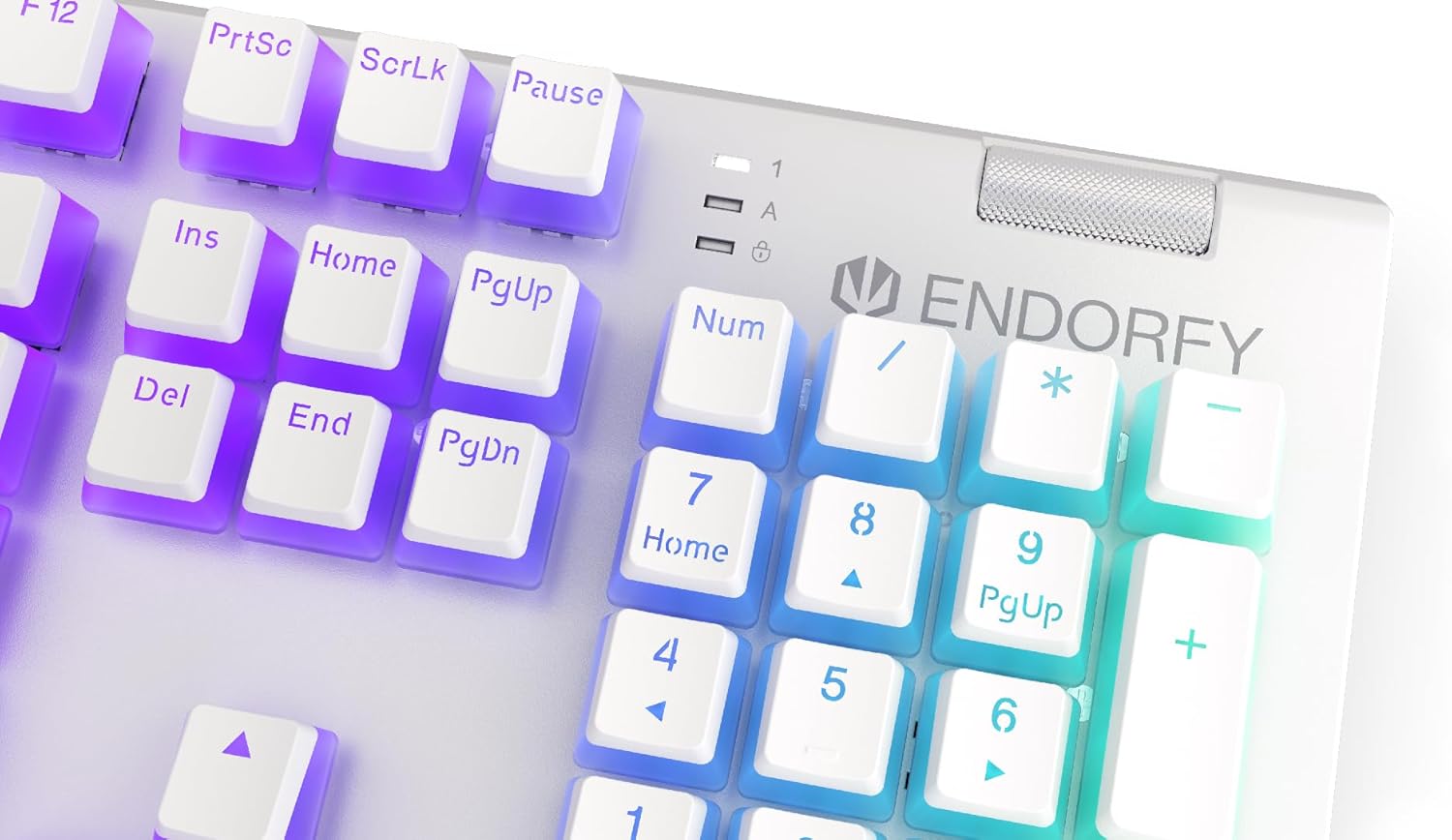
Whakaahua: Kati-ake view of the keyboard's numpad and the prominent metal volume wheel, indicating its position for easy access.
Mana Whakamuri RGB
The keyboard features customizable ARGB backlighting. Lighting effects and brightness can be adjusted using the dedicated ENDORFY software. Some basic lighting modes and brightness levels may also be accessible via keyboard shortcuts (e.g., Fn + arrow keys or specific function keys), though advanced customization is recommended through the software.

Image: The ENDORFY Omnis Pudding Onyx White Red mechanical keyboard illuminated with vibrant RGB backlighting, showcasing the Pudding keycaps.
Huri Patuhi-N (NKRO)
The keyboard supports N-Key Rollover, which means every key press is registered independently, regardless of how many other keys are being pressed simultaneously. This feature is particularly beneficial for fast typists and gamers, preventing ghosting or missed inputs.
Taumahinga Pūmanawa
The ENDORFY software allows users to:
- Customize ARGB lighting effects and colors.
- Tāruatia anō ngā kī takitahi.
- Waihangatia, ka tohaina hoki ngā makro mō ngā raupapa whakahau uaua.
- Whakahaere pro mahafilemō ngā taupānga, ngā kēmu rānei rerekē.
Te tiaki
Te horoi i te papapātuhi
Hei pupuri i te mahi tino pai me te ahua:
- Momotuhia te papapātuhi mai i to rorohiko i mua i te horoi.
- Whakamahia he kakahu ngohengohe, karekau he ngongo paku dampka whakakiia ki te wai, ki te otinga horoi ngawari ranei hei muru i nga kapene me te tahuhu.
- Mō te puehu me te paru i waenganui i ngā taupoki kī, whakamahia te hau kōpeke.
- A ape i te whakamahi i nga matū kino, i nga taonga abrasive ranei.
Keycap Removal and Replacement
The PBT Pudding keycaps can be removed for thorough cleaning or replacement. Use a keycap puller (not included) to gently lift keycaps straight up. When replacing, align the keycap with the switch stem and press down firmly until it clicks into place.

Whakaahua: Kati-ake view of the Kailh Red mechanical switches, visible when keycaps are removed, illustrating the switch mechanism.
Raparongoā
- Papapātuhi Kaore i te whakautu:
Ensure the USB cable is securely connected to both the keyboard and the computer. Try connecting the keyboard to a different USB port or a different computer to rule out port or system issues. Restart your computer. - Te Rarama Whakamuri Kaore i te Mahi, i te Hē ranei:
Check the brightness settings via the ENDORFY software or any onboard shortcuts. Ensure the software is up to date. If specific keys have incorrect lighting, reset the lighting profile i roto i te rorohiko. - Kī Kāore i te Rēhita:
Clean under the affected keycaps to remove any debris that might be obstructing the switch. If the issue persists, it may indicate a hardware fault; refer to the Warranty and Support section. - Wrist Rest Not Attaching Securely:
Ensure there is no debris between the keyboard and the wrist rest that might interfere with the magnetic connection.
Whakatakotoranga
| Āhuahira | Taipitopito |
|---|---|
| Waitohu | ENDORFY |
| Tau tauira | EY5A036 |
| Tae | Mā |
| Whakawhiti Kii | Kailh Red Mechanical |
| Hipanga papanga | PBT Pudding |
| Tahora | Full-size (US Layout) |
| Whakamuri | ARGB (Configurable RGB) |
| Hononga | USB-A (Detachable Cable) |
| Wrist Rest | Aukume, Wetekina |
| Mana Rōrahi | Metal Volume Wheel |
| Huri N-Kihi | Ae |
| Pūnaha Whakahaere Hototahi | Linux, Mac OS X 10.12 Sierra, Windows 7, Windows 8, Windows 10 |
| Whakamahi Manakohia | Gaming, Multimedia |
| Rauemi | Polybutylene Terephthalate (PBT) |
Pūtāhui me te Tautoko
ENDORFY products are covered by a manufacturer's warranty. For detailed warranty terms, technical support, or service inquiries, please refer to the official ENDORFY webpaetukutuku, whakapā atu ranei ki to kaihokohoko o to rohe. Puritia to tohu hoko mo nga kereme whakamana.


