Kupu Whakataki
Thank you for choosing the Varmilo Minilo VXB67 65% Bluetooth Mechanical Keyboard. This manual provides detailed instructions for setting up, operating, and maintaining your new keyboard. The VXB67 offers a compact 65% layout, dual-mode connectivity (wired USB-C and Bluetooth), and a comfortable typing experience with Varmilo EC Daisy V2 switches and durable ABS double-shot keycaps. It also features a Type-Cool sound dampening structure for a clear typing sound.

Image: The Varmilo Minilo VXB67 keyboard, showcasing its compact design and color scheme.
Ihirangi mokete
Tena koa tirohia nga ihirangi o te kete kia mohio kei te noho katoa nga taonga:
- Varmilo Minilo VXB67 Mechanical Keyboard
- USB-C taura
- Paetukutuku Puller
- Whakawhiti Puller
- Uwhi Puehu
- Pukapuka Kaiwhakamahi (tenei tuhinga)

Image: The Varmilo Minilo VXB67 keyboard alongside its USB-C cable, keycap puller, switch puller, and a clear dust cover.
Tatūnga
1. Hononga Waea
- Kimihia te tauranga USB-C i runga i te papapātuhi.
- Connect one end of the provided USB-C cable to the keyboard.
- Hono atu te pito o te taura USB-C ki tetahi tauranga USB e waatea ana i runga i to rorohiko.
- Ka mōhiotia aunoatia te papapātuhi e tō pūnaha whakahaere.
2. Hononga Nihokikorangi
The VXB67 keyboard can connect to up to 3 devices via Bluetooth.
- Me whakarite kua utua te papapātuhi, kua honoa rānei mā te USB-C.
- Turn on Bluetooth on your device (computer, tablet, or smartphone).
- I te papapātuhi, pēhi me te pupuri i te Fn kī me tētahi o ngā kī Nihokikorangi (Q, W, ranei E) for 3-5 seconds to enter pairing mode. The indicator light will flash.
- On your device, search for Bluetooth devices and select "Varmilo VXB67" (or similar) from the list.
- Once paired, the indicator light on the keyboard will stop flashing and remain solid.
- Repeat for up to two additional devices using the other Bluetooth keys.
3. Te Whakarite Koki Papapātuhi
The keyboard features 3-level adjustable kickstands on the bottom to customize your typing angle for comfort.

Image: The underside of the keyboard, highlighting the foldable kickstands for ergonomic adjustment.
Video: Demonstrates the features of the Varmilo Minilo Eucalyptus keyboard, including the adjustable kickstands and multi-device connectivity.
Nga Tohutohu Whakahaere
1. Te Whakakapinga o te Pātene me te Pana
The VXB67 features hot-swappable switches, allowing you to change switches without soldering. Use the provided keycap and switch pullers for this process.
- Tango Kuputuhi: Use the keycap puller to gently grip the keycap and pull upwards.
- Tango Whakawhiti: Use the switch puller to carefully grip the top and bottom clips of the switch and pull upwards.
- Tāuta Whakawhiti: Whakahāngaihia ngā pine o te pana hou ki ngā kōhao i te PCB. Pēhia kia kaha kia pāwhiritia te pana kia tika. Kia tino mohio kāore ngā pine e piko.
- E Tāuta ana i ngā pūmatua: Place the keycap over the switch stem and press down gently until it is secure.
Video: Demonstrates the process of changing switches and keycaps on the Varmilo Minilo 67 keyboard.
2. Mana Whakamarama
The keyboard features white LED backlighting. Use the following key combinations to control the backlight:
- Fn + \ |: Cycle through backlight effects.
- Fn + ↑: Whakanuia te kanapa o te rama tuara.
- Fn + ↓: Whakaitihia te kanapa o te rama tuara.
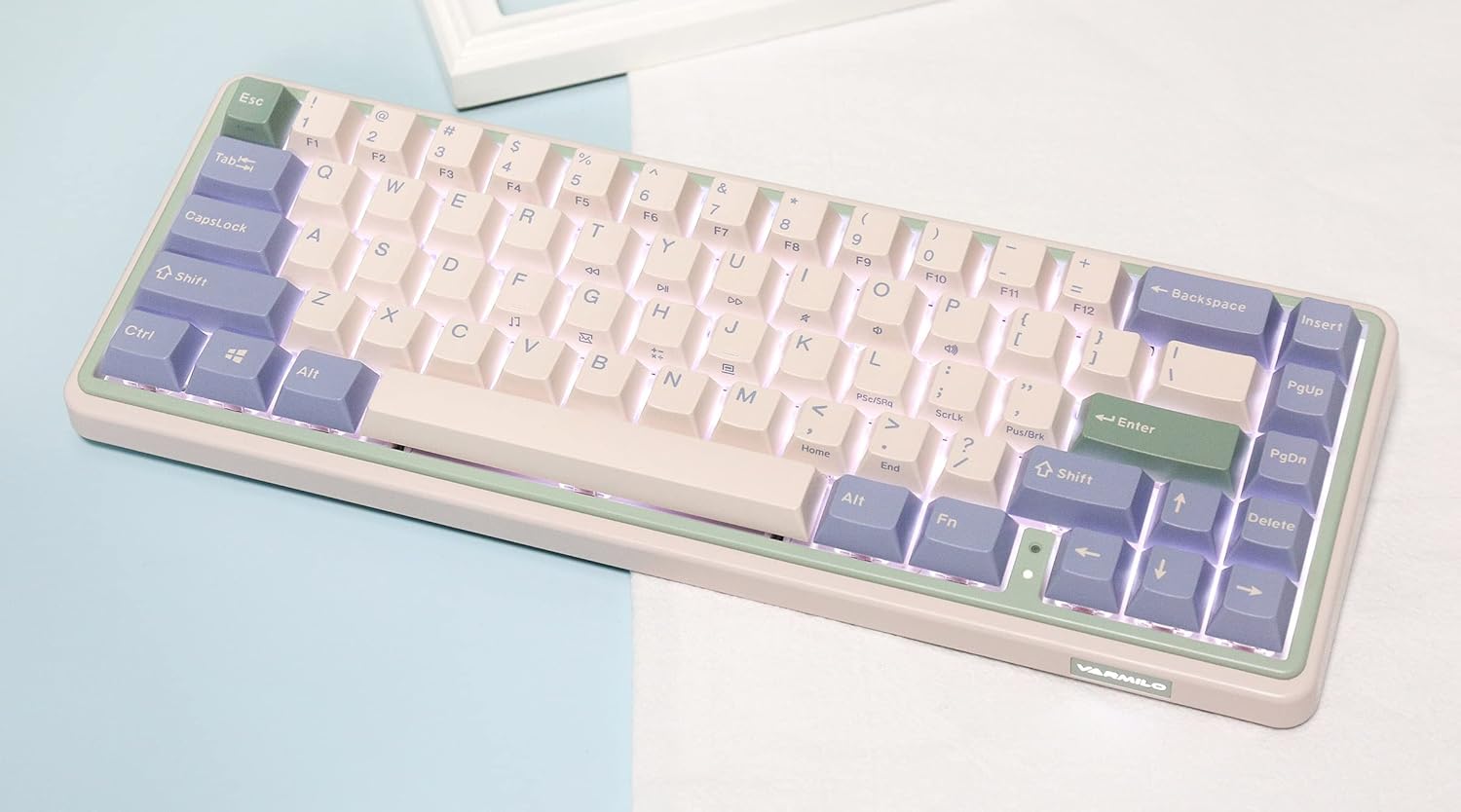
Image: The Varmilo Minilo VXB67 keyboard illuminated by its white LED backlighting.
3. Whakawhiti Pūrere-maha
To switch between paired Bluetooth devices:
- Perehi Fn + Q to switch to Bluetooth Device 1.
- Perehi Fn + W to switch to Bluetooth Device 2.
- Perehi Fn + E to switch to Bluetooth Device 3.
The keyboard will quickly connect to the selected device.
Te tiaki
- Te horoi: Use a soft, dry cloth to wipe the keyboard surface. For deeper cleaning, remove keycaps using the provided keycap puller and use compressed air to clear debris.
- Whakataunga Pūhiko: Connect the keyboard via the USB-C cable to a power source (computer USB port or USB wall adapter). The Escape key will light up while charging and flash when the battery is low.
- Rokiroki: When not in use, store the keyboard in a cool, dry place. Use the provided dust cover to protect it from dust and spills.
Raparongoā
- Kāore te papapātuhi e whakautu (Waea):
- Me whakarite kei te hono pai te taura USB-C ki te papapātuhi me te rorohiko.
- Whakamātauria tētahi tauranga USB rerekē i tō rorohiko.
- Whakamātauria he taura USB-C kē.
- Keyboard not responding (Bluetooth):
- Me mohio kei te whakahohea te Nihokikorangi ki to taputapu.
- Me mohio kei te utuhia te papapātuhi.
- Re-enter pairing mode (Fn + Q/W/E) and attempt to re-pair with your device.
- Forget the device on your computer/tablet/phone and try pairing again.
- Kāore ngā kī e rēhita ana:
- Ensure the keycap and switch are properly seated. Remove and re-install if necessary.
- If using hot-swappable switches, ensure the switch pins are not bent.
- Ko te rama tuara e kore e mahi:
- Check backlight brightness settings (Fn + ↑/↓).
- Ensure the keyboard is not in a low power state.
Whakatakotoranga
| Tauira | VXB67 |
| Tahora | 65% (67 kī) |
| Hononga | Bluetooth 5.0, USB-C Wired |
| Whakawhiti | Varmilo EC Daisy V2 (Hot-swappable) |
| Hipanga papanga | 1.5mm thick ABS Double Shot |
| Whakamuri | Maama LED |
| Pūhiko Raukaha | 3400mAh |
| Pūrere Hototahi | PC (and other Bluetooth-enabled devices) |
| Rauemi | Acrylonitrile Butadiene Styrene (ABS) |
| Ahu | Approx. 15 x 7 x 2.5 inches (based on package dimensions) |
| Taumaha | 3.21 pauna |
Pūtāhui me te Tautoko
For warranty information and technical support, please refer to the official Varmilo webpae, whakapā atu ranei ki to kaihoko. Puritia to tohu hoko mo nga kereme whakamana.
Varmilo Mana Webpae: www.varmilo.com