Kupu Whakataki
Mauruuru koe mo te hokoasing the ION Audio Power Glow 300. This powerful, portable, and versatile Bluetooth speaker system is designed to deliver high-quality audio with dynamic LED lighting, perfect for any event. With its built-in handles and wheels, it offers exceptional portability. Please read this manual carefully to ensure proper use and to maximize your experience with the Power Glow 300.
Ngā āhuatanga
- Bluetooth 5.0 Compatible: Stream your favorite music wirelessly from any Bluetooth-enabled device up to 100 feet.
- ION Sound XP APP: Control audio settings and lighting effects directly from your smartphone or tablet.
- -Amplified 300-Watt Sound System: Features a 10-inch (254mm) woofer and a 1-inch (25.4mm) tweeter for lifelike sound reproduction.
- Atanga Kaiwhakamahi Kotahi-Pa: A simple control knob for all sound adjustments.
- Pūhiko Rechargeable: E whakarato ana i te mana pumau mō te whakamahinga roa.
- Wireless Stereo-Link: Connects wirelessly with additional compatible ION speakers for a wider soundstage.
- Ngā Kakau me ngā Wira kua Hangaia: Designed for easy transportation.
- Ngā Rama Maha-tae: The woofer glows in multiple colors, synchronizing with the music.
- Whakaranu Maha-Hongere: Includes a mixer with main volume control and XLR inputs.
- Aux Inputs: Easily connect non-Bluetooth devices.
- Echo Effect on Microphone: Enhance your karaoke performances.
- USB/Kaari SD Purei: Conveniently play audio material recorded on other devices.
- Nga whakaurunga hopuoro: Connect your microphone for endless fun.
He aha kei roto i te Pouaka
- Power Glow 300 Speaker
- Waea Hiko
- Pukapuka Kaiwhakamahi
Tatūnga
1. Te Whakataki i te Pūhiko
Before first use, fully charge the Power Glow 300's internal rechargeable battery. Connect the included power cable to the speaker's power input on the rear panel and plug it into a standard electrical outlet. The charging indicator light will show the charging status.
2. Te Whakakaha/Weto
Locate the power switch on the rear control panel. Flip the switch to the 'ON' position to power on the speaker. Flip it to 'OFF' to power down.
3. Takirua Nihokikorangi
- Ensure the Power Glow 300 is powered on.
- I runga i to taputapu Nihokikorangi (smartphone, tablet, etc.), whakahohea te Nihokikorangi me te rapu mo nga taputapu e waatea ana.
- Select 'ION Audio Power Glow 300' from the list of devices.
- Once paired, the speaker will indicate a successful connection (e.g., a chime or a steady Bluetooth indicator light).
For advanced control and settings, download the ION Sound XP APP mai i te toa taupānga o to taputapu.
4. Physical Setup and Portability
The Power Glow 300 features built-in handles and wheels for easy transport. Simply extend the retractable handle located on the top of the unit and tilt the speaker to roll it to your desired location. The robust design ensures durability for outdoor and indoor use.

Whakaahua: Taha view demonstrating the retractable handle and wheels for easy transport.
Nga Tohutohu Whakahaere
1. Paewhiri Mana ki rungaview
The main control panel is located on the rear of the speaker. It includes controls for playback, volume, inputs, and lighting.

Whakaahua: Taipitopito view of the rear control panel.
2. Purei Ororongo
- Nihokikorangi: Once paired, play audio from your connected Bluetooth device. Use the speaker's play/pause, next, and previous track buttons, or control directly from your device.
- USB/Kari SD: Insert a USB drive or SD card into the respective slots on the control panel. The speaker will automatically detect and play compatible audio fileWhakamahia ngā mana purei hei whakatere i ngā ara waiata.
- Tāuru Āwhina: Connect non-Bluetooth devices using a standard 3.5mm audio cable or RCA cables to the Aux Inputs on the rear panel.
- Whakauru Whakaoho: Plug a microphone into the XLR or 1/4-inch input. Adjust the microphone volume using the dedicated knob. The echo effect can be applied for vocal enhancement.

Image: USB/SD Card Playback Interface.
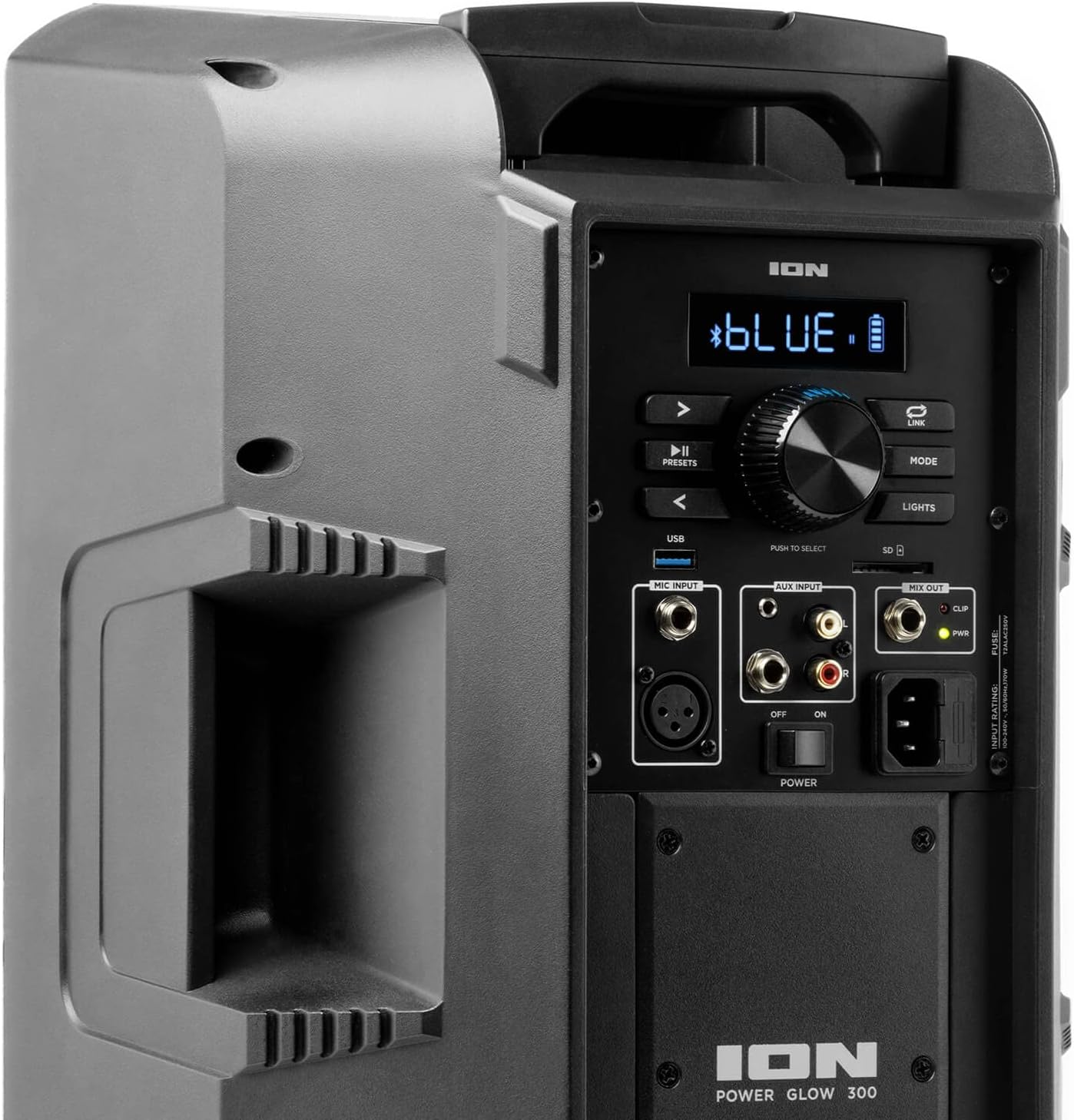
Image: Aux Inputs for external devices.
3. LED Lighting Effects
The Power Glow 300 features dynamic multi-colored LED lights on the woofer that can pulse and change with the beat of the music. Use the 'LIGHTS' button on the control panel or the ION Sound XP APP to cycle through different lighting modes or turn them off.

Image: Speaker with green LED lighting.
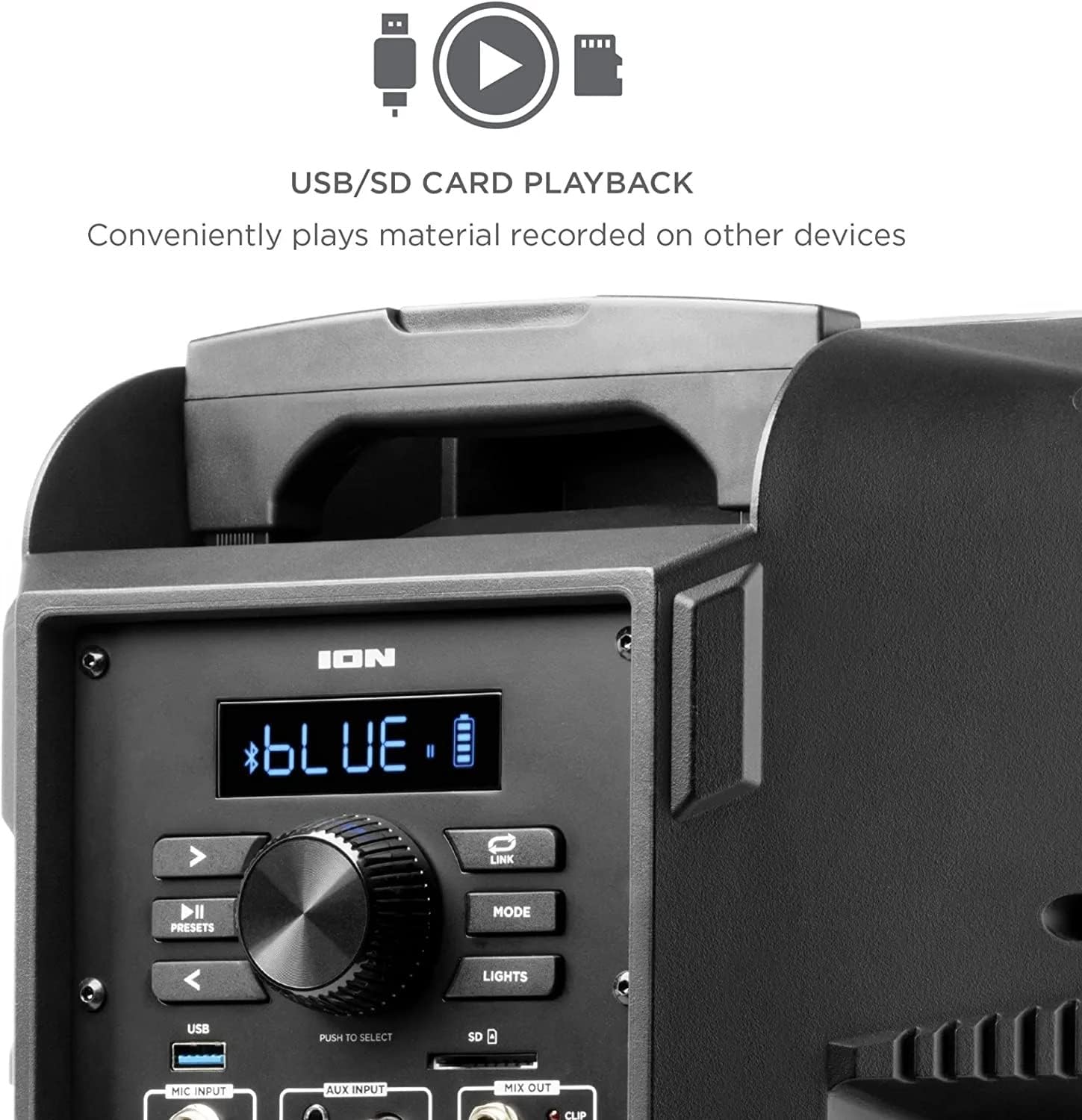
Image: Speaker with blue LED lighting.
4. Hononga Reo Ahokore
To connect two Power Glow 300 speakers wirelessly for stereo sound, follow the instructions provided in the ION Sound XP APP or refer to the full product manual for detailed pairing steps.
Te tiaki
- Te horoi: Whakamahia he kakahu ngohengohe, maroke hei horoi i waho o te korero. Kaua e whakamahi i nga matū kino, i nga horoi horoi ranei.
- Tiaki Pūhiko: Mō te roa o te ora o te pākahiko, kaua e whakawetohia te pākahiko i ngā wā katoa. Whakakīia anō te kaikorero i ia wā, inā koa mēnā ka rongoatia mō te wā roa.
- Rokiroki: Whakaorangia te kaikorero ki te waahi makariri, maroke atu i te ra tika me te wera nui.
Raparongoā
- Kore Mana: Ensure the power cable is securely connected and the power switch is in the 'ON' position. Check the power outlet.
- Kore Oro: Verify that the volume is turned up on both the speaker and your audio source. Check all cable connections for auxiliary inputs. Ensure Bluetooth is properly paired.
- Momotu Nihokikorangi: Move your Bluetooth device closer to the speaker. Ensure no other devices are interfering with the Bluetooth signal. Try unpairing and re-pairing the device.
- Oro korikori: Reduce the volume on both the speaker and your audio source. Check for proper input levels.
- Nga Raiti Kaore e Mahi: Check the 'LIGHTS' button on the control panel or within the ION Sound XP APP to ensure they are enabled.
If issues persist, please refer to the comprehensive troubleshooting guide on the ION Audio webpae, whakapā atu ranei ki te tautoko a te kaihoko.
Whakatakotoranga
| Ingoa Tauira | Rama Tiaki 300 |
| Momo Kaikorero | Woofer |
| Kaikorero Te Mana Putanga Morahi | 300 Watts |
| Woofer Diamita | 10 Inihi |
| Diamita Tweeter | 25.4 Mirimita |
| Hangarau Hononga | Nihokikorangi |
| Hangarau Whakawhitiwhiti Ahokore | Nihokikorangi |
| Awhe Nihokikorangi | 100 Puawai (30.48 Metera) |
| Puna Mana | Pūhiko Powered |
| Momo Pūhiko | 1 Lithium Ion (kei roto) |
| Taumaha Tūemi | 26.3 pauna |
| Ahu mōkihi | 22 x 14.8 x 14.8 inihi |
| Nga Waahanga kei roto | Speaker, Power cable, User manual |
| UPC | 657768184574 |
| Momo Rarangi | He iti |
Pūtāhui me te Tautoko
The ION Audio Power Glow 300 comes with a Limited Warranty. For detailed warranty information, product registration, and technical support, please visit the official ION Audio webpaetukutuku, whakapā atu ranei ki ta raatau tari ratonga kaihoko. Puritia to riirii hoko hei tohu mo te hoko mo nga kereme whakamana.


