1. Kupu Whakataki
Mauruuru koe mo te hokoasing the Sharp CP-SS30(BK) Active Bookshelf Speakers. These speakers are designed to provide superior sound reproduction with versatile connectivity options. Please read this manual carefully before using the product to ensure proper operation and to maximize your listening experience.
The CP-SS30(BK) features a robust plywood cabinet, 60W RMS (2 x 30W) two-way active sound, and multiple input options including Bluetooth v5.0, USB, Optical, Auxiliary, and RCA. It also includes an equalizer with preset and custom bass/treble adjustments, and a full-function remote control for convenience.
2. Nga korero haumaru
Please observe the following safety precautions to prevent damage to the product and to ensure your safety:
- Kaua e whakaatuhia nga kaikorero ki te ua, ki te maakuku ranei.
- Kaua e araia nga whakatuwheratanga hau.
- Kaua e whakauruhia ki te taha o nga puna wera penei i nga radiators, nga rehita wera, nga umu, me etahi atu taputapu (tae atu ki ampkaiwhakaora) e whakaputa ana i te wera.
- Tiakihia te taura hiko kia kaua e hikoi, ka kowhakina mai ranei, ina koa ki nga moko, nga waahi waatea, me te waahi ka puta mai i te taputapu.
- Me whakamahi noa i nga taapiri / taputapu kua tohua e te kaiwhakanao.
- Wewetehia tenei taputapu i te wa e uira ana te tupuhi, i te kore ranei e whakamahia mo te wa roa.
- Tukuna nga ratonga katoa ki nga kaimahi ratonga whai tohu. Ka hiahiatia he ratonga ina kua pakaru nga taputapu i tetahi huarahi, penei i te taura hiko, te mono ranei kua pakaru, kua maringi te wai, kua taka ranei nga taonga ki roto i te taputapu, kua kitea te taputapu ki te ua, ki te makuku ranei, kaore e mahi noa. , kua tukuna ranei.
3. Ihirangi mokete
Tena koa tirohia kei te noho nga taonga katoa kei te pai te ahua:
- 2 x Sharp CP-SS30(BK) Bookshelf Speakers
- 1 x Mana Mamao (kei roto nga pākahiko)
- 1 x RCA Audio Cable (3 meters)
- 1 x AUX Audio Cable (1.2 meters)
- 1 x Taura Hiko (1.2 mita)
- 1 x Speaker Connection Cable
- Tuhinga Kaiwhakamahi

Image: All components included in the Sharp CP-SS30(BK) package, including two speakers, remote control, and various cables.
4. Nga Hua o te Hua
The Sharp CP-SS30(BK) speakers offer a range of features for an enhanced audio experience:
- Putanga Ororongo Kaha: 60W RMS (2 x 30W) two-way active speakers for clear and dynamic sound.
- Hanga Moni: Plywood cabinet design ensures superior sound reproduction and durability.
- Hononga Ahokore: Seamless audio streaming with Bluetooth v5.0.
- Ngā Tāuru Maha: Connect various devices via Bluetooth, USB, Optical, Auxiliary (AUX), and RCA inputs.
- Oro Whakaritea: Built-in equalizer with five preset settings and independent bass and treble adjustment.
- Hoahoa Hou: Removable speaker grilles allow for a contemporary aesthetic.
- Mana Watea: Full-function remote control for easy operation from a distance.

Whakaahua: Mua view of the Sharp CP-SS30(BK) speakers with the remote control, showcasing their design and compact size.

Whakaahua: He tata view of the front panel of one Sharp CP-SS30(BK) speaker with the grille removed, highlighting the tweeter, woofer, indicator light, and volume/input knob.
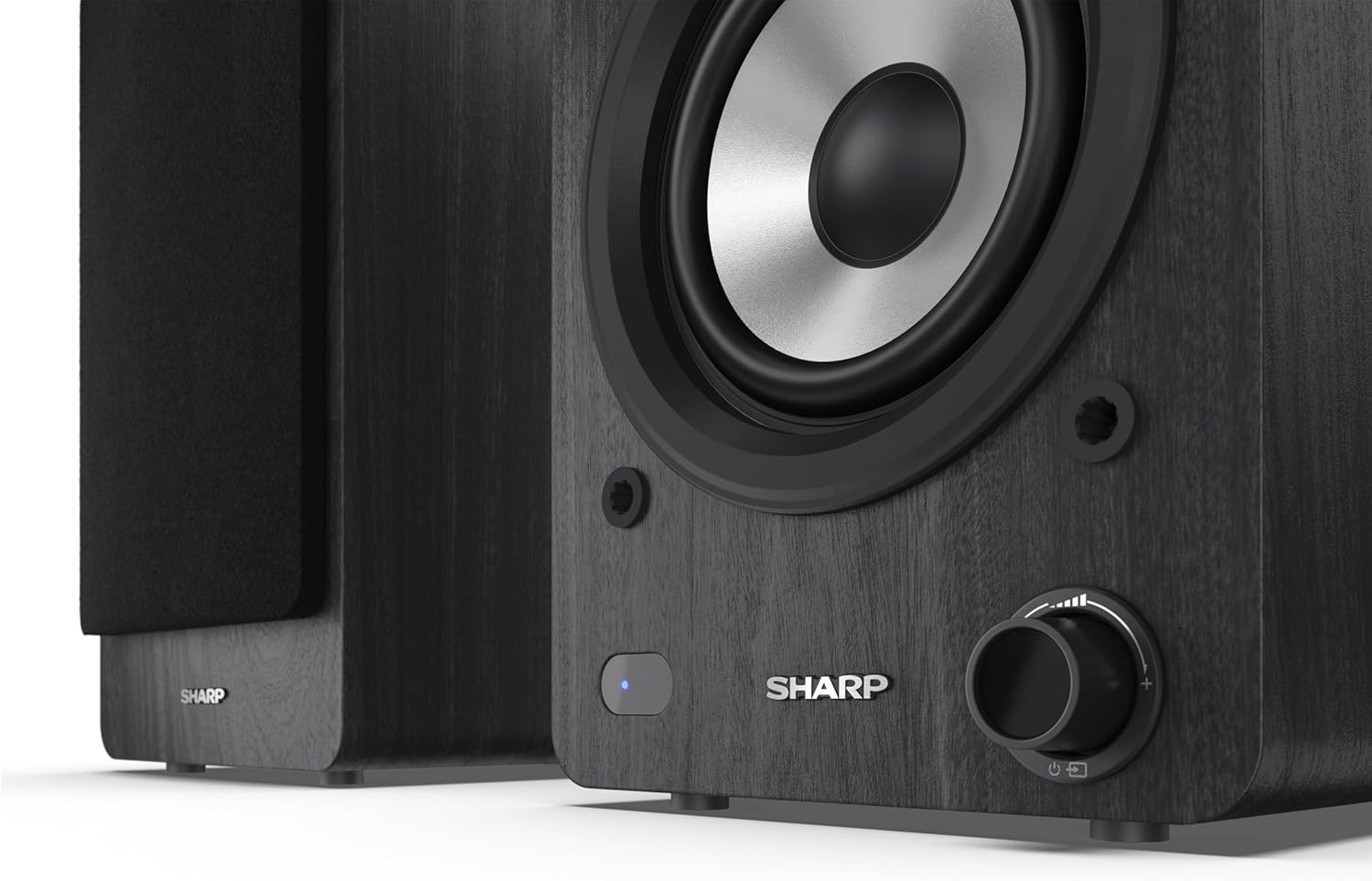
Image: A detailed shot of the control knob and the blue indicator light on the Sharp CP-SS30(BK) speaker, showing the subtle branding.
5. Tatūnga
5.1 Te Whakanohonga Kaikorero
For optimal sound quality, place the speakers on a stable, flat surface. Position them at an equal distance from your listening position, forming an equilateral triangle for the best stereo imaging. Ensure there is adequate space behind the speakers for ventilation and cable connections.
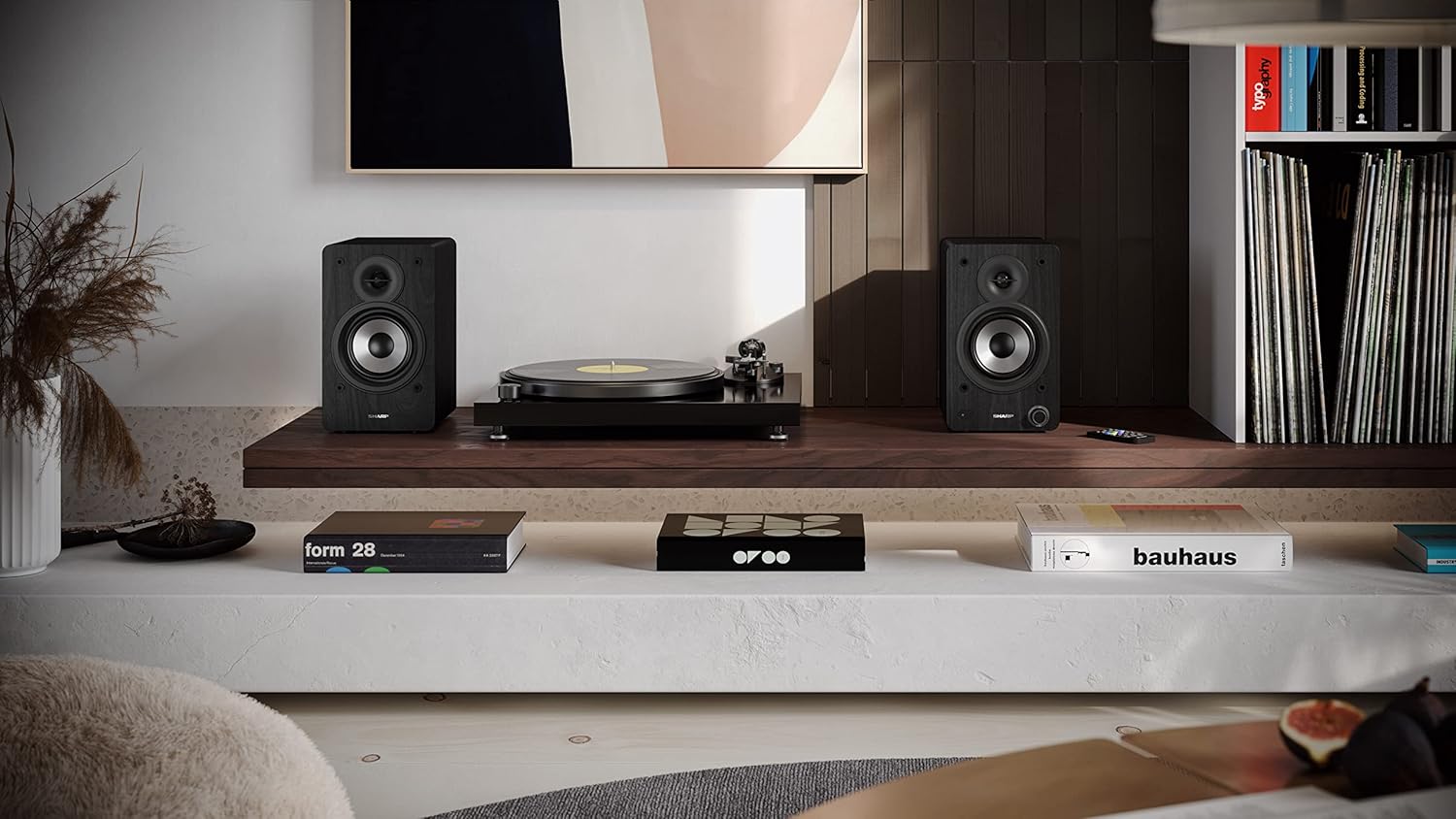
Image: The Sharp CP-SS30(BK) speakers positioned on a shelf in a living room setting, demonstrating a typical setup with a turntable.
5.2 Te hono i nga Kai-korero
The CP-SS30(BK) consists of one active (main) speaker and one passive (secondary) speaker. Connect them using the provided speaker connection cable.
- Identify the active speaker (with controls and input ports) and the passive speaker.
- Connect one end of the speaker connection cable to the speaker terminals on the active speaker, ensuring correct polarity (+ to + and - to -).
- Connect the other end of the speaker connection cable to the speaker terminals on the passive speaker, maintaining correct polarity.

Image: The rear panel of the Sharp CP-SS30(BK) speakers, illustrating the various input ports (USB, Optical, RCA, AUX) and the speaker connection terminals.
5.3 Hononga Hiko
- Ensure the power switch on the active speaker is in the OFF position.
- Connect the provided power cable to the AC input on the active speaker.
- Monohia tetahi pito o te taura hiko ki tētahi putanga hiko e tika ana.
6. Nga Tohutohu Whakahaere
6.1 Kei te Hiko / Weto
To power on the speakers, flip the power switch on the active speaker to the ON position. The indicator light on the front will illuminate. To power off, flip the switch back to OFF.
6.2 Kōwhiringa Tāuru
You can select the input source using the remote control or the knob on the front of the active speaker. Available inputs include Bluetooth, USB, Optical, Auxiliary (AUX), and RCA.
- Nihokikorangi: Select Bluetooth input. The indicator light will flash, indicating pairing mode. Rapua "SHARP CP-SS30(BK)" on your device and connect. The light will become solid once paired.
- USB: Whakauruhia he puku USB me te ororongo files into the USB port on the active speaker.
- Optical: Connect an optical cable from your audio source (e.g., TV, game console) to the Optical input.
- AUX: Connect an AUX cable from your audio source (e.g., smartphone, tablet) to the AUX input.
- RCA: Connect RCA cables from your audio source (e.g., turntable, CD player) to the RCA inputs.
6.3 Mana Rōrahi
Adjust the volume using the remote control's volume buttons or by rotating the knob on the front of the active speaker.
6.4 Tautuhinga Whakaorite
The speakers feature an equalizer to tailor the sound to your preference. Use the remote control to:
- Select from five preset equalizer modes (e.g., Flat, Rock, Pop, Classical, Jazz).
- Adjust bass and treble levels independently for a customized sound profile.
7. Tiaki
To ensure the longevity and optimal performance of your Sharp CP-SS30(BK) speakers, follow these maintenance guidelines:
- Te horoi: Use a soft, dry cloth to clean the speaker cabinets. Do not use liquid cleaners or aerosol sprays, as they may damage the finish or internal components.
- Nga tiihi: The speaker grilles are removable for cleaning. Gently pull them off to clean any dust accumulation on the drivers. Reattach them carefully.
- Whakahau: Ensure that the ventilation openings on the back of the active speaker are not obstructed to prevent overheating.
- Rokiroki: Ki te mea he roa te wā e rongoa ai ngā kaikorero, momotuhia mai i te hiko ka rongoa ki te wāhi hauhautanga, maroke, kia matara atu i te rā tika me te pāmahana tino kino.
8. Te Raru
If you encounter any issues with your speakers, please refer to the following common problems and solutions:
| Raruraru | Take pea | Rongoā |
|---|---|---|
| Karekau he kaha | Power cable not connected; Power outlet not active; Power switch off. | Ensure power cable is securely connected. Check power outlet with another device. Flip power switch to ON. |
| Karekau he tangi | Incorrect input selected; Volume too low; Cables not connected properly; Source device issue. | Select the correct input source. Increase volume. Check all audio cables (RCA, AUX, Optical, USB) and speaker connection cable for secure fit and correct polarity. Test with a different audio source. |
| I rahua te takirua Nihokikorangi | Speakers not in pairing mode; Device too far; Interference. | Ensure Bluetooth input is selected and indicator light is flashing. Move device closer to speakers. Avoid strong electromagnetic interference. Try unpairing and re-pairing. |
| Oro kerekere | Volume too high; Source audio quality is poor; Speaker placement. | Reduce volume. Check the audio source quality. Adjust speaker placement to avoid reflections or resonance. |
| Ko te mana mamao kaore e mahi | Batteries depleted; Obstruction between remote and speaker; Remote not pointed correctly. | Replace remote control batteries. Remove any obstructions. Point the remote directly at the active speaker's sensor. |
9. Whakatakotoranga
| Āhuahira | Taipitopito |
|---|---|
| Tau tauira | CP-SS30(BK) |
| Te Mana Putanga | 60 Watts RMS (2 x 30W) |
| Momo Kaikorero | Active Bookshelf, 2-Way |
| Rauemi rūnanga | Wood (Plywood) |
| Hangarau Hononga | Bluetooth v5.0, USB, Optical, Auxiliary (AUX), RCA |
| Putanga Nihokikorangi | v5.0 |
| Aratau Putanga Ororongo | Tirotiro (2.0 Channel) |
| Whakautu auau | 60 Hz |
| Momo Kaiwhakahaere | Patene, Mana Mamao |
| Ahu Hua (ia kaikōrero) | 19D x 15.8W x 24.8H cm (7.5D x 6.2W x 9.8H inches) |
| Taumaha Tūemi | 4.3 Kirokaramu (9.5 lbs) |
| Tae | Pango |
| Nga Whakamahinga Manakohia | Gaming console, Music player, Smartphone/Tablet, Ambient sound system, Television |
| Pūrere Hototahi | Pona, Waea atamai, Papa |

Image: Diagram showing the dimensions of one Sharp CP-SS30(BK) speaker (Height: 248mm, Width: 158mm, Depth: 190mm).
10. Pūtāhui me te Tautoko
Pūtāhui: This product comes with a 1-year warranty for spare parts availability from the date of purchase. Please retain your proof of purchase for warranty claims.
For technical support, troubleshooting assistance beyond this manual, or warranty inquiries, please contact Sharp customer service. Refer to the contact information provided in the user documentation included in your package or visit the official Sharp webpae.
Note: Software updates guaranteed until information is not available.


