Kupu Whakataki
This manual provides detailed instructions for the installation, operation, and maintenance of your CP PLUS CP-V41A 4MP Wi-Fi Camera. Please read this manual thoroughly before using the product to ensure correct usage and optimal performance. Keep this manual for future reference.
Ka mutu te huaview
The CP PLUS CP-V41A is a 4MP Wi-Fi camera designed for home security and surveillance. It features high-resolution imaging, night vision capabilities, and smart integration options.
Āhuatanga matua:
- 4MP CMOS Image Sensor: Ka whakarato i te ataata marama me te taipitopito footage.
- 3.6mm Arotahi: E tuku ana i te mara whanui o view mo te kapinga whanui.
- H.265 Kōpeketanga Ataata: Efficiently compresses video to save storage space without compromising quality.
- Tautoko Wi-Fi: Enables wireless connectivity for flexible placement.
- IR Distance of 15 Mtr.: Ensures clear night vision up to 15 meters.
- Whakatauranga IP65: Suitable for both indoor and outdoor use, offering protection against dust and water jets.
- Whakauru Whare Ataata: Works with Google Assistant and Amazon Alexa for voice control and smart automation.
He aha kei roto i te Pouaka:
- CP PLUS CP-V41A 4MP Wi-Fi Camera
- Pūurutau Hiko
- Ngā tīwiri me ngā mono whakamau
- Aratohu Timata Tere (tirohia tenei pukapuka mo nga taipitopito katoa)

Image: The CP PLUS CP-V41A 4MP Wi-Fi Camera, highlighting its model and key features.
Tatūnga
1. Tāutanga Tinana
- Kōwhiria he Tauwāhi: Select a suitable location for your camera, considering the desired viewing area, Wi-Fi signal strength, and power source accessibility. The camera is rated IP65, making it suitable for both indoor and outdoor environments.
- Maunga te Kamera:
- Tohua ngā pūwāhi keri i te pakitara, i te tuanui rānei mā te whakamahi i te turanga whakairi o te kāmera hei tauira.
- Keria ngā kōhao ka whakauru i ngā puru pakitara kua whakaratohia.
- Secure the camera's mounting base with the screws.
- Whakaritea te koki kamera ina hiahiatia.
- Hono Hono: Plug the power adapter into the camera's power input and then into a power outlet. The camera will power on and initiate its startup sequence.
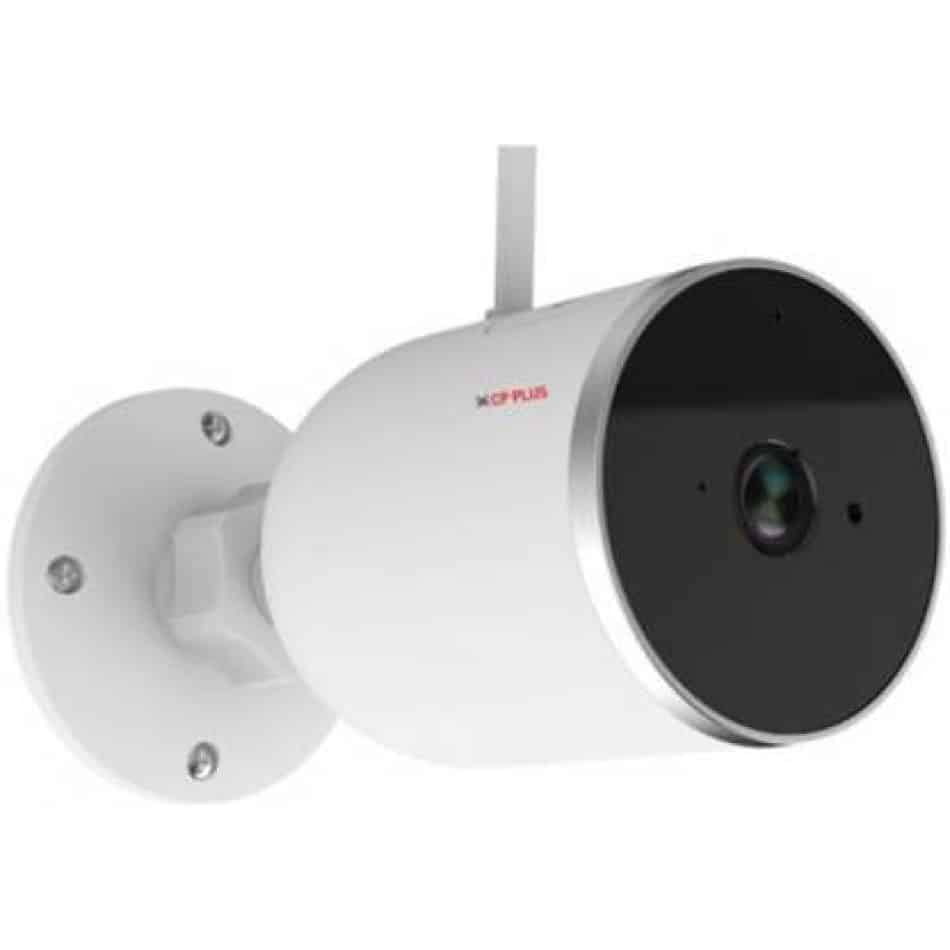
Whakaahua: Taha view of the CP PLUS CP-V41A camera showing its mounting base and antenna, illustrating physical installation.
2. Hononga Whatunga (Wi-Fi)
- Tikiake i te Taupānga: Rapua the official CP PLUS mobile application on your smartphone's app store (iOS or Android) and install it.
- Waihanga Pūkete: Whakatuwheratia te taupānga me te rehita mo tetahi kaute hou, takiuru ranei mena kei a koe tetahi.
- Tāpiri Pūrere: Follow the in-app instructions to add your new camera. This typically involves:
- Scanning a QR code on the camera.
- Connecting your phone to the camera's temporary Wi-Fi hotspot.
- Selecting your home Wi-Fi network and entering its password.
- Whakaoti: Once connected, the camera's status indicator will change, and you will see the camera online in your app.
Nga Tohutohu Whakahaere
1. Ora View me te tuhi
- Uru Ora View: Open the CP PLUS app and select your camera from the device list to view te kai ora.
- Te tuhi ā-ringa: Tap the record button in the app to start or stop manual video recording.
- Whakaahua: Use the snapshot button to capture still images from the live feed.
2. Te Motini me nga Matohi
- Whakahohehia te Kite Nekehanga: Navigate to the camera settings in the app and enable motion detection.
- Whakaritea te Tairongo: Set the motion detection sensitivity to minimize false alarms.
- Set Alert Schedule: Configure specific times or days for receiving motion alerts.
- Whiwhi Whakamōhiotanga: The app will send push notifications to your smartphone when motion is detected.
3. Matakitenga po
The camera automatically switches to night vision mode in low-light conditions, utilizing its infrared (IR) LEDs to provide clear black-and-white video up to 15 meters. Ensure no obstructions block the IR lights for optimal performance.
4. Smart Home Integration (Google Assistant / Amazon Alexa)

Image: The CP PLUS CP-V41A camera integrated into a smart home environment, indicating compatibility with Google Assistant.
- Hononga Pūkete: In your Google Home or Amazon Alexa app, search for the CP PLUS skill/service and link your CP PLUS account.
- Tirohia nga Pūrere: Kia honoa, tonoa tō kaiawhina atamai kia kimi i ngā pūrere hou.
- Tono Reo: You can now use voice commands to view your camera feed on compatible smart displays (e.g., "Hey Google, show me the front door camera" or "Alexa, show me the living room camera").
Te tiaki
- Te horoi:
- Āta murua te karāhe me te tinana o te kāmera ki te kakahu ngohengohe, maroke.
- Kaua e whakamahia he matū pakeke he horoi horoi ranei.
- Me whakaweto te kāmera i mua i te horoinga.
- Whakahōu Firmware: Regularly check the CP PLUS app for available firmware updates. Updates often include performance improvements, new features, and security enhancements. Follow the in-app instructions to perform updates.
- Whakahaere Rokiroki: If using a local storage (e.g., microSD card, not included), periodically review me te whakahaere i te rekoata footage to ensure sufficient space.
Raparongoā
| Raruraru | Take pea | Rongoā |
|---|---|---|
| Karekau te kamera i te hiko. | Ko te urutau hiko kaore i te hono, i te he ranei. | Me whakarite kei te hono pai te urutau hiko ki te kāmera me te putanga hiko e mahi ana. Whakamātauria tētahi atu putanga. |
| Kaore e taea te hono ki Wi-Fi. | Incorrect Wi-Fi password, weak signal, or camera too far from router. | Verify Wi-Fi password. Move the camera closer to the router. Ensure your router is broadcasting a 2.4GHz network (5GHz is not supported by many smart devices). Reset the camera and try pairing again. |
| He kino te kounga o te ahua, he pōuri rānei te ataata. | Protective film on lens, dirty lens, or insufficient lighting. | Remove any protective film. Clean the lens with a soft cloth. Ensure adequate lighting or check night vision functionality. |
| Kaore e mahi ana te kitenga nekehanga. | Motion detection disabled, sensitivity too low, or incorrect schedule. | Check app settings to ensure motion detection is enabled, sensitivity is appropriate, and the schedule is correctly configured. |
| No sound or poor audio. | Microphone/speaker blocked, app volume low, or network issues. | Ensure nothing is obstructing the microphone or speaker. Check volume settings in the app and on your phone. Verify stable network connection. |
Whakatakotoranga
| Āhuahira | Taipitopito |
|---|---|
| Tau tauira | CP-V41A |
| Pūoko Whakaahua | 1/2.8” 4MP CMOS (0.9071cm) |
| Arotahi | 3.6mm |
| Kōpeketanga Ataata | H.265 |
| Hononga | Wi-Fi, Itarangi |
| Tawhiti IR | 15 Mtr. |
| Parenga Ingress | IP65 |
| Hototahitanga o te Kaiawhina Atamai | Kaiawhina Google, Amazon Alexa |
| Puna Mana | Hiko Hiko |
| Mahinga o roto/waho | Roto, Waho |
| Taumaha Tūemi | 460 g |
| Ahu (LxWxH) | 20 x 10 x 5 Henemita |
| Nga Waahanga kei roto | Whāurutau |

Image: An office setting with the CP PLUS CP-V41A camera mounted, illustrating its 4MP CMOS image sensor capability.
Pūtāhui me te Tautoko
CP PLUS products are designed for reliability and performance. For warranty information, please refer to the warranty card included with your product or visit the official CP PLUS website. For technical support, troubleshooting assistance, or service inquiries, please contact CP PLUS customer support through their official channels.
Tuhipoka: Ko nga korero me nga ahuatanga o te hua ka huri noa me te kore panui i mua.


