Nga Korero Haumaru Nui
Please read this manual carefully before assembly and use. Keep these instructions for future reference. Failure to follow these instructions may result in serious injury.
- Te Tau me te Taumaha: This tricycle is designed for children aged 1-4 years and supports a maximum weight of 20 kg. Do not exceed this weight limit.
- Tirohanga Pakeke: Always use the tricycle under direct adult supervision. Never leave a child unattended.
- Taputapu Tiaki: Ensure the child wears appropriate protective gear, such as a helmet, knee pads, and elbow pads, especially when riding independently.
- Hazard Avoidance: Do not use near stairs, on steep slopes, near roads, or in areas with traffic. Avoid uneven surfaces, water, and obstacles.
- Taki Whakamahi-mua: Before each use, check that all screws, nuts, and fittings are securely tightened. Ensure all parts are correctly assembled and not damaged.
- Piripiri: Teach your child how to use the brakes (if applicable) and ensure they understand how to stop safely.
- Whakarerekētanga: Do not modify the tricycle in any way. Use only original replacement parts if needed.
Tatūnga me te Runanga
The HyperMotion Children's Tricycle requires assembly. Follow these general steps. For detailed visual instructions, refer to the included assembly guide or manufacturer's webpae.
- Wewete Waenga: Carefully remove all parts from the packaging and verify against the parts list.
- Huihuia te Tāpare: Connect the main frame components securely.
- Whakapiri Wiira: Install the front and rear wheels, ensuring they are properly aligned and secured.
- Install Handlebar and Seat: Attach the child's handlebar and the seat. Adjust the seat position as needed for the child's comfort and reach to the pedals.
- Mount Parental Push Handle: Securely attach the adjustable parental push handle to the rear of the tricycle.
- Add Canopy and Basket: Install the protective canopy and the rear storage basket.
- Taki Whakamutunga: Before first use, double-check all connections, bolts, and moving parts to ensure they are tight and secure.

This image displays the HyperMotion Children's Tricycle in its grey color, highlighting its versatile design. It shows the tricycle from different perspectives, including a view with a child seated, demonstrating its use as a push-tricycle and an independent ride-on.
This composite image illustrates the four developmental stages of the HyperMotion Tricycle. It shows how the tricycle can be configured for children aged 12-18 months (with full parental control and safety bar), 18-24 months (with reduced safety features), 24-36 months (as a push-bike), and 36+ months (as an independent tricycle), demonstrating its adaptability.
Nga Tohutohu Whakahaere
The HyperMotion Tricycle is designed to adapt to your child's growth, offering multiple modes of operation.
Parent-Controlled Push Mode (12-36 months)
- Using the Push Handle: The adjustable parental push handle allows adults to steer and control the tricycle's direction and speed.
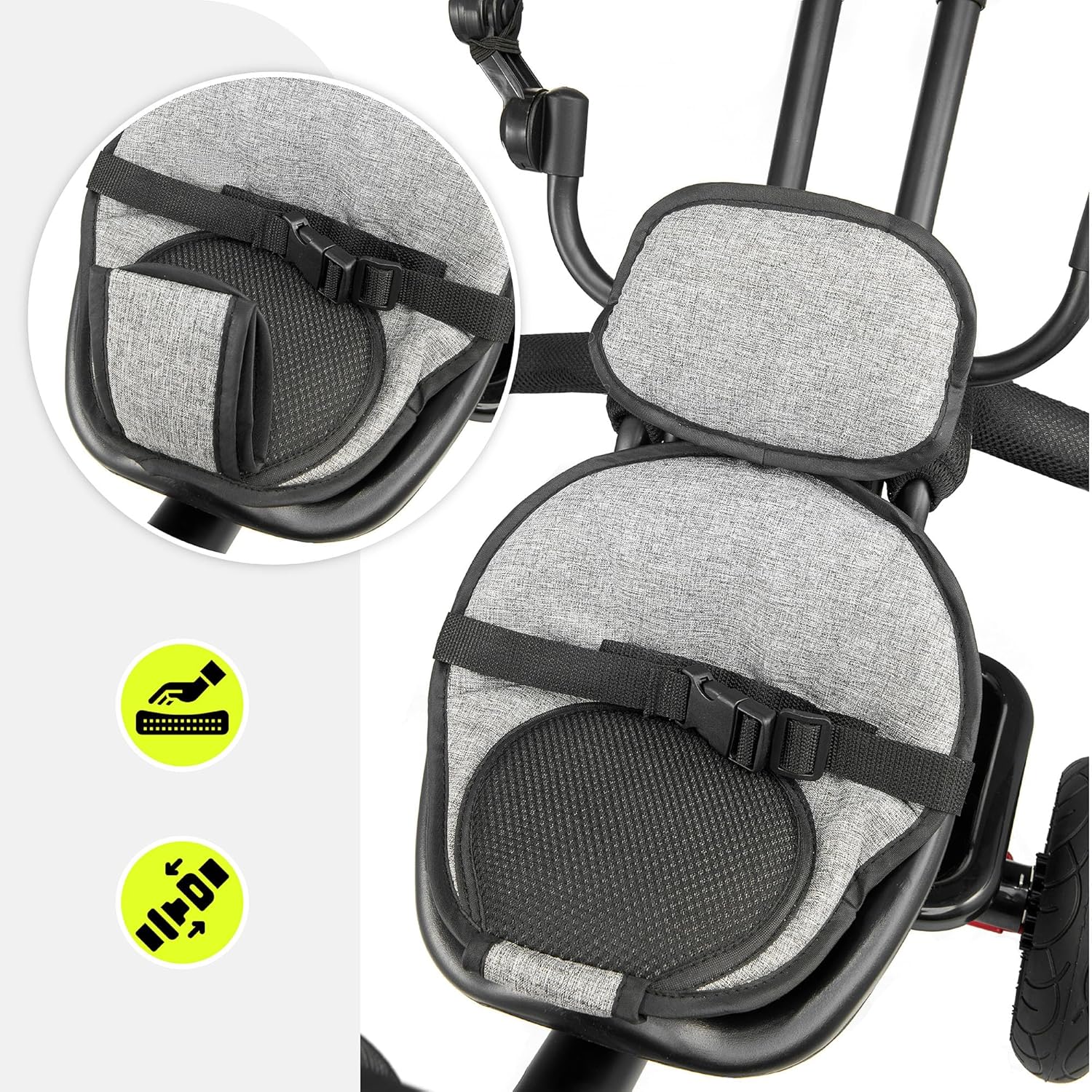
- Safety Bar and Harness: For younger children, ensure the safety bar is engaged and the safety harness is securely fastened to prevent falls.
- Nga turanga waewae: Utilize the foldable footrests for children who cannot yet reach the pedals or prefer not to pedal.
- Korowai: Extend the canopy for sun protection during outdoor use.
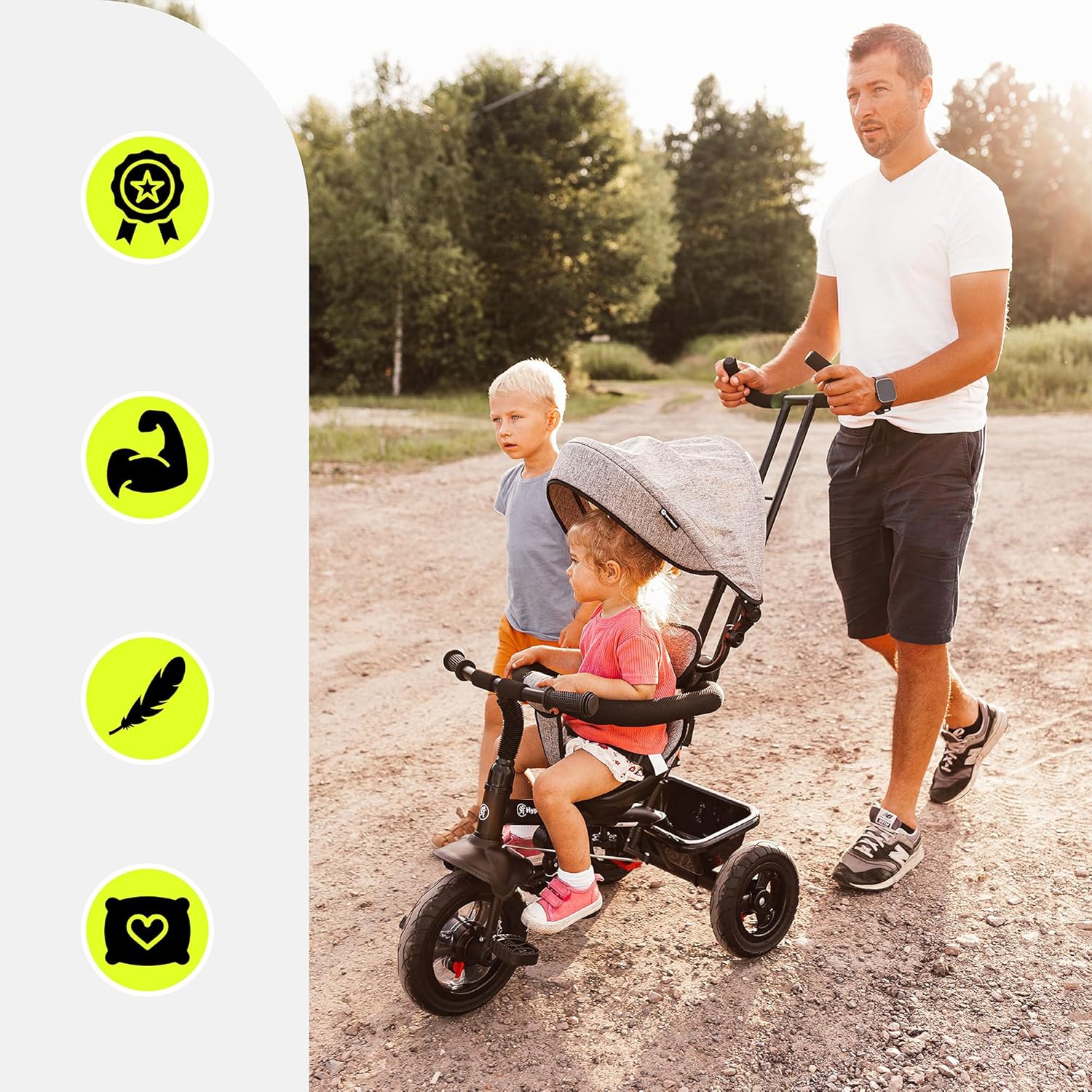
This image depicts a parent guiding the HyperMotion Tricycle with the push handle, demonstrating its ease of maneuverability for adults. A child is seated in the tricycle, and another child walks beside them, highlighting its suitability for family outings.

A young woman is shown pushing the HyperMotion Tricycle, emphasizing the convenience of the parental push handle. The child in the tricycle is seen drinking, suggesting comfort and ease of use during longer outings.
Independent Tricycle Mode (36+ months)
- Removing Parental Handle: Once the child is ready, the parental push handle can be removed for independent riding.
- Te eke hoiho: Ensure the child can comfortably reach and operate the pedals.
- urungi: The child will now control the steering via the front handlebar.
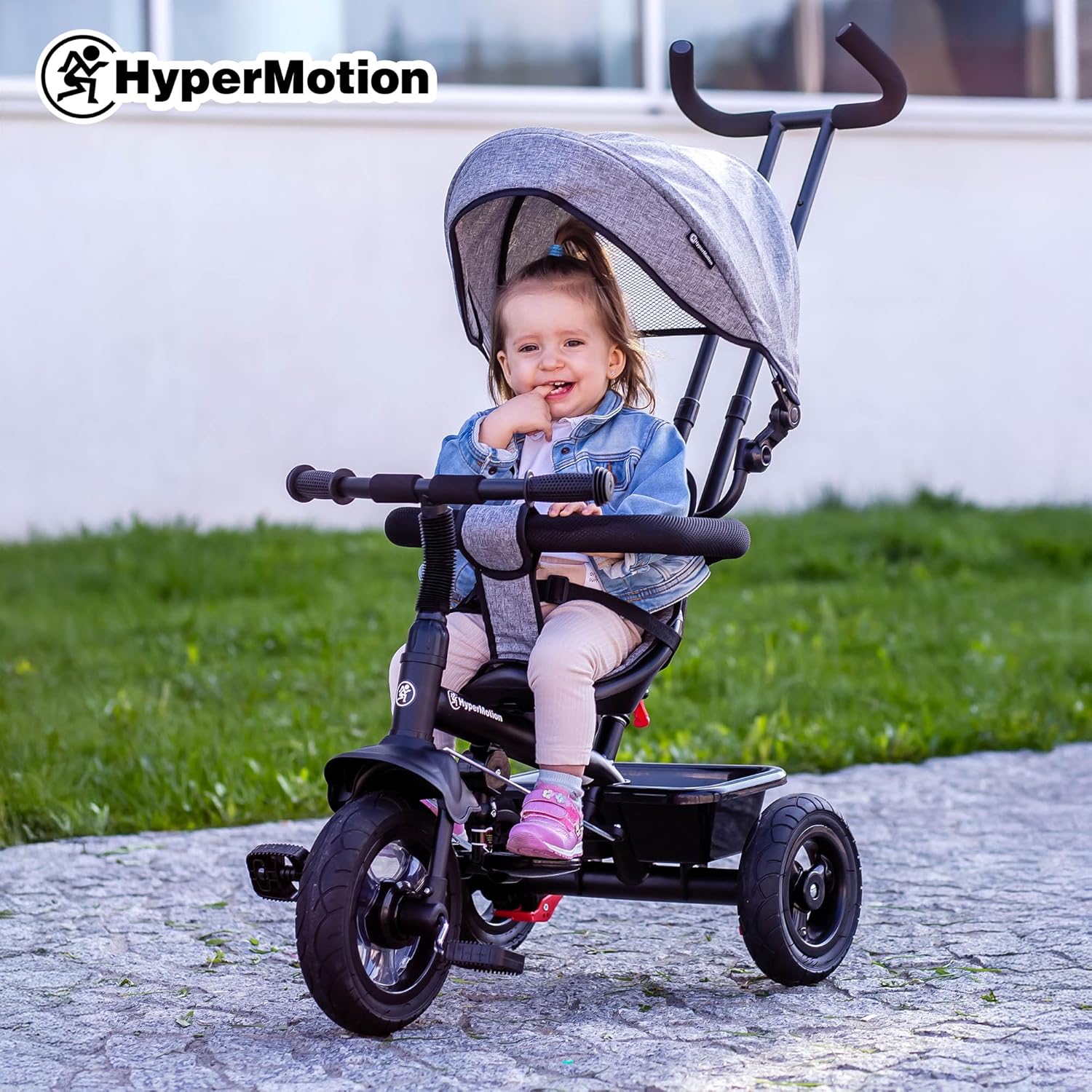
A young child is shown happily seated on the HyperMotion Tricycle, illustrating the comfortable seating and the protective canopy. The child is smiling, indicating a positive user experience.
Whakatikatika me nga ahuatanga
- Whakatikatika nohoanga: The seat can be adjusted forward or backward to accommodate the child's leg length.
- Whakatikatika Pae kakau: The child's handlebar can be adjusted for height and angle.
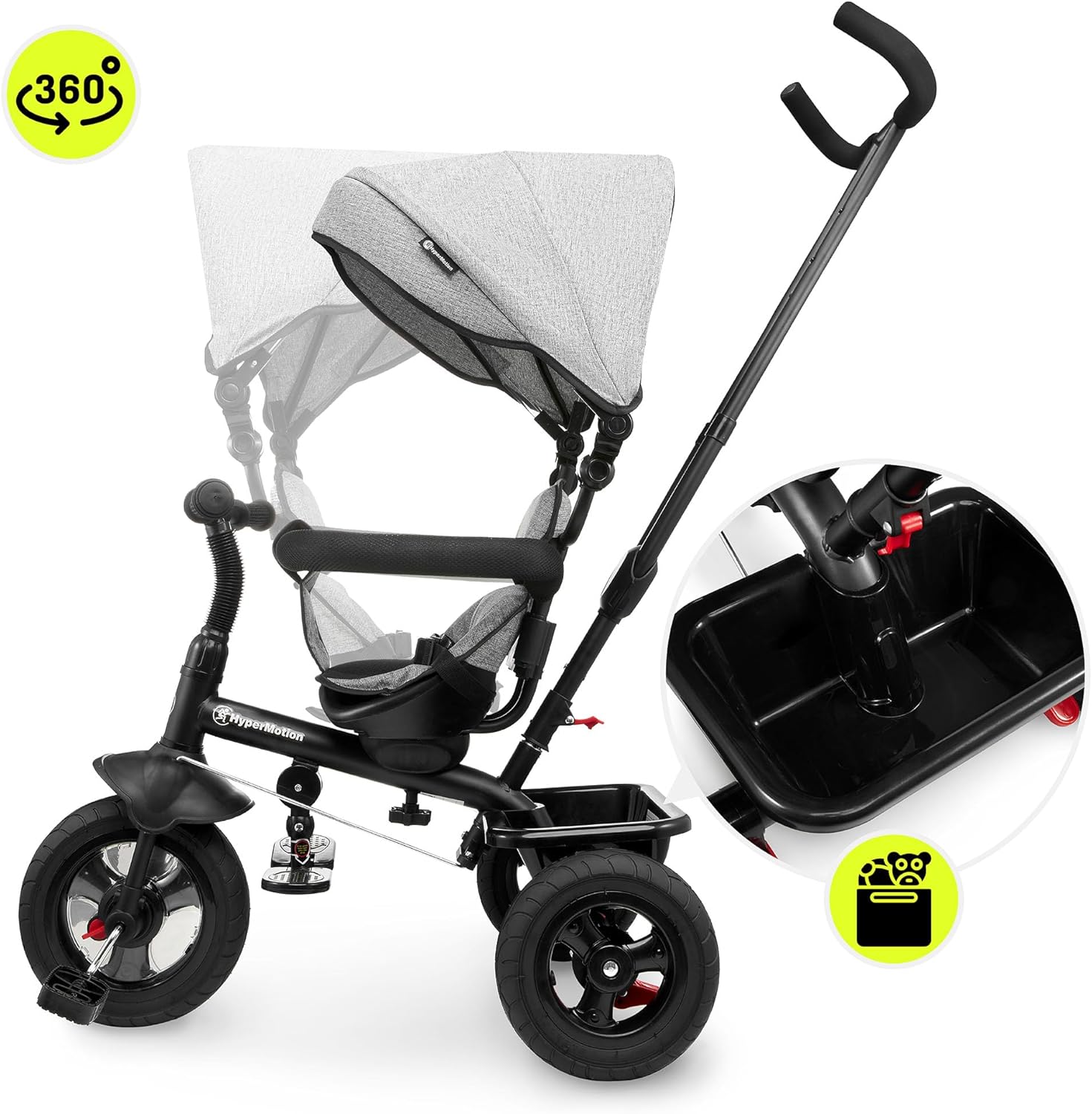
- Hurihuri 360-Waeke: The seat may feature a 360-degree rotation function, allowing the child to face forward or backward.
- Kete Rokiroki: Use the rear basket for carrying small items.
He taipitopito view of the tricycle's seat and safety harness, highlighting the padded comfort and secure strapping mechanism designed to keep the child safe during rides.

This image showcases the tricycle's ability to rotate 360 degrees, offering flexibility in child positioning. It also provides a close-up of the convenient rear storage basket, useful for carrying essentials.
Te tiaki
Regular maintenance will prolong the life of your HyperMotion Tricycle and ensure safe operation.
- Te horoi: Clean the tricycle regularly with a damp cloth and mild soap. Do not use abrasive cleaners or solvents. Dry thoroughly after cleaning.
- Whakahinuhinu: Periodically check and lubricate moving parts such as wheel axles and pedal mechanisms with a suitable lubricant.
- Taki Wae: Regularly inspect all bolts, nuts, and fasteners to ensure they are tight. Check for any signs of wear, cracks, or damage to the frame, wheels, seat, and harness. Replace damaged parts immediately.
- Pēhanga Tire: If applicable, ensure tires are inflated to the recommended pressure.
- Rokiroki: Store the tricycle in a dry, cool place, away from direct sunlight and extreme temperatures, to prevent material degradation.
Raparongoā
If you encounter issues with your HyperMotion Tricycle, refer to the following common solutions:
- Nga Waahanga Wewete: If parts feel loose or wobbly, check all screws, bolts, and connections. Tighten them securely using appropriate tools.
- Te Uauatanga o te Urutau: Ensure the parental push handle is correctly installed and locked into position. Check that the front wheel and handlebar are properly aligned.
- Pedals Not Engaging: Verify that the pedal mechanism is free of obstructions and properly connected to the front wheel.
- Haruru haruru: Apply a small amount of lubricant to moving joints or axles if squeaking occurs.
- Child Not Reaching Pedals: Adjust the seat position forward. If the child is too young, use the footrests and parent-push mode.
If problems persist or you suspect a manufacturing defect, please contact HyperMotion customer support.
Whakatakotoranga
| Tau tauira | HYP TOBI FREY GREY |
| Waitohu | HikuMotion |
| Tae | Kerei |
| Rauemi | Kirihou |
| Rahi Hua (L x W x H) | 72 x 43 x 59 cm (28.3 x 16.9 x 23.2 inihi) |
| Taumaha Tūemi | 10.89 kg (24 Pauna) |
| Taumata Taumaha | 20 kg |
| Te Tau Manakohia | 1-4 Tau |
| Huihuinga e hiahiatia ana | Ae |
| Nga Pikohiko e hiahiatia ana | Kao |
| Whaainga Matauranga | Develop children's balance, coordination and motor skills |
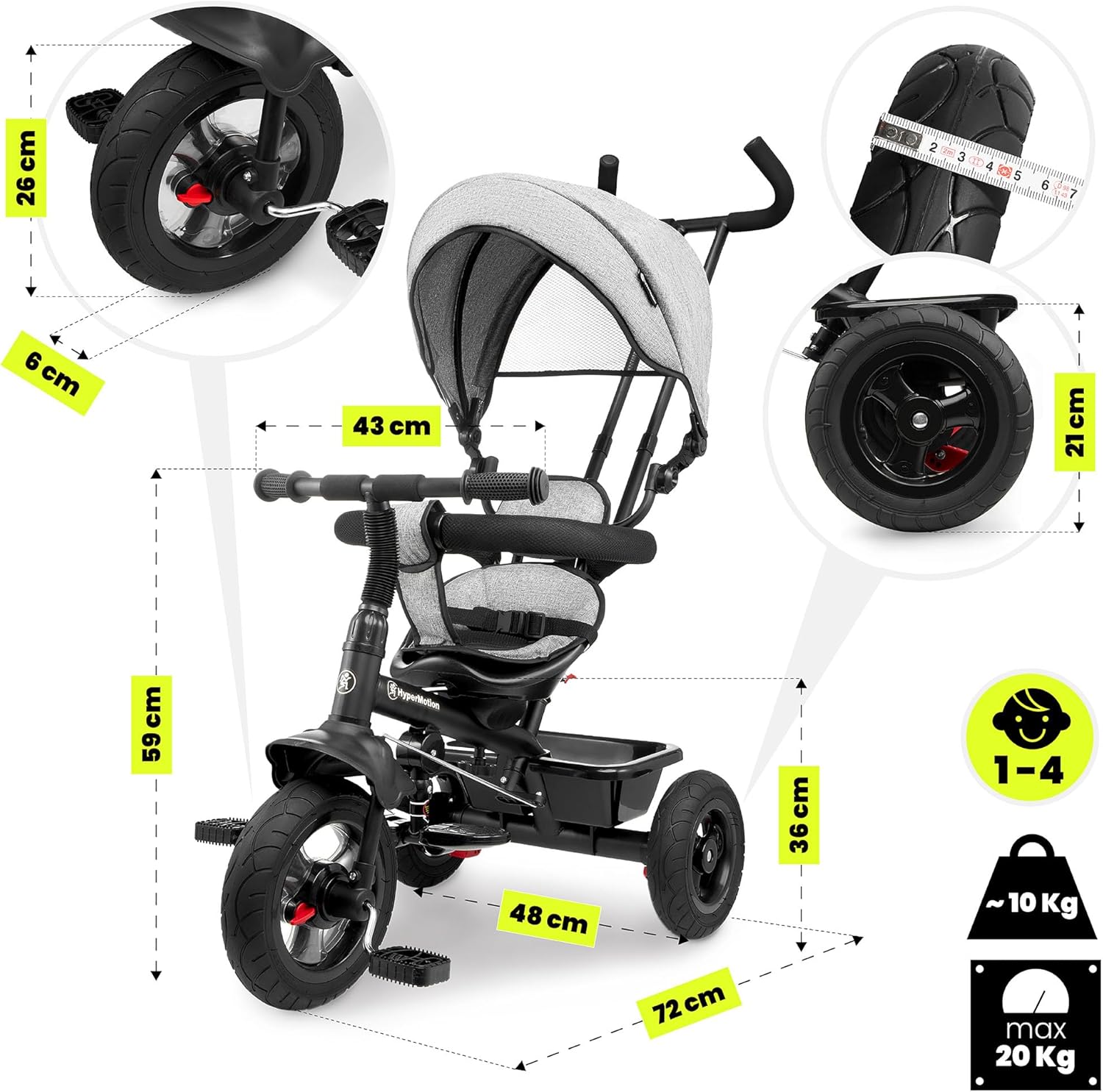
A technical diagram illustrating the key measurements of the HyperMotion Tricycle, including its overall length (72 cm), width (43 cm), height (59 cm), and seat height (36 cm), along with wheel dimensions. This provides precise size information for users.
Pūtāhui me te Tautoko
Information regarding specific warranty terms and conditions for the HyperMotion Children's Tricycle was not available in the provided product data. For warranty details, product support, or to inquire about replacement parts, please contact HyperMotion directly through their official webte waahi, te kaihokohoko ranei i hokona ai te hua.
When contacting support, please have your model number (HYP TOBI FREY GREY) and proof of purchase readily available.


