1. Kupu Whakataki
Thank you for choosing the WORKPRO Portable Tire Inflator W125218A. This device is designed for convenient and efficient inflation of tires for cars, motorcycles, bicycles, and various sports balls. It features a digital display, auto shut-off, multiple inflation modes, an LED light, and a power bank function. Please read this manual thoroughly before use to ensure safe and optimal operation.

Image: The WORKPRO Portable Tire Inflator is suitable for a wide range of applications, including car tires, motorcycle tires, bicycle tires, swimming rings, and various sports balls.
2. Nga korero haumaru
Kia mau tonu ki nga whakaritenga haumaru e whai ake nei hei aukati i te whara, i te kino ranei o te taputapu:
- Kaua e waiho te inflator i te wa e mahi ana.
- Ensure the correct pressure setting for the item being inflated to avoid over-inflation, which can cause bursting and serious injury.
- The inflation hose and nozzle may become hot during prolonged use. Allow them to cool before handling.
- Tiakina te taputapu mai i nga tamariki me nga kararehe.
- Kaua e whakahaeretia te pupuhi i roto i nga ahuatanga makuku, tata ranei ki nga wai ka mura, hau ranei.
- Use only the provided accessories and adapters.
- If the device overheats, allow it to cool down before resuming operation.
- Wear appropriate eye and hearing protection during use.
3. Ihirangi mokete
Manatokona kei roto katoa nga mea kei roto i te kete:
- WORKPRO Portable Tire Inflator
- Ngongo Inihara
- Pūreretā Takirere Ngira (mō ngā pōro)
- Presta Valve Adapter (for some bicycles)
- Wide Nozzle Adapter (for inflatables)
- Tauira Whakatau USB
- Puke Rokiroki

Image: The WORKPRO Portable Tire Inflator shown with its included accessories: inflation hose, various nozzle adapters, USB charging cable, and a storage bag.
4. Hua Neke Atuview
Familiarize yourself with the components of your tire inflator:
- Whakaaturanga Mamati: E whakaatu ana i te pēhanga o nāianei, te pēhanga ūnga, te taumata pākahiko, me te aratau kua tīpakohia.
- Patene Mana: Power, Mode selection, Pressure adjustment (+/-).
- Inflation Port: Where the inflation hose connects.
- Rama LED: Mo te whakamarama i nga ahuatanga iti-marama.
- Tauranga Whakatau USB-C: For recharging the device.
- Tauranga Huaputa USB-A: Functions as a power bank.

Whakaahua: He taipitopito view of the inflator's digital display, showing pressure readings, battery indicator, and the three-color LED indicators for pressure status (red, yellow, green).
5. Tatūnga
5.1 Whakataki Tuatahi
Before first use, fully charge the tire inflator. The device is powered by three 2500mAh rechargeable batteries.
- Connect the provided USB charging cable to the USB-C charging port on the inflator.
- Connect the other end of the USB cable to a suitable USB power adapter (not included) or a powered USB port.
- The battery indicator on the digital display will show charging progress. A full charge typically takes 3 to 5 hours.
- Kia oti te whakakii, momotuhia te taura utu.

Image: The inflator connected to a car tire, highlighting its 7500 mAh battery capacity, capable of inflating multiple car tires on a single charge.
6. Nga Tohutohu Whakahaere
6.1 Kei te Hiko / Weto
- To power on, press and hold the power button (usually the 'O' button) for a few seconds.
- Hei whakaweto, pēhi me te pupuri anō i te pātene mana. Ka whakaweto aunoa hoki te pūrere i muri i te wā kore mahi.
6.2 Te whiriwhiri i te Aratau Whakanuia
The inflator offers 4 smart preset modes and 1 manual mode:
- Press the 'M' (Mode) button to cycle through the available modes: Car, Motorcycle, Bicycle, Ball, and Manual.
- Each preset mode has a default pressure value (e.g., Car: 36 PSI, Motorcycle: 35 PSI, Bicycle: 45 PSI, Ball: 8 PSI, Manual: 60 PSI).
- In any mode, you can adjust the target pressure using the '+' and '-' buttons. The maximum adjustable pressure is 150 PSI.
- To change pressure units (PSI, BAR, KPA), press the 'M' button and '+' button simultaneously.

Image: The inflator's screen showing the selection of different inflation modes (Car, Motorcycle, Bicycle, Ball, Manual) with their respective default PSI values.
6.3 Connecting to the Item for Inflation
- Screw the inflation hose securely into the inflation port on the top of the device.
- For car, motorcycle, or bicycle (Schrader valve) tires, attach the other end of the hose directly to the tire valve stem. Ensure a tight connection to prevent air leakage.
- For Presta valves (some bicycles), balls, or other inflatables, attach the appropriate adapter to the inflation hose before connecting to the item.
- Once connected, the digital display will show the current pressure of the item.
6.4 Te Timata me te Whakamutu i te Hunga Moni
- After setting the desired pressure and connecting the hose, press the power button (usually the 'O' button) to start inflation.
- The inflator will automatically stop when the preset target pressure is reached. This is the auto shut-off feature.
- To manually stop inflation at any time, press the power button again.
- After inflation, carefully disconnect the hose from the item and then from the inflator. Be aware that the hose may be hot.

Image: The inflator in use, demonstrating its fast inflation capability for a 195/60R16 car tire, indicating inflation from 25-35 PSI in under 1 minute and 0-35 PSI in under 5 minutes.
6.5 Pressure Indicator Lights
The device features three-color LED indicators for real-time pressure status:
- Maama Kariki: Pressure is between 90% and 110% of the preset value.
- Maama kowhai: Pressure is below 90% of the preset value.
- Maama Whero: Pressure exceeds 110% of the preset value.
6.6 Mahi Rama Rama LED
The built-in LED light can be used for illumination:
- Press the dedicated light button (if available, or a combination of buttons as per device markings) to turn on the flashlight.
- Cycle through different modes: steady light, flashing light, and SOS emergency mode.
- Patohia ano te paatene kia whakaweto i te rama.
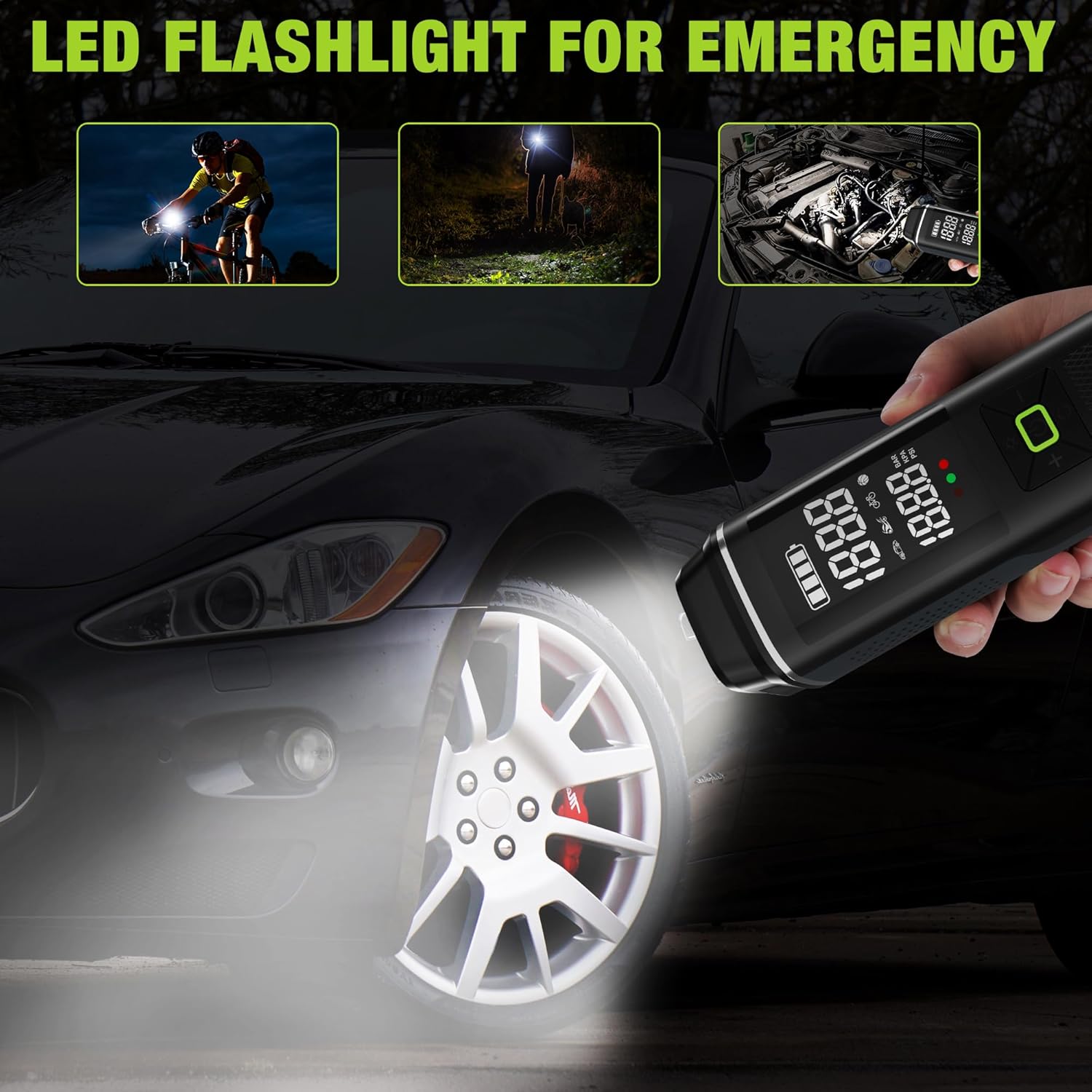
Image: The inflator's LED flashlight function demonstrated for night cycling, general illumination, and under-hood car inspection.
6.7 Portable Power Bank Function
The inflator can also serve as a power bank to charge electronic devices:
- Ensure the inflator is powered on.
- Connect your electronic device (e.g., smartphone) to the USB-A output port using a compatible charging cable (not included).
- Ka tīmata te pūwhakapū i te utu i tō pūrere.
- Disconnect your device when charging is complete or when the inflator's battery is low.

Image: The inflator being used to charge a smartphone via its USB output port, illustrating its portable power bank capability.
7. Tiaki
- Te horoi: Horoia te taputapu ki te ngohengohe, damp cloth. Do not use harsh chemicals or abrasive cleaners. Ensure the device is off and disconnected from any power source before cleaning.
- Rokiroki: Rokirokihia te taputapu pupuhi me ōna taputapu ki roto i te putea rokiroki kua whakaratohia ki te wāhi hauhautanga, maroke, kia matara atu i te rā tika me te pāmahana tino kino.
- Tiaki Pūhiko: To prolong battery life, avoid fully discharging the battery frequently. Recharge the device periodically if not used for extended periods (e.g., every 3-6 months).
8. Te Raru
| Raruraru | Take pea | Rongoā |
|---|---|---|
| Kare te Inflator e huri. | He iti te pākahiko. | Me utu katoa te taputapu. |
| Slow inflation or weak airflow. | Low battery; hose not securely connected; item too large for continuous inflation. | Ensure battery is fully charged. Check hose connections for leaks. For large items, inflate in stages, allowing the device to cool. |
| Ka wera rawa te taputapu i te wā e whakamahia ana. | Te mahi tonu mō te wā roa. | Stop operation and allow the device to cool down for at least 10-15 minutes before resuming. Avoid continuous use for more than 5 minutes. |
| Air leaks from connection. | Hose not tightened properly; worn adapter. | Ensure the inflation hose and adapters are screwed on very tightly. Replace worn adapters if necessary. |
| Te panui pehanga kino. | He ngoikore te hononga; he raruraru pūoko. | Ensure the connection to the tire valve is secure. If the issue persists, contact customer support. |
9. Whakatakotoranga
| Ingoa Tauira | Tire Inflator |
| Tau tauira | W125218A |
| Waitohu | WORKPRO |
| Voltage | 12 Volts |
| Puna Mana | Corded Electric (for charging), Battery Powered (for operation) |
| Pūhiko Raukaha | 3 x 2500mAh (7500mAh total) |
| Te Pehenga Max | 150 PSI |
| Waa Whakatau | 3-5 haora |
| Continuous Inflation Time | Over 30 minutes (on full charge) |
| Rauemi | Kirihou, Aluminium |
| Taumaha Tūemi | 930 g |
| UPC | 820909686958 |
10. Pūtāhui me te Tautoko
For warranty information, technical support, or service inquiries, please contact WORKPRO customer service. Refer to the product packaging or the official WORKPRO webpae mo nga korero whakapiri.
Tena koa pupurihia to tohu mo te hoko mo nga kereme whakamana.


