1. Kupu Whakataki
Mauruuru koe mo te hokoasing the Coby CPA915 Light-Up Bluetooth Speaker. This manual provides essential information for setting up, operating, and maintaining your speaker. Please read it thoroughly to ensure proper use and to maximize your enjoyment of the product.
The Coby CPA915 is a versatile portable speaker featuring Bluetooth 5.3 connectivity, a full-color LED light body, built-in microphone input for karaoke, FM radio, and multiple playback options including USB and TF card. Its rechargeable battery offers extended playtime, making it ideal for various environments.
2. Nga korero haumaru
- Kaua e whakaaturia te kaikorero ki te wai, ki te makuku nui rānei. Kāore tēnei hua e ārai i te wai.
- Avoid placing the speaker near heat sources or in direct sunlight for prolonged periods.
- Kaua e ngana ki te wetewete, ki te whakatika, ki te whakarerekē rānei i te kaikorero māu ake. Whakapā atu ki ngā kaimahi ratonga whai tohu.
- Tiakina te kaikorero i nga tamariki me nga kararehe.
- Use only the specified charging cable and power adapter to prevent damage or fire.
- Do not use the speaker at excessively high volumes for extended periods to prevent hearing damage.
3. Ihirangi mokete
- Coby CPA915 Light-Up Bluetooth Speaker
- Uira Whakatau (Micro USB)
- Pukapuka Kaiwhakamahi
4. Hua Neke Atuview
Familiarize yourself with the various parts and controls of your Coby CPA915 speaker.

Whakaahua 1: Mua view of the Coby CPA915 Light-Up Bluetooth Speaker, showcasing its full-color LED lights and speaker grille.

Whakaahua 2: Whakamuri view of the Coby CPA915 speaker, highlighting the control panel with labeled ports and buttons.
4.1 Mana me nga Tauranga
- ON/VOLUME/OFF Knob: Ka huri ki te whakakaha/whakaweto me te whakatika i te rōrahi.
- Whakaatu LED: Ka whakaatu i te aratau o naianei, nga korero ara, me te auau FM.
- PLAY/PAUSE/SKIP Buttons: Controls media playback and track navigation.
- FM Radio Button: Switches to FM radio mode.
- Tauranga MIC: 6.35mm input for a microphone (not included).
- AUX Jack: 3.5mm whakauru mo nga taputapu oro o waho.
- Whakauru USB: Mo te purei ororongo mai i te puku kohiko USB.
- Mokowā Kāri TF/SD: For playing audio from a TF/SD memory card.
- Charging Port (Micro USB): Mo te utu i te pākahiko o roto.
- Kakau: Integrated handles on both sides for portability.
5. Tatūnga
5.1 Te Whakataki i te Kaikorero
- Connect the Micro USB end of the charging cable to the speaker's charging port.
- Honoa te pito USB-A o te taura utu ki tetahi urutau hiko USB hototahi (kaore i whakauruhia), ki te tauranga USB rorohiko ranei.
- The LED indicator will show charging status. Allow approximately 3-4 hours for a full charge.
- Kia oti te whakakii, momotuhia te taura utu.
5.2 Kei te Hiko / Weto
Rotate the ON/VOLUME/OFF knob clockwise to power on the speaker. Rotate it counter-clockwise until it clicks to power off.
6. Nga Tohutohu Whakahaere
6.1 Takirua Nihokikorangi
- Whakakāhia te kaikorero. Ka uru aunoa ki te aratau takirua Nihokikorangi, e tohuhia ana e te rama rama e kanapa ana.
- I runga i to taputapu pūkoro (smartphone, tablet, etc.), whakahohea te Nihokikorangi me te rapu mo nga taputapu e waatea ana.
- Select "Coby CPA915" from the list of devices.
- Once paired, the speaker will emit a confirmation tone, and the LED will stop flashing. You can now play audio from your device.
Video 1: Demonstration of the Coby Bluetooth Speaker with LED Lights, showcasing its visual appeal during operation.
Video 2: A closer look at the Coby Bluetooth Speaker's see-through semi-clear shell, highlighting its unique design.
6.2 Whakahoahoa Waea Ahokore Tika (TWS).
To achieve a stereo sound experience, you can pair two Coby CPA915 speakers together (second speaker sold separately).
- Ensure both speakers are powered on and in Bluetooth pairing mode (not connected to any device).
- On one of the speakers, press and hold the TWS button (refer to Figure 2 for location). The speaker will indicate it's searching for another TWS device.
- The two speakers will automatically connect to each other. A confirmation tone will sound.
- Now, connect your mobile device to one of the paired speakers via Bluetooth as described in Section 6.1. Audio will play through both speakers in stereo.

Figure 3: Visual guide for True Wireless Stereo (TWS) pairing, illustrating how two speakers connect for a stereo sound experience.
6.3 FM Radio Mahi
- Press the FM Radio button to switch to FM mode.
- Pēhia, ka pupuri i te pātene PUREI/WHAKAMUTUNGA hei matawai aunoa me te tiaki i ngā teihana FM e wātea ana.
- Use the SKIP buttons to navigate between saved stations.
6.4 Whakahoki Kaari USB/TF
- Insert a USB flash drive or TF/SD card (with audio files) ki roto i te tauranga/mokamoka e tika ana.
- The speaker will automatically detect the storage device and begin playing audio.
- Use the PLAY/PAUSE/SKIP buttons to control playback.
6.5 AUX Whakauru
- Connect one end of a 3.5mm audio cable (not included) to the AUX jack on the speaker.
- Honoa tetahi pito ki te putanga oro o tō pūrere o waho.
- The speaker will automatically switch to AUX mode. Adjust volume on both the speaker and your external device.
6.6 Mahi Karaoke
- Connect a compatible microphone (not included) to the MIC port on the speaker.
- Adjust the microphone volume using the dedicated control (if available) or the main volume knob.
- Play music through any of the available input modes (Bluetooth, USB, TF, AUX) and sing along.
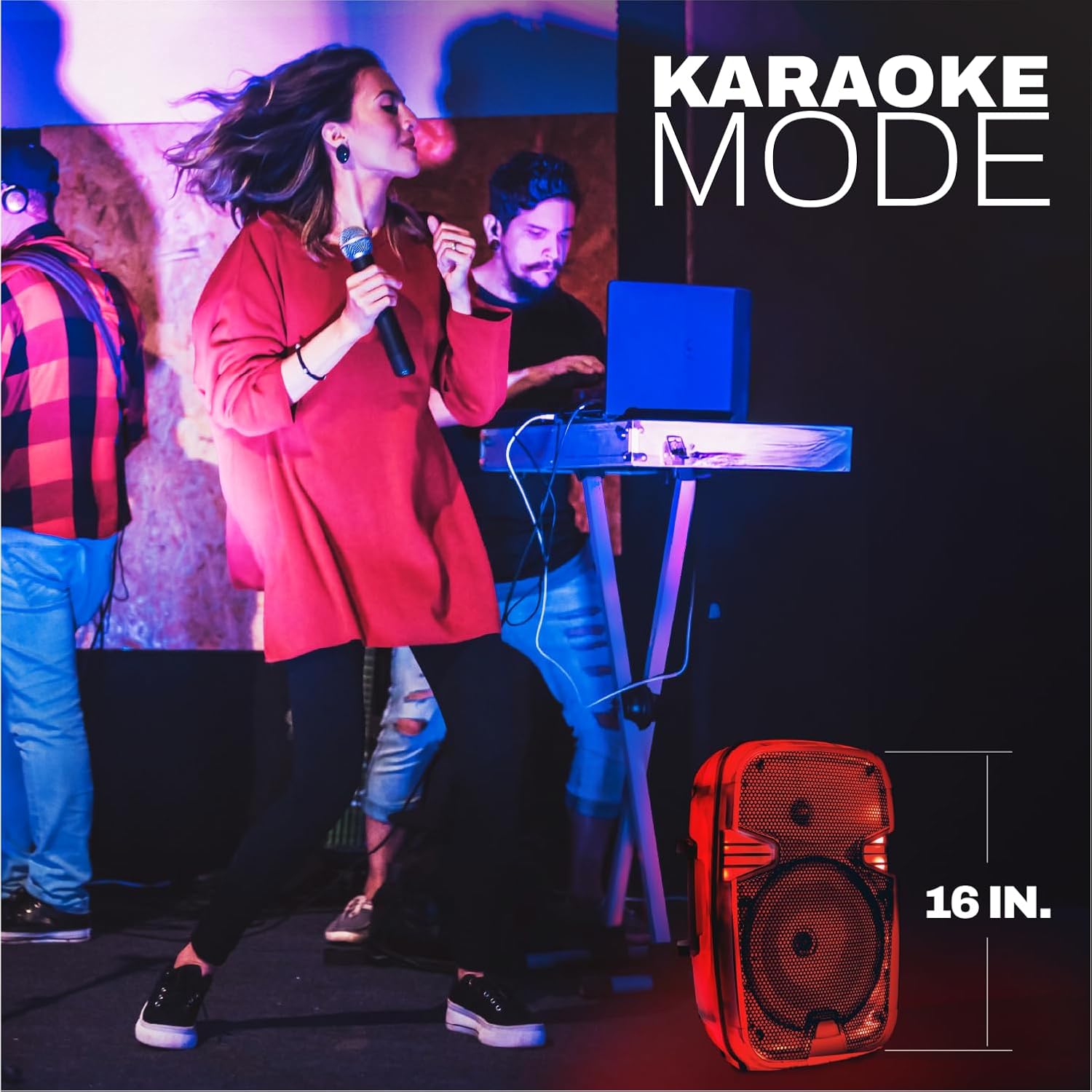
Figure 4: The Coby CPA915 speaker in use during Karaoke Mode, demonstrating its microphone input capability.
6.7 Mana Whakahaere Rama LED
The speaker features a full-color LED light body that cycles through various RGB colors. The lights are synchronized with the music playback. There is no specific button to control the light patterns; they operate automatically when the speaker is on.
Video 3: A short clip showcasing the dynamic RGB LED lights of the Coby speaker.
Ataata 4: He whakaaturanga potoview demonstrating the see-through semi-clear shell of the Coby speaker.
Video 5: A preview highlighting the Coby speaker's big sound and bright colors.
7. Tiaki
- Te horoi: Whakamahia he kakahu ngohengohe, maroke hei horoi i te taha waho o te kaikorero. Kaua e whakamahi i ngā wai horoi, i ngā waipara rānei.
- Rokiroki: Whakaorangia te kaikorero ki te waahi makariri, maroke atu i te ra tika me te wera nui.
- Tiaki Pūhiko: To prolong battery life, charge the speaker fully before long periods of storage and recharge it at least once every three months.
8. Te Raru
| Raruraru | Take pea | Rongoā |
|---|---|---|
| Karekau te kaikorero e kaha ana. | Kua pau te pākahiko. | Me utu katoa te kaikōrero. |
| Kaore e taea te hono ma te Nihokikorangi. | Karekau te kaikorero i te aratau takirua, i tawhiti rawa ranei i te taputapu. | Ensure speaker is in pairing mode. Move device closer to speaker. Restart both devices. |
| Karekau he tangi. | He iti rawa te oro, he ngū rānei. He aratau tāuru hē. | Increase volume on speaker and connected device. Check selected input mode. |
| He pai te manaaki reo irirangi FM. | Tohu ngoikore. | Nekehia te kaikorero ki tētahi wāhi e pai ake ai te whiwhinga oro. |
| Microphone has echo or poor audio. | Microphone issues or environmental factors. | Ensure microphone is fully plugged in. Adjust microphone volume. Reduce distance to microphone. |
9. Whakatakotoranga
| Āhuahira | Taipitopito |
|---|---|
| Ingoa Tauira | Kaikorero Nihokikorangi |
| Momo Kaikorero | Te Kaikorero |
| Āhuahira Motuhake | Maama LED |
| Hangarau Hononga | Nihokikorangi 5.3 |
| Rahi Kaioro | 8 Inihi (Woofer Diameter) |
| Kaikorero Te Mana Putanga Morahi | 30 Watts |
| Puna Mana | Ma te Puhiko (1 te pākahiko Lithium Ion kei roto) |
| Te wa takaro | Tae atu ki te 11 haora |
| Hunga Hua | 8.27"D x 15.2"W x 9.84"H |
| Taumaha Tūemi | 3.86 Pauna |
| Kōwhiringa Tāuru | Bluetooth, USB, AUX, TF Card, Mic Input |
| Nga waahanga taapiri | FM Radio, True Wireless Pairing, Metal Mesh Grille, Dual Carry Handles |
10. Pūtāhui me te Tautoko
This Coby product is covered by a 90 Days Manufacturer Warranty. For warranty claims or technical support, please contact Coby customer service. Keep your purchase receipt as proof of purchase.
For more information and support, visit the official Coby webpaetukutuku, tirohia ranei nga korero whakapā e whakaratohia ana me to kohinga hua.


