Kupu Whakataki
Welcome to your new TIMESS wall clock. This manual provides instructions for the setup, operation, and maintenance of your 14-inch silent wall clock, which features an analog time display and an integrated LCD for perpetual calendar and temperature readings.
Key features of your TIMESS wall clock include:
- Silent, non-ticking quartz movement for a peaceful environment.
- Large, easy-to-read analog dial with clear numbers and minute marks.
- Integrated LCD display showing month, date, day of the week, and temperature in Fahrenheit.
- Durable construction with a refined piano lacquer frame and an HD glass panel.

This image displays the TIMESS 14-inch wall clock, highlighting its blue frame, large white numbers, and the integrated LCD screen at the bottom of the dial.
Ihirangi mokete
Tena koa tirohia nga ihirangi o te kete kia mohio kei te noho katoa nga taonga:
- TIMESS 14-inch Wall Clock Unit
- Matau whakapuru
- Pukapuka Kaiwhakamahi (tenei tuhinga)
Tatūnga
1. Tāuta Pūhiko
Your clock requires two (2) AA carbon batteries (not included) for operation. Alkaline batteries are not recommended as they may affect the clock's movement over time.
- Kimihia te wahanga pākahiko kei muri o te karaka.
- Insert two AA carbon batteries according to the polarity indicators (+/-) inside the compartment.

This image shows the rear of the clock, highlighting the battery compartment for two AA batteries and the silent quartz movement mechanism.
2. Setting the Analog Time
After installing the batteries, set the analog time:
- Locate the time adjustment knob on the back of the clock.
- Rotate the knob clockwise or counter-clockwise until the hour and minute hands display the correct time.
3. Setting the LCD Display (Date and Temperature)
The LCD display automatically activates and shows the month, date, day of the week, and temperature once batteries are installed. No manual setting is required for the date and time on the LCD.
To switch the temperature unit between Celsius (°C) and Fahrenheit (°F):
- Locate the 'UP' button on the back of the clock, usually near the battery compartment or LCD module.
- Double-press this button to toggle the temperature unit. The default display is Fahrenheit (°F).

Ko tenei whakaahua e whakarato ana i nga korero taipitopito view of the LCD screen, clearly showing the month, date, day of the week (SAT), and temperature (79.0 °F).
4. Whakapiki i te Karaka
To securely mount your clock on a wall:
- Choose a suitable location on your wall.
- Use a wall anchor and screw (not included) appropriate for your wall type.
- Hang the clock using the keyhole slot located on the back of the clock. Ensure it is stable and level.
This image shows a white plastic mounting hook, indicating the clock can be easily hung on a wall.
Nga Tohutohu Whakahaere
Reading the Analog Time
The large numbers and distinct hands on the clock face allow for easy reading of the current hour and minute.
Te panui i te Whakaaturanga LCD
The LCD continuously displays the current month, date, day of the week, and ambient temperature. The temperature reading is updated periodically to reflect changes in the environment.
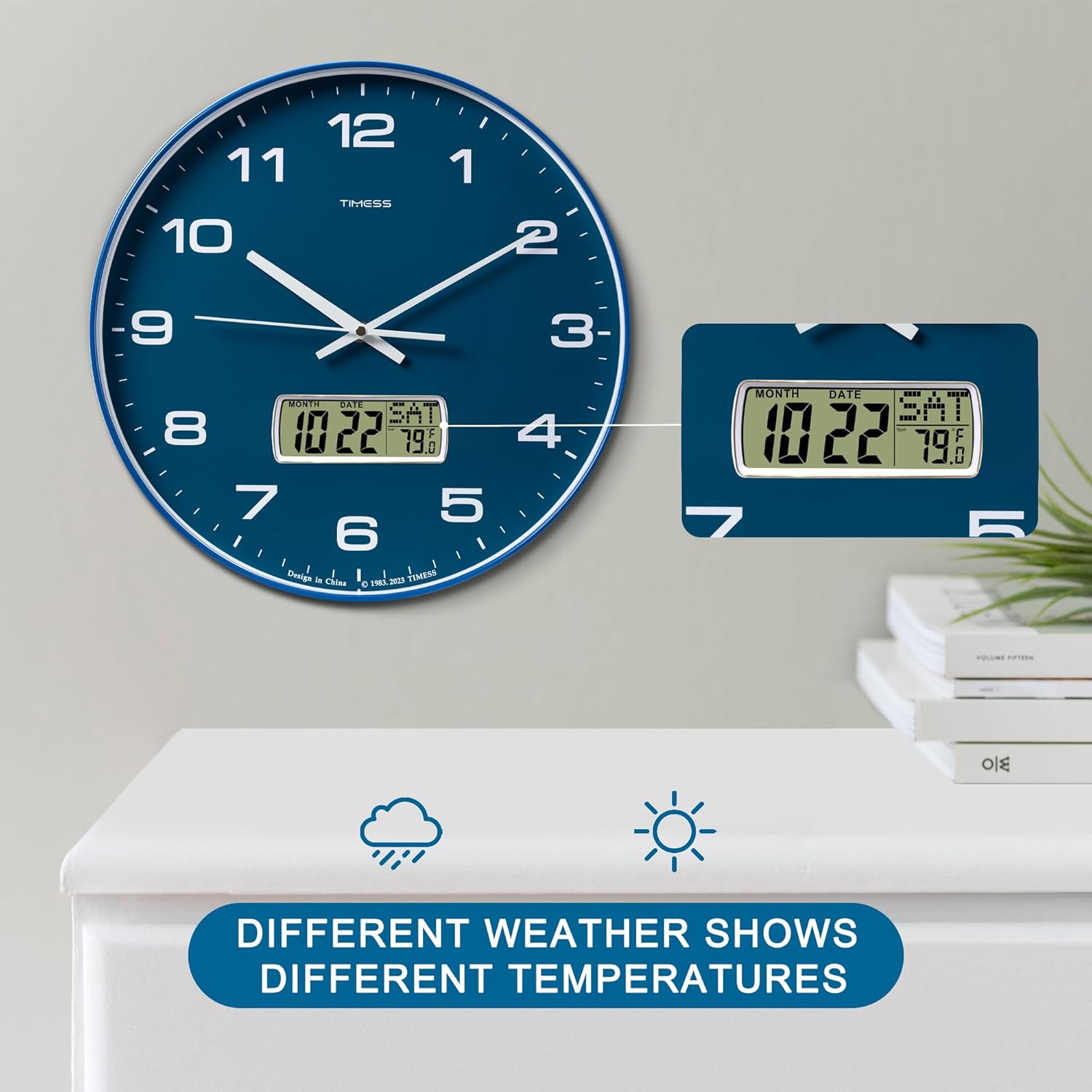
This image illustrates the clock's LCD display, emphasizing its ability to show real-time temperature, which may vary with environmental conditions.
Te tiaki
Whakakapinga Pūhiko
When the clock hands slow down, stop moving, or the LCD display dims or becomes blank, it is time to replace the batteries. Follow the battery installation steps in Section 3.1 to replace the two AA carbon batteries.
Te horoi
To clean the clock, gently wipe the surface with a soft, dry cloth. Avoid using abrasive cleaners, chemical solvents, or harsh detergents, as these may damage the finish or the LCD screen.

This image highlights the HD glass panel, which protects the clock face and LCD, and should be cleaned gently.
Raparongoā
Clock Not Keeping Time
- Putanga: Analog hands are not moving or display incorrect time.
- Rongoā: Check if the batteries are correctly installed and have sufficient power. Replace with fresh AA carbon batteries if necessary. Adjust the time using the knob on the back of the clock.
Whakaaturanga LCD Kaore i te Mahi
- Putanga: LCD screen is blank, dim, or displays incorrect information.
- Rongoā: Ensure batteries are properly inserted and are not depleted. Replace batteries if needed.
Incorrect Temperature Unit
- Putanga: Temperature is displayed in Celsius instead of Fahrenheit, or vice versa.
- Rongoā: Double-press the 'UP' button on the back of the clock to toggle between Celsius and Fahrenheit.
Whakatakotoranga
Whakatakotoranga Hua
| Āhuahira | Taipitopito |
|---|---|
| Waitohu | WAI |
| Tau tauira | P59D-3-Blue |
| Tae | Calendar Blue |
| Hunga Hua | 35.56 x 3.81 x 35.56 cm (14 x 1.5 x 14 inihi) |
| Taumaha Tūemi | 1.36 kg (3 lbs) |
| Rauemi | Acrylonitrile Butadiene Styrene (ABS) |
| Momo Whakaatu | Analog with LCD Digital |
| Nga waahanga motuhake | Perpetual Calendar Display, Temperature Display (°F/°C) |
| Puna Mana | 2 x AA Carbon Batteries (not included) |

This image visually confirms the clock's dimensions, indicating a 14-inch diameter and 1.8-inch depth.
Nga Korero Haumaru Nui
- Kaua e whakaatuhia te karaka ki ngā pāmahana tino kino, ki te rā tika, ki te haumākū nui rānei.
- Kaua e whakataka te karaka, e tukua rānei kia pāngia e ngā pānga kaha.
- Makahia nga pākahiko kua whakamahia kia rite ki nga ture o te rohe.
- Puritia nga pākahiko kei taea e nga tamariki.
- Kaua e hanumi nga pākahiko tawhito me nga pākahiko hou, nga momo pākahiko rereke ranei.
Pūtāhui me te Tautoko Kiritaki
For warranty information and customer support, please refer to the documentation provided with your purchase or contact TIMESS customer service directly. Contact details are typically available on the manufacturer's official webpae, ma to kaihokohoko ranei.


