1. Kupu Whakataki
The LEKATO AM-718 is a versatile 2-in-1 device combining a digital metronome with a portable Bluetooth speaker. Designed for musicians, it offers precise tempo guidance, vocal counting, and audio playback capabilities, making it suitable for practicing various musical instruments.
2. Nga Hua o te Hua
- Whakauru Nihokikorangi: Connects via Bluetooth 5.0 for beat sounds and music playback with a 10-meter range and low latency.
- Taumahinga Waahi: Features vocal counts, powerful sound output, and a clear LED tempo indicator. Includes a 3.5mm earphone jack for private practice.
- Essential Rhythm Tool: Offers a tempo range of 30 to 260 beats per minute, 10 beat options (0-9), and 8 rhythm patterns to support diverse musical genres.
- Hoahoa Kawe: Compact and durable, allowing for easy transport and use as a portable Bluetooth speaker when the metronome function is disengaged.
- Pūhiko Rechargeable: Built-in lithium battery provides approximately 10 hours of playtime on a 2-hour charge. Includes a USB Type-C cable for convenient charging.
3. Ihirangi mokete
The LEKATO AM-718 package typically includes:
- LEKATO AM-718 Bluetooth Speaker Metronome
- USB Momo-C Taura Whakapae
- Pukapuka Kaiwhakamahi
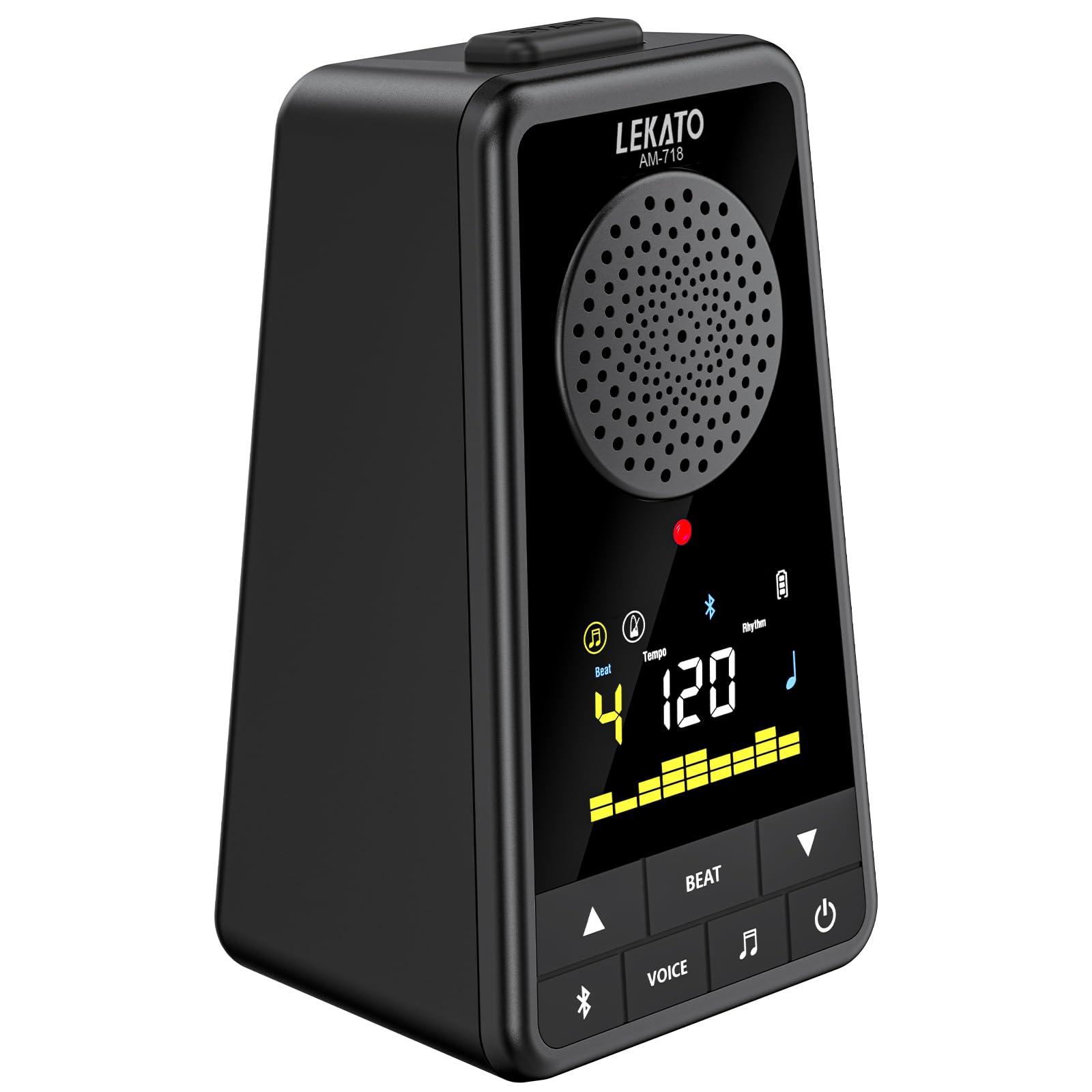
Image: The LEKATO AM-718 device shown with its USB-C charging cable and user manual.
4. Tahora Pūrere me nga Mana

Whakaahua: Mua me te taha view of the LEKATO AM-718 metronome, highlighting its speaker, display, and control buttons.
- Whakaatu Mata: Shows current beat, tempo, rhythm pattern, and battery status.
- Tempo Knob: Rotates to adjust the beats per minute (BPM).
- Pātene BT: Ka whakahohe i te aratau takirua Nihokikorangi.
- Pātene REO: Toggles vocal counting on/off.
- BEAT Button: Cycles through different beat counts (0-9).
- RHY Button: Cycles through different rhythm patterns.
- Pātene Hiko: Ka whakakā/whakaweto i te taputapu.
- Rēreti rōrahi: Adjusts the overall sound output volume.
- Jack Puoro (3.5mm): Mo te whakarongo motuhake.
- USB 5V (Type-C) Port: Mo te utu i te taputapu.
5. Tatūnga
5.1 Te Whakataki i te Pūrere
- Connect the provided USB Type-C cable to the USB 5V port on the side of the metronome.
- Monohia te tahi pito o te taura USB ki te urutau hiko USB hototahi (kaore i whakaurua) ki te tauranga USB rorohiko ranei.
- The battery indicator on the display will show charging status. A full charge typically takes 2 hours.

Image: The LEKATO AM-718 metronome connected to a USB-C cable for charging.
5.2 Kei te Hiko / Weto
- Pēhia me te pupuri i te pātene Hiko mo te 2 hēkona hei whakakā, whakaweto rānei i te taputapu.
6. Nga Tohutohu Whakahaere
6.1 Mahi Metronome
- Te Whakatikatika i te Tere: Rotate the Tempo knob clockwise to increase BPM or counter-clockwise to decrease BPM (range: 30-260 BPM).
- Changing Beat: Press the BEAT button to cycle through different beat counts (0, 1, 2, 3, 4, 5, 6, 7, 8, 9).
- Selecting Rhythm: Press the RHY button to choose from 8 different rhythm patterns.
- Vocal Counting: Press the VOICE button to toggle vocal counting (e.g., "one, two, three, four") on or off.
- Timata / Okioki: Press the Power button briefly to start or pause the metronome.

Image: The LEKATO AM-718 metronome displaying vocal counts "one two three four" on its screen, indicating the vocal counting feature is active.
6.2 Mahinga Kaikorero Nihokikorangi
- Takirua: Turn on Bluetooth on your phone or instrument. Rapua the device named "AM-718" and pair.
- Whakahoki Ororongo: Once paired, you can play music or backing tracks through the metronome's speaker.
- Whakaranu Ororongo: The device can mix metronome beats with Bluetooth audio.
- Standalone Speaker: To use solely as a Bluetooth speaker, turn off the metronome beat sound.

Image: The LEKATO AM-718 metronome functioning as a wireless mobile speaker, showing Bluetooth connectivity range.
6.3 Whakamahi Waeaoro
- Plug 3.5mm headphones into the headphone jack for private practice sessions.
7. Tiaki
- Puritia te taputapu kia maroke, kia matara atu i nga wera nui.
- Clean with a soft, dry cloth. Avoid abrasive cleaners.
- Store in a safe place to prevent physical damage.
8. Te Raru
- Kore Oro: Check volume level and ensure headphones are properly connected or Bluetooth is paired correctly.
- Kāore te Pūrere i te Whakakā: Me whakarite kei te utaina te pākahiko. Tūhono ki tētahi puna hiko mā te taura USB-C.
- Nga Take Takirua Nihokikorangi: Ensure the device is in pairing mode and within the 10-meter range. Try restarting both the metronome and the Bluetooth source device.
9. Whakatakotoranga
| Taumaha Tūemi | 12 hekere |
| Hunga Hua | 3.78 x 2.83 x 5.75 inihi |
| Momo Pūhiko | Ritiumu (kei roto) |
| Hononga | Nihokikorangi 5.0, USB Momo-C |
| Awhe Tempo | 30-260 BPM |
| Te wa takaro | Up to 10 hours (on 2-hour charge) |
10. Ataata Hua Whaimana
Ka mutuview of Electronic Metronome for Guitar Piano Violin Musical
Video Description: This video provides a general overview of the electronic metronome, demonstrating its basic functions and how it can be used with various musical instruments like guitar, piano, and violin. It highlights the device's compact design and ease of use.
11. Pūtāhui me te Tautoko
For warranty information and customer support, please refer to the official LEKATO webpaetukutuku, whakapā atu rānei ki tā rātou ratonga kiritaki. Kei roto i te pukapuka kaiwhakamahi, i te takai hua rānei ngā taipitopito.


