Kupu Whakataki
Thank you for choosing the Coby Mini True Wireless Bluetooth Earbuds. These lightweight, in-ear headphones are designed for convenience and high-quality audio, perfect for work, travel, or daily use. This manual provides detailed instructions to help you get the most out of your new earbuds, ensuring optimal performance and longevity.

Image: Coby Mini True Wireless Bluetooth Earbuds in their charging case, with a US dime and quarter placed nearby to illustrate their compact size.
He aha kei roto i te Pouaka
Tena koa tirohia nga ihirangi o te kete kia mohio kei te noho katoa nga taonga:
- Coby Mini True Wireless Earbuds (Left and Right)
- Puhi utu
- Tauira Whakatau USB
- S/M/L Ear Gels (pre-installed or in separate bag)
- Lanyard
- Pukapuka Kaiwhakamahi (tenei tuhinga)
Tatūnga
1. Te Whakataki i nga Paorooro me te Puhi
Before first use, fully charge both the earbuds and the charging case. The case provides additional charges for the earbuds on the go.
- Place the earbuds into the charging case, ensuring they are correctly seated in their respective L (Left) and R (Right) slots. The earbuds will begin charging automatically.
- Connect the provided USB charging cable to the charging port on the case and the other end to a USB power source (e.g., computer USB port, wall adapter).
- The indicator lights on the case and/or earbuds will show charging status. Refer to the specific light patterns in the troubleshooting section if issues arise.
- A full charge typically takes approximately 1-2 hours for the earbuds and 2-3 hours for the case.

Image: The Coby Mini Earbuds are shown inside their charging case, illustrating the charging process with glowing indicators.
2. Te hono ki te Pūrere Nihokikorangi
Follow these steps to pair your earbuds with your smartphone, tablet, or other Bluetooth-enabled device:
- Me whakarite kua utuhia nga purongo ka tuu ki roto i te putunga utu.
- Open the charging case. The earbuds will automatically enter pairing mode, indicated by a flashing LED light on one or both earbuds.
- On your device, go to the Bluetooth settings and turn Bluetooth on.
- Rapua available devices. You should see "Coby Mini Earbuds" or a similar name appear in the list.
- Select the earbuds from the list to connect. Once connected, the LED indicator on the earbuds will stop flashing or change to a solid light, and you may hear an audible confirmation.
- If pairing fails, turn off Bluetooth on your device, place the earbuds back in the case, close the lid, wait a few seconds, then reopen and try again.
3. Achieving a Secure and Comfortable Fit
The Coby Mini Earbuds are designed to be miniature and discreet, providing a comfortable fit for extended wear. Experiment with the included S/M/L ear gels to find the size that best seals your ear canal for optimal sound quality and secure placement.

Image: A Coby Mini Earbud is shown inserted into an ear, demonstrating its compact and discreet design with a measurement of 0.59 inches.
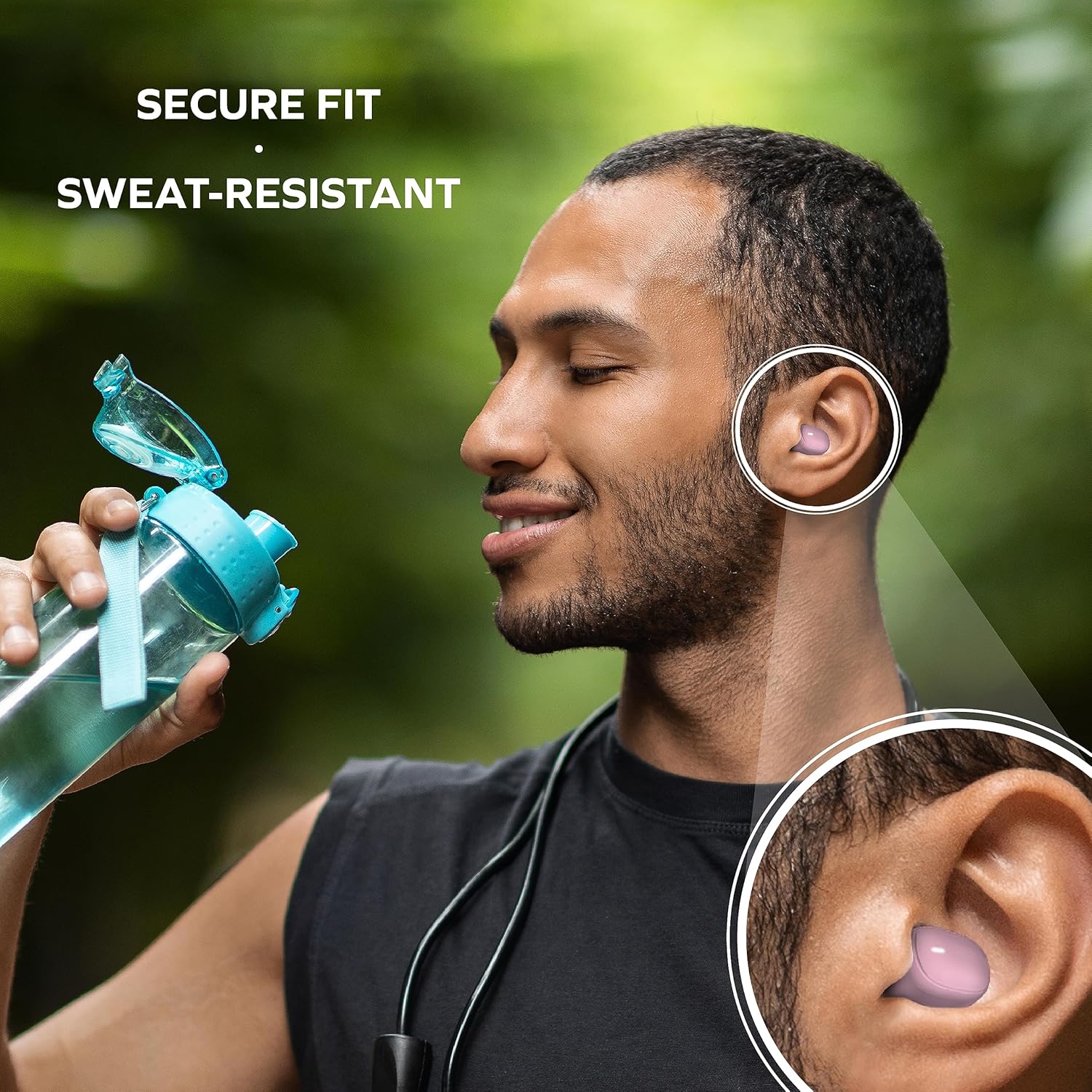
Image: A man is shown wearing the earbuds while exercising, emphasizing their secure fit and sweat-resistant design, suitable for active use.
Te whakahaere i nga Earbuds
Mana Pa
The Coby Mini Earbuds feature intuitive touch controls on each earbud for easy management of your audio and calls without needing to interact with your smartphone.
| Mahi | Whakahaere |
|---|---|
| Purei/Tatari Waiata | Pao kotahi ki runga i tetahi purongo |
| Riro Panuku | Pao rua ki te purongo matau |
| Tuhinga o mua | Pao rua ki te purongo maui |
| Whakautu/Whakamutua te Waea | Pao kotahi ki runga i tetahi purongo |
| Whakakahoretia te Waea | Patohia me te pupuri i tetahi purongo mo te 2 hēkona |
| Whakahohe Kaiāwhina Reo | Patohia kia toru ngā pato ki ia pane taringa |
Waea-a-ringa
With the built-in microphone, you can make and receive calls directly through your earbuds. Use the touch controls as described above to manage your calls.
Hototahi Kaiāwhina Reo
The earbuds are compatible with popular voice assistants like Siri and Google Assistant. Simply triple tap an earbud to activate your device's voice assistant and issue commands.

Image: A user is shown with the earbuds while using a laptop, highlighting their compatibility with voice assistants like Siri and Google Assistant for hands-free control.
Te tiaki
Te horoi i o Purongo
Ka awhina te horoi i nga wa katoa ki te pupuri i te kounga oro me te akuaku:
- Me ata muru nga pukoro me te pukoro utu ki te kakahu ngohengohe, maroke, kore-rara.
- For earwax or debris, use a dry cotton swab or a small, soft brush to carefully clean the ear tips and speaker mesh.
- Do not use abrasive cleaners, alcohol, or harsh chemicals. Avoid getting moisture into any openings.
Rokiroki
When not in use, always store the earbuds in their charging case to protect them from dust, damage, and to keep them charged for your next use. Store in a cool, dry place away from extreme temperatures.
Raparongoā
If you encounter issues with your Coby Mini Earbuds, please refer to the following common solutions:
- Kāore ngā Taringa e Honohono/E Hono Ana:
- Me whakarite kia utu nga purongo e rua.
- Whakawetohia te Nihokikorangi i tō pūrere, kātahi ka whakakā anō.
- Forget/delete the earbuds from your device's Bluetooth list and attempt to re-pair.
- Place earbuds back in the case, close the lid for 5 seconds, then reopen to reset pairing mode.
- Kore he Oro, he Raro iti ranei:
- Tirohia te taumata oro i runga i to taputapu me nga purongo.
- Ensure earbuds are properly seated in your ears and the correct ear gel size is used.
- Confirm the earbuds are connected to your device and not another nearby device.
- Nga take utu:
- Me mohio kei te hono pai te taura utu ki te take me te puna hiko.
- Whakamātauria he tauranga USB rereke, he urutau hiko ranei.
- Horoia nga hoapaki utu i runga i nga taringa me roto o te keehi me te miro maroke.
- Earbuds Disconnecting Frequently:
- Me whakarite kei roto tō pūrere i te awhe Nihokikorangi 10 mita te tawhiti.
- Āta karohia ngā arai tinana i waenganui i ngā pane taringa me tō pūrere.
- Whakaitihia te pokanoa mai i etahi atu taputapu ahokore.
Whakatakotoranga
Detailed technical specifications for the Coby Mini True Wireless Bluetooth Earbuds:
| Āhuahira | Taipitopito |
|---|---|
| Ingoa Tauira | Puta Puoro Mini |
| Tauira Tuemi | CETW536BK |
| Hangarau Hononga | Ahokore |
| Hangarau Whakawhitiwhiti Ahokore | Nihokikorangi |
| Putanga Nihokikorangi | 5.3 |
| Awhe Nihokikorangi | 10 Mita |
| Te ora o te Pūhiko (Ngā taringa) | Up to 12 Hours of Total Playtime |
| Te Kawe i te Kaha Puhiko | 300 Miliamp Nga haora |
| Momo Mana | Mana Pa |
| Taumata Atete Wai | Water Resistant (Sweat-Resistant) |
| Mana Haruru | Whakakore Haruru Hohe |
| Taumaha Tūemi | 5.3 hekere |
| Ahu Hua (Puhi) | 0.99 x 1.85 x 2.44 inihi |
Nga korero haumaru
Please read and follow these safety guidelines to prevent damage to your earbuds and ensure your personal safety:
- Do not expose earbuds or case to extreme temperatures, direct sunlight, or high humidity.
- Avoid dropping, impacting, or disassembling the device. This can void the warranty and cause damage.
- Keep out of reach of children and pets. Small parts may pose a choking hazard.
- Do not use the earbuds at excessively high volumes for prolonged periods, as this can cause hearing damage.
- Kia tupato ki to taiao i te wa e whakamahi ana i nga purongo, ina koa i nga waka, i etahi atu ahuatanga kino pea.
Pūtāhui me te Tautoko
Mō ngā mōhiohio pūtāhui me te tautoko kiritaki, tirohia ngā tuhinga kua whakaurua mai i tō hoko, tirohia rānei te paetukutuku mana o Coby. webpae. Puritia to tohu hoko mo etahi kereme whakamana.
For further assistance, you may contact Coby customer service through their official channels. Details are typically available on the product packaging or the brand's webpae.


