Kupu Whakataki
These Coby True Wireless Earbuds provide a high-quality audio experience with advanced features designed for convenience and performance. They feature adaptive noise isolation, an LCD battery display charging case, voice assistant support, and immersive high-fidelity audio. With up to 10 hours of total playtime and Bluetooth 5.3 connectivity, these earbuds are ideal for daily use, commutes, and active lifestyles.
Ihirangi mokete

Image: The retail box, the charging case with earbuds inside, two loose earbuds, and a USB-C charging cable are displayed on a white surface.
I te whakatuwheratanga o te kete, me mohio kei te noho nga waahanga katoa:
- Ngā Taringa Ahokore Coby True (Mauī me te Matau)
- Charging Case with LCD Battery Display
- USB-C Uira Whakatau
- Uinga Taringa (he rereke nga rahi)
Tatūnga
1. Whakataki Tuatahi

Image: Two black charging cases are shown, one with a USB-C cable plugged in, illustrating the fast charging capability. The LCD display on the cases shows "100".
Before first use, fully charge the earbuds and the charging case. Place the earbuds into the charging case. Connect the provided USB-C cable to the charging port on the case and the other end to a USB power source (e.g., wall adapter, computer USB port).
The LCD display on the charging case will show the current battery percentage, indicating charging progress. A full charge is indicated by "100" on the display.
2. Takirua Nihokikorangi

Image: A smartphone screen displays the Bluetooth settings, showing "CETW526" as a connected device. The charging case with earbuds is next to the phone.
- Me whakarite kei te utuhia nga purongo, kei roto hoki i te pukoro utu.
- Whakatuwheratia te taupoki o te kete utu. Ka uru aunoa nga taringa ki te aratau takirua.
- I runga i to taputapu (waea atamai, papa, aha atu), whakaahei i a Nihokikorangi.
- Rapua new devices. Select "CETW526" from the list of available devices.
- Ina hono ana, ka whakauhia e te aki reo te mahi takirua angitu.
The earbuds utilize Bluetooth 5.3 for stable and fast wireless connectivity.
Nga Tohutohu Whakahaere
E mau ana i nga Paorooro

Image: A close-up of a man wearing a black Coby True Wireless Earbud, demonstrating a snug and secure fit in the ear.
Gently insert each earbud into your ear canal. Adjust the earbud until it feels snug and comfortable. The correct fit is crucial for optimal sound quality and noise isolation.
Whakahoki Ororongo me nga Waea
The earbuds feature intuitive controls for managing your audio and calls. Specific touch controls may vary slightly, but general functions include:
- Purei/Tatari: Pao kotahi ki runga i tetahi purongo.
- Riu Panuku: Pao rua ki te purongo matau.
- Riu o mua: Pao rua ki te purongo maui.
- Whakautu/Whakamutu Waea: Pao kotahi ki runga i tetahi purongo i te wa o te waea taumai.
- Whakakore Waea: Pēhia me te pupuri i tetahi purongo mo te 2 hēkona i te wa o te waea taumai.
- Whakahohe i te Kaiawhina Reo: Patohia kia toru ngā pato i tētahi o ngā taringa hei whakahohe i te kaiawhina reo o tō pūrere (hei tauira, a Siri, Google Assistant).
These earbuds offer adaptive noise isolation to reduce ambient noise, allowing for a more immersive listening experience.
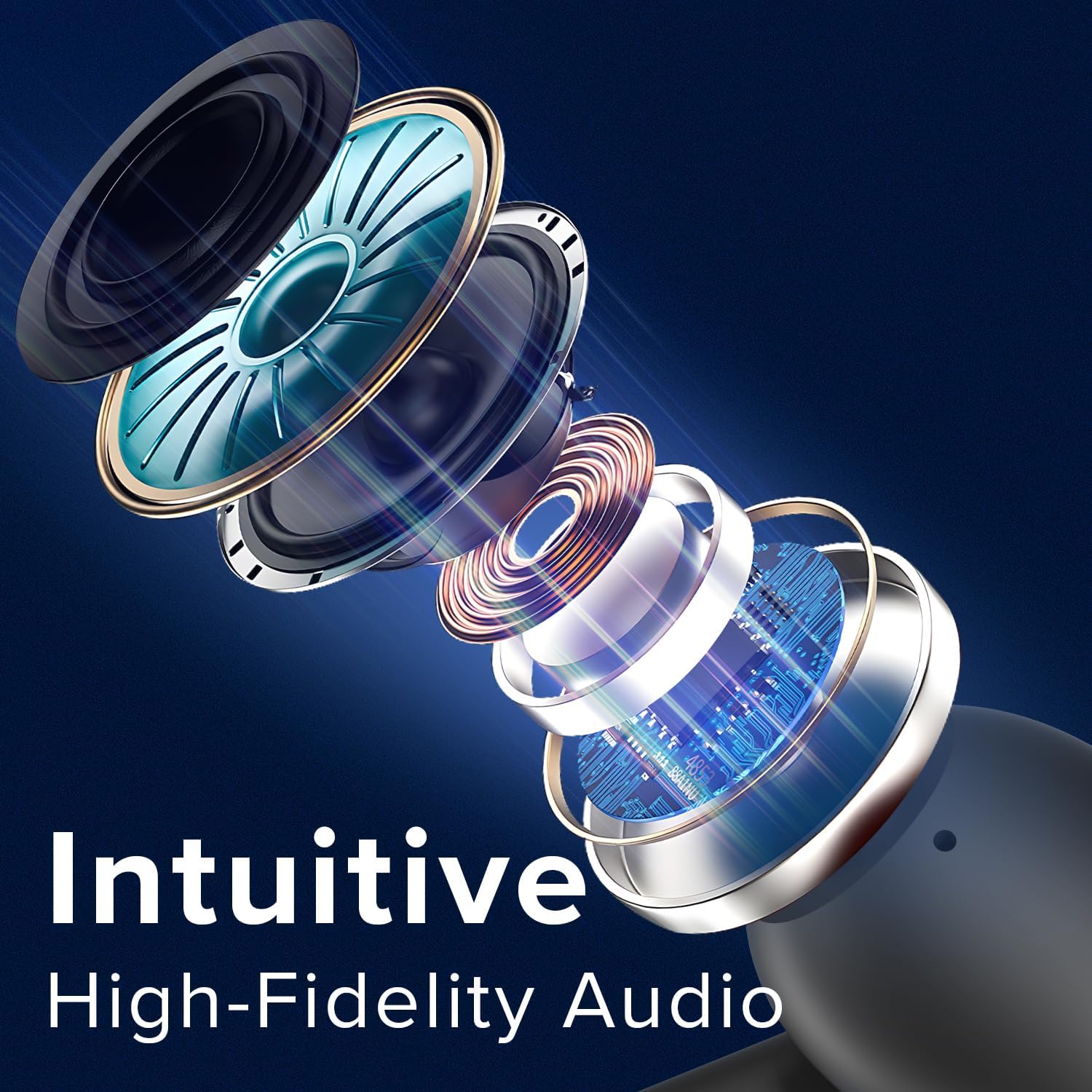
Image: An exploded diagram illustrates the internal components of a Coby earbud, highlighting its high-fidelity audio drivers and circuitry.
Te tiaki
To ensure the longevity and optimal performance of your Coby True Wireless Earbuds, follow these maintenance guidelines:
- Te horoi: Regularly clean the earbuds and charging case with a soft, dry, lint-free cloth. Do not use abrasive cleaners or solvents. For earwax buildup, gently clean the ear tips with a small, soft brush or cotton swab.
- Rokiroki: Mena karekau e whakamahia, penapenahia nga purongo ki roto i o raatau kete utu hei tiaki i a raatau i te puehu, te paru, me te kino o te tinana.
- Tiaki Pūhiko: Avoid fully depleting the battery frequently. Charge the case and earbuds regularly, even if not in constant use, to maintain battery health.
- Ātete wai: The earbuds are water-resistant, but not waterproof. Avoid submerging them in water or exposing them to heavy rain. Dry them thoroughly if they get wet from sweat or light splashes.
Raparongoā
Ki te pā mai he raruraru ki ō pane taringa, ngana ki ēnei otinga:
| Raruraru | Rongoā |
|---|---|
| Ko nga taringa kaore i te hono/hono. |
|
| Kotahi anake te pane taringa e mahi ana. |
|
| He iti te oro, he ngoikore ranei te kounga oro. |
|
| Karekau e utuhia ana. |
|
Whakatakotoranga
| Āhuahira | Taipitopito |
|---|---|
| Ingoa Tauira | Pūkoro Ahokore |
| Tauira Tuemi | CETW526 |
| Hangarau Hononga | Ahokore (Nihokikorangi) |
| Putanga Nihokikorangi | 5.3 |
| Te Ora o te Pūhiko (Te Wā Tākaro Katoa) | Tae atu ki te 10 haora |
| Momo Mana | Mana Reo |
| Mana Haruru | Wehenga oro |
| Taumata Atete Wai | Wai Atete |
| Awhe Auautanga | 20 Hz - 20,000 Hz |
| Pūrere Hototahi | iPhone, iPad, Android, Waea Atamai, Ngā Pūrere e Whakahohe ana ki te Nihokikorangi |
| Hunga Hua | 1.62 x 5.52 x 7.49 inihi |
| Taumaha Tūemi | 3.2 hekere |
| UPC | 810071493423 |
Pūtāhui me te Tautoko
For warranty information or technical support, please refer to the warranty card included with your product or visit the official Coby website. You may also contact Coby customer service directly for assistance with product issues or inquiries.
Tuhipoka: Kia mau ki to riirii hoko hei tohu mo te hoko mo nga kereme whakamana.


