Kupu Whakataki
Thank you for choosing the HiFuture EVENT Bluetooth Speaker. This powerful and portable speaker is designed to deliver exceptional audio quality with vibrant RGB lighting, making it perfect for any event or gathering. This manual provides detailed instructions to help you set up, operate, and maintain your speaker for optimal performance.
Ka mutu te huaview

Whakaahua 1: Mua view of the HiFuture EVENT Bluetooth Speaker, showcasing its sleek black design and dynamic RGB light ring.

Figure 2: An illustrative diagram highlighting the main features of the HiFuture EVENT speaker, including dual DSP, multiple audio inputs, dual-directional sound system, 50W woofer + 30W tweeter, RGB lights, TWS connection option, bass boost function, and power bank functionality.

Whakaahua 3: Whakatata view of the speaker's internal components, specifically pointing out the 50W Woofer and 30W Tweeter, which contribute to its powerful 80W sound output.

Figure 4: An internal diagram demonstrating the speaker's optimized acoustic design for deep and impactful bass, including the bass port and vibration suppression features.
Nga waahanga matua
- Putanga Ororongo Kaha: Equipped with a 50W woofer and 30W tweeter for a total of 80W RMS output, with a maximum peak power of 180 Watts, delivering rich and clear stereo sound.
- Hononga Nihokikorangi: He hononga ahokore korekore ki o taputapu.
- Rarama RGB Hihiko: Enhance your listening experience with vibrant, rhythm-synced RGB lights.
- Dual DSP & Multiple Audio Inputs: Advanced Digital Signal Processing for optimized sound and versatile connectivity options.
- True Wireless Stereo (TWS) Support: Connect two EVENT speakers for an immersive stereo sound experience.
- Mahi Whakanui Panguru: Dedicated feature to amplify low frequencies for deeper bass.
- Taumahinga Puke Hiko: Use the speaker to charge your other devices on the go.
- Hoahoa Kawe: Durable acrylic material and table-mount type for easy placement and transport, designed for parties and various events.
Aratohu Tatūnga
1. Wewete pouaka me te utu tuatahi
- Āta tango i te kaikōrero me ngā taputapu katoa mai i te tākai.
- Inspect the speaker for any signs of damage.
- Before first use, fully charge the speaker using the provided charging cable. The battery life is approximately 4 hours on a full charge.
2. Te Whakakaha/Weto
- To power on, press and hold the Power button (location typically on the back or top panel) for a few seconds until you hear an audible prompt or see the indicator lights illuminate.
- Hei whakaweto i te mana, pēhia anō te pātene Mana kia whakaweto rā anō te kaikorero.
Nga Tohutohu Whakahaere
1. Takirua Nihokikorangi
- Ensure the speaker is powered on and in Bluetooth pairing mode (usually indicated by a blinking LED light). If not, press the Bluetooth button to activate pairing mode.
- I runga i tō pūrere (waea atamai, papa, rorohiko), haere ki ngā tautuhinga Nihokikorangi ka whakahohe i te Nihokikorangi.
- Rapua available devices. You should see "HiFuture EVENT" in the list.
- Select "HiFuture EVENT" to connect. Once connected, the speaker will provide an audible confirmation, and the LED light will become solid.
- Ka taea e koe te purei ororongo mai i to taputapu ma te kaikorero.
2. Whakahoahoa Waea Ahokore Tuturu (TWS).
To pair two HiFuture EVENT speakers for a stereo experience:
- Me mohio kei te noho nga kaikorero e rua me te kore e hono ki tetahi atu taputapu Nihokikorangi.
- On one speaker (this will be the primary speaker), press and hold the TWS button (refer to your speaker's button layout if unsure).
- Ka rapu te kaikorero matua i te kaikorero tuarua. Kia honoa, ka homai he whakaū oro ki ngā kaikorero e rua.
- Nā, honoa tō pūrere ki te kaikorero matua mā te Nihokikorangi e ai ki te whakaahuatanga i te wāhanga "Te Hononga Nihokikorangi". Ka purei te oro i te reo irirangi mā ngā kaikorero e rua.
3. Mana me nga Mahi
- Mana Rōrahi: Use the volume buttons (+/-) on the speaker or your connected device.
- Purei/Tatari: Pēhia te pātene Purei/Whakamutu kotahi hei purei, hei whakamutu rānei i te oro.
- Hūpeke Tere: Double-press the Next Track button to skip forward, or the Previous Track button to skip backward.
- Mana Rarama RGB: Press the Light button to cycle through different lighting modes or turn the lights off.
- Whakarei i te Bass: Press the Bass Boost button to activate or deactivate the enhanced bass mode.
- Mahi Puke Hiko: Connect your device to the speaker's USB output port to charge it.

Figure 5: The HiFuture EVENT speaker displaying its vibrant RGB lighting, which can be controlled to match your mood or music.
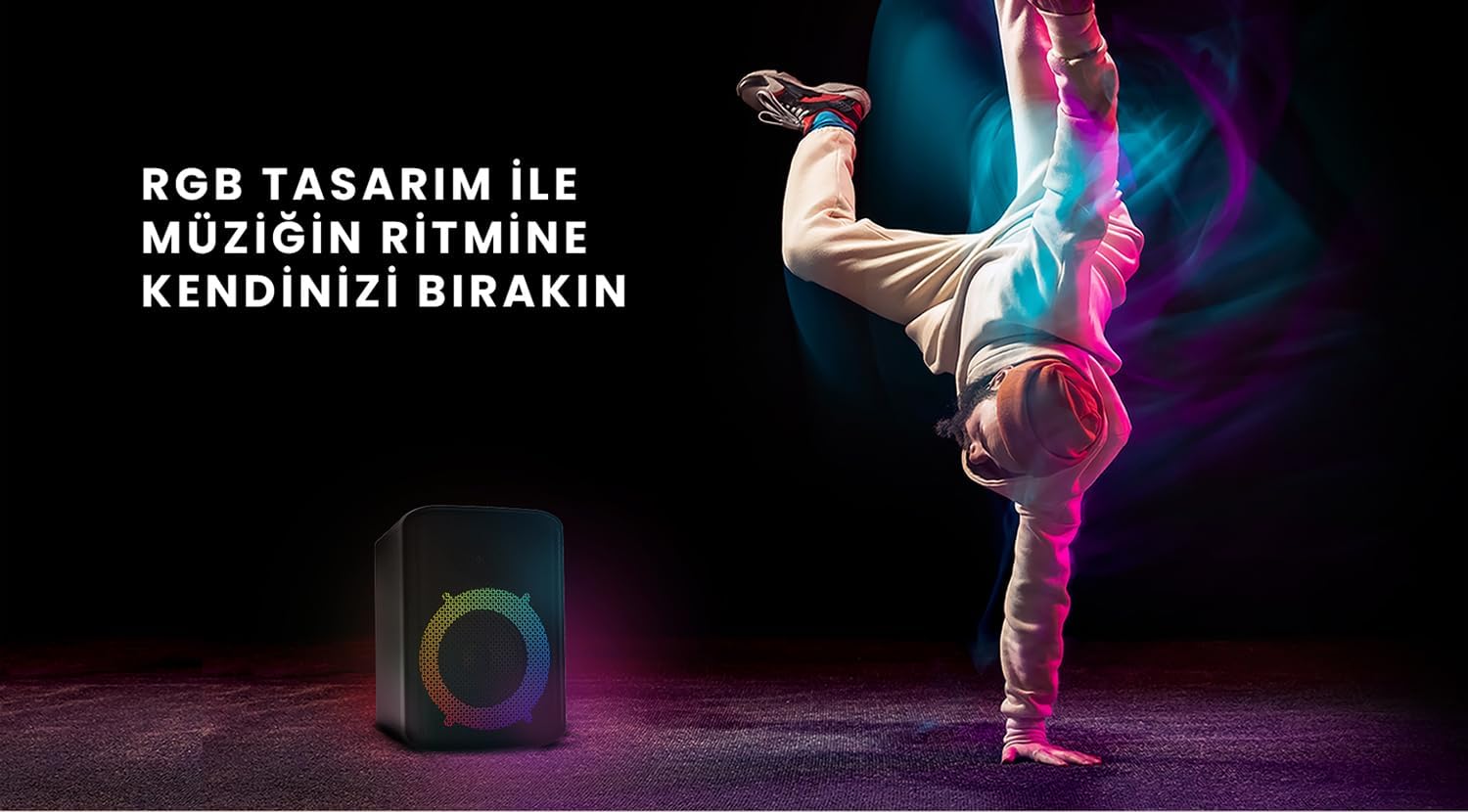
Figure 6: The HiFuture EVENT speaker in a dynamic setting, emphasizing how its RGB lighting enhances the atmosphere for parties and events.
Te tiaki
- Te horoi: Whakamahia he kakahu ngohengohe, maroke hei muru i te mata o te kaikōrero. Kaua e whakamahi i nga kai horoi me nga whakarewa.
- Rokiroki: Whakaorangia te kaikorero ki te waahi makariri, maroke atu i te ra tika me te wera nui.
- Tiaki Pūhiko: Hei whakaroa i te ora o te pākahiko, kaua e whakawetohia te pākahiko i ngā wā katoa. Whakautua i ia wā, ahakoa kāore e whakamahia ana mō ngā wā roa.
- Ātete wai: While designed for portability, avoid exposing the speaker to excessive moisture or submerging it in water unless explicitly stated as waterproof.
Raparongoā
| Raruraru | Rongoa pea |
|---|---|
| Karekau te kaikorero e kaha ana. | Me whakarite kua whakakiia te kaikorero. Honoa ki te puna hiko ka ngana ano. |
| Kaore e taea te hono ma te Nihokikorangi. |
|
| Karekau he oro, he iti te reo. |
|
| Kāore ngā rama RGB e mahi ana. | Press the Light button to cycle through modes or turn them on. Ensure the speaker is powered on. |
Whakatakotoranga
| Āhuahira | Taipitopito |
|---|---|
| Waitohu | HiFuture |
| Tauira | WHAKAMAHI |
| Te Mana Huaputa Tukuoro Morahi | 180 Watts (Peak), 80W RMS (50W Woofer + 30W Tweeter) |
| Hangarau Hononga | Nihokikorangi |
| Aratau Putanga Ororongo | Tirooro |
| Momo Whakaeke | Maunga Ripanga |
| Rauemi | kiriaku |
| Momo Kaikorero | Rongorau |
| Pūrere Hototahi | Bluetooth-enabled devices (e.g., smartphones, tablets) |
| Tae | Pango |
| Ora Pūhiko | Tae atu ki te 4 haora |
Pūtāhui me te Tautoko
The HiFuture EVENT Bluetooth Speaker comes with a standard manufacturer's warranty. Please refer to the warranty card included in your product packaging for specific terms and conditions. For technical support, troubleshooting assistance, or warranty claims, please contact HiFuture customer service through their official webpae, te kaihokohoko ranei i hokona e koe te hua.


