Kupu Whakataki
This manual provides instructions for the ZdalaMit RAV574 VDM8690 replacement remote control. This remote is designed to function as a direct replacement for the original remote controls of specific Yamaha AV Receiver models without requiring any programming.
Compatible Yamaha AV Receiver Models:
- RX-V4A
- RX-V4ABL
- RXV4A
- RXV4ABL
- YHT-5960U
- YHT-5960UBL
- YHT5960U
- YHT5960UBL
Please ensure your AV receiver model is listed above for proper compatibility.
Tatūnga
Tāuta Pūhiko
The remote control requires two (2) 1.5V AAA Alkaline batteries (not included). Follow these steps to install the batteries:
- Kimihia te uhi o te wahanga pākahiko kei muri o te mana mamao.
- Pania te taupoki ki raro, pēhia rānei te raka (mēnā kei a koe) ka hiki ake hei huaki i te wāhanga.
- Whakauruhia kia rua nga pākahiko AAA, kia tika te hono o nga pito pai (+) me te kino (-) ki nga tohu kei roto i te waahanga.
- Whakakapihia te uhi o te wahanga pākahiko ma te whakaneke atu ki tona waahi kia paoho pai.
Once batteries are installed, the remote control is ready for immediate use with compatible Yamaha AV receivers. No additional programming is required.
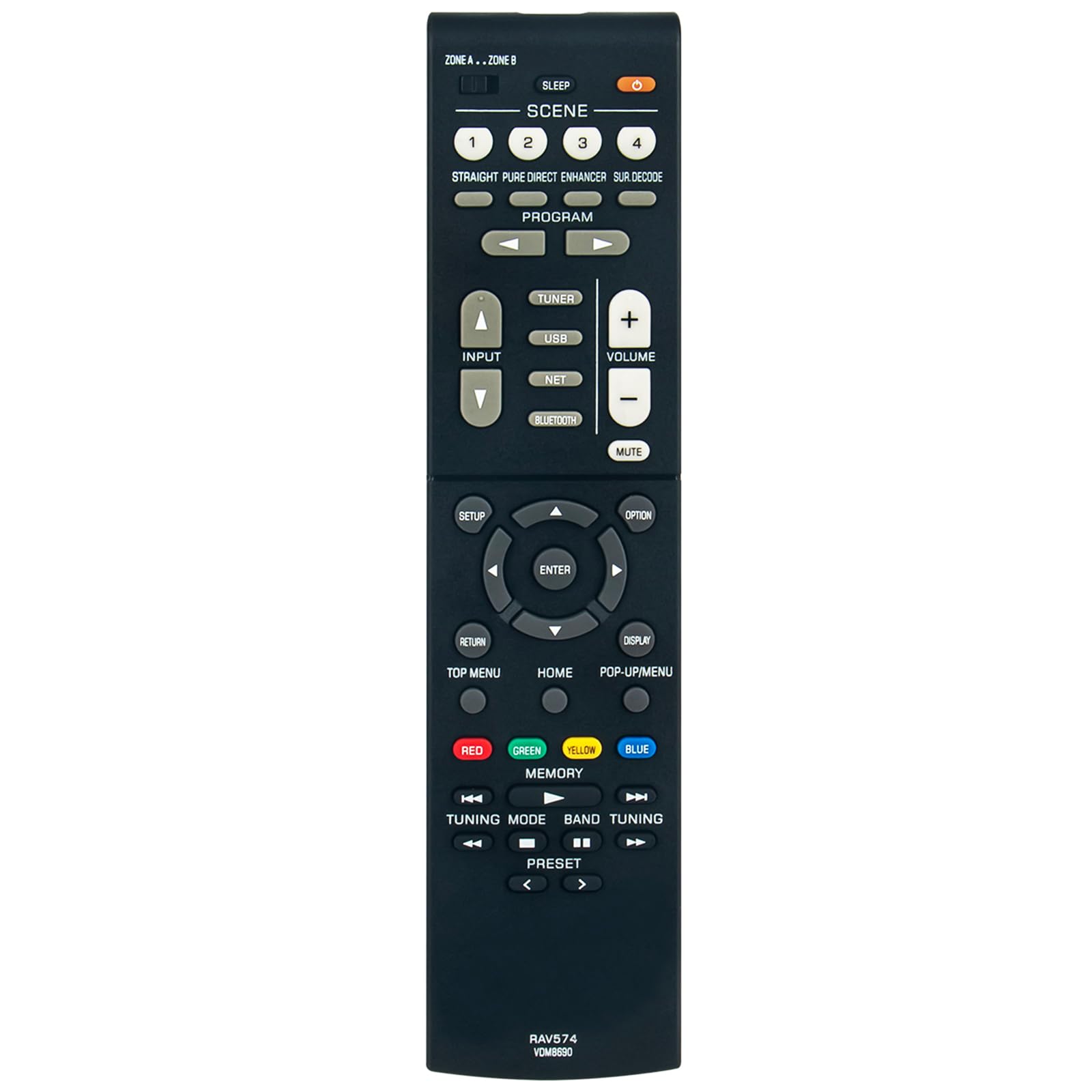
Image: ZdalaMit RAV574 VDM8690 Replacement Remote Control. This image displays the full remote control from an angled perspective, highlighting the layout of its various buttons including power, volume, channel, input selection, and navigation controls.
Nga Tohutohu Whakahaere
This replacement remote control provides full functionality for your compatible Yamaha AV receiver. Below are general instructions for common functions:
- Hiko Whakaka/Weto: Pehia te MANA button to turn the AV receiver on or off.
- Mana Rōrahi: Whakamahia te PUKAPUKA + a ROTO - nga paatene hei whakatika i te taumata ororongo.
- Wahangu: Pehia te wahangu pātene hei whakangū i te oro mō te wā poto. Pēhia anō hei whakahoki mai i te oro.
- Kōwhiringa Tāuru: Whakamahia te WHAKATOHU buttons (e.g., HDMI 1, HDMI 2, AV, TUNER, USB, NET) to select the desired audio/video source.
- Whakaterenga: The directional arrow buttons (UP, Down, left, Tika) me KAUPAPA button are used to navigate menus and confirm selections on your AV receiver's display.
- Tahua Uru: Ngā pātene pērā i WHAKATAHI, KĀINGA, KŌWHIRINGA, a POP-UP/MENU provide access to the receiver's settings and on-screen menus.
- Tīpakonga Scene: Ko te SCENE 1-4 buttons allow for quick recall of pre-programmed settings for different listening or viewi nga ahuatanga.
- Mana Purei: If your receiver supports media playback, use buttons such as PLAY, PAUSE, STOP, FAST FORWARD, REWIND, SKIP for media control.
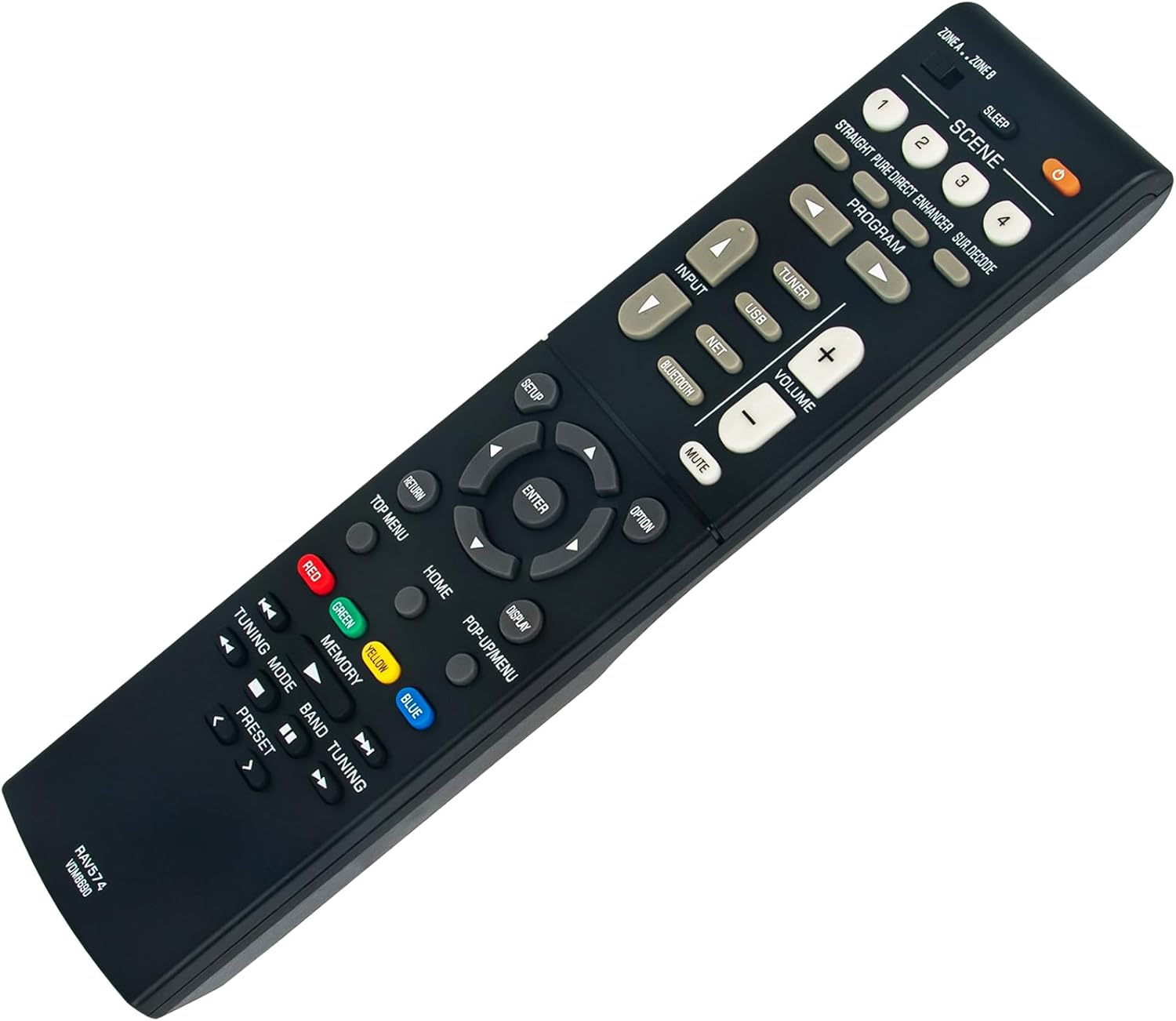
Whakaahua: Kati-ake view of the ZdalaMit RAV574 VDM8690 Replacement Remote Control buttons. This image provides a detailed look at the various function buttons, including the colored buttons (Red, Green, Yellow, Blue) and navigation cluster.
Raparongoā
Mena ka pāngia koe e ngā raruraru me tō mana mamao, tirohia ngā otinga noa e whai ake nei:
- Mamao Kaore i te Whakautu:
- Tirohia mehemea kua tika te whakaurunga o nga pākahiko me te polarity tika (+/-).
- Replace old batteries with new AAA Alkaline batteries.
- Ensure there are no obstructions between the remote control and the AV receiver's infrared sensor.
- Confirm the remote is pointed directly at the AV receiver.
- Awhe iti:
- Ensure batteries are fresh. Weak batteries can reduce the remote's operating range.
- Avoid strong light sources (e.g., direct sunlight, fluorescent lights) that might interfere with the infrared signal.
- Ngā Mahi Motuhake Kāore e Mahi:
- Verify that your AV receiver model is listed as compatible in the "Introduction" section.
- Some advanced functions may require specific settings on your AV receiver. Refer to your Yamaha AV receiver's original manual for detailed operation.
Whakatakotoranga
| Hunga Hua | 6 x 2 x 0.5 inihi |
| Taumaha Tūemi | 1.41 hekere |
| Tuku Hiko | 2 x 1.5V AAA Pūhiko Kawakore (kāore i roto) |
| Āhuahira Motuhake | Pre-Programmed, No Setup Required |
| Tae | Pango |
| Pūrere Hototahi | Yamaha AV Home Theater Receivers (specific models listed in Introduction) |
Tautoko
For further assistance or inquiries regarding this replacement remote control, please contact the seller or manufacturer through your purchase platform. Ensure to provide your product details for efficient support.


