Kupu Whakataki
Thank you for choosing the Baseus Bowie WM01 True Wireless Stereo (TWS) Earphones. This manual provides detailed instructions on how to set up, operate, maintain, and troubleshoot your earphones to ensure optimal performance and longevity.

Image: The Baseus Bowie WM01 TWS Earphones, charging case, and product packaging.
Ihirangi mokete
Tena koa tirohia nga mea kei roto i te kete i runga i te wetewete pouaka:
- Baseus Bowie WM01 TWS Earphones (Left and Right)
- Puhi utu
- USB-C Uira Whakatau
- Ngā pito taringa silicone (ngā rahi rerekē)
- Pukapuka Kaiwhakamahi

Image: All items included in the Baseus Bowie WM01 package: earphones, charging case, USB-C cable, and multiple sizes of ear tips.
Tatūnga
1. Whakataki Tuatahi
I mua i te whakamahi tuatahi, whakakiia katoatia nga taringa me te putea utu.
- Whakanohoia nga taringa e rua ki roto i te pukoro utu.
- Honoa te taura utu USB-C ki te tauranga utu i runga i te keehi me tetahi atu pito ki te urutau hiko USB (kaore i whakauruhia).
- The indicator light on the case will show charging status. Once fully charged, the light will change or turn off.

Image: The Baseus Bowie WM01 charging case in its closed state, ready for charging.
2. Tauhoa ki te Pūrere
The earphones will automatically enter pairing mode when taken out of the charging case.
- Whakatuwheratia te pouaka utu ka tangohia ngā taringa e rua. Ka tahuri aunoa rāua ka uru ki te aratau takirua.
- I runga i to taputapu (waea atamai, papa, aha atu), whakaahei i a Nihokikorangi.
- Rapua "Baseus Bowie WM01" in the list of available Bluetooth devices.
- Select "Baseus Bowie WM01" to connect. Once connected, you will hear a confirmation tone.
Tuhipoka: If pairing fails, place the earphones back into the case, close the lid, wait a few seconds, and then repeat the steps.
Nga Tohutohu Whakahaere
Mana Pa
The Baseus Bowie WM01 earphones feature touch-sensitive areas for easy control of music and calls.
| Mahi | Mahi |
|---|---|
| Pao Kotahi (Mauī/Matau) | Purei/Tatari Waiata, Whakautu/Whakamutua te Waea |
| Paoa Taurua (Matau) | Waiata Panuku |
| Paoa Taurua (Maui) | Waiata o mua |
| Long Press (Left/Right, 2s) | Whakahohe Kaiāwhina Reo |
| Long Press (Left/Right, 3s during call) | Whakakahoretia te Waea |

Whakaahua: He tata view of the Baseus Bowie WM01 earbuds, highlighting their compact design and touch-sensitive surfaces.
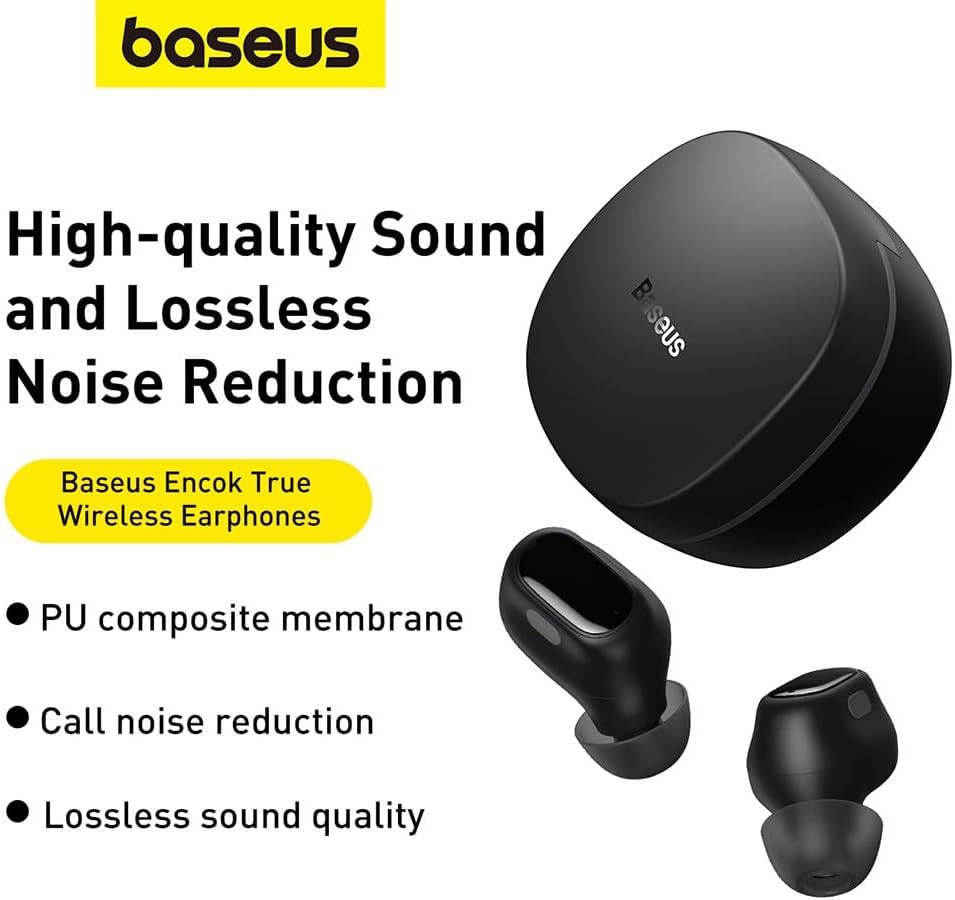
Image: The Baseus Bowie WM01 earbuds alongside their charging case, illustrating their sleek design.
Te tiaki
Proper maintenance will extend the lifespan of your earphones.
- Te horoi: Me horoi i nga wa katoa nga taringa me te putea utu ki te kakahu ngohengohe, maroke, kore-rara. Kaua e whakamahi i nga matū kino, i nga mea awhiowhio ranei.
- Nga Tohu Taringa: Remove and clean the silicone ear tips periodically with mild soap and water. Ensure they are completely dry before reattaching.
- Kei te utu Hoapā: If sound quality or charging issues occur, gently clean the charging contacts on both the earphones and inside the case with a cotton swab dipped in rubbing alcohol.
- Rokiroki: Ina kore e whakamahia, rongoatia ngā taringaoro ki roto i te pouaka utu hei tiaki i a rātou, hei pupuri hoki i te utunga.
- Aukati i nga Tikanga Tino: Do not expose the earphones to extreme temperatures, humidity, or direct sunlight. Avoid dropping or subjecting them to strong impacts.
Raparongoā
If you encounter issues with your Baseus Bowie WM01 earphones, try the following solutions:
| Raruraru | Rongoa pea |
|---|---|
| Earphones not pairing/connecting |
|
| Kotahi anake te taringaoro e mahi ana |
|
| He iti te oro, he ngoikore ranei te oro |
|
| Nga take utu |
|
Whakatakotoranga
| Āhuahira | Taipitopito |
|---|---|
| Ingoa Tauira | Bowie WM01 |
| Tau tauira | NGTW370001 |
| Waitohu | Baseus |
| Tae | Pango |
| Hononga | Ahokore (Nihokikorangi) |
| Hunga Hua | 10 x 5 x 1.27 cm |
| Taumaha | 50 karamu |
| Momo Pūhiko | Lithium-Ion |
| Nga Waahanga kei roto | Earphones, Charging Case, USB Charging Cable, Ear Tips |

Whakaahua: He pahū view illustrating the internal components of a Baseus Bowie WM01 earbud, including the driver and circuit board.
Pūtāhui me te Tautoko
Baseus products are designed and manufactured to the highest quality standards. For warranty information and technical support, please refer to the warranty card included in your product package or visit the official Baseus webpae.
For further assistance, you may contact Baseus customer service through their official channels. Please have your product model number (WM01 / NGTW370001) and purchase details ready.
Disclaimer: This manual is for informational purposes only. Specifications and features are subject to change without notice.


