1. Kupu Whakataki
The Silonn Commercial Ice Maker Machine SLIM15TB is designed to provide a consistent supply of clear, full-cubed ice. This appliance is suitable for various settings, including home bars, restaurants, and convenience stores, where a reliable ice supply is essential. This manual outlines the proper procedures for installation, operation, maintenance, and troubleshooting to ensure the longevity and efficient performance of your ice maker.

Figure 1: Silonn Commercial Ice Maker Machine SLIM15TB and accessories.
2. Nga Tohutohu Haumaru Nui
- Me whakarite kia noho te kaihanga hukapapa ki runga i te papa, he mata papatairite kia matara atu i te ra tika, i nga puna wera ranei.
- Kaua e aukati i ngā pūaha hauhautanga o te taputapu.
- Whakamahia anake te wai inu mo te hanga tio.
- Wewetehia te taputapu i mua i te horoi, te whakahaere ranei i tetahi mahi tiaki.
- Do not use sharp objects to remove ice from the evaporator to prevent damage.
- Tiakina nga tamariki mai i te taputapu i te wa e mahi ana me te horoi.
3. He aha kei roto i te Pouaka
Upon unpacking, verify that all the following components are included:
- Silonn Commercial Ice Maker Machine
- Pouaka Huka
- Ngongo Wai (6.6 putu)
- Ngongo Wai (9.1 putu)
- Four-to-Two Tap (Water Quick Connector)
4. Tatūnga me te Tāuta
4.1 Whakanoho
Place the ice maker in a location that allows for proper ventilation and access to a water source and drain. The unit's dimensions are approximately 13.58"D x 14.88"W x 25.9"H. Ensure there is adequate space around the unit for air circulation.

Whakaatu 2: Nga rahinga hua mo te whakanoho tika.
4.2 Ngā Kōwhiringa Pūtea Wai
The Silonn ice maker offers two methods for water supply:
- Manual Water Addition: Water can be manually poured into the top reservoir of the machine.
- Hononga Taputapu Tika: For continuous operation, connect the ice maker directly to a water faucet using the provided water hose and quick connector. Ensure all connections are secure to prevent leaks.

Figure 3: Water supply options for the ice maker.
4.3 Hononga Whakaheke
Connect the provided drain hose to the designated water outlet on the back of the unit. Route the drain hose to a suitable drain to manage melted ice water. This is crucial as the unit's ice bin is not a freezer and ice will melt over time if not transferred to a freezer or used.
5. Nga Tohutohu Whakahaere
5.1 Paewhiri Mana Ki rungaview
The ice maker features an intuitive control panel for easy operation:
- Pātene ON/OFF: Ka whakakaha, ka weto ranei te waeine.
- Pātene TAIĀ/HOROI: Press briefly to set a timer for operation. Hold for 5 seconds to activate the self-cleaning function.
- +/- Patene: Adjust ice thickness (thin, medium, thick) and timer settings.
- PATU Rama. Controls the internal LED light.

Figure 4: Advanced LCD Control Panel for operation.
5.2 Hanga Hukapapa
The ice maker produces up to 84 lbs of ice per day, with each cycle taking approximately 8-15 minutes. The ice bin has a capacity of 30 lbs. The ice cubes are square, clear, and designed to melt slowly, making them ideal for various beverages and cooling needs.
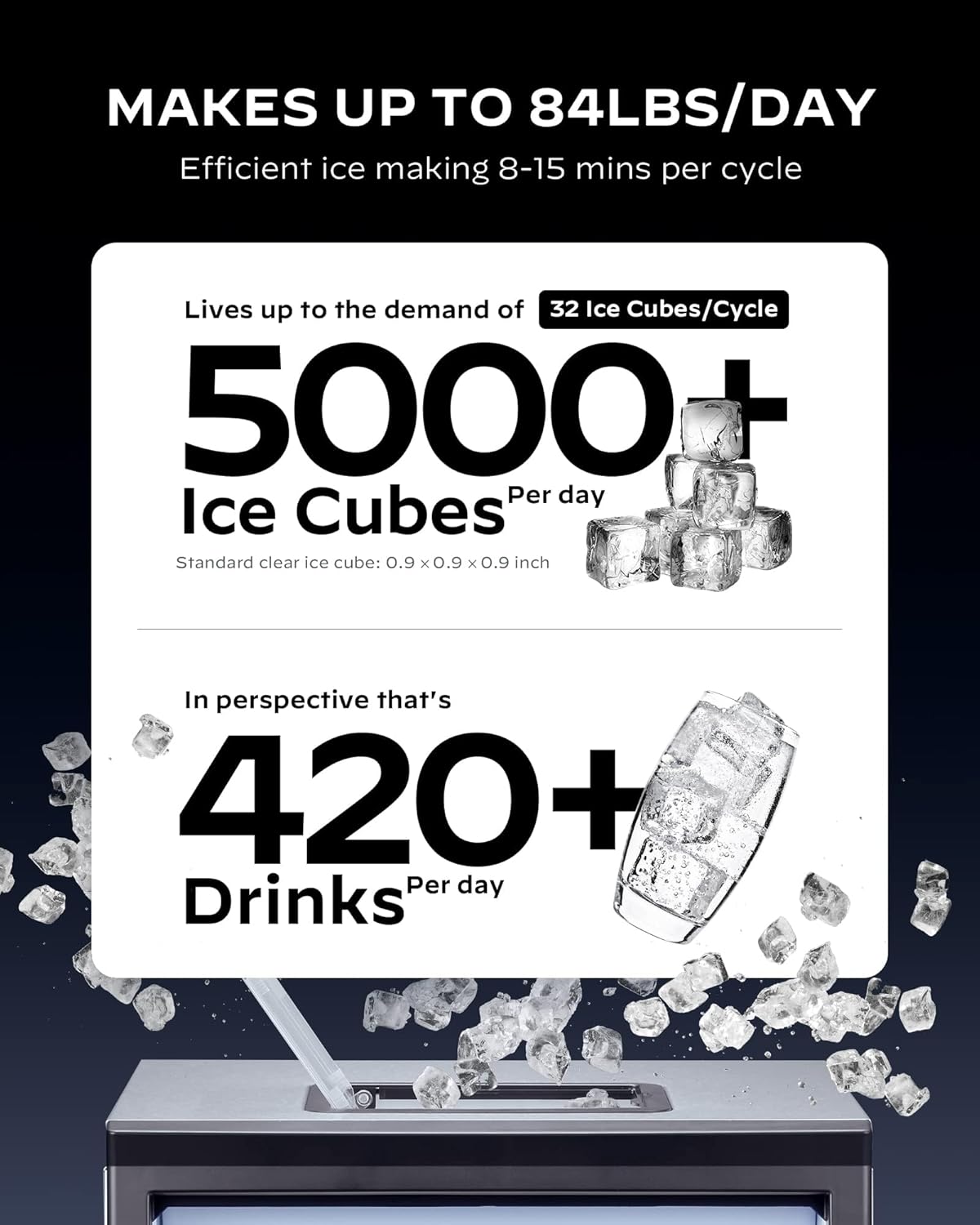
Figure 5: Daily ice production capacity.
5.3 Te Whakatikatika i te Matotoru Tio
Use the +/- buttons on the control panel to select your desired ice thickness: thin, medium, or thick. This adjustment affects the ice-making cycle duration and the density of the cubes.

Figure 6: Ice thickness options and their impact on production time.
5.4 Mahi Matama
The 24-hour timer function allows you to schedule ice production according to your needs. Press the TIMER button and use the +/- buttons to set the desired start or stop time.

Figure 7: Setting the 24-hour timer for ice production.
5.5 Ataata Hua i Muriview
For a visual guide on the Silonn Commercial Ice Maker Machine, please watch the official product video below. This video demonstrates key features and operational aspects.
Video 1: Official Silonn Commercial Ice Maker Machine (100LBS in 24H) overview na te kaihoko.
6. Tiaki
6.1 Mahi Whakapai Whaiaro
The ice maker is equipped with a self-cleaning function to simplify maintenance. To activate, hold the TIMER/CLEAN button for 5 seconds. Follow the instructions in the display for the cleaning cycle. Regular use of this feature helps prevent mineral buildup and ensures hygienic ice production.
6.2 Te Whakapai me te Tiaki Ake
- Periodically clean the exterior with a soft, damp kakahu.
- Ensure the water reservoir and ice bin are clean.
- Regularly check and clean the drain hose to prevent blockages.
7. Te Raru
| Raruraru | Take pea | Rongoā |
|---|---|---|
| Karekau he mahi tio | Low water level or no water supply | Add water manually or check water line connection. |
| Ice is not clear | Water quality issues | Use filtered water or perform a self-cleaning cycle. |
| Ice block in evaporator | Ice has frozen together | Press and hold the ON/OFF button for more than 5 seconds to melt the ice automatically. Do not use sharp objects. |
| He haruru te waeine | Normal fan operation or unstable placement | Ensure the unit is on a level surface. Fan noise is normal during operation. |
8. Whakatakotoranga
| Āhuahira | Taipitopito |
|---|---|
| Waitohu | Silonn |
| Ingoa Tauira | SLIM15TB-2 |
| Hunga Hua | 13.58"D x 14.88"W x 25.9"H |
| Raukaha (Hanga Tio) | 84 lbs/24H |
| Te Pūngao (Ipu Hukapapa) | 30 lbs |
| Wattage | 260 watts |
| Voltage | 115 Volts |
| Whakamaoho | R290a |
| Rauemi | Kowiri tira |
| Taumaha Tūemi | 39.2 pauna |
| Momo Tāuta | Kaiwhakarato |
9. Customer Care and Support
For any questions regarding initial setup, operation, maintenance, or product assistance, please contact our U.S.-based customer care team. We are available to provide the support you need to ensure your Silonn ice maker performs optimally.
Contact information for support is typically found in the product packaging or on the official Silonn webpae.


