1. Kupu Whakataki
Mauruuru koe mo te hokoasing the TOPTRO X2 Mini Portable Projector. This manual provides essential information for setting up, operating, and maintaining your projector. Please read it thoroughly before use to ensure optimal performance and safety.

Image 1.1: TOPTRO X2 Projector, carrying bag, and screen projection.

Image 1.2: Key features of the TOPTRO X2 Projector.
2. Nga Tohutohu Haumaru
- Kaua e titiro tika ki roto i te arotahi pūwhiti ina te lamp kei runga.
- Me whakarite kia tika te hau huri noa i te kaupapa kia kore e wera rawa.
- Keep the projector away from water, moisture, and flammable materials.
- Whakamahia anake te urutau hiko i whakaratohia me te pūwhakaata.
- Do not attempt to disassemble or repair the projector yourself. Contact professional support if needed.
- Kaua e taea e nga tamariki.
3. Ihirangi mokete
Tena koa tirohia te kete mo nga mea e whai ake nei:
- TOPTRO X2 Mini Portable Projector
- Pūurutau Hiko
- Mana Mamao
- Tauera HDMI
- AV Pūrere
- Pukapuka Kaiwhakamahi
- Puke Kawe
4. Hua Neke Atuview
Familiarize yourself with the projector's components and controls.

Image 4.1: Projector controls and ports.
4.1 Tuhinga o mua View
- Arotahi Matawhiti: Ka tukuna te ahua.
- Mowhiti Arotahi: Whakaritea te marama o te ahua.
4.2 Runga View
- Paewhiri Mana: Power button, navigation buttons, OK button.
4.3 Rear/Side View
- Whakauru Hiko: Ka hono ki te urutau hiko.
- Tauranga HDMI: Connect to HDMI-enabled devices (laptops, game consoles).
- Tauranga USB: Tūhono puku USB mō te purei pāpāho.
- Tauranga AV: Connect to older devices using the AV cable.
- Ororongo Atu (3.5mm): Honoa nga kaikorero o waho, nga taringa ranei.
- Kaihoko IR: Mō ngā tohu mana mamao.
5. Tatūnga
5.1 Whakanoho
Position the projector on a stable, flat surface or mount it. Ensure the projection path is clear.

Image 5.1: Multiple installation options.
5.2 Hononga Hiko
- Connect the power adapter to the projector's power input.
- Monohia te urutau hiko ki te putanga hiko.
5.3 Whakatikatika Arotahi
Hurihia te mowhiti arotahi ki runga i te arotahi whakaata kia marama, kia koi hoki te ahua o te atahanga.
5.4 Kohatu Whakatikatika
If the projected image appears trapezoidal, use the manual keystone correction feature to adjust the vertical angle. This projector supports ±15° vertical keystone correction.

Image 5.2: Manual keystone correction.
6. Mahi
6.1 Hiko / Whakaweto
Pēhia te pātene mana i runga i te pūwhakaata, i te mana mamao rānei hei whakakā, hei whakaweto rānei i te waeine.
6.2 Kōwhiringa Pūtake Tāuru
Use the 'Source' button on the remote or projector to select your desired input (HDMI1, HDMI2, USB, AV, Screen Mirroring).

Image 6.1: Projector ports and compatible devices.
6.3 Wireless Connection (WiFi Screen Mirroring)
The TOPTRO X2 supports wireless screen mirroring for iOS, Android, Windows 10, and Mac devices. No additional adapters or cables are needed.
- Tīpakohia te 'Whakaata Mata' hei pūtake tāuru.
- Follow the on-screen instructions to connect your device via WiFi.

Image 6.2: Wireless WiFi connection in use.
6.4 Hononga Nihokikorangi
Connect external Bluetooth speakers or headphones for an enhanced audio experience.
- Navigate to the Bluetooth settings in the projector's menu.
- Whakahohehia te Nihokikorangi me te rapu mo nga taputapu e waatea ana.
- Select your Bluetooth speaker or headphones to pair.

Whakaahua 6.3: Hononga Bluetooth 5.0.
6.5 Adjusting Projection Size (Zoom)
The projector features a zoom function to adjust the screen size from 75% to 100% without moving the projector.

Image 6.4: Zoom function (75%-100%).
6.6 Te hono i nga taputapu o waho
Connect various devices such as TV sticks, laptops, game consoles, or USB drives to the projector's HDMI or USB ports.
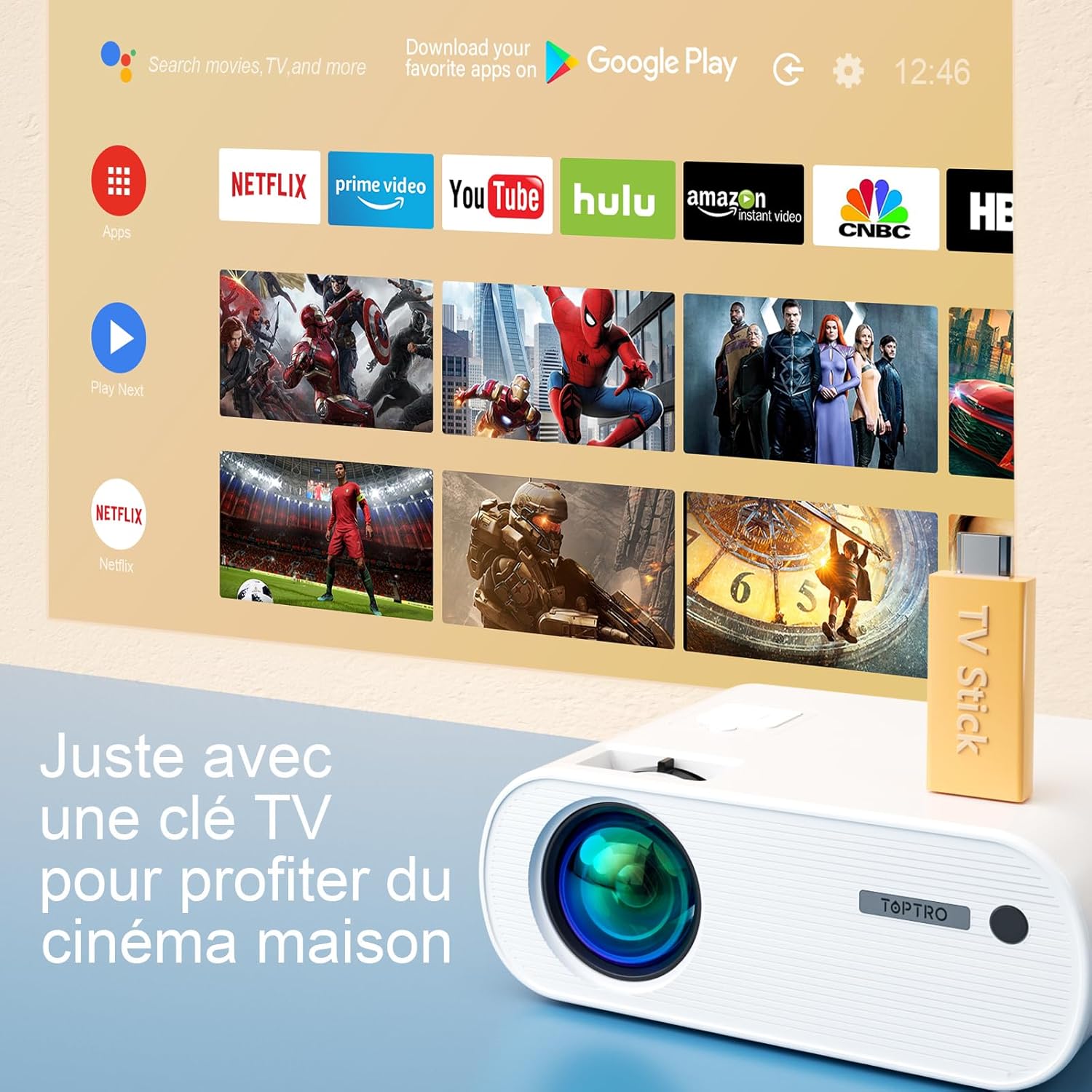
Image 6.5: Enjoying home cinema with a TV stick.
7. Tiaki
7.1 Te horoi
- Whakamahia he kakahu ngohengohe, maroke hei horoi i te taha waho o te pūwhakaata.
- For the lens, use a professional lens cleaning cloth and solution. Avoid harsh chemicals.
- Regularly clean the ventilation vents to prevent dust buildup.
7.2 Rokiroki
When not in use, store the projector in its carrying bag in a cool, dry place, away from direct sunlight and extreme temperatures.
7.3 Lamp Tiaki
The projector features an LED lamp with an extended lifespan of up to 90,000 hours, ensuring long-term use without frequent lamp whakakapinga.

Image 7.1: Projector features including 90,000 hours LED lamp ora.
8. Te Raru
- Kore Mana: Ensure the power adapter is securely connected to both the projector and the power outlet.
- Kore he Atahanga: Check the input source selection. Ensure the connected device is powered on and sending a signal. Adjust focus.
- Atahanga Pouriuri: Adjust the focus ring. Ensure the projection surface is flat.
- Kore Oro: Check the volume settings on both the projector and the connected device. Ensure external speakers are properly connected or paired via Bluetooth.
- Mana Mamao Kaore i te Mahi: Replace the batteries. Ensure there are no obstructions between the remote and the projector's IR receiver.
- Nga take hononga WiFi: Ensure your device and projector are within range of the WiFi network. Restart both devices.
9. Whakatakotoranga
Detailed technical specifications for the TOPTRO X2 Projector:

Image 9.1: Brightness and contrast comparison.
| Āhuahira | Whakatakotoranga |
|---|---|
| Waitohu | TOPRO |
| Huinga Tauira | X2 |
| Momo Whakaatu | LCD |
| Whakatau Maori | 1280 x 720 Pika |
| Whakatau Tautoko | HD Katoa 1080P |
| Tirohanga | 12000 Lumens |
| Tauwehenga Purata | 20000:1 |
| Hangarau Hononga | Wi-Fi, Nihokikorangi |
| Atanga Pūmārō | HDMI, USB, AV |
| Te Riu Patu | Manual ±15° (Vertical) |
| Mahinga Topa | 75% - 100% |
| Lamp Te ora | Tae atu ki te 90,000 haora |
| Rahi Hua (L x W x H) | 21.2 x 17.2 x 8 cm |
| Tauwehe Puka | Kawe |
| Momo Whakaeke | Ripanga |
10. Pūtāhui me te Tautoko
TOPTRO is committed to providing high-quality products and professional technical support. While specific warranty details may vary by region or retailer, TOPTRO ensures quality control before delivery.
If you encounter any issues or have questions regarding your TOPTRO X2 projector, please do not hesitate to contact TOPTRO customer support. Our team is available to assist you.
For support, please refer to the contact information provided with your purchase or visit the official TOPTRO webpae.