1. Kupu Whakataki
Mauruuru koe mo te hokoasing the ULTIMEA Nova S50 Dolby Atmos Soundbar. This 2.1 channel sound system, featuring a powerful 190W output and a dedicated subwoofer, is designed to deliver an immersive audio experience for your home theater, PC, or TV. This manual provides detailed instructions for setting up, operating, maintaining, and troubleshooting your device to ensure optimal performance.

Figure 1.1: ULTIMEA Nova S50 Soundbar delivering immersive Dolby Atmos sound.
2. Tatūnga
2.1 Ihirangi mokete
I mua i to tiimata, tirohia koa ko nga mea katoa kei roto i te kete:
- Paorooro (x1)
- Wired Subwoofer (x1)
- Pūurutau Hiko (x1)
- Tauira HDMI (x1)
- HDMI Adapter (x1)
- Remote Control (x1, batteries not included)
- Optical Cable (x1)
- Tauera Ororongo 3.5mm (x1)
- Wall Mounting Kit (x1)
- Pukapuka Kaiwhakamahi (x1)

Whakaahua 2.1: Nga taputapu me nga waahanga kua whakauruhia.
2.2 Te Whakanoho a tinana
The Nova S50 soundbar features a compact and slim design, allowing for flexible placement options. It can be placed on a TV stand, a tabletop, or wall-mounted. Ensure the soundbar is positioned centrally in front of your TV for the best audio experience. The subwoofer can be placed on the floor near the soundbar.

Figure 2.2: Compact design allows for placement under a TV without obstructing the view.
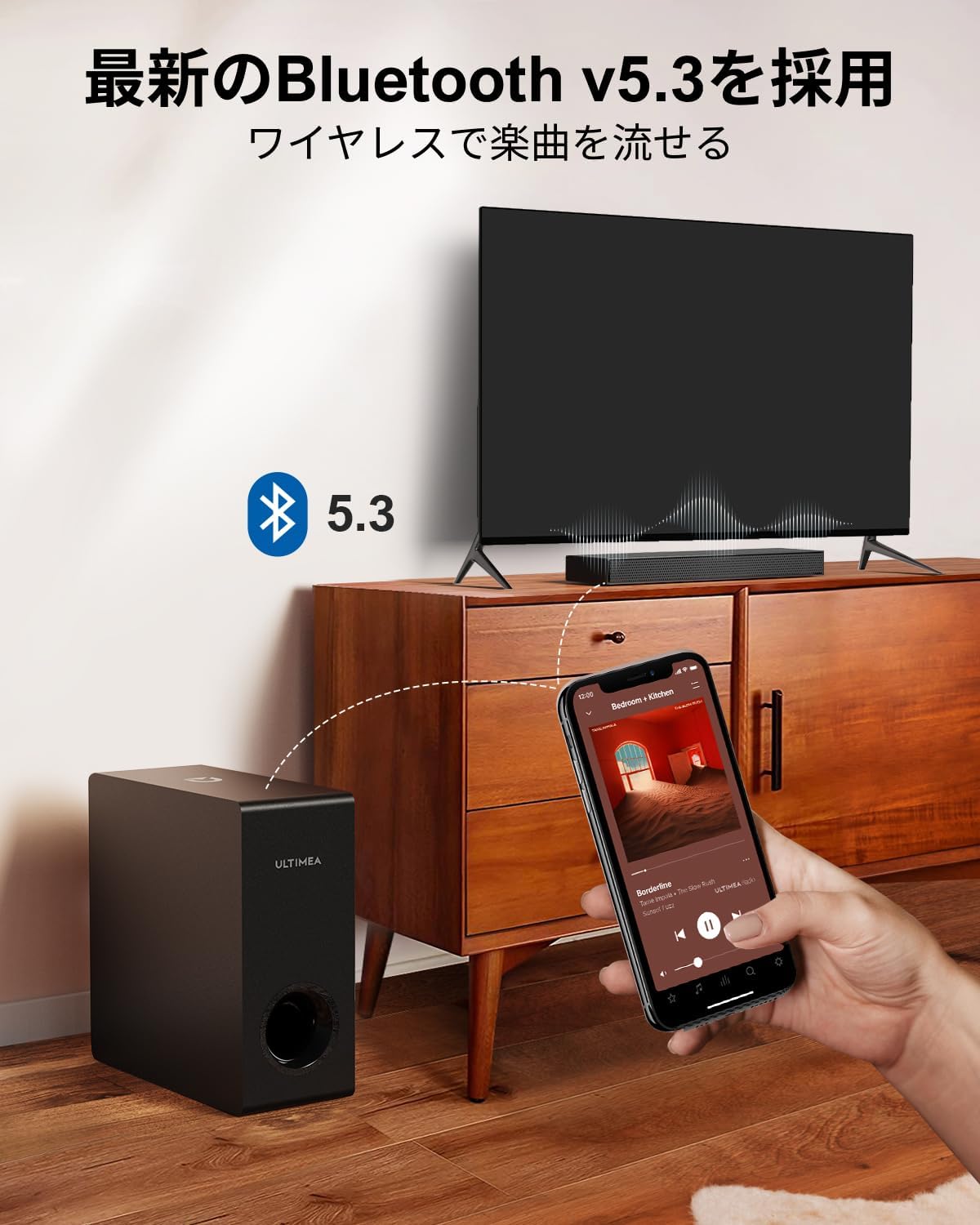
Figure 2.3: Dimensions of the soundbar and subwoofer.
2.3 Hononga
The Nova S50 offers multiple connectivity options. Choose the method that best suits your device.

Whakaahua 2.4: Nga hononga o te paewhiri o muri.
2.3.1 HDMI eARC Connection
For the highest quality audio transmission, connect your TV to the soundbar using the HDMI eARC port.
- Connect one end of the provided HDMI cable to the HDMI eARC port on your TV.
- Connect the other end of the HDMI cable to the HDMI eARC port on the soundbar.
- On the soundbar's remote control, press the 'eARC' button to select the HDMI eARC input mode.
- Ensure your TV's audio output settings are configured for HDMI eARC (usually found under TV Settings > Sound > Digital Audio Output > Auto).

Figure 2.5: HDMI eARC connection steps.
2.3.2 Hononga Optical
Use the optical cable for digital audio connection if your TV does not support HDMI eARC.
- Connect one end of the optical cable to the optical output port on your TV.
- Connect the other end of the optical cable to the optical input port on the soundbar.
- Select the 'OPT' input mode on the soundbar using the remote control.
2.3.3 AUX Hononga
For analog audio devices, use the 3.5mm AUX cable.
- Connect one end of the 3.5mm audio cable to the audio output of your device (e.g., PC, smartphone).
- Connect the other end to the AUX input port on the soundbar.
- Select the 'AUX' input mode on the soundbar using the remote control.
2.3.4 Hononga Nihokikorangi
Connect your mobile devices wirelessly via Bluetooth 5.3.
- Turn on the soundbar and select 'BT' input mode using the remote control. The soundbar will enter pairing mode.
- On your mobile device, enable Bluetooth and search for 'Nova S50'.
- Select 'Nova S50' from the list of available devices to pair. Once connected, you will hear an audible confirmation.

Figure 2.6: Wireless audio streaming via Bluetooth 5.3.
3. Nga Tohutohu Whakahaere
3.1 Hiko / Whakaweto
Pēhia te pātene mana i runga i te pae oro, i te mana mamao rānei hei whakakā, hei whakaweto rānei i te waeine.
3.2 Kōwhiringa Tāuru
Use the dedicated input buttons (HDMI eARC, OPT, AUX, BT, USB) on the remote control to switch between audio sources.
3.3 Mana Rōrahi
Adjust the volume using the Volume Up (+) and Volume Down (-) buttons on the remote control or the soundbar. The soundbar also supports HDMI-CEC, allowing you to control its volume with your TV remote if your TV supports this feature.

Figure 3.1: Remote control with HDMI-CEC support.
3.4 Aratau oro
The Nova S50 features audio algorithms and machine learning technology to optimize sound based on content. Use the remote control to select from the following sound modes:
- KAUPAPA: Enhances cinematic sound for movies and TV shows, emphasizing vocals and dynamic scenes.
- KŌRERO: Optimized for gaming, providing clear sound effects and immersive spatial audio.
3.5 BassMX Adjustment
The dedicated subwoofer and ULTIMEA's proprietary BassMX technology provide powerful and adjustable bass. Use the BassMX button on the remote to cycle through different bass levels (Weak, Medium, Strong) to suit your preference.

Figure 3.2: BassMX technology for enhanced bass.
4. Tiaki
4.1 Te horoi
To maintain the appearance and performance of your soundbar, regularly clean it with a soft, dry cloth. Do not use liquid cleaners or abrasive materials, as these can damage the finish or internal components.
4.2 Rokiroki
If storing the soundbar for an extended period, disconnect it from the power source and store it in a cool, dry place, away from direct sunlight and extreme temperatures.
5. Te Raru
If you encounter issues with your ULTIMEA Nova S50 soundbar, refer to the following common problems and solutions:
- Kore Oro:
- Me mohio kei te whakahikohia te pae oro ka tohua te puna whakauru tika.
- Check all cable connections (HDMI, Optical, AUX) are secure.
- Verify the TV's audio output settings are correctly configured for the chosen connection type (e.g., HDMI eARC, PCM for Optical).
- Whakanuia te oro o te paeoro me tō pūrere hono.
- If using HDMI eARC, ensure HDMI-CEC is enabled on your TV.
- Nga Take Hononga Nihokikorangi:
- Me whakarite kei te aratau takirua Nihokikorangi te pae oro.
- Monokia me te whakahohe ano i te Nihokikorangi i runga i to taputapu pūkoro.
- Move your device closer to the soundbar to ensure it is within the 10-meter range.
- Ūkuia ngā takirua Nihokikorangi o mua i tō pūrere ka ngana ki te hono anō.
- Oro korikori:
- Reduce the volume on both the soundbar and the connected device.
- Check for any physical obstructions or interference near the soundbar or subwoofer.
- Me whakarite kia kore nga taura e pakaru, e kore e honoa.
- Mana Mamao Kaore i te Mahi:
- Whakakapihia nga pākahiko i te mana mamao.
- Me whakarite karekau he arai i waenga i te mamao me te pukoro o te pae oro.
- Tohua te mamao ki te pae oro.
6. Whakatakotoranga
| Āhuahira | Taipitopito |
|---|---|
| Ingoa Tauira | Nova S50 |
| Momo Kaikorero | Dolby Atmos Soundbar 2.1ch (with Subwoofer) |
| Hangarau Hononga | AUX, Bluetooth, HDMI-eARC, Optical |
| Hangarau Whakawhitiwhiti Ahokore | Nihokikorangi 5.3 |
| Te Mana Putanga Max | 190 W |
| Whakautu auau | 45 Hz - 18 kHz |
| Rahi Pae Oro (L x W x H) | 40 cm x 7.9 cm x 3.8 cm |
| Nga Ahu Orooro (L x W x H) | 27 cm x 11.4 cm x 27 cm |
| Taumaha Hua | 4.52 kg |
| Tikanga Mana | Mamao |
| Wāhanga Rūma Tūtohu | ≤ 25 m² |

Figure 6.1: Ultra-thin driver technology for high-fidelity sound.
7. Raihana me te Tautoko
7.1 Rarangi Whaiti
ULTIMEA products come with a limited warranty. Please refer to the warranty card included in your package or visit the official ULTIMEA webpae mo nga tikanga me nga tikanga whakamana.
7.2 Tautoko Kiritaki
For any questions, technical assistance, or support needs, please contact ULTIMEA customer service. We offer 365-day support and a 30-day free return policy. You can find contact information on our official webpae, na roto ranei i to turanga hoko.