1. Kupu Whakataki
The Zebronics Astra 30 is a portable Bluetooth speaker designed for a versatile audio experience. It features 14W output, dual 52mm drivers, dual passive radiators for enhanced bass, and multiple connectivity options including Bluetooth v5.3, FM radio, AUX, USB, and mSD card support. This manual provides instructions for setting up, operating, and maintaining your speaker.
2. Ihirangi mokete
Tena koa tirohia te kete mo nga mea e whai ake nei:
- Speaker - 1 unit
- Charging cable - 1 unit
- User manual - 1 unit
3. Hua Neke Atuview
Kia mohio koe ki nga waahanga me nga mana whakahaere a te kaikorero.

Whakaahua 3.1: Mua view of the Zebronics Astra 30 speaker, showcasing its sleek black design and speaker grille.
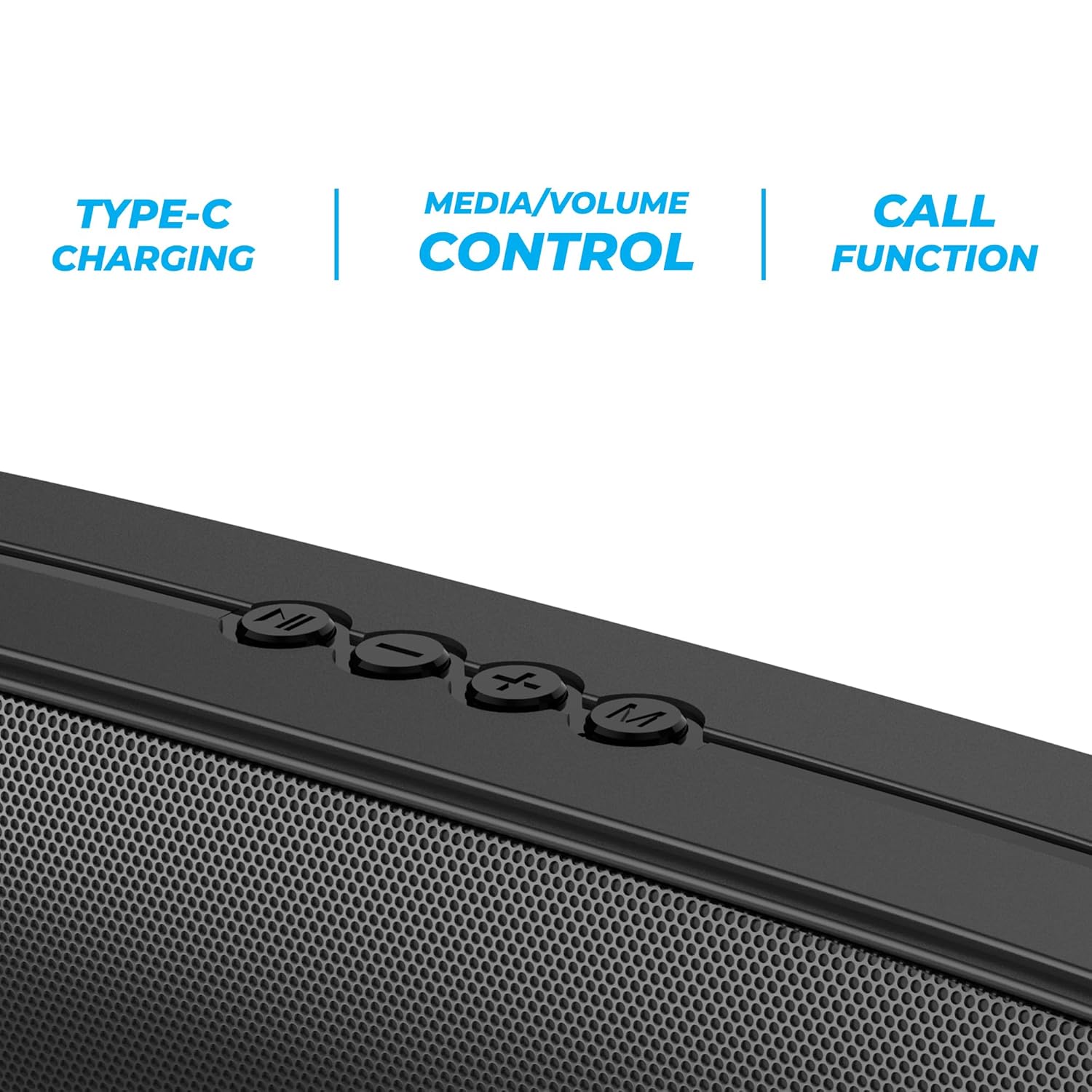
Whakaahua 3.2: Close-up of the control panel buttons on the top of the speaker, including power, volume, and mode controls.

Whakaahua 3.3: Whakamuri view of the speaker showing the multi-connectivity ports: USB, Micro SD slot, AUX input, and Type-C charging port.
4. Tatūnga
4.1 Te Whakataki i te Kaikorero
Before initial use, fully charge the speaker. The Zebronics Astra 30 features a built-in rechargeable battery with Type-C charging.
- Honoa te taura utu Momo-C kua whakaratohia ki te tauranga utu i runga i te kaikorero.
- Honoa te tahi pito o te taura ki te urutau hiko USB (kaore i whakauruhia), ki te tauranga USB rorohiko ranei.
- The charging indicator will illuminate during charging and turn off once fully charged.
A full charge takes approximately 4 hours and provides up to 12 hours of playback time at 50% volume.

Whakaahua 4.1: Illustration indicating the speaker's 12-hour playback capability on a single charge.
4.2 Kei te Hiko / Weto
To power on or off the speaker, press and hold the power button located on the control panel until you hear an audible prompt or see the indicator light change.
5. Nga Tohutohu Whakahaere
5.1 Takirua Nihokikorangi
The Zebronics Astra 30 uses Bluetooth v5.3 for wireless audio streaming.
- Power on the speaker. It will automatically enter Bluetooth pairing mode, indicated by a flashing LED.
- Whakahohehia te Nihokikorangi i runga i to waea atamai, papa, tetahi atu taputapu ranei.
- Rapua "ZEB-ASTRA 30" in the list of available Bluetooth devices.
- Select "ZEB-ASTRA 30" to connect. Once paired, the speaker will confirm with an audible tone, and the LED will stop flashing.
- Mena ka tonohia he kupuhipa, whakauruhia "0000".
5.2 Taumahinga Tirokoro Ahokore Tuturu (TWS).
Connect two Zebronics Astra 30 speakers for a true wireless stereo experience.
- Ensure both ZEB-ASTRA 30 speakers are powered on and not connected to any Bluetooth device.
- On one of the speakers (this will be the primary speaker), press and hold the TWS button (often combined with the Mode button) until you hear a pairing tone.
- Ka hono aunoa ngā kaikōrero e rua tetahi ki tetahi. Kia honoa, ka rangona he oro whakaū.
- Now, connect your device to the primary speaker via Bluetooth as described in Section 5.1. Audio will play in stereo through both speakers.

Whakaahua 5.1: Visual representation of two Zebronics Astra 30 speakers connected via TWS for stereo sound.
5.3 FM Radio Aratau
Hei whakamahi i te reo irirangi FM hanga-roto:
- Te mana ki te kaikorero.
- Press the 'M' (Mode) button to switch to FM radio mode.
- To auto-scan and save available FM stations, press and hold the Play/Pause button. The speaker will scan and store stations automatically.
- Whakamahia ngā pātene ara o mua/o muri hei whakatere i waenga i ngā teihana kua tiakina.
- For optimal reception, ensure the charging cable is connected as an antenna.
5.4 Aratau Whakauru AUX
Connect external audio devices using the AUX input:
- Te mana ki te kaikorero.
- Press the 'M' (Mode) button to switch to AUX mode.
- Connect one end of a 3.5mm audio cable (not included) to the AUX port on the speaker.
- Honoa te pito kē atu ki te putanga oro o tō pūrere (hei tauira, waea atamai, kaitākaro MP3).
- Ka purei te oro inaianei mā te kaikorero mai i tō pūrere hono.
5.5 USB and Micro SD Card Playback
Purei ororongo files directly from a USB pen drive or Micro SD card:
- Te mana ki te kaikorero.
- Insert a USB pen drive (up to 32GB) or a Micro SD card into the respective slot.
- Ka kitea aunoatia e te kaikorero te pūrere rokiroki, ā, ka tīmata te purei oro. files. If not, press the 'M' (Mode) button to switch to USB or SD card mode.
- Use the Play/Pause and Previous/Next track buttons to control playback.
5.6 Mahi Waea
When connected via Bluetooth to a smartphone, the speaker can be used for hands-free calls.
- Whakautu/Whakamutu Waea: Pēhia te pātene Play/Pause kia kotahi.
- Whakakore Waea: Patohia me te pupuri i te paatene Play/Pause.
- Waea Anō te Tau Whakamutunga: Patohia-rua te paatene Play/Pause.
5.7 Volume and Media Control
The speaker features integrated controls for audio playback:
- Runga Runga: Patohia te paatene '+'.
- Raro Raro: Patohia te paatene '-'.
- Riu Panuku: Patohia me te pupuri i te paatene '+'.
- Riu o mua: Patohia me te pupuri i te paatene '-'.
- Purei/Tatari: Patohia te paatene Play/Pause.
6. Tiaki
- Horoia te kaikorero ki te kakahu ngohengohe, maroke. Kaua e whakamahi i ngā matū kaha, i ngā kaihoroi whakakoi rānei.
- Keep the speaker away from extreme temperatures, direct sunlight, and moisture.
- A ape i te tuku, te tuku ranei i te kaikorero ki nga paanga kaha.
- Whakaorangia te kaikorero ki te waahi makariri, maroke ina kore e whakamahia mo te wa roa.
- The speaker is rated as waterproof. However, avoid submerging it in water for prolonged periods. Ensure the port cover is securely closed to maintain water resistance.
7. Te Raru
| Raruraru | Rongoa pea |
|---|---|
| Karekau te kaikorero e kaha ana. | Kia tino utua te pākahiko. Honoa te kaikorero ki tētahi pūtake hiko mā te whakamahi i te taura Momo-C. |
| Kaore e taea te hono ma te Nihokikorangi. |
|
| Karekau he oro, he iti te reo. |
|
| He kino te tango i te reo irirangi FM. | Ensure the Type-C charging cable is connected to act as an antenna. Try repositioning the speaker. |
| Ka rahua te takirua TWS. |
|
8. Whakatakotoranga
| Āhuahira | Taipitopito |
|---|---|
| Ingoa Tauira | ZEB-ASTRA 30 |
| Te Mana Putanga | 14 Watts |
| Rahi taraiwa | Dual 52mm |
| Putanga Nihokikorangi | v5.3 |
| Kōwhiringa Hononga | Bluetooth, FM, AUX, USB, Micro SD |
| USB/Micro SD Max Capacity | 32GB |
| Ora Pūhiko | Tae atu ki te 12 haora (i te 50% rōrahi) |
| Waa Whakatau | 4 haora |
| Momo utu | Momo-C |
| Ātete wai | parewai |
| Rahi Hua (D x W x H) | 5.7 x 35.4 x 6.5 Henemita |
| Taumaha Tūemi | 645 Karamu |
| Te aukati | 3 Ohm |
| Tohu Waitohu-ki-Toi | 75 dB |

Whakaahua 8.1: Graphic highlighting the 14W RMS output and dual 52mm drivers of the Zebronics Astra 30 speaker.
9. Pūtāhui me te Tautoko
The Zebronics Astra 30 speaker comes with a 1 Tau Rarangi Rarangi mai i te rā i hokona ai. Puritia tō rīhiti hoko mō ngā kereme pūtāhui.
For technical support, service, or warranty inquiries, please contact Zebronics customer service. Contact details can typically be found on the official Zebronics webpae, i runga ranei i to putunga hua.
Manufacturer: Zebronics India Private Limited
Address: 13/7, Smith Road, Royapettah, Chennai-600002


