1. Kupu Whakataki
Thank you for choosing the Xtorm Fuel Series 5 Powerbank. This manual provides essential information for the safe and efficient use of your new portable charger. Please read this manual thoroughly before using the device and keep it for future reference.
2. Hua Neke Atuview
The Xtorm Fuel Series 5 Powerbank is a high-capacity portable charger designed to keep your devices powered on the go. It features a robust 10,000 mAh battery, multiple fast-charging ports, and a durable design made from GRS certified recycled plastic.

This image displays the Xtorm Fuel Series 5 Powerbank in its elegant dusk white color, highlighting its compact design, the integrated digital percentage display, and the various charging ports located at the bottom.
Āhuatanga matua:
- 10,000 mAh te kaha: Provides multiple charges for smartphones and other small devices.
- Whakataki Tere: Equipped with a 20W USB-C Power Delivery (PD) port for rapid charging.
- Tauranga Maha: Includes two USB-C ports (20W PD, 18W) and one USB-A port (18W) for simultaneous charging of up to three devices.
- Whakaaturanga Mamati: Real-time percentage display for remaining battery life and fast charge indication.
- Sustainable Material: Constructed using GRS certified recycled plastic.

He taipitopito view of the power bank's charging interface, featuring two USB-C ports and one USB-A port, indicating their respective power outputs.
3. Tatūnga
He aha kei roto i te Pouaka:
- Peeke Mana Xtorm Fuel Raupapa 5
- USB-C Uira Whakatau
- Pukapuka Kaiwhakamahi (tenei tuhinga)
Akona Tuatahi:
Before first use, it is recommended to fully charge your Xtorm Fuel Series 5 Powerbank. Connect the included USB-C cable to the power bank's input USB-C port and plug the other end into a compatible USB wall charger (not included). The digital display will show the charging progress. A full charge takes approximately 2.5 hours.
4. Nga Tohutohu Whakahaere
Te utu i te Peeke Hiko:
- Kimihia te tauranga tāuru USB-C i runga i te pēke hiko.
- Connect one end of the USB-C cable to this port.
- Connect the other end of the USB-C cable to a USB wall adapter or a computer's USB port.
- The digital display will illuminate, showing the current charge percentage and indicating that the power bank is charging.
Kei te utu i o taputapu:
The power bank can charge smartphones, tablets, and other USB-powered devices. It features two USB-C ports and one USB-A port.
- Honoa te taura utu o tō pūrere ki te tauranga tika i runga i te pēke hiko (USB-C, USB-A rānei).
- Whakauruhia tetahi atu pito o te taura ki to rorohiko.
- Ka tīmata aunoa te pēke hiko ki te utu i tō pūrere. Ka whakaatuhia e te mata matihiko te toenga o te utu o te pēke hiko.
- You can charge multiple devices simultaneously using the available ports.
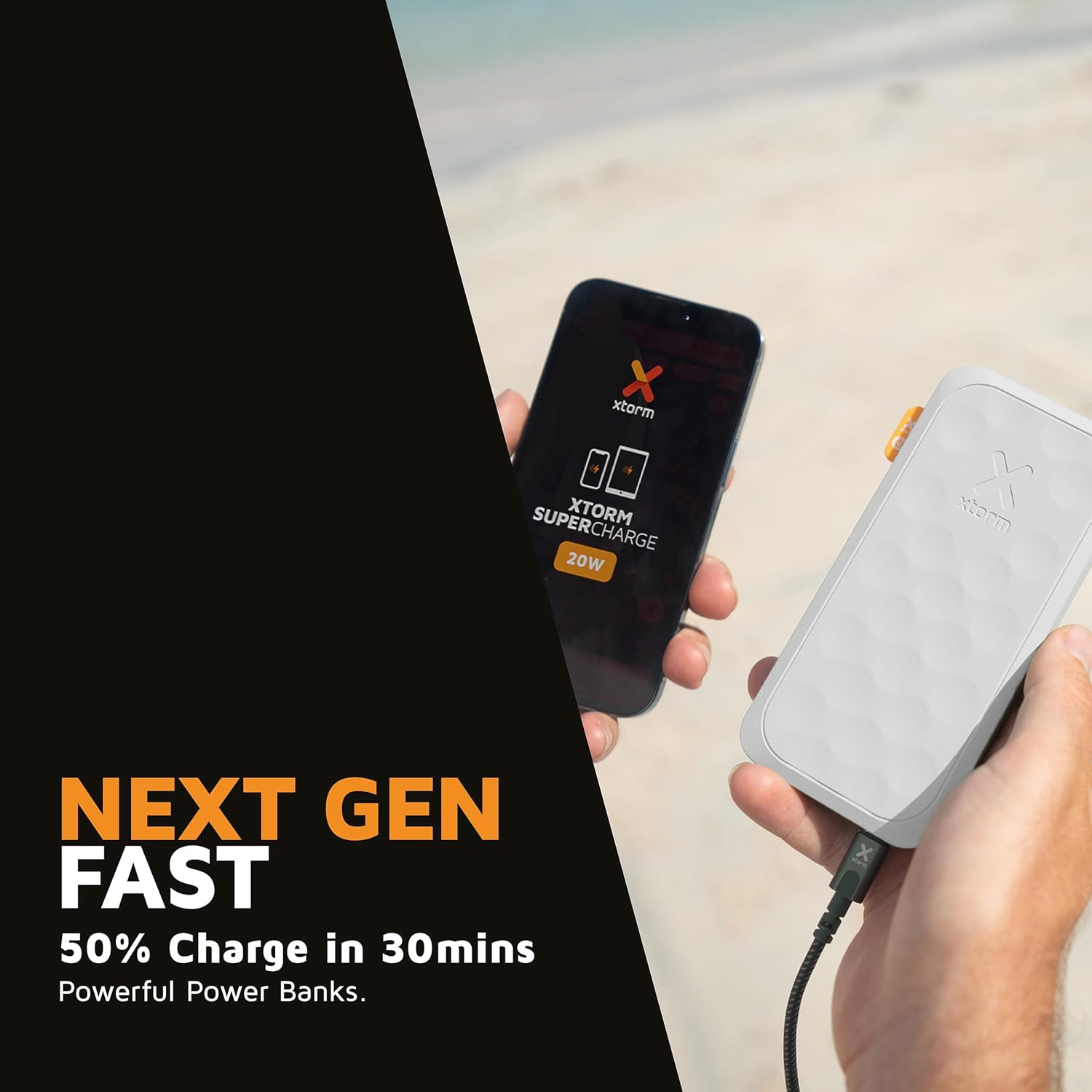
This image shows the Xtorm Fuel Series 5 Powerbank actively charging a smartphone, demonstrating its portable use case for on-the-go power.

This diagram provides a clear breakdown of the power bank's ports, showing the 20W USB-C PD output, an 18W USB-C output, and an 18W USB-A output, along with the 20W USB-C PD input.
5. Tiaki me te Tiaki
- Te horoi: Whakamahia he kakahu ngohengohe, maroke hei horoi i te peeke hiko. Kaua e whakamahi i ngā matū kino, i ngā mea whakakoi rānei.
- Rokiroki: Whakaorangia te peeke hiko ki te waahi makariri, maroke atu i te ra tika me te wera nui.
- Ora Pūhiko: Hei whakaroa i te ora o te pākahiko, whakakīia katoatia te pēke hiko, ka whakawetohia te wai i te iti rawa kia kotahi i ia toru marama mēnā ehara i te mea e whakamahia ana i ngā wā katoa.
- Aukati i nga Whakataka: While designed to be robust, avoid dropping the power bank or subjecting it to strong impacts.
6. Te Raru
Nga take me nga otinga noa:
- Karekau te Peeke Hiko i te utu:
- Me mohio kei te hono pai te taura utu ki te peeke hiko me te puna hiko.
- Whakamātauria tētahi atu urutau pakitara USB, tētahi atu tauranga USB rānei.
- Me whakaū kāore te taura utu i pakaru.
- Kaore te Pūrere e utu mai i te peeke hiko:
- Me whakarite kia rawaka te utu o te pēke hiko (tirohia te mata matihiko).
- Whakamātauria tētahi atu taura utu mō tō pūrere.
- Try connecting your device to a different port on the power bank. Note that one of the USB-C ports is specifically for fast charging (20W PD); if your device is older or not compatible with PD, try the other USB-C port or the USB-A port.
- Tīmataria anō tō pūrere.
- Whakaoho Puturi:
- Ensure you are using a fast-charging compatible cable and your device supports fast charging.
- When charging multiple devices simultaneously, the output power per port may be reduced.
7. Whakatakotoranga
| Ingoa Tauira | FS5100 |
| Pūhiko Raukaha | 10,000 mAh (Miriampmua-haora) |
| Hanganga Pūhiko | Lithium-polymer |
| Tāuru (USB-C) | 20W USB-C Power Delivery (PD) |
| Putanga 1 (USB-C) | 20W USB-C Power Delivery (PD) |
| Putanga 2 (USB-C) | 18W USB-C |
| Putanga 3 (USB-A) | 18W USB-A |
| Voltage | 20 Volts |
| Momo Tuhono | Momo USB A, Momo USB C |
| Nga waahanga motuhake | Digital Display, Fast Charge, Portable |
| Whakamahi Manakohia | Waea atamai, Papa |
8. Nga korero haumaru
Your Xtorm Fuel Series 5 Powerbank is designed with multiple safety features to ensure reliable operation. Please adhere to the following safety guidelines:
- Kaua e tukuna te peeke hiko ki te wera nui (i runga ake i te 45°C, i raro ranei i te 0°C).
- Kaua e wetewete, whakarereke, ngana ranei ki te whakatika i te taputapu.
- Kia matara atu i te wai, te makuku, me nga mea muramura.
- Kaua e whakamahia mēnā kua pakaru, kua pupuhi rānei te pēke hiko.
- Makahia te peeke hiko kia rite ki nga ture o te rohe.
- The power bank features a 6-layered safety check including temperature control, short circuit protection, overload protection, and high-efficiency components. It is also designed to be airport-proof.

An infographic detailing the comprehensive safety mechanisms built into the power bank, including temperature control, short circuit protection, overload protection, A-Class components, secured power management, and high efficiency, ensuring safe and reliable operation.
9. Pūtāhui me te Tautoko
For warranty information and customer support, please refer to the Xtorm official webpaetukutuku, whakapā atu ranei ki to kaihokohoko o to rohe. Puritia to tohu hoko mo etahi kereme whakamana.
For further assistance or technical inquiries, please visit www.xtorm.eu.


