1. Kupu Whakataki
Thank you for choosing the Tecmojo 1U Rack Mount 19 Outlet PDU Power Distribution Unit. This manual provides essential information for the safe and efficient installation, operation, and maintenance of your new PDU. Please read this manual thoroughly before use and retain it for future reference.
2. Hua Neke Atuview
The Tecmojo 1U Rack Mount PDU is designed for efficient power distribution in standard 19-inch AV, network, and server cabinets. It offers a robust solution for managing power to multiple devices with built-in safety features.
Āhuatanga matua:
- Versatile and Space-Saving: Compact 1U design for efficient use of space in 19-inch racks.
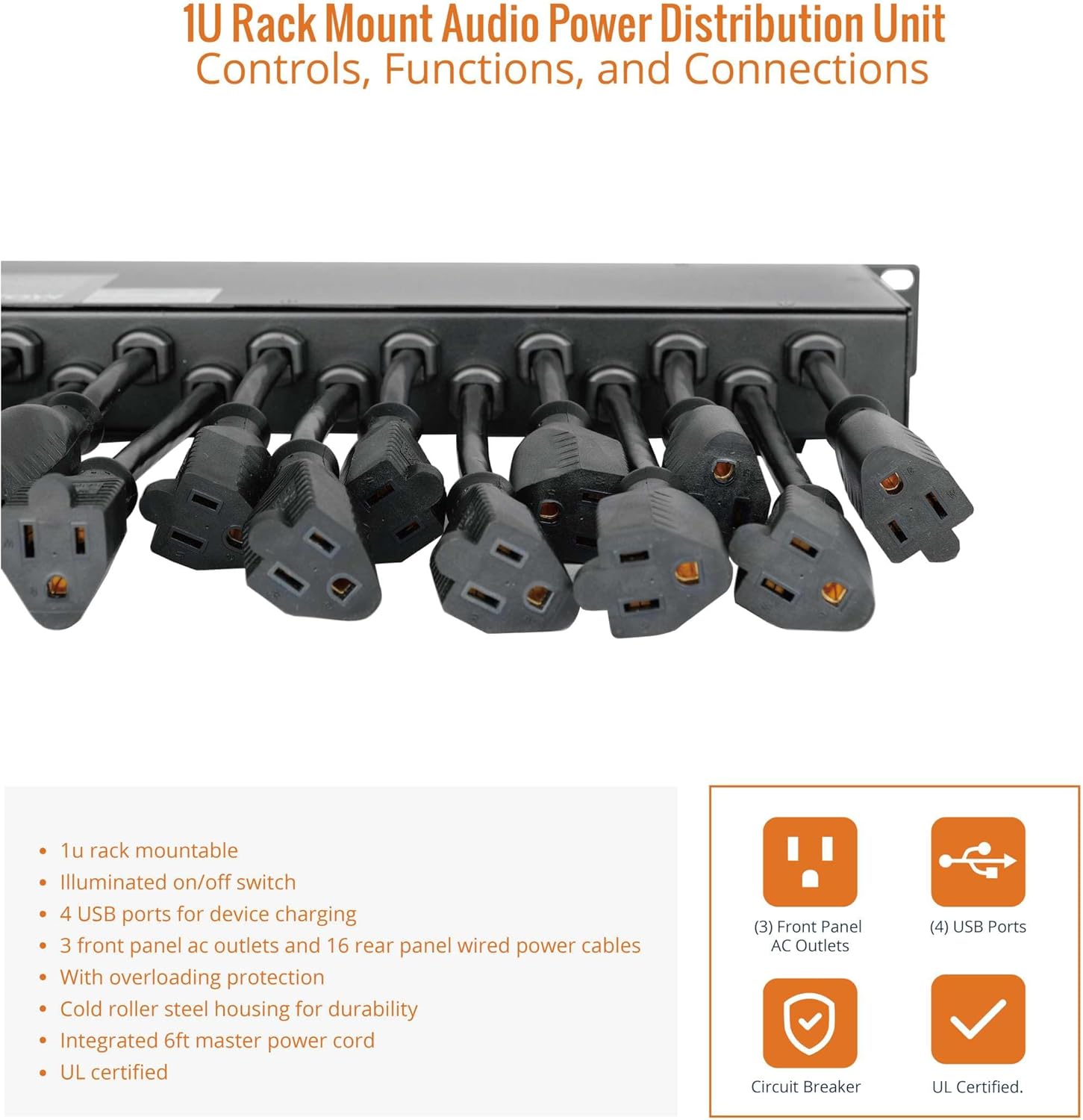
- Ample Connectivity: 16 rear-facing plug outlets and 3 front-facing outlets for diverse device connections.
- Efficient USB Power: Four front-facing USB ports for simultaneous charging of compatible devices.
- Kaiwhati Iahiko Hanga-roto: 12-amp circuit breaker protects against circuit overloads, ensuring reliable performance and equipment safety.
- Hanga Taumaha: Sturdy metal housing and durable components for long-lasting use.
- Whakaeke Watea: Includes mounting ears for easy installation in standard 19-inch racks.
Components and Dimensions:



3. Tatūnga
3.1 Whakapiki Rack
- Ensure your 19-inch rack has available 1U space.
- Attach the included mounting ears to the sides of the PDU using the provided screws.
- Align the PDU with the rack rails and secure it using appropriate rack screws.
3.2 Hononga Hiko
- Connect the integrated 6-foot master power cord from the PDU to a grounded 125V AC power source.
- Ensure the power source is capable of handling the PDU's maximum load (12A).
3.3 Hononga Pūrere
- Plug your devices into the available 16 rear-facing and 3 front-facing AC outlets.
- For USB-powered devices, use the four front-facing USB ports.
- Distribute the load evenly across the outlets to prevent overloading.
4. Nga Tohutohu Whakahaere
4.1 Kei te Hiko / Weto
The PDU features an illuminated ON/OFF switch on the front panel. Press the switch to the 'ON' position to supply power to all connected outlets. Press it to the 'OFF' position to cut power.
4.2 Te Tiaki Taumaha
The PDU is equipped with a 12-amp circuit breaker. If the total current draw from connected devices exceeds 12 amps, the circuit breaker will trip to protect the PDU and connected equipment from damage. To reset the breaker, disconnect some devices to reduce the load, then press the reset button on the rear panel.
4.3 Whakapaa USB
The four front USB ports provide power for charging compatible devices. Simply connect your device's USB cable to an available port.
5. Tiaki
- Regularly inspect the PDU and its power cord for any signs of damage.
- Keep the PDU clean and free from dust and debris to ensure proper ventilation.
- Do not attempt to open or service the PDU yourself. Refer to qualified personnel for repairs.
6. Te Raru
- No Power to Outlets: Check if the main power switch is ON. Verify the PDU's power cord is securely plugged into a live outlet. Check if the circuit breaker has tripped (see Overload Protection section).
- Ko nga Tauranga USB Kaore i te utu: Ensure the PDU is powered on. Check the USB cable and the device being charged.
- Te Mana Waahi: Ensure all connections are secure. Avoid overloading the PDU.
7. Whakatakotoranga
| Whakatakotoranga | Uara |
|---|---|
| Hunga Hua | 5 x 19 x 1.7 inihi |
| Taumaha Tūemi | 9.48 pauna |
| Waitohu | Tecmojo |
| Tae | Pango |
| Nga Putanga Hiko Katoa | 19 (16 Rear, 3 Front) |
| Tauranga USB | 4 (Mua) |
| Voltage | 125V AC |
| Whakatauranga o naianei | 12A UL Certified |
| Āhuahira Motuhake | Te Tiaki Tiaki |
| Kaihanga | Tecmojo |
| ASIN | B0CJCVB5MX |
8. Ataata Hua Whaimana
Tecmojo Rack Mount Power Strip Overview
Ko tenei ataata e whakarato ana i nga korero whanuiview of the Tecmojo Rack Mount Power Strip, showcasing its features and design. It highlights the product's functionality and appearance.
Tecmojo 1U Rack Mount 19 Outlet PDU Power Demonstration
This video demonstrates the Tecmojo 1U Rack Mount 19 Outlet PDU in action, illustrating its use and features within a rack setup. It provides a visual guide to its operation.
9. Pūtāhui me te Tautoko
For warranty information and customer support, please refer to the official Tecmojo webpae, whakapā atu ranei ki to kaihoko. Puritia to riirii hoko mo nga kereme whakamana.


