1. Kupu Whakataki
This manual provides essential information for the safe and efficient operation, installation, and maintenance of your Durastar DRAW06F1B Mini Split Wall Mount Indoor Unit. This unit is designed to provide both cooling and heating capabilities for your space. Please read this manual thoroughly before installation and operation, and keep it for future reference.
Tuhipoka Nui: This is an indoor evaporator unit only. An outdoor condenser unit is required for proper functionality. Mini split systems must be installed by a qualified HVAC professional in accordance with all local codes and regulations. Failure to do so will void the manufacturer's warranty.
2. Nga korero haumaru
Your safety and the safety of others are very important. Please read and follow all safety messages outlined in this manual.
- E hiahiatia ana te whakaurunga ngaio: Installation, maintenance, and repair of this unit must be performed by a certified HVAC technician. Improper installation can lead to electric shock, fire, water leakage, or other serious injuries.
- Tuku Hiko: Ensure the power supply matches the unit's specifications (208 / 230 Volt). Always disconnect power before performing any maintenance or service.
- Whakapapa: Me tika te whakapūmau i te whenua o te waeine kia kore ai e pāngia e te ru hiko.
- Whakaoti: Maintain adequate clearances around the indoor unit for proper airflow and maintenance access.
- Nga tamariki me nga kararehe: Tiakina nga tamariki me nga kararehe mai i te waahanga i te wa e mahi ana me te tiaki.
- Rauemi mura: Kaua e waiho nga mea muramura me te rehu aerosol ki te taha o te waahanga.
3. Product Features and Technologies
The Durastar DRAW06F1B unit incorporates several features designed for enhanced comfort and efficiency:
- Swing/Gentle Airflow: Allows for optimized air circulation and direction throughout the room, ensuring even temperature distribution.
- Aratau Moe: Reduces energy consumption by gradually adjusting the temperature and automatically turning off after 8 hours, returning to normal operation.
- Wireless Remote Control with "Follow Me" Technology: The remote control features a built-in temperature sensor. When activated, the unit will optimize the temperature based on the remote's location, providing maximum comfort where you are.
- Tīmata Aunoa: In the event of a power failure, the unit will automatically restart with the previously set operating parameters once power is restored.
- 24-Hour Timer Feature: Allows you to program the unit to automatically turn on or off at a specified time within a 24-hour period.
- Anti-Corrosive Fin Coating (Golden Fin Coating): Both indoor and outdoor units feature this specialized coating to protect against corrosion, enhancing the longevity and reliability of the system.
- Mahi Ataahua: Engineered for low noise levels, ensuring a peaceful indoor environment.
4. Tatūnga me te Tāuta
As previously stated, the installation of this mini split indoor unit requires professional expertise. This section provides a general overview for informational purposes.
4.1. Tirohanga i mua i te whakaurunga
- Manatokohia kei te noho katoa nga waahanga me te kore e pakaru.
- Ensure the installation location meets clearance requirements and can support the unit's weight.
- Confirm compatibility with your outdoor condenser unit.
4.2. Ngā Hipanga Tāutanga (Neke atu i teview mo Ngaio)
- Mounting Plate Installation: Securely attach the mounting plate to the wall, ensuring it is level.
- Wall Hole Drilling: Drill a hole through the wall for refrigerant piping, drain hose, and electrical wiring.
- Piping and Wiring Connection: Connect the refrigerant lines, drain hose, and electrical cables between the indoor and outdoor units. This step requires specialized tools and knowledge.
- Indoor Unit Mounting: Carefully mount the indoor unit onto the mounting plate.
- Vacuuming and Refrigerant Charging: Evacuate the refrigerant lines and charge the system with the correct amount of refrigerant.
- Test Run: Perform a test run to ensure proper operation and check for leaks.

Image: The Durastar mini split indoor unit seamlessly integrated into a modern living room, demonstrating its wall-mounted design. Adjacent to this, an outdoor condenser unit is shown installed on the side of a house, illustrating the complete system setup.
5. Nga Tohutohu Whakahaere
Your Durastar mini split unit is operated primarily via the wireless remote control.

Image: The Durastar indoor unit, a sleek white rectangular device designed for wall mounting, is shown alongside its compact wireless remote control. The remote features a digital display and various buttons for mode selection, temperature adjustment, and fan speed.
5.1. Nga Mahi Whakamao Mamao
- Pātene Hiko: Ka whakakā, whakaweto rānei i te kōwae.
- Patene Aratau: Ka huri i roto i nga momo mahi: Aunoa, Matao, maroke, Wehana, Poihi.
- Pātene Whakarite Pawera (Pere Runga/Whakararo): Ka whakanui, ka whakaiti rānei i te pāmahana kua whakaritea.
- Pātene Tere Kiri: Ka whakarerekē i te tere o te pā (Aunoa, Iti, Waenga, Teitei).
- Pātene Piu: Activates or deactivates the automatic louver swing for even air distribution.
- Pātene Moe: Activates Sleep Mode for energy-efficient nighttime operation.
- Pātene Matawā: Ka tautuhi i te matawā 24-haora ki runga/whakaweto.
- "Follow Me" Button: Activates the "Follow Me" function, allowing the unit to sense temperature at the remote's location.
5.2. Mahi Taketake
- Point the remote control directly at the indoor unit.
- Patohia te paatene Mana kia huri te waeine.
- Press the Mode button to select your desired operating mode (e.g., Cool for cooling, Heat for heating).
- Use the Temperature Adjustment buttons to set your desired room temperature.
- Adjust the Fan Speed or activate the Swing function as needed for comfort.
6. Tiaki
Regular maintenance ensures optimal performance and longevity of your mini split system. Always disconnect power to the unit before performing any maintenance.
6.1. Te Whakapai i te Matarere
- The air filters should be cleaned every two weeks, or more frequently depending on usage and air quality.
- Whakatuwherahia te papa o mua o te waahanga o roto.
- Tangohia nga whiriwhiringa hau.
- Horoihia nga whiriwhiringa ki te miihini horoi horoi ranei ki te wai maama me te horoi ngawari.
- Tukuna kia maroke katoa nga whiriwhiringa i mua i te whakauru ano.
6.2. Te Whakapai i te Coil
- The indoor coil should be inspected and cleaned annually by a professional technician.
- The outdoor coil should also be cleaned regularly to remove dirt, leaves, and debris.
6.3. Tirotiro Whānui
- Check for any unusual noises or odors.
- Ensure the drain hose is clear and not obstructed.
- Inspect electrical connections for any signs of wear or damage.
7. Te Raru
Before contacting customer support, please refer to the following common issues and solutions. For complex problems, always consult a qualified technician.
| Raruraru | Take pea | Rongoā |
|---|---|---|
| Karekau te waeine e ka ana. | Karekau he hiko; Kua mate nga pākahiko mana mamao; I takahia te arai iahiko. | Tirohia te hononga hiko; Whakakapia ngā pākahiko mamao; Tautuhi anō i te whati ara iahiko. |
| He iti rawa te whakamahana/whakawera. | tātari rangi paru; Kua aukatihia te waahanga o waho; He he te tautuhinga aratau; Rerigerant iti. | Ko nga whiriwhiringa hau ma; Maamaa nga aukati mai i te waahanga o waho; Tīpakohia te aratau tika; Whakapā atu ki te kaitoi mo te tirotiro whakamatao. |
| Haruru rereke mai i te waeine. | Loose parts; Obstruction in fan; Normal expansion/contraction sounds. | Check for loose parts (professional); Remove obstructions; Normal sounds are usually minor clicks or gurgles. |
| Te rerenga wai mai i te waahanga o roto. | Te ngongo ngongo kua pakaru; Koki tāutanga hē. | Clear drain hose; Contact technician for re-installation or inspection. |
8. Whakatakotoranga
Key technical specifications for the Durastar DRAW06F1B Mini Split Indoor Unit:
| Whakatakotoranga | Uara |
|---|---|
| Waitohu | Durastar |
| Tau tauira | TUHI06F1B |
| Te Whakamaoho | 6,000 BTU |
| Te Raukaha Whakawera | 7,000 BTU |
| Voltage | 208 / 230 Volts |
| Momo Tāuta | Maunga Taiepa |
| Taumata Haruru | 56 dB (Mōrahi) |
| Nga Ahinga (D x W x H) | 7.88"D x 11.5"W x 11.5"H |
| Tae | Mā |
| Nga waahanga motuhake | Remote Controlled, Auto Restart, 24-Hour Timer, Anti-Corrosive Fin Coating |
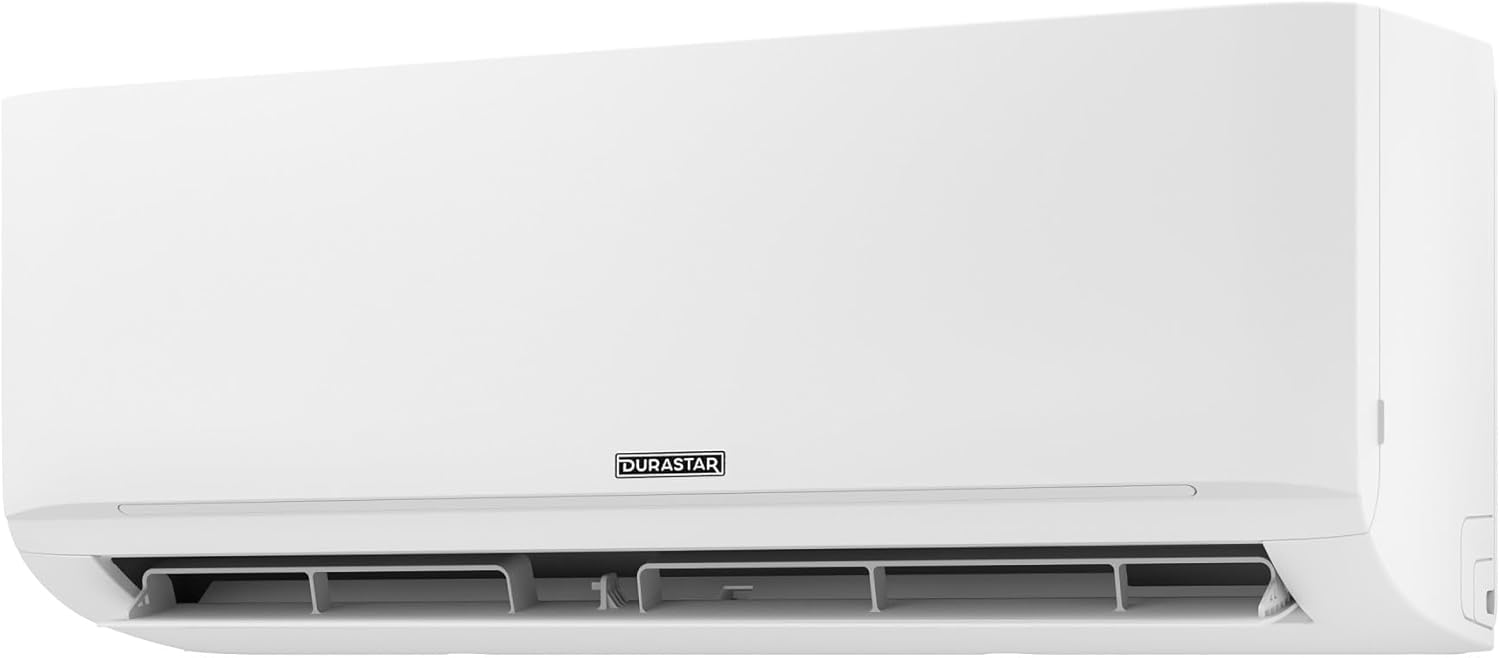
Whakaahua: He taha profile view of the Durastar indoor unit, highlighting its slim design and wall-mounting capabilities.
9. Pūtāhui me te Tautoko
Durastar products are engineered for durability and performance.
9.1. Nga Korero Whakaputanga
Please note that any manufacturer warranty for this mini split unit will be voided if the installation is not performed by a professional in accordance with local codes. For specific warranty terms and conditions, please refer to the warranty card included with your product or contact Durastar customer service.
9.2. Tautoko Kiritaki
For questions, assistance with multi-zone systems, or technical support, please contact Durastar experts at:
Waea: (855) 484-3292
Our support team is available to assist you with any inquiries regarding your Durastar mini split system.


