Kupu Whakataki
This instruction manual provides essential information for the safe and efficient use of your Goobay USB-C to Lightning Charging and Sync Cable. Please read this manual thoroughly before using the product and retain it for future reference. This cable is designed for charging and data synchronization between devices equipped with a USB-C port and Apple devices featuring a Lightning port.
Ka mutu te huaview
The Goobay USB-C to Lightning Cable (Model 49270) is a durable and versatile cable designed for connecting Apple Lightning-enabled devices to USB-C power adapters or computers. It supports both fast charging up to 60 watts and high-speed data transfer up to 0.48 Gigabits per second. The cable features a braided design for enhanced durability and flexibility, with a length of 0.5 meters.
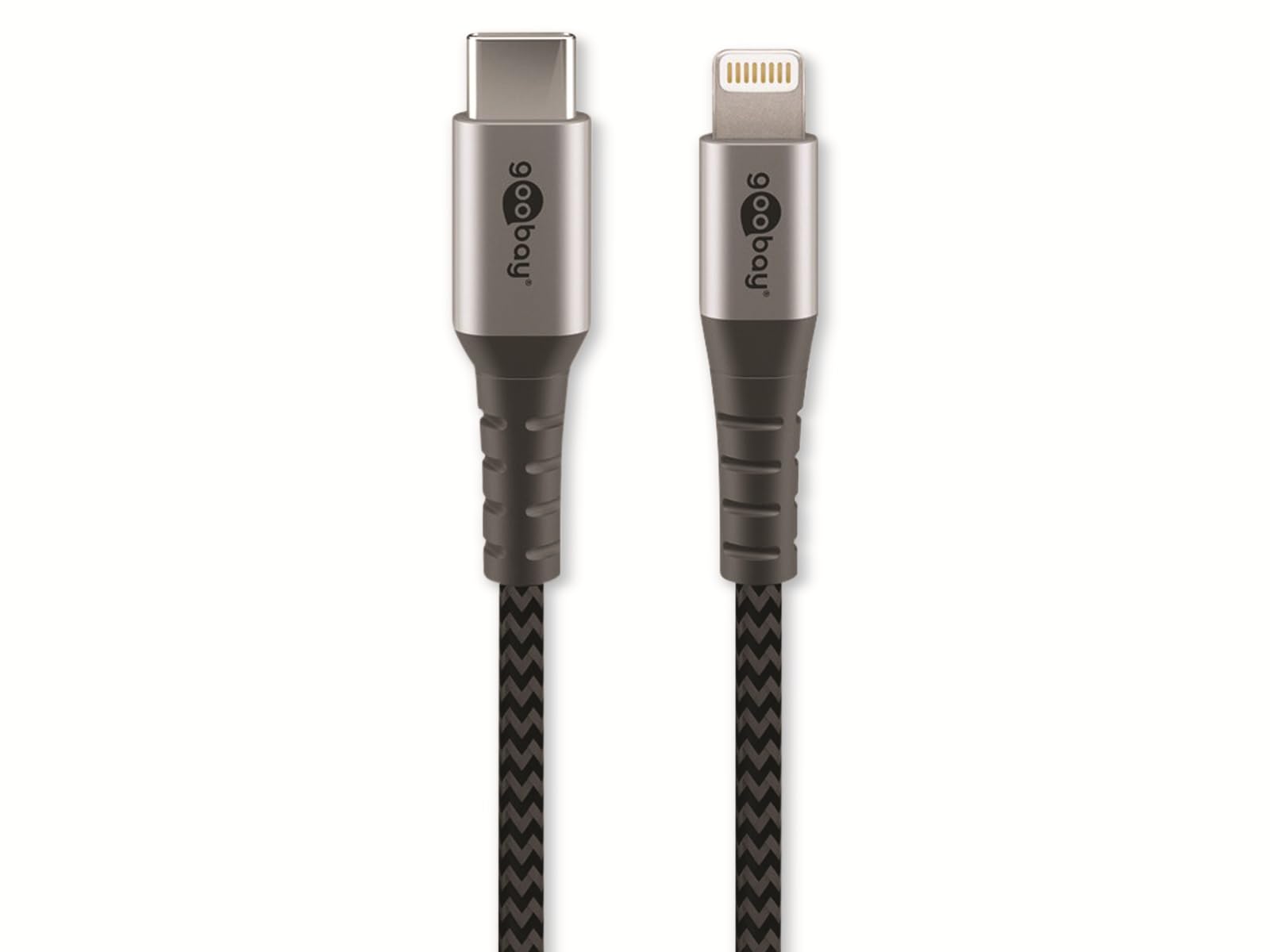
Image: Goobay USB-C to Lightning Cable. This image shows the cable with a USB-C connector on one end and a Lightning connector on the other, highlighting its braided exterior and space grey color.
Ihirangi mōkī:
- 1x Goobay USB-C to Lightning Cable (0.5m)
Tatūnga
Using the Goobay USB-C to Lightning cable is straightforward. Follow these steps to connect your devices:
- Tautuhia nga Hono: Locate the USB-C connector (smaller, oval-shaped) and the Lightning connector (larger, rectangular with rounded corners).
- Hono atu ki te Pūtake Hiko, ki te Rorohiko rānei: Insert the USB-C connector into a compatible USB-C port on a power adapter, laptop, or desktop computer. Ensure the connection is firm.
- Hono ki te Pūrere Apple: Insert the Lightning connector into the Lightning port of your Apple iPhone, iPad, or iPod. Ensure the connection is firm.
- Manatokohia te Hononga: Your Apple device should indicate that it is charging or connected for data transfer.
Nga Tohutohu Whakahaere
Kei te utu i to taputapu:
To charge your Apple device, connect the USB-C end of the cable to a compatible USB-C power adapter (e.g., a wall charger or power bank) and the Lightning end to your Apple device. The cable supports fast charging up to 60W, provided your power adapter and device also support this wattage.
Tukutahi Raraunga:
To synchronize data between your Apple device and a computer, connect the USB-C end of the cable to a USB-C port on your computer and the Lightning end to your Apple device. Your computer should recognize the device, allowing you to transfer files, photos, and other data using iTunes or Finder (macOS Catalina and later).
Te tiaki
Proper care and maintenance will extend the life of your Goobay cable:
- Rokiroki: Store the cable in a clean, dry place when not in use. Avoid extreme temperatures.
- Te whakahaere: Do not bend the cable sharply or pull it forcefully from connectors. Always grip the connector housing when plugging or unplugging.
- Te horoi: If necessary, gently wipe the cable and connectors with a soft, dry cloth. Do not use liquid cleaners or abrasive materials.
- Tirotiro: Periodically inspect the cable for any signs of damage, such as fraying, cuts, or bent pins on the connectors. Discontinue use if damage is observed.
Raparongoā
If you encounter issues with your Goobay USB-C to Lightning cable, refer to the following common solutions:
- Kāore te Pūrere i te utu:
- Me mohio kei te hono pai nga pito e rua o te taura.
- Whakamātauria he urutau hiko USB-C rereke, he tauranga ranei.
- Test the cable with a different Apple device, if available, to rule out a device issue.
- Tirohia mehemea kei te mahi tika te urutau hiko.
- Data Synchronization Failure:
- Verify that the USB-C end is connected to a data-enabled USB-C port on your computer.
- Ensure your computer's operating system and iTunes/Finder are up to date.
- Restart both your Apple device and computer.
- Check for any prompts on your Apple device asking to "Trust This Computer."
- Whakaoho Puturi:
- Me whakarite kia rawaka te wai e tukuna ana e tō urutau hikotage (e.g., 20W or higher for fast charging).
- Avoid using the device heavily while charging.
Whakatakotoranga
| Waitohu: | Goobay |
| Tau tauira: | 49270 |
| Momo Tuhono: | USB Type C (Male) to Lightning (Male) |
| Momo taura: | Charging and Data Sync Cable |
| Roa taura: | 0.5 mita |
| Āhuahira Motuhake: | Braided design for durability |
| Reiti Whakawhiti Raraunga: | Up to 0.48 Gigabits Per Second (USB 2.0 speed) |
| Max Power Delivery: | Tae atu ki te 60 Watts |
| Tae: | Space Grey |
| Ngā Pūrere Hototahi: | Apple iPhone (e.g., iPhone 8, X, XR, XS, 11, 12, 13 series), iPad, iPod with Lightning port, and USB-C enabled laptops, power adapters, and headphones. |
| Tiwhikete: | MFI (Made For iPhone/iPad/iPod) |
Pūtāhui me te Tautoko
Goobay products are manufactured with quality and reliability in mind. For information regarding warranty terms, technical support, or customer service, please refer to the official Goobay website or contact your retailer. Please have your product model number (49270) available when seeking support.
Kaihanga: Goobay
Webpae: www.goobay.de (Please note: This is a general placeholder for the manufacturer's website. Actual support links may vary.)


