1. Hua Neke Atuview
The Baseus Qpow 2 Dual Cable Power Bank is a versatile and portable charging solution designed to keep your devices powered on the go. With a high capacity of 10,000 mAh and 22.5W fast charging capabilities, it can charge multiple devices simultaneously using its integrated Lightning and USB-C cables, as well as additional USB-A and USB-C ports.
This power bank features advanced multi-layer protection against overcurrent, overvoltage, overcharge, high temperatures, and electromagnetic interference, ensuring safe and reliable charging for your devices. Its compact and lightweight design, coupled with an easy-to-read battery status display, makes it an ideal companion for daily use and travel.
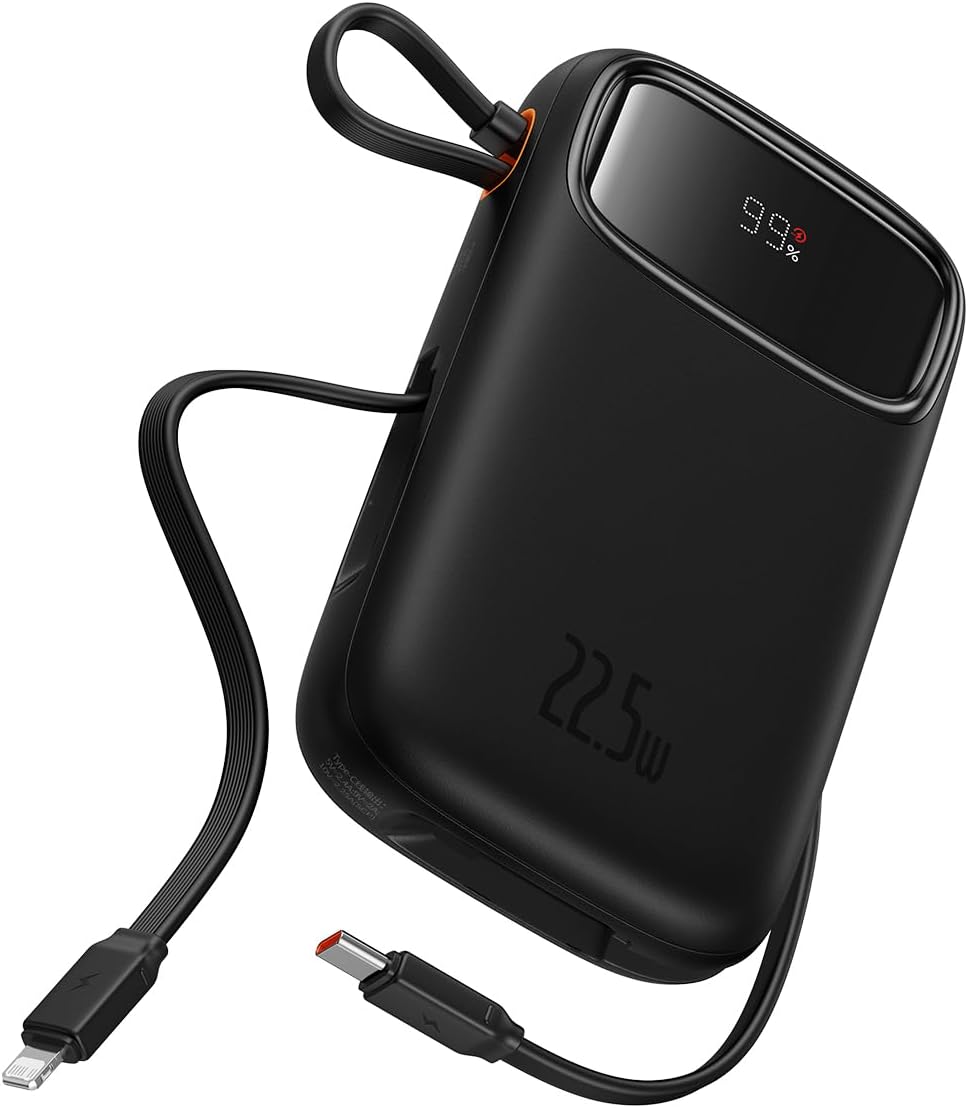
Figure 1: The Baseus Qpow 2 Dual Cable Power Bank, showcasing its compact design, integrated cables, and digital battery percentage whakaatu.

Figure 2: The power bank's slim and pocket-friendly dimensions (4.52*2.83*0.78 inches, 8.5 oz) compared to a standard soda can.

Figure 3: The portable lanyard-cable design, allowing users to pull out the cable for charging and pull it back for easy carrying.
2. Aratohu Tatūnga
2.1 Te Whakatau Tuatahi o te Peeke Hiko
Before first use, it is recommended to fully charge your Baseus Qpow 2 Power Bank.
- Connect the integrated USB-C cable or an external USB-C cable to the power bank's USB-C input port.
- Honoa te tahi pito o te taura ki te riihi taiepa USB hototahi (kaore i whakauruhia).
- The digital display on the power bank will show the charging progress. Charge until the display shows "100%".

Figure 4: The power bank supports two-way USB-C charging, with 20W output and 18W input capabilities.
3. Nga Tohutohu Whakahaere
3.1 Te Whakataki i o Pūrere
The Baseus Qpow 2 Power Bank offers multiple ways to charge your devices:
- Te Whakamahi i ngā Taura Whakauru:
- For Apple devices: Pull out the integrated Lightning cable and connect it to your iPhone, iPad, or AirPods.
- For USB-C devices: Pull out the integrated USB-C cable and connect it to your Android phone, tablet, or other USB-C compatible device.
- Te Whakamahi i ngā Tauranga o Waho:
- Connect your device's charging cable to the USB-A output port or the USB-C output port on the power bank.
The power bank can charge up to four devices simultaneously. Charging will begin automatically once a device is connected.

Figure 5: The power bank's capability to charge four devices at once using its integrated USB-C and Lightning cables, and external USB-C and USB-A ports.
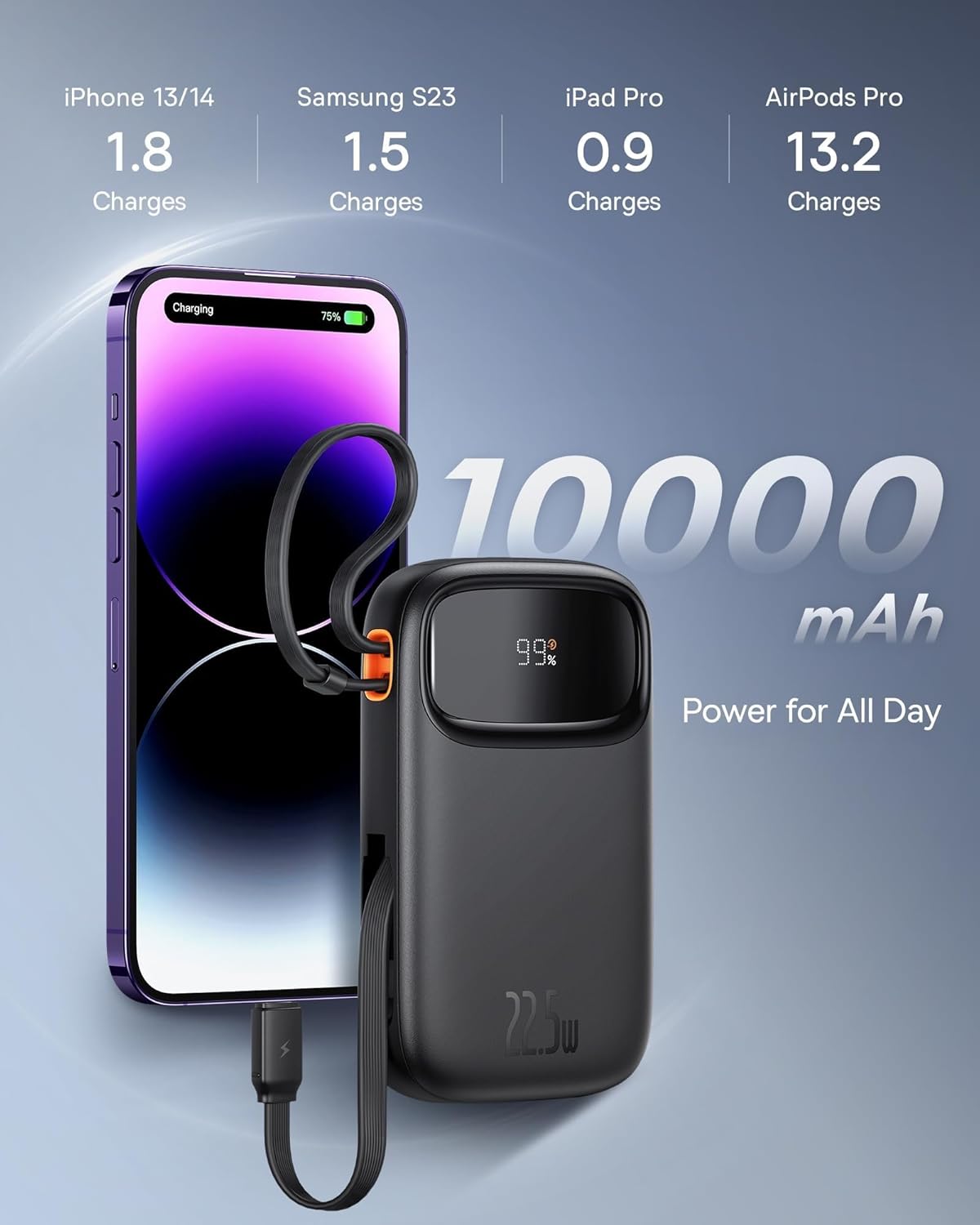
Figure 6: Illustrates the 10,000 mAh capacity, capable of charging an iPhone 13/14 approximately 1.8 times, Samsung S23 1.5 times, iPad Pro 0.9 times, and AirPods Pro 13.2 times.

Figure 7: The power bank features two built-in fast charging cables: one Lightning and one USB-C, supporting PD 22.5W fast charging.
3.2 Te Tirohanga i te Turanga Pūhiko
The digital display on the power bank shows the remaining battery percentage, allowing you to easily monitor its charge level.
4. Tiaki
- Tiakina te peeke hiko mai i nga wera nui, te ra tika, me nga taiao makuku.
- A ape i te tuku, te tuku ranei i te peeke hiko ki nga paanga kaha.
- Horoia te mata ki te kakahu ngohengohe, maroke. Kaua e whakamahi i nga matū kino, i nga mea awhiowhio ranei.
- Penapenahia te pēke hiko ki te wāhi hauhautanga, maroke hoki ina kore e whakamahia mō te wā roa. E taunakihia ana kia utua te pākahiko ki te 50% pea i mua i te penapena mō te wā roa.
5. Te Raru
| Raruraru | Take pea | Rongoā |
|---|---|---|
| Karekau te putea hiko e utu | Cable not properly connected; Wall charger not working; Power bank faulty. | Ensure cables are securely connected. Try a different wall charger or cable. If issue persists, contact support. |
| Kaore te taputapu e utu ana mai i te peeke hiko | Power bank battery low; Device cable faulty; Device not compatible; Power bank in protection mode. | Check power bank battery level. Try a different charging cable. Ensure device is compatible. Disconnect and reconnect the device. |
| Puturi te utu | Using a non-fast charging cable/port; Device not supporting fast charging; High ambient temperature. | Ensure you are using the integrated fast charging cables or a compatible fast charging port. Check device's charging specifications. Charge in a cooler environment. |
| Ko te whakaaturanga matihiko kaore e mahi | Power bank is off; Display malfunction. | Press the power button (if any) to activate the display. If it remains off, contact support. |
6. Whakatakotoranga
| Waitohu | Baseus |
| Tauira | Qpow 2 |
| Pūhiko Raukaha | 10,000 mah |
| Te Mana Putanga | 22.5W (Mōrahi) |
| Hiko Whakauru (USB-C) | 18W |
| Tae | Pango |
| Āhuahira Motuhake | Lightweight, Integrated Dual Cables (Lightning & USB-C) |
| Voltage | 5 Volts |
| Hanganga Pūhiko | Lithium-ion |
| Nga Whakamahinga Manakohia | Charging mobile phones, tablets, and other portable electronic devices. |
| Puna Mana | Pūhiko Powered |
| Taumaha Tūemi | 320 Karamu |
| Ampwhakatipu | 3 A |
7. Pūtāhui me te Tautoko
7.1 Nga Korero Whakaputanga
Baseus products typically come with a limited warranty. Please refer to the warranty card included with your product or visit the official Baseus webpaetukutuku mō ngā tikanga me ngā herenga pūtāhui taipitopito e pā ana ki tō rohe me te rā i hokona ai. Puritia tō taunakitanga hoko mō ngā kereme pūtāhui.
7.2 Tautoko Kiritaki
For technical assistance, troubleshooting, or any inquiries regarding your Baseus Qpow 2 Power Bank, please contact Baseus customer support through their official webte pae, te korero whakapā ranei kei roto i to kete hua. Ina whakapā atu ki te tautoko, me whakarite to tauira hua me nga taipitopito hoko.


