Kupu Whakataki
This manual provides essential instructions for the safe and efficient operation, maintenance, and troubleshooting of your SOFLOW SO ONE PRO 1 Electric Scooter. Please read this manual thoroughly before using the scooter to ensure proper handling and to maximize its lifespan. Retain this manual for future reference.
Nga Aratohu Haumaru
Operating an electric scooter carries inherent risks. Adhering to these safety guidelines is crucial for your safety and the safety of others.
- Me mau i nga wa katoa he potae me nga taputapu whakamarumaru e tika ana (nga turi, nga tuke) ina eke.
- Kia mohio koe ki nga ture me nga ture o te rohe e pa ana ki te whakamahi kuta hiko.
- Perform a pre-ride inspection: check brakes, tire pressure, and ensure all components are secure.
- Kaua e eke waka i ngā wā kino o te rangi (ua nui, hukarere, hukapapa).
- Avoid riding on uneven surfaces, potholes, or obstacles that could cause loss of control.
- Kia mau tonu te tere me te tawhiti mai i etahi atu waka me nga tangata hikoi.
- Do not carry passengers or exceed the maximum weight capacity of 120 kg.
- Ensure the scooter is fully charged before long rides.
- Do not modify the scooter in any way, as this may compromise safety and void the warranty.
Ihirangi mokete
Ina wetewetehia te kete, me tirotiro kei te wātea katoa ngā taonga, ā, kei te pai tonu te āhua:
- SOFLOW SO ONE PRO 1 Electric Scooter
- Te Pata Kaha
- Pukapuka Kaiwhakamahi (tenei tuhinga)
Tatūnga
1. Te Whakatuwhera i te Kuta
The SOFLOW SO ONE PRO 1 is designed for easy portability. To unfold the scooter:
- Whakanohoia te kuta ki runga papatahi.
- Rapua te tikanga kopaki tata ki te take o te kakau kakau.
- Release the locking lever or pin.
- Carefully lift the handlebar stem until it clicks into its upright, locked position. Ensure the locking mechanism is fully engaged before use.

Image: The SOFLOW SO ONE PRO 1 Electric Scooter shown in its folded configuration, illustrating its compact design for storage and transport.

Whakaahua: He taha view of the SOFLOW SO ONE PRO 1 Electric Scooter fully unfolded and ready for use.
2. Whakataki Tuatahi
I mua i te whakamahinga tuatahi, whakakiia katoatia te pākahiko o te kuta.
- Locate the charging port, typically near the base of the scooter.
- Connect the charger to the scooter's charging port, then plug the charger into a standard power outlet.
- Mā te tohu utu i runga i te rihi e whakaatu te tūnga utu (hei tauira, whero mō te utu, kakariki mō te utu katoa).
- Charging time is approximately 3.5 hours. Disconnect the charger once the battery is full.
3. App Connection (Apple Find My & FlowDirections™)
The SOFLOW SO ONE PRO 1 features integrated Apple Find My compatibility and the FlowDirections™ navigation system.
- Apple Find My: Follow the instructions provided with your scooter or refer to the official SOFLOW website to link your scooter with the Apple Find My network for tracking purposes.
- FlowDirections™: This navigation system is displayed on the integrated 2.8" TFT color display. Consult the SOFLOW app or website for detailed instructions on setting up and using FlowDirections™ for route guidance.
Nga Tohutohu Whakahaere
1. Te Whakakaha/Weto
- To power on, press and hold the power button on the handlebar until the display illuminates.
- Hei whakaweto, pehia me te pupuri ano i te paatene hiko kia weto te whakaaturanga.
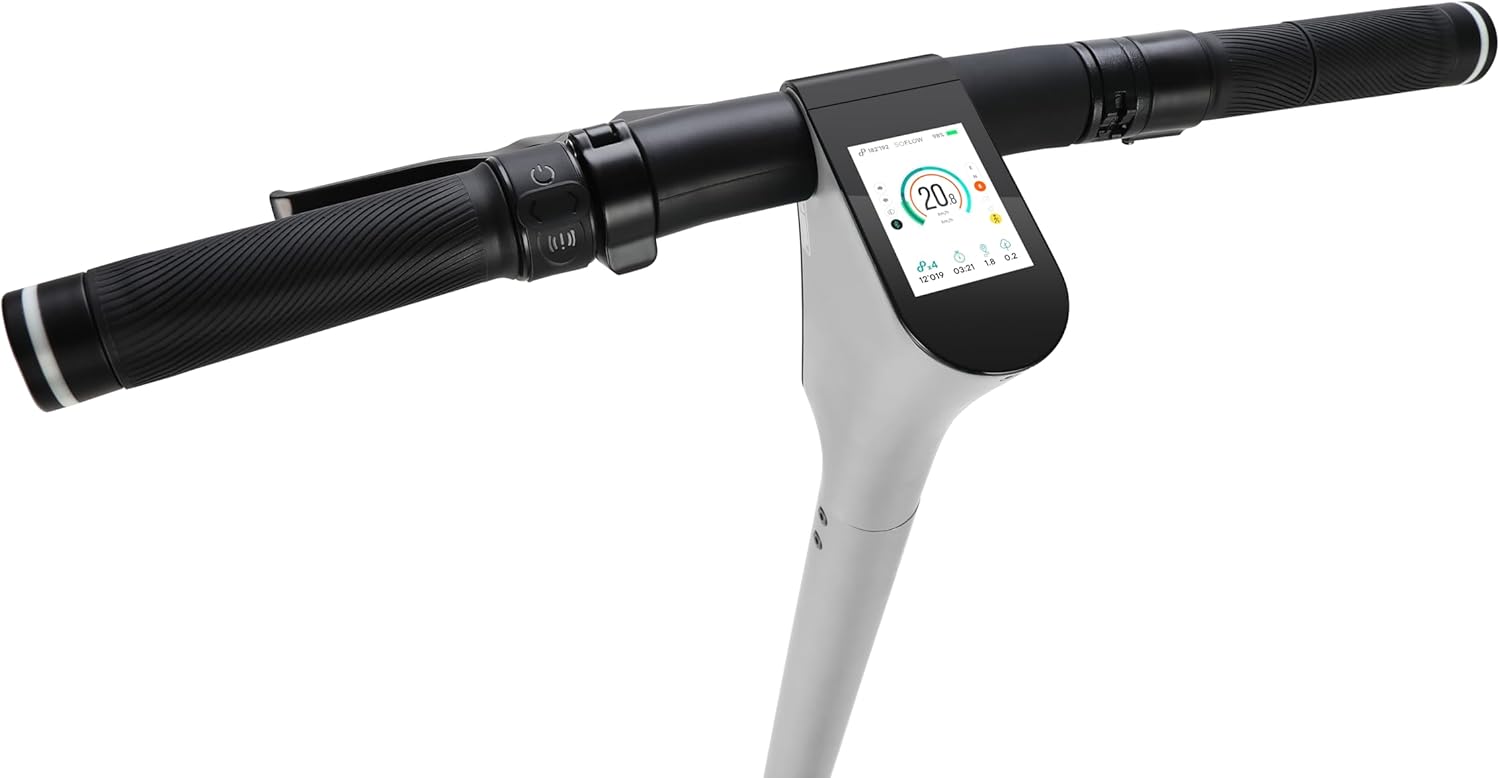
Whakaahua: He taipitopito view of the SOFLOW SO ONE PRO 1 handlebar, showing the integrated 2.8" TFT color display and control buttons.
2. Te eke i te kuta
- Tīmata: Place one foot on the deck and push off with the other foot to gain initial momentum. Once moving, gently press the accelerator lever.
- Whakaterenga: Use the thumb throttle on the right handlebar to control speed. Apply gentle pressure for smooth acceleration.
- Piripiri: The scooter is equipped with a front drum brake and a rear electric brake. Use the brake levers on the handlebars to slow down or stop. Apply both brakes simultaneously for optimal stopping power.
- Hurihuri: Lean slightly in the direction you wish to turn and gently steer the handlebars.
3. Lights and Turn Signals
- The scooter features a 60 lux front light, a brake light, and integrated turn signals for enhanced visibility and safety.
- Refer to the scooter's display or the SOFLOW app for controls to activate and manage the lighting system.
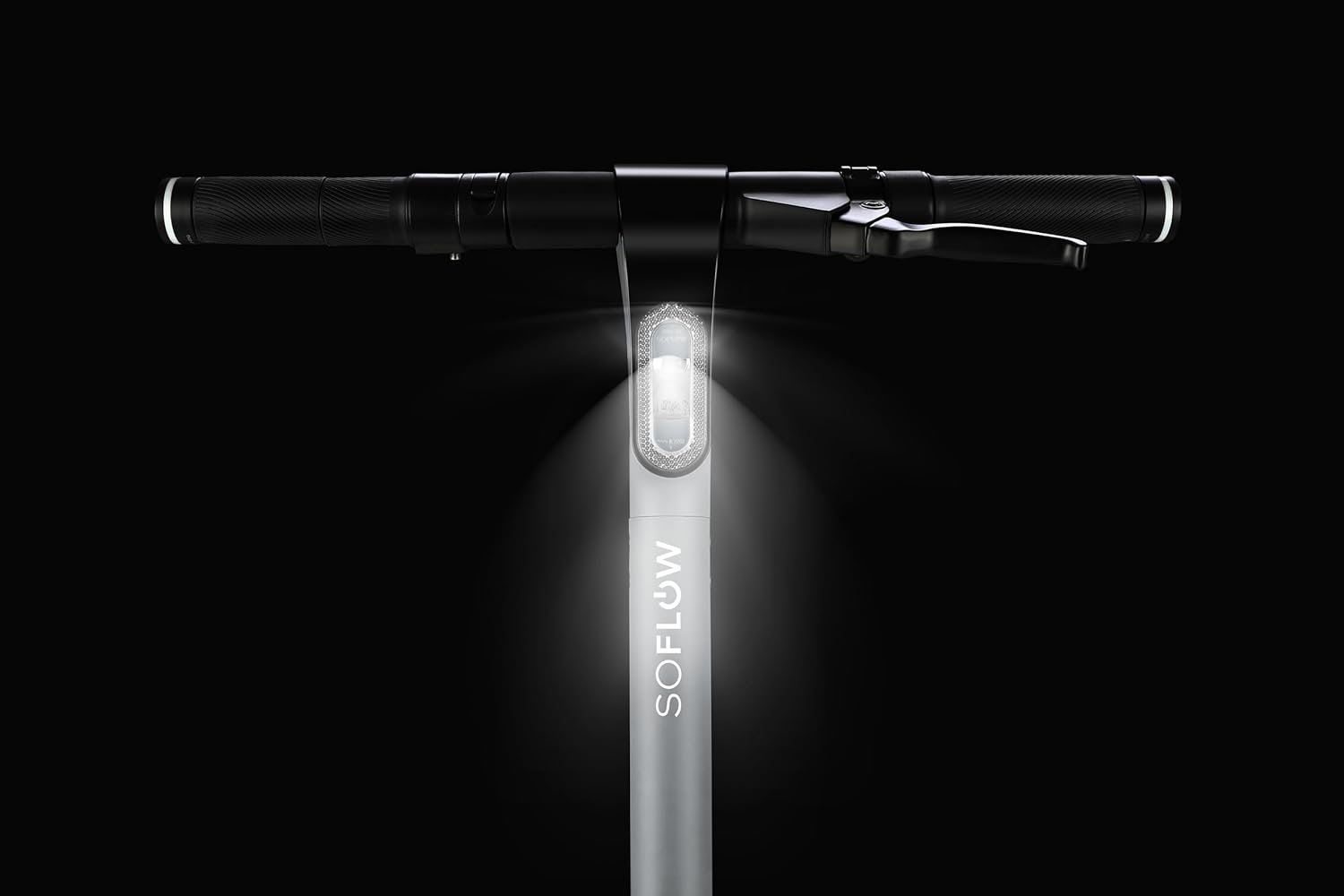
Image: The SOFLOW SO ONE PRO 1 Electric Scooter with its powerful 60 lux front light illuminated, providing visibility in low-light conditions.
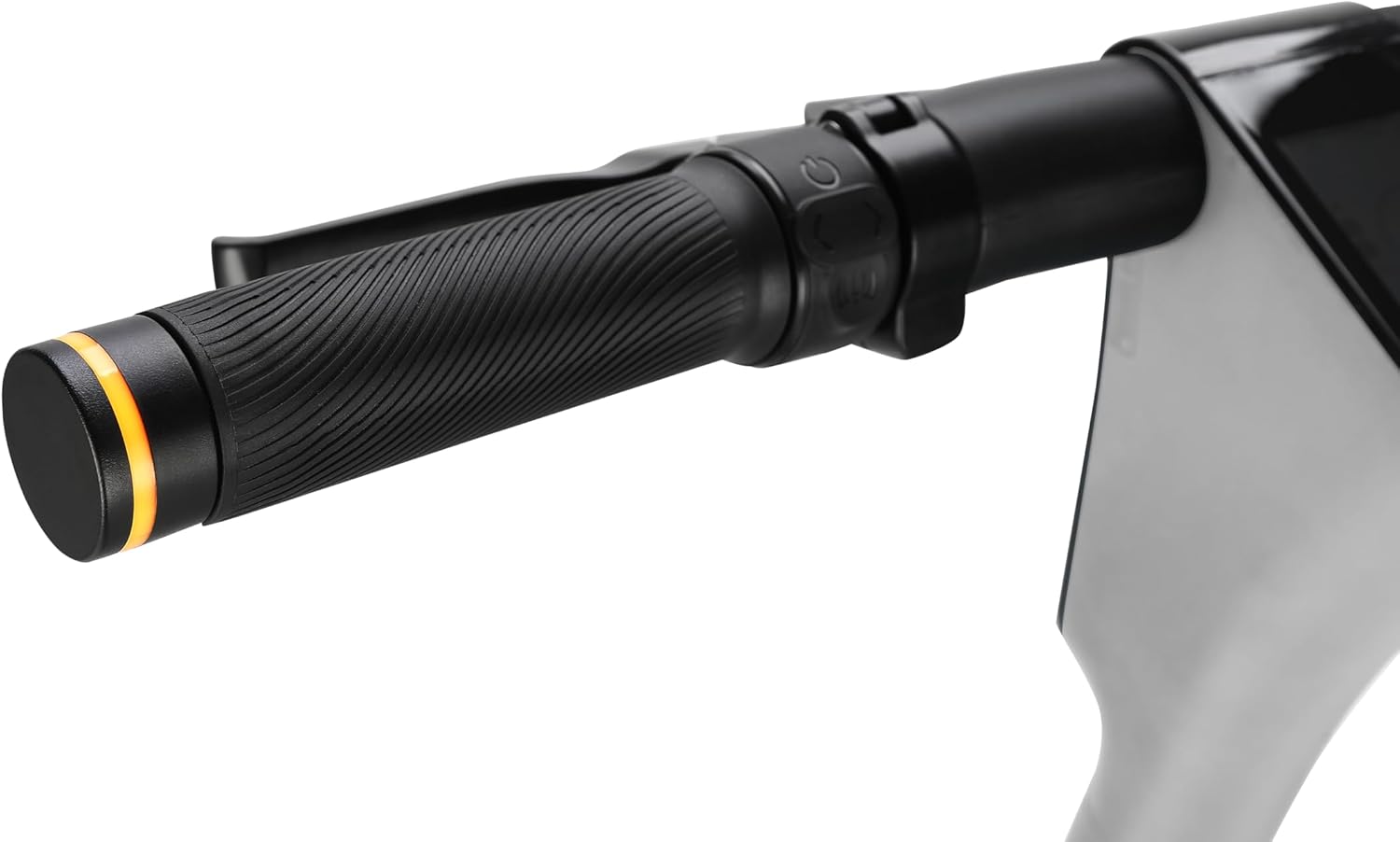
Image: A close-up of the handlebar grip, highlighting the integrated turn signal indicator for signaling intentions to other road users.
4. Kopaki mo te Rokiroki/Kawe
To fold the scooter for storage or transport, reverse the unfolding steps:
- Me mohio kua weto te kuta.
- Locate and release the handlebar stem locking mechanism.
- Carefully fold the handlebar stem downwards until it locks into the folded position.
Te tiaki
Ko te tiaki i nga wa katoa ka mau te roa me te mahi haumaru o to kuta.
- Te horoi: Horoia te kuta ki te panuiamp cloth. Do not use high-pressure water or immerse any part of the scooter in water.
- Pēhanga Tire: Regularly check and maintain the recommended tire pressure for the 10-inch air tires. Proper inflation improves ride quality and battery range.
- Tirohanga Parai: Periodically check the front drum brake and rear electric brake for wear and proper function. Adjust or replace components as needed by a qualified technician.
- Tiaki Pūhiko:
- A ape i te tino whakaheke i te pākahiko.
- Charge the battery regularly, even if the scooter is not in use for extended periods (e.g., once a month).
- Whakaorangia te kuta ki te waahi makariri, maroke, kia matara atu i te ra tika me te wera nui.
- Taki Whānui: Ensure all screws and fasteners are tight. Check for any loose parts or unusual noises.
Raparongoā
Ko tenei waahanga e aro ana ki nga take noa ka pa ki a koe. Mo nga raru kaore i te raarangi i konei, whakapaa atu ki te tautoko a nga kaihoko.
| Raruraru | Take pea | Rongoā |
|---|---|---|
| Karekau te hiko o te kuta. | He iti te pākahiko; he ngoikore ngā hononga; he hapa te pātene mana. | Charge the battery; check all visible connections; contact support if issue persists. |
| Te awhe iti, te kaha ranei. | Under-inflated tires; battery degradation; riding uphill frequently. | Check and inflate tires to recommended pressure; ensure full charge; adjust riding style. |
| He ngoikore te frein. | Brake pads worn; cable tension incorrect. | Inspect brake pads for wear; have brakes adjusted by a professional. |
| Nga haruru rereke i te wa e mahi ana. | Loose components; debris in wheels; motor issue. | Inspect scooter for loose parts; clear any debris; contact support if noise persists. |
Whakatakotoranga
| Āhuahira | Taipitopito |
|---|---|
| Tauira | SO ONE PRO 1 (300.531.02) |
| Waitohu | MAHI |
| Tae | Hiriwa Kerei |
| Awhe Tau (Whakaahuatanga) | Pakeke |
| Te Mana Motini | 500 W |
| Pūhiko | 10.0 Ah Lithium-ion (kei roto) |
| Rangi Tuarahi | Tae atu ki te 65 km (40 maero) |
| Waa Whakatau | Approx. 3.5 haora |
| Taumaha Taumaha | 120 Kirokaramu (265 lbs) |
| Rahi Hua (L x W x H) | 116 x 51.8 x 119 cm (45.7 x 20.4 x 46.9 inihi) |
| Taumaha Hua Net | 15.5 Kirokaramu (34.2 lbs) |
| Rauemi Tāpare | Konumohe |
| Rahi wira | 10 Inihi |
| Rauemi wira | Ngā Tāia Hau |
| Parani | Front Drum Brake, Rear Electric Brake |
| Whakatarewa | Whakatārewatanga Takirua |
| Nga waahanga motuhake | 50 Nm Torque, 60 lux Front Light, Brake Light, Turn Signals, Apple Find My, 2.8" TFT Color Display |
| Nga Waahanga kei roto | Scooter, Charger |
Pūtāhui me te Tautoko
For warranty information, product support, or to purchase replacement parts, please visit the official SOFLOW webpaetukutuku, whakapā atu ranei ki ta raatau tari ratonga kaihoko. Puritia to tohu hoko mo nga kereme whakamana.
Kaihanga: SoFlow
Webpae: www.soflow.com (Exoampte hononga, tēnā manatokohia te mana webpae)


