1. Kupu Whakataki
This manual provides detailed instructions for the operation and maintenance of the LAUNCH CRP129E Plus OBD2 Scanner. Please read this manual thoroughly before using the device to ensure proper and safe operation. The CRP129E Plus is a comprehensive diagnostic tool designed for automotive professionals and enthusiasts, offering full system diagnostics and various service reset functions.
2. Hua Neke Atuview
2.1. Waenga Pūrere
The LAUNCH CRP129E Plus features a user-friendly interface with a 5-inch touchscreen and physical buttons for navigation.

Whakaahua 2.1: The LAUNCH CRP129E Plus OBD2 Scanner and its protective carrying case.
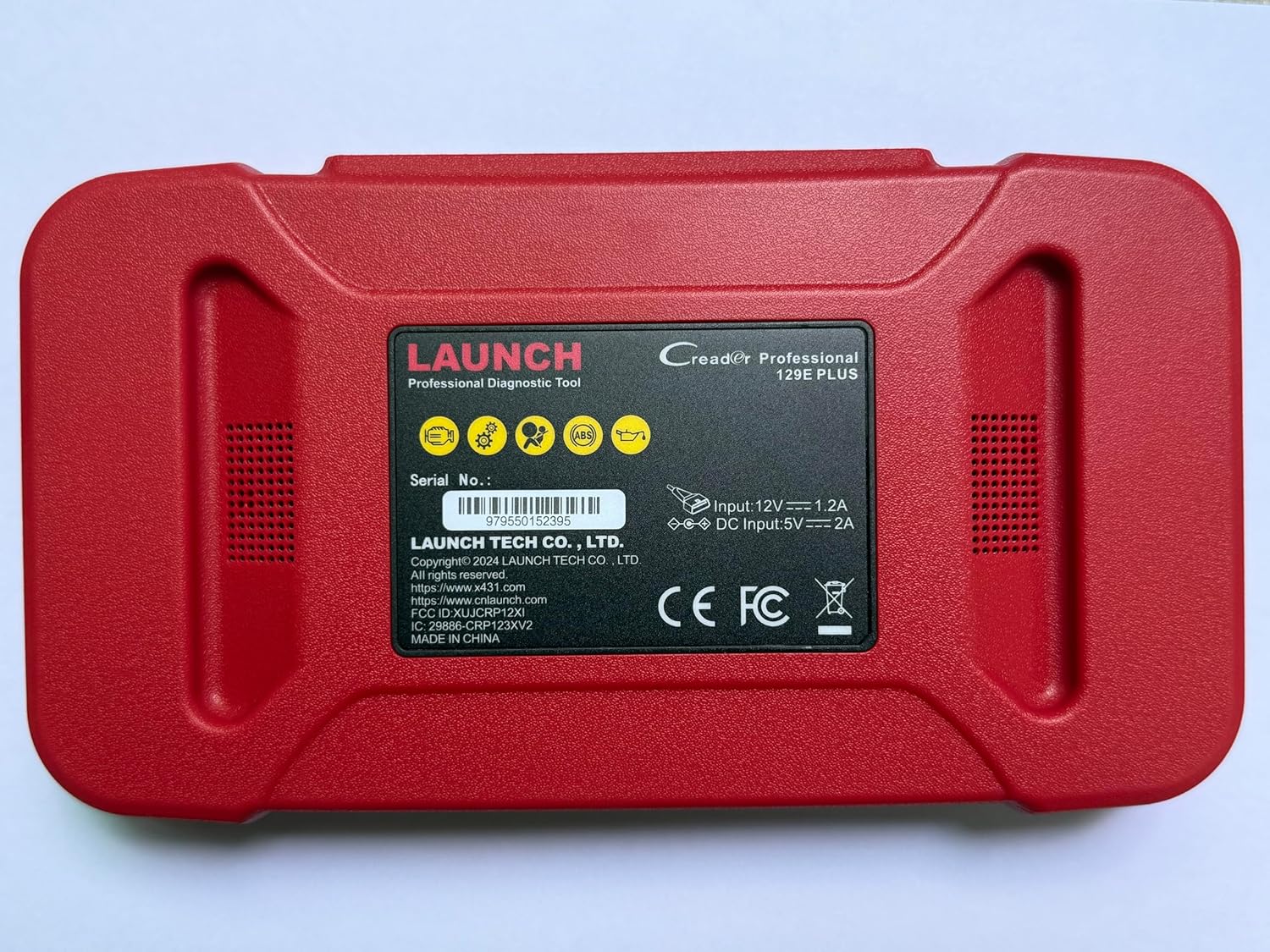
Whakaahua 2.2: Whakamuri view of the CRP129E Plus, displaying input voltage, current specifications, and serial number (e.g., 979550152395).
2.2. Ihirangi mokete
Kia wetewetehia te pouaka, me whakaū kei roto katoa ngā taonga kua whakarārangihia i raro nei:
- CRP129E PLUS OBD2 Scanner (x1)
- OBDII Cable (x1)
- 5V DC Charging Cable (x1)
- Pukapuka Kaiwhakamahi (x1)
- Arataki Tere Tere (x1)
- Pēke Kawe (x1)

Whakaahua 2.3: Visual representation of the CRP129E Plus package contents.
3. Tatūnga me te Whakamahi Tuatahi
3.1. Ka tohatohahia te Pūrere
Before first use, ensure the device is fully charged using the provided 5V DC charging cable. Connect the cable to the device and a suitable power source.
3.2. Te Whakakaha/Weto
- Whakahiko: Patohia me te pupuri i te paatene mana kia marama ra ano te mata.
- Weto Whakakore: Press and hold the power button, then select "Power Off" from the options.
3.3. Te Hononga ki te Waka
Locate the vehicle's OBDII port, typically under the dashboard on the driver's side. Connect the provided OBDII cable from the CRP129E Plus to the vehicle's OBDII port. Ensure the vehicle's ignition is in the ON position (engine off or running, depending on the diagnostic task).
3.4. Wi-Fi Connection and Updates
The CRP129E Plus supports one-click Wi-Fi updates. Connect the device to a stable Wi-Fi network to download the latest software and vehicle data. Regular updates ensure compatibility with new vehicle models and improved diagnostic functions.
- From the main menu, tap "Settings".
- Select "WLAN" and connect to an available network.
- Return to the main menu and tap "Upgrade".
- Select the desired software updates and tap "Update".

Whakaahua 3.1: The device interface showing options for updates, DTC lookup, live data stream, and battery test.
4. Nga Tohutohu Whakahaere
4.1. Matawai VIN Aunoa
The device can automatically identify vehicle information. After connecting to the vehicle, select "Diagnose" and the device will attempt an Auto VIN scan to quickly identify the vehicle's make, model, and year.

Whakaahua 4.1: Visual representation of the Auto VIN scan process and systems covered by diagnosis.
4.2. Tātaritanga Pūnaha Katoa
The CRP129E Plus can access and diagnose all available vehicle systems. This includes, but is not limited to, Engine, ABS, SRS, SAS, TCM, TPMS, Body, Chassis, Powertrain, Fuel System, and Lighting System.
- From the main menu, select "Diagnose".
- Choose "Health Report" or select specific systems for diagnosis.
- The device will scan for Diagnostic Trouble Codes (DTCs) and display results.
- You can read fault codes, clear fault codes, and view live data streams.

Whakaahua 4.2: Ka mutuview of the comprehensive system diagnostic capabilities.
4.3. Ngā Mahi OBD2
The device supports all 10 modes of OBDII testing for emissions-related issues.
- Pānuihia/Ūkuia ngā DTC: Retrieve and erase diagnostic trouble codes.
- Rere Raraunga Ora: View real-time data from the vehicle's sensors.
- I / M Te Rite: Tirohia te tūnga o ngā aroturuki e pā ana ki ngā tukunga.
- Whakatio Raraunga Tāpare: View he tirohanga poto o te āhua o te waka i te wā i whakatakotoria ai he waehere hapa.
- O2 Whakamatau Whakamatau: Tikina ngā hua whakamātautau o te aroturuki pūoko O2.
- Whakamātautau Aroturuki i runga i te Papa: Retrieve results for emission-related powertrain components.
- Whakamātautau Pūnaha EVAP: Tīmatahia he whakamātautau o te pūnaha tukunga mimiti.
- Mōhiohio Waka: Tikina te tau tautuhi waka (VIN), te tau tautuhi whakatikatika, me te tau manatoko whakatikatika (CVN).
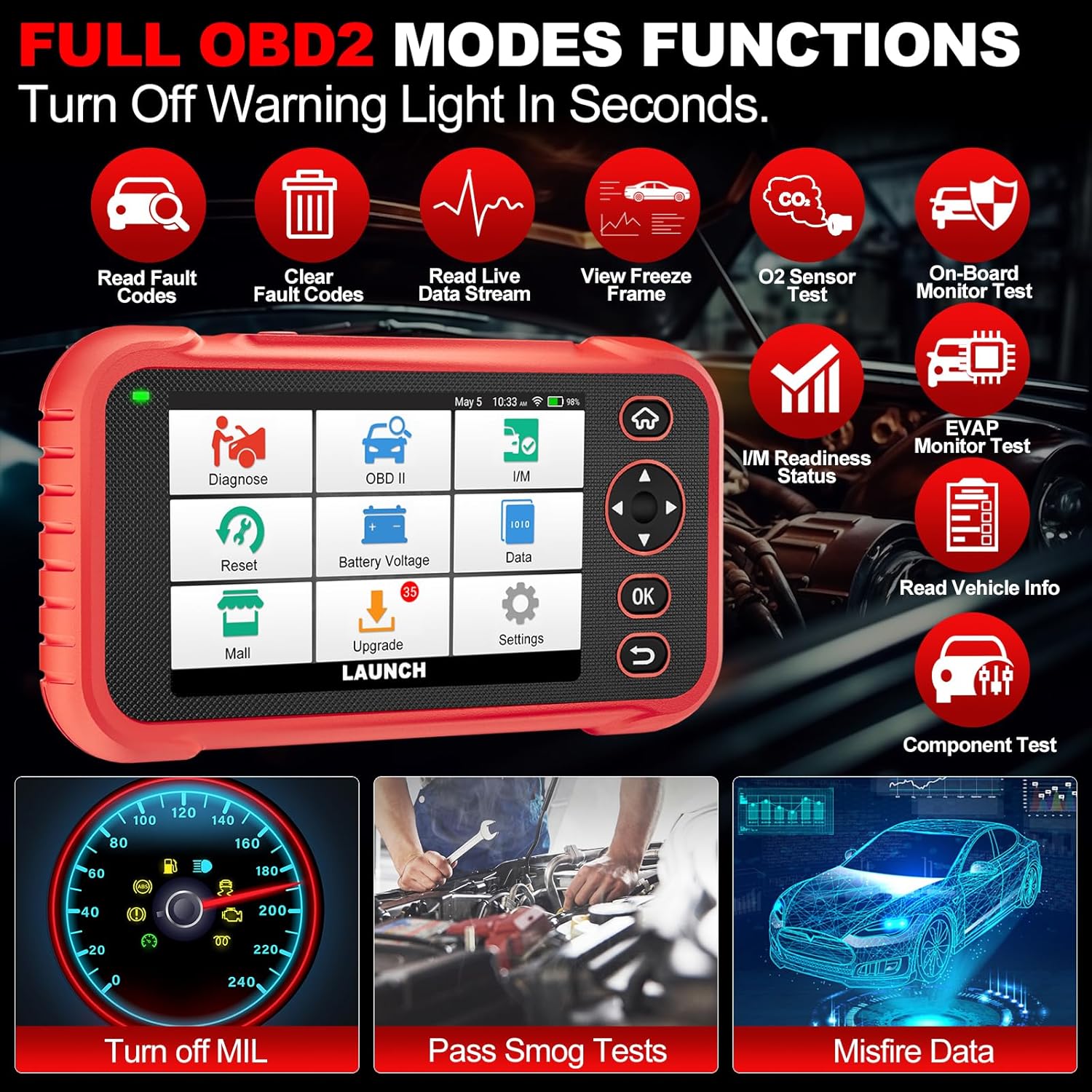
Whakaahua 4.3: Main menu options for OBD2 functions.
4.4. Service Reset Functions
The CRP129E Plus offers 12+ essential service reset functions for common maintenance tasks.
- Tautuhi Hinu: Ka tautuhi anō i te pūnaha ora hinu i muri i te whakawhiti hinu.
- Te Whakarerekētanga o te Tātari: Ka tīmata i ngā kaiwhakaoho whakatere ki te āhua taunoa.
- Adblue Reset: Resets the urea after the diesel exhaust fluid (AdBlue) is replaced or refilled.
- Tihiamp Whakaōrite: Calibrates the adaptive front lighting system.
- Tautuhi Anō TPMS: Tautuhi anō i ngā pūoko pūnaha aroturuki pēhanga potae.
- SAS Tautuhi Anō: Ka whakatikatika i te pūoko koki urungi.
- Battery Matching (BMS Reset): Registers new battery replacement.
- A/F Reset: Adjusts air/fuel ratio parameters.
- D-P-F Regeneration: Ka whakakore i ngā matūriki mai i te tātari DPF.
- Te Whakawaehere Werohanga: Ka waehere i ngā tau werohanga hou ki te ECU.
- Tautuhi Anō EPB: Ka tautuhi anō i ngā papa pēki waka hiko i muri i te whakakapinga.
- Te toto ABS: Performs bleeding of the brake system.

Whakaahua 4.4: Ka mutuview of available service reset functions.
4.5. Live Data Graphing and Recording
The device can display live data streams in merged quadrant graphs, allowing for comprehensive analysis of up to four parameters simultaneously. Data can also be recorded and played back for further review.

Whakaahua 4.5: Example of 4-in-1 live data graphing and diagnostic report generation.
4.6. Pūhiko Voltage Whakamatautau
Aroturuki i te kaha o te pākahiko o te wakatage in real-time to assess its status and identify potential issues.

Whakaahua 4.6: Pūhiko voltage test interface and other diagnostic support features.
5. Tiaki
- Te horoi: Whakamahia he kakahu maeneene, maroke hei horoi i te taputapu. A ape i te kai horoi, te whakarewa ranei.
- Rokiroki: Store the device in its carrying case in a cool, dry place when not in use.
- Whakahōu Pūmanawa: Regularly check for and install software updates via Wi-Fi to ensure optimal performance and vehicle compatibility.
- Tiaki Pūhiko: Avoid fully discharging the battery frequently. Charge the device regularly, even if not in active use, to maintain battery health.
6. Te Raru
| Raruraru | Take pea | Rongoā |
|---|---|---|
| Kaore te taputapu i te hiko. | Low battery; faulty power button. | Charge the device for at least 30 minutes. If issue persists, contact support. |
| Hapa whakawhiti korero me te waka. | Loose OBDII connection; vehicle ignition off; incompatible vehicle protocol. | Ensure cable is securely connected. Turn ignition to ON. Verify vehicle compatibility. |
| Unable to update software. | No Wi-Fi connection; unstable internet; insufficient storage. | Check Wi-Fi connection. Ensure stable internet. Free up storage if necessary. |
| Kāore te mata e aro mai. | He hapa pūmanawa; he kino ā-tinana. | Tīmata anō te pūrere. Ki te mau tonu te raruraru, whakapā atu ki te tautoko. |
7. Whakatakotoranga
- Tauira: CRP129E PLUS
- Pūnaha Mahi: Android 7.0
- Whakaatu: 5-inihi Mata pa
- Pūmahara: 16GB
- Pūhiko: 6100mAh
- Hononga: Wi-Fi
- Ahu: 7.09 x 6.3 x 2.36 inihi
- Taumaha Tūemi: 2.27 pauna
- Kawa Tautoko: OBDII/EOBD
- Kapinga Motuka: Over 85 brands (1996-2025)
- UPC: 884508007774

Whakaahua 7.1: Summary of key hardware and software specifications.

Whakaahua 7.2: Extensive vehicle brand coverage and multi-language support.
8. Pūtāhui me te Tautoko
The LAUNCH CRP129E Plus comes with a manufacturer's warranty. Please refer to the official LAUNCH webpae, to tuhinga hoko ranei mo nga tikanga me nga tikanga whakamana.
- Pūtāhui: 5 Years (as per product information)
- Return/Replace Policy: 90 Days (as per product information)
- Tautoko Hangarau: 24/7 technical support is available. For assistance, please contact LAUNCH customer service.
- Online Feedback: The device supports online feedback for quick resolution of diagnostic issues.
For further assistance or to provide feedback, please visit the official LAUNCH support channels.


