Kupu Whakataki
Thank you for choosing the Dlyfull M4S Universal Battery Charger. This manual provides essential information for the safe and efficient operation of your charger. Please read it thoroughly before use and retain it for future reference.

Image: The Dlyfull M4S 4-bay universal battery charger, shown with its included USB-C charging cable.
Nga waahanga hua
- Hototahi Whānui: Supports a broad range of 3.6V/3.7V Li-ion/IMR/INR/ICR batteries (e.g., 18650, 21700, 26650) and 1.2V Ni-MH/Ni-CD batteries (e.g., AAAA, AAA, AA, C).
- Utu-C Tere-Tirohanga Whakatau: Offers up to 2000mA charging current for a single 3.7V lithium battery (slot 4), 1000mA for two, and 500mA for four. Ni-MH/Ni-CD batteries charge at 500mA.
- Mana Kawe: USB-powered design allows charging via PC, adapter, power bank, or car charger.
- Multiple Protection System: Includes 0V/low-voltage activation, thermal, overcurrent, overvoltage, short-circuit, and overcharge protection. Detects non-rechargeable and defective batteries.
- Tohu Tohu Maamaa: Easy-to-read indicators show battery capacity and charging status for each independent slot.
- Sophisticated Slider Design: Features thicker, smooth sliders for improved battery insertion and removal.
Hototahi
The Dlyfull M4S charger is designed for a wide array of rechargeable batteries. Refer to the table below for supported battery types:
| Momo Pūhiko | Supported Sizes |
|---|---|
| 3.6V/3.7V Li-ion/IMR/INR/ICR | 26650, 26500, 25500, 22650, 22500, 21700, 20700, 18700, 18650, 18500, 18490, 18350, 17670, 17650, 17500, 17350, 16650, 16340 (RCR123), 16500, 14650, 14500, 14430, 14350, 13650, 13500, 13450, 12650, 12500, 12340, 10500, 10440, 10350, 10340 |
| 1.2V Ni-MH/Ni-CD | AAAA, AAA, AA, A, C, SC |

Image: The Dlyfull M4S charger demonstrating its independent slots and compatibility with various battery sizes, including 1.2V Ni-MH/Ni-CD and 3.6V/3.7V Li-ion batteries.
Tatūnga
- Hono Hono: Connect the provided Type-C cable to the charger's USB-C input port. Plug the other end of the USB cable into a compatible 5V/2A USB power source (e.g., PC USB port, wall adapter, power bank, car charger). The charger's indicators will briefly light up.
- Kōkuhu Pūhiko: Carefully insert rechargeable batteries into the charging slots, ensuring correct polarity (+ and -). The charger features sophisticated sliders for smooth insertion. Each slot operates independently.

Image: A diagram illustrating the various power supply options for the Dlyfull M4S charger, including PC, wall plug, power bank, and car charger.
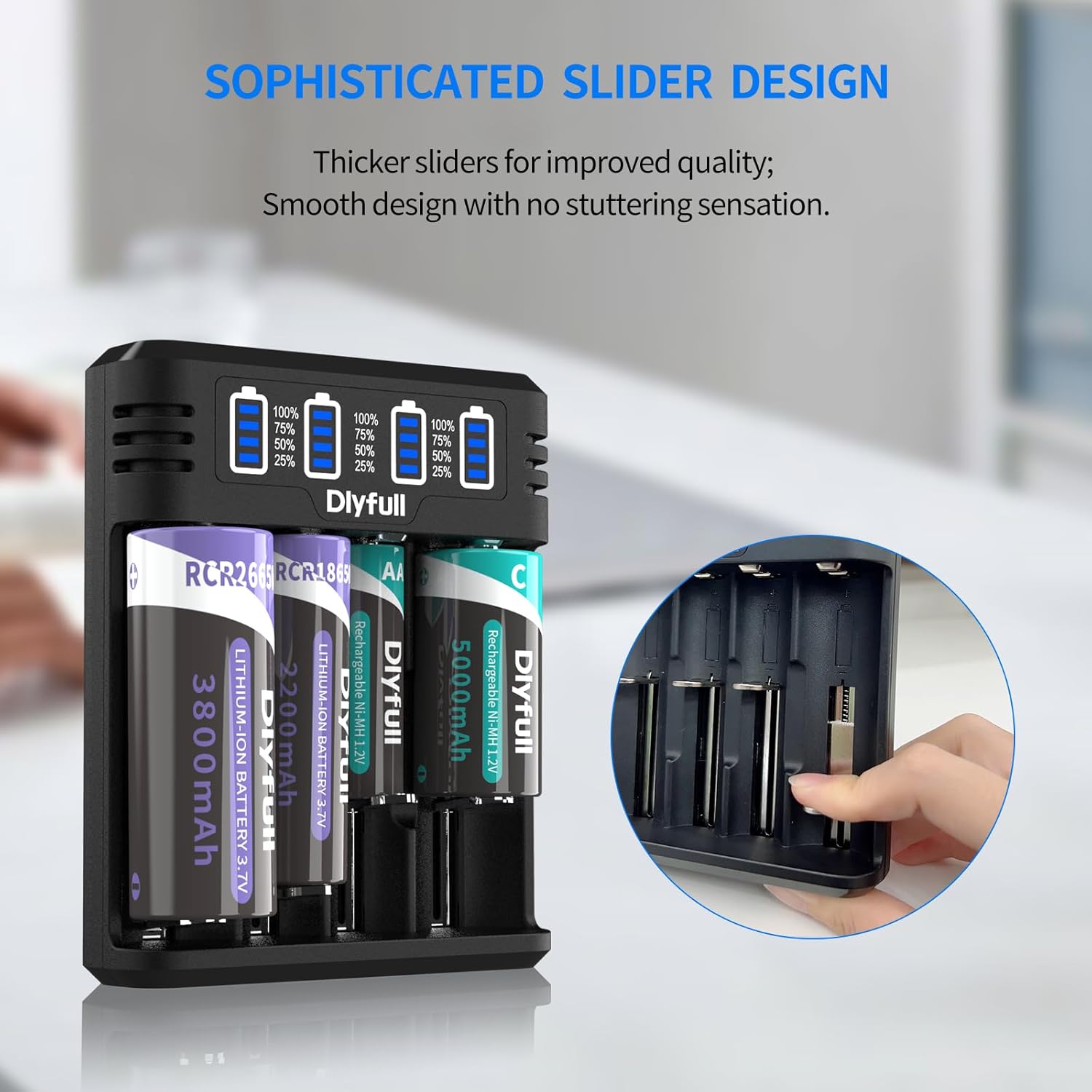
Whakaahua: He tata view of the Dlyfull M4S charger, highlighting the smooth slider design as a hand inserts a battery into one of the charging slots.
Nga Tohutohu Whakahaere
Tukatuka Toha:
- Once a battery is inserted, the corresponding LED indicator will illuminate, showing the current charge level.
- Ka kitea aunoa e te rihi te momo pākahiko ka timata ki te utu.
- Charging current varies based on the number and type of batteries:
- 3.7V Li-ion: 2000mA (Slot 4 only), 1000mA (for two batteries), 500mA (for four batteries).
- 1.2V Ni-MH/Ni-CD: 500mA.
- The LED indicator will show charging progress (25%, 50%, 75%, 100%).
- When charging is complete, the indicator will show 100% and the charger will automatically stop charging to prevent overcharge.

Image: The Dlyfull M4S charger with batteries inserted, showing the smart LED indicators that display battery capacity and charging status for each slot.

Image: The Dlyfull M4S charger highlighting its USB-C input and fast charging specifications for different battery types and quantities.
0V/Low-Voltage Activation:
The charger can activate 0V/low-voltage batteries. If a battery is deeply discharged, the charger will attempt to reactivate it before commencing the normal charging cycle. Do not discard old batteries without attempting activation.

Image: A diagram illustrating the 0V/Low Voltage Activation feature, showing how the charger can revive deeply discharged batteries.
Whakatupato Haumaru
The Dlyfull M4S charger incorporates multiple protection features to ensure safe operation. Please observe the following:
- Kaua e utu nga pākahiko kore-rechargeable. This can lead to explosion, rupture, or leakage, causing property damage and personal injury.
- Ensure correct battery polarity (+/-) when inserting.
- Kaua e wetewete, whakarereke ranei i te rihi.
- Puritia te rihi kia matara atu i te wai, i te makuku me ngā pāmahana tiketike.
- The charger is equipped with:
- Te Whakahaumaru Tiara
- Parenga Utu Utu
- Parenga Orere
- Parenga iahiko-poto
- Parenga Whakawera
- Whakawhanatage Tiaki
- Defective Battery Detection

Image: The Dlyfull M4S charger with a visual representation of its comprehensive multiple protection system, including safeguards against reverse polarity, overcharge, overcurrent, short-circuit, overheating, and overvoltage.

Image: A close-up of the Dlyfull M4S charger's ventilation design, indicating its ability to prevent overheating during operation.
Te tiaki
- Clean the charger regularly with a dry, soft cloth. Do not use abrasive cleaners or solvents.
- Whakaorangia te rihi ki te waahi makariri, maroke ki te kore e whakamahia.
- A ape i te tuku, te tuku ranei i te rihi ki nga paanga kaha.
Raparongoā
| Raruraru | Take pea | Rongoā |
|---|---|---|
| Karekau te hiko i te hiko. | No power supply; faulty cable; faulty power adapter. | Check USB cable connection; try a different USB port or power adapter. |
| Karekau te pākahiko e utu ana. | Incorrect battery type (non-rechargeable); incorrect polarity; defective battery. | Ensure battery is rechargeable and inserted with correct polarity. If the battery is defective, the charger will indicate it. |
| Puturi te utu. | Insufficient power input (e.g., low current USB port); too many batteries charging simultaneously. | Use a 5V/2A power adapter. Note that charging current decreases with more batteries inserted. |
Whakatakotoranga
- Tauira: M4S
- Whakauru Voltage: 5 Volts
- Putanga Voltage: 4.2 Volts (DC)
- Rahi Hua: 4.6" D x 3.7" W x 1.25" H (11.68 cm D x 9.4 cm W x 3.18 cm H)
- Taumaha Tūemi: 5.6 hekere (158.76 karamu)
- Tae: Pango
- Kaihanga: Katoa
- Whenua Taketake: Haina
Pūtāhui me te Tautoko
The Dlyfull M4S Universal Battery Charger comes with a 1-tau pūtāhui mai i te ra o te hokonga.
For any questions, concerns, or technical support, please contact Dlyfull customer service. We offer 24-haora ratonga kiritaki hei awhina i a koe.
Please refer to your purchase documentation for specific contact details or visit the official Dlyfull webpae.


