1. Kupu Whakataki me Nekeview
The MOJOGEAR XL All-in-1 Powerbank is a versatile and high-capacity portable charger designed to keep your electronic devices powered on the go. With a substantial 20,000 mAh capacity, built-in USB-C and Lightning cables, and multiple output ports, it offers convenient and fast charging for smartphones, tablets, smartwatches, and other compatible devices. Its compact design and airplane-friendly capacity make it an ideal travel companion.

Image 1.1: The MOJOGEAR XL All-in-1 Powerbank, showcasintōna hoahoa kiato me ngā taura whakauru.
2. Nga Hua o te Hua
- Raukaha Teitei: 20,000 mAh battery, capable of charging a smartphone 3 to 8 times.
- Tauira Whakauru: Features built-in USB-C and Lightning cables for direct device charging without extra accessories.
- Putanga Maha: Includes 1x USB-C port (in/out) and 1x USB-A port, allowing simultaneous charging of up to three devices.
- Whakataki Tere: Supports Quick Charge 3.0 (up to 22.5W via USB-A) and USB Power Delivery (up to 20W via USB-C) for rapid charging.
- Whakaatu LED: Clear LED screen indicates remaining battery percentage me te mana utu.
- Haerere-hoa: 74 Wh capacity is suitable for air travel in hand luggage.
- Utu-a-Tua ki te utu: Allows charging of connected devices while the power bank itself is being recharged.
3. Tatūnga
3.1 Utu Tuatahi
Before first use, fully charge your MOJOGEAR XL All-in-1 Powerbank. This ensures optimal battery performance and longevity.
- Connect the built-in USB-C cable or an external USB-C cable to the power bank's USB-C input/output port.
- Monohia tetahi pito o te taura ki te urutau pakitara USB hototahi (kaore i whakauruhia).
- The LED display will show the charging progress. A green lightning icon on the LED screen indicates fast charging. The power bank is fully charged when the display shows 100%.
3.2 Identifying Ports and Cables
Familiarize yourself with the power bank's charging interfaces:
- Tauira USB-C i roto: Used for charging devices with a USB-C port (e.g., Android smartphones, iPhone 15) and for recharging the power bank itself.
- Uira Hanga-roto: Used for charging Apple devices with a Lightning port (e.g., iPhone 14 and older).
- USB-C Port (In/Out): Functions as both an input for recharging the power bank and an output for charging devices.
- USB-A Port (Output): Used for charging devices that require a standard USB-A connection.

Whakaahua 3.1: Taha view illustrating the USB-A and USB-C ports on the power bank.
4. Nga Tohutohu Whakahaere
4.1 Te Whakataki i o Pūrere
The power bank offers multiple ways to charge your electronic devices:
- Te whakamahi i ngā taura kua whakauruhia: Extend the appropriate built-in USB-C or Lightning cable and connect it directly to your device's charging port.
- Te whakamahi i te tauranga USB-C: Connect your device to the power bank's USB-C input/output port using a compatible USB-C to USB-C cable.
- Ma te Tauranga USB-A: Connect your device to the power bank's USB-A output port using a compatible USB-A cable.

Image 4.1: A smartphone being charged by the power bank using one of its integrated cables.
4.2 Te Utu Whakakotahi
You can charge up to three devices simultaneously using the built-in USB-C cable, the USB-C port, and the USB-A port. The power bank will intelligently distribute power to connected devices.
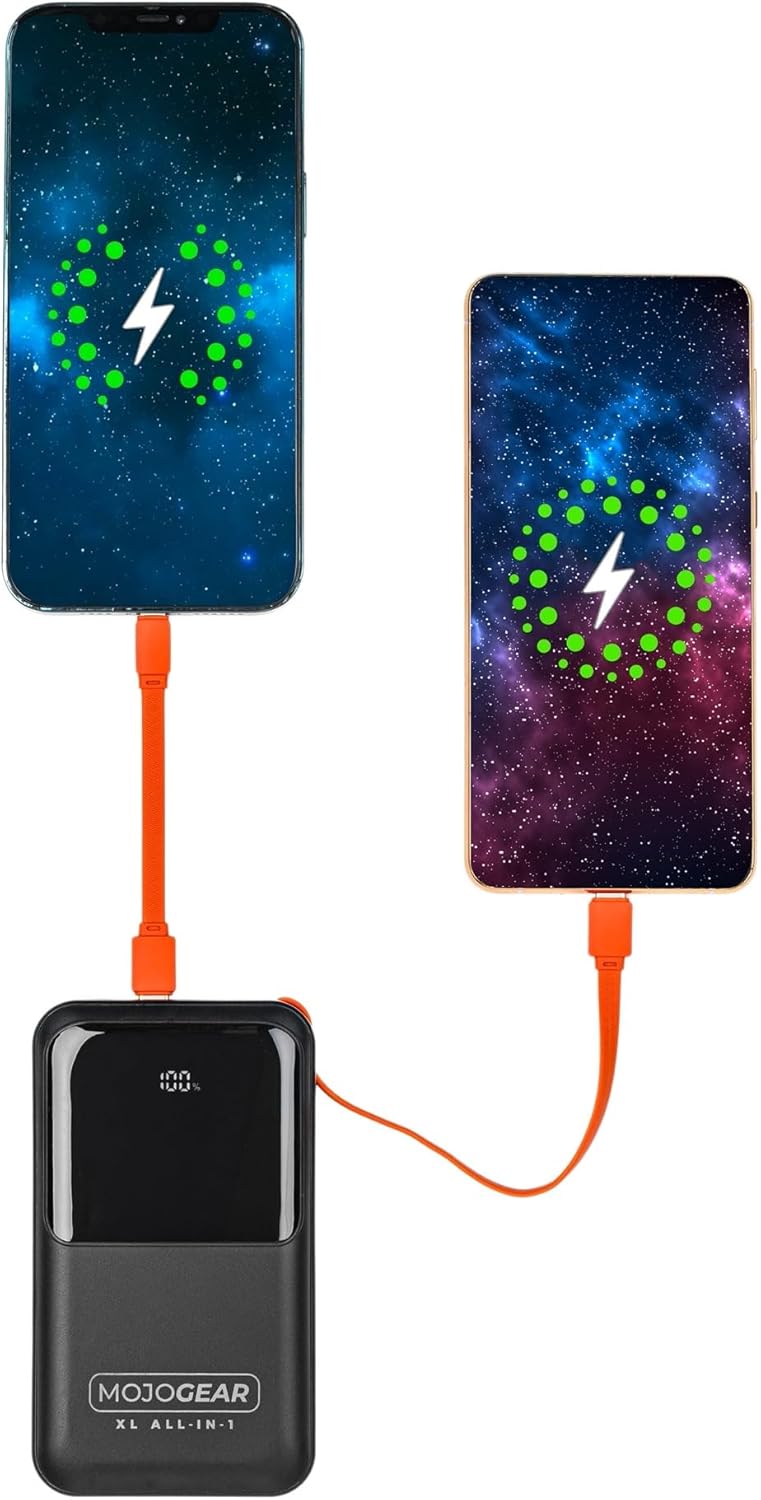
Image 4.2: Illustration of two smartphones receiving charge from the power bank.
4.3 Utu-Ma te Whakataki
The MOJOGEAR XL All-in-1 Powerbank supports pass-through charging, meaning you can charge your devices while the power bank itself is being recharged. Simply connect the power bank to a power source and then connect your devices to the power bank.
4.4 LED Display Functionality
The integrated LED screen provides real-time information:
- Pūhiko Tekautage: E whakaatu ana i te toenga o te utu o te pēke hiko.
- Whakahaeretanga: Indicates when the power bank is charging (a green lightning icon may appear for fast charging) or when it is discharging to connected devices.
5. Tiaki
- Te horoi: Use a soft, dry cloth to clean the power bank. Avoid liquid cleaners or abrasive materials.
- Rokiroki: Whakaorangia te peeke hiko ki te waahi makariri, maroke atu i te ra tika me te wera nui.
- Whakamahi auau: To maintain battery health, it is recommended to fully charge and discharge the power bank at least once every three months if not in regular use.
- Tiaki taura: Ensure built-in cables are properly tucked into their designated slots when not in use to prevent damage.
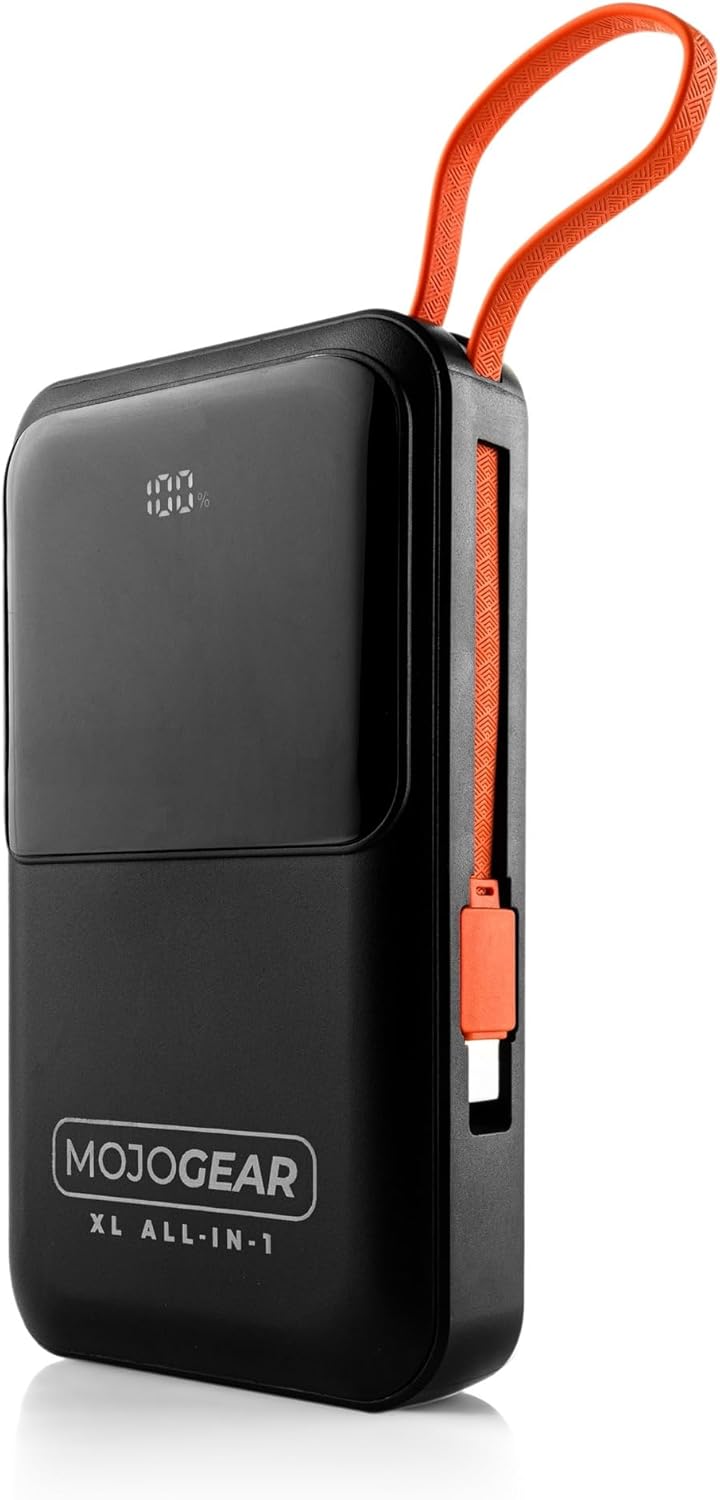
Image 5.1: The power bank with its integrated cables securely stored, ready for transport.
6. Te Raru
- Karekau te Peeke Hiko i te utu:
- Me mohio kei te hono pai te taura utu ki te peeke hiko me te urutau pakitara.
- Manatokohia kei te tika te mahi o te urutau pakitara ka honoa ki te putanga hiko ora.
- Whakamātauria te whakamahi i tētahi taura USB-C rerekē, whāurutau pakitara rānei.
- Kaore te Pūrere e utu mai i te peeke hiko:
- Tirohia mēnā he rawaka te utu o te pēke hiko (tirohia te mata LED).
- Ensure the cable connecting the device to the power bank is securely plugged in at both ends.
- Try using a different cable or a different output port on the power bank.
- Whakaūtia kei te hototahi tō pūrere ki ngā whakaritenga putanga o te pēke hiko.
- Whakaoho Puturi:
- Ensure you are using a fast-charging compatible cable and wall adapter for optimal speed when recharging the power bank.
- For device charging, verify that your device supports fast charging and that you are using the appropriate port/cable (e.g., USB-C PD).
- Ma te utu i nga taputapu maha i te wa kotahi ka whakaitihia te tere o te utu takitahi.
- Whakaaturanga LED Kaore i te Mahi:
- Pēhia te pātene mana mō te wā poto hei whakahohe i te mata.
- If the issue persists, the power bank may be completely discharged or require service.
7. Whakatakotoranga
| Āhuahira | Taipitopito |
|---|---|
| Te kaha | 20,000 mAh (74 Wh) |
| E tika ana mo | Smartphones, tablets, e-readers, action cameras, wireless earphones, and more. |
| Ihirangi mokete | Power bank, USB-A to USB-C cable (20 cm), USB-C to Lightning cable (10 cm) |
| Hononga | 1 x USB-C port (in/out), 1x USB-A port, built-in charging cable (USB-C), built-in Lightning cable |
| Ahu | 10.6 x 7 x 1.6 cm |
| Taumaha | 323 karamu |
| Smartphone Charging Cycles | 3 to 8 times (depending on model) |
| Te Utu Whakatau | Ae |
| Max Power USB-C Output | 20W |
| Max Power USB-C Input | 15W |
| Max Power USB-A Output | 22.5W |
| Max Power Built-in USB-C Cable | 22.5W |
| Max Power Built-in Lightning Cable | 15W |
| Te kaha | 85% |
| Tohu LED | ōrau pūhikotage me te mana utu |
| Tae | Pango |
| Rauemi Whare | Kirihou |
| Nga waahanga haumaru | Tested and protected against overcharging |

Image 7.1: Product label displaying key specifications and certifications.
8. Nga korero haumaru
Please read and follow these safety guidelines to ensure safe operation and prolong the life of your power bank:
- Kaua e whakaatuhia te pēke hiko ki ngā pāmahana tino wera (wera, makariri rānei), ki te rā tika, ki te haumākū nui rānei.
- Avoid dropping, impacting, or disassembling the power bank.
- Purihia te peeke hiko mai i te wai me etahi atu wai.
- Kaua e whakamahia te peeke hiko mena kua pakaru, kua tetere, kua turuturu ranei.
- Kaua e taea e nga tamariki.
- Whakamahia anake nga taura utu me nga taputapu urutau taketake, whaimana ranei.
- Makahia te peeke hiko kia rite ki nga ture o te rohe.
9. Pūtāhui me te Tautoko
The MOJOGEAR XL All-in-1 Powerbank comes with a 2-tau taurangi mai i te rā i hokona ai. Ka hipokina e tēnei pūtāhui ngā hapa hangahanga, ā, ka whakarite kia tutuki i te hua āna paerewa mahi kua tohua i raro i te whakamahinga noa.
For warranty claims, technical support, or any inquiries regarding your MOJOGEAR product, please contact MOJOGEAR customer service through the retailer where you purchased the item or visit the official MOJOGEAR webpae mo nga korero whakapā.
Tena koa pupurihia to tohu mo te hoko mo te whakamana whakamana.


