1. Kupu Whakataki
This manual provides instructions for the safe and efficient use of your Beautyrest Wi-Fi Heated Electric Blanket. Designed for comfort and convenience, this blanket features Wi-Fi connectivity, voice command compatibility with Alexa, 20 heat settings, and an automatic shut-off function. It is UL Certified and Oeko-Tex certified, ensuring quality and safety.
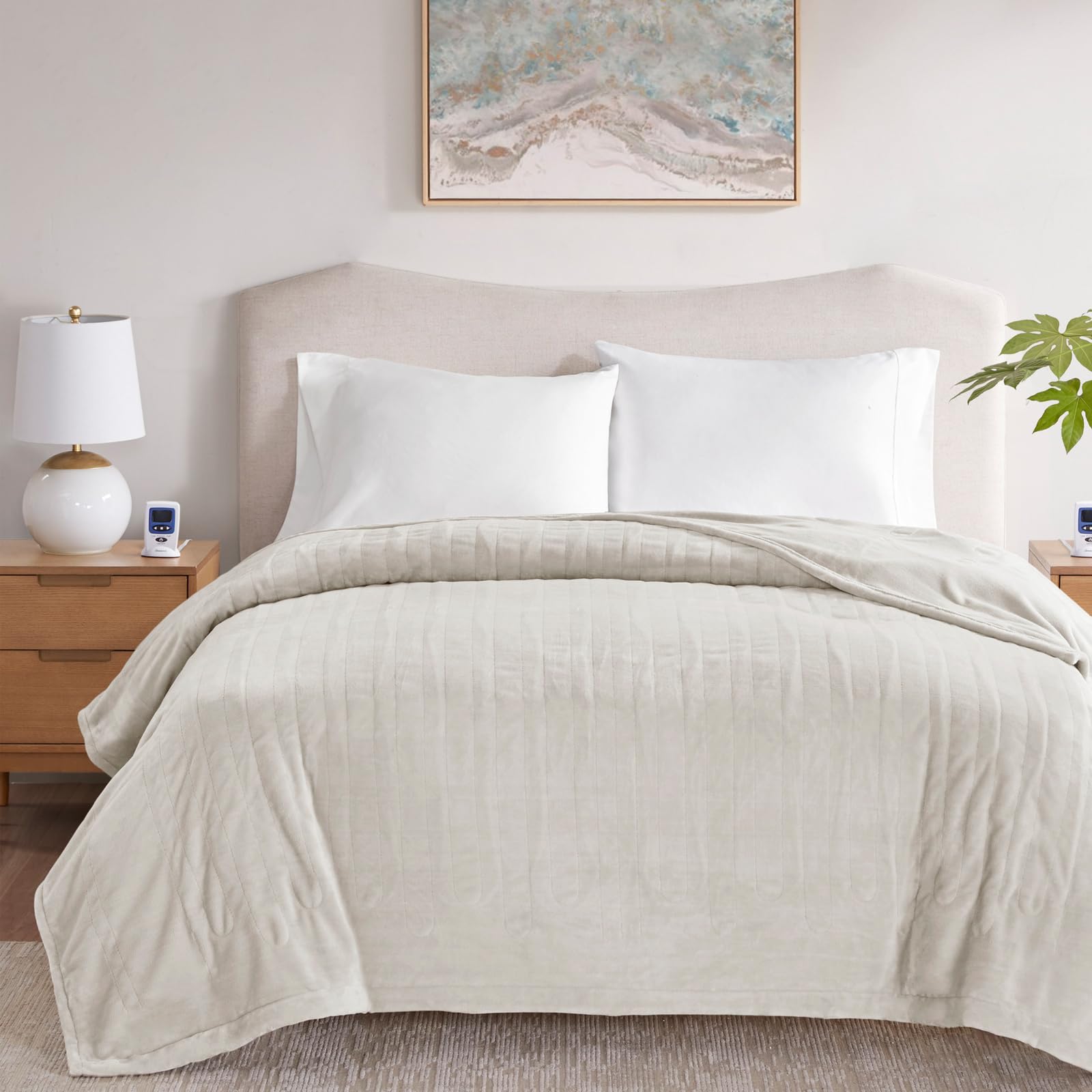
Image 1.1: Beautyrest Wi-Fi Heated Electric Blanket, King Ivory.
Āhuatanga matua:
- Te papanga ngawari: Made from 100% polyester for a cozy and comfortable feel.
- Flexible Heating Wires: Designed for durability and comfort.
- Dual Temperature Zones: Allows individual heat control for each side of the bed (King and Queen sizes).
- 20 Tautuhinga Wera: Offers a wide range of temperature options for personalized comfort.
- Wi-Fi me te Mana Reo: Compatible with a free downloadable app and Alexa for convenient control.
- 10-Hour Automatic Shut-off: Enhances safety by automatically turning off after 10 hours.
- UL Certified & Oeko-Tex Certified: Ensures product safety and absence of harmful substances.
- Ka taea te horoi Miihini: He ngawari ki te horoi me te tiaki.
Ataata 1.2: Ka mutuview of the Beautyrest Micro Plush Heated Blanket features.
2. Whakatūpato Haumaru Nui
Please read all instructions carefully before using your heated blanket. Failure to follow these instructions may result in fire, electric shock, or injury.
- Kaua e whakamahi ki nga kohungahunga, nga tamariki, nga tangata ngoikore, me nga tangata e kore e aro ki te wera.
- Kaua e whakamahi me nga kararehe.
- Kaua rawa e whakamahia te paraikete mēnā he mākū.
- Do not use with a damaged cord or plug. If the cord or plug is damaged, contact customer support.
- Kaua e whakamahi me etahi atu taputapu whakamahana.
- Ensure the controller is uncovered during use to prevent overheating.
- Spread the blanket out evenly on the bed; do not bunch or fold it while in use.
- Keep the power cord loose and untwisted to prevent pinching or damage.
- Wewetehia te paraikete ina kore e whakamahia.
- This blanket is UL Certified, indicating it meets specific safety standards.
- The blanket is Oeko-Tex certified, meaning it has been tested for harmful substances.

Image 2.1: Do's and Don'ts for heated blanket usage.
3. Tohutohu Tatūnga
3.1 Te Whakanoho Tuatahi
- Lay the heated blanket flat on your bed, ensuring it is spread out evenly without any folds or bunches.
- Position the blanket so that the connector for the controller is at the foot of the bed.
3.2 Te hono i te Kaiwhakahaere
- Kimihia te tūhono i runga i te paraikete me te mono e hāngai ana ki te taura pūmana.
- Purihia te mono pūmana ki roto i te tūhono paraikete kia pao pai ki te waahi.
- For King and Queen sizes, there are two controllers for dual-zone heating. Connect both controllers to their respective sides.
- Plug the power cord(s) from the controller(s) into a 110V-120V AC wall outlet. Ensure the outlet is easily accessible.
3.3 Wi-Fi and Voice Command Setup
Your Beautyrest heated blanket is Wi-Fi compatible and can be controlled via a smartphone app or voice commands through Alexa. Follow these steps to enable smart features:
- Download the free companion app from your smartphone's app store. Rapua "Beautyrest Heated Blanket App" or refer to the QR code in the product packaging.
- Open the app and follow the on-screen instructions to create an account and add your blanket as a new device. This typically involves connecting the blanket to your home's 2.4GHz Wi-Fi network.
- To enable Alexa voice control, link your Beautyrest app account with your Alexa app. Detailed instructions are provided within the Beautyrest app or Alexa app's 'Skills & Games' section.

Image 3.1: Hands-free control with Alexa compatibility.
Video 3.2: Instructions for Wi-Fi and voice command setup.
4. Nga Tohutohu Whakahaere
4.1 Te whakamahi i te Kaiwhakahaere
- Hiko Whakaka/Weto: Press the 'ON/OFF' button on the controller to turn the blanket on or off. The display will illuminate when on.
- Whakatika Tautuhinga Wera: Use the 'Low' and 'High' arrow buttons to cycle through the 20 available heat settings. Start with a lower setting and adjust as needed for comfort.
- Mahi Whakawera: Some models may include a 'Preheat' button. Press this to quickly warm the blanket before use.
4.2 Mana Taupānga
Once connected to Wi-Fi, you can control your blanket from anywhere using the Beautyrest app:
- Mamao Ka Ka/Weto: Turn the blanket on or off from your smartphone.
- Te Whakarerekenga Pawera: Select your desired heat setting from 1 to 20.
- Whakahōtaka: Set daily or weekly heating schedules to pre-warm your bed at specific times.
- Taima Whakatau: Set a custom shut-off timer if you prefer it to turn off before the 10-hour automatic shut-off.

Image 4.1: App control interface for the heated blanket.
4.3 Voice Command (Alexa)
After linking your account, use simple voice commands with your Alexa-enabled device:
- "Alexa, turn on [Blanket Name]."
- "Alexa, set [Blanket Name] to heat level [1-20]."
- "Alexa, turn off [Blanket Name]."
- "Alexa, what is the temperature of [Blanket Name]?"

Image 4.2: Alexa voice command integration.
4.4 Whakaweto Aunoa
For safety, the blanket is equipped with a 10-hour automatic shut-off feature. It will automatically turn off after 10 continuous hours of operation. To restart, simply turn the blanket off and then back on using the controller, app, or voice command.
5. Tiaki me te Tiaki
Proper care ensures the longevity and performance of your heated blanket. Always unplug the power cord before cleaning.
5.1 Ngā Tohutohu Horoi
- Momotu: Ensure all power cords are disconnected from the blanket and the wall outlet.
- Waiwai-mua (Kōwhiringa): For best results, pre-soak the blanket for 15 minutes in cold water with a small amount of mild detergent.
- Horoi Miihini: Wash on a gentle or delicate cycle in cold water with minimal detergent. Do not use bleach.
- Horoi: Rinse thoroughly in cold water.
- Miro maroke: Tangohia tonutia i muri i te huringa hurihuri hei ārai i te hangaiasing.
5.2 Ngā Tohutohu Whakamaroke
- Ka maroke: Tumble dry on a low heat setting for no more than 5 minutes.
- Hau maroke: Remove from the dryer and gently stretch the blanket to its original size. Hang over a clothesline or shower rod to finish drying. Do not use clothespins, as they can damage the wires.
- Kaua e rino: Never iron the heated blanket.

Image 5.1: Washing and drying instructions.

Image 5.2: Machine wash compatibility reminder.
6. Te Raru
Mena ka raru koe ki to paraikete wera, tirohia nga raru me nga otinga e whai ake nei:
- Blanket Not Heating or Not Heating Well:
Ensure the blanket is powered on and set to a sufficient heat level. Allow adequate time for the blanket to heat up, as it may take a few minutes to reach the desired temperature. Check that the power cord is securely plugged into both the blanket and the wall outlet. - Only Parts of the Blanket Are Getting Warm:
This is often caused by bunched or pinched heating elements. Lay the blanket flat and untucked. Gently run your fingers along the wires to straighten any twisted sections. Ensure the blanket is spread out evenly and not folded or balled up during use. - Kaiwhakahaere e whakaatu ana i tētahi Waehere Hapa:
Unplug the blanket from the wall outlet for a few minutes, then plug it back in. If the error persists, consult the full instruction manual (if provided separately) or contact customer support. - Nga Take Hononga Wi-Fi:
Ensure your blanket is within range of your 2.4GHz Wi-Fi network. Restart your Wi-Fi router and try reconnecting through the app. Verify that your smartphone is also connected to a 2.4GHz network during the initial setup process.
7. Whakatakotoranga
| Tau tauira | BR54-4127 |
| Rahi | Kingi (90"L x 100"W) |
| Tae | Rei rei |
| Rauemi | 100% Polyester |
| Tautuhinga Wera | 20 Taumata |
| Whakaweto Aunoa | 10 haora |
| Momo Mana | Wired Controller, Wi-Fi App, Voice Command (Alexa Compatible) |
| Tiwhikete | UL Certified, Oeko-Tex Certified |
| Whakauru Mana | 110V-120V @ 60Hz (Max 160W) |
| Te roa o te taura | 6 ft Taura Hiko |
| Tohutohu Tiaki | Miihini Ka taea te horoi |
| Taumaha Tūemi | 10.97 Pauna |

Image 7.1: King size blanket dimensions.
8. Pūtāhui me te Tautoko
8.1 Rarangi Whaiti
Your Beautyrest Wi-Fi Heated Electric Blanket is covered by a 5-year limited warranty from the date of purchase. This warranty covers manufacturing defects and malfunctions under normal use. It does not cover damage caused by misuse, accidents, unauthorized repairs, or normal wear and tear.
Tena koa pupurihia to tohu mo te hoko mo nga kereme whakamana.
8.2 Tautoko Kiritaki
For warranty service, technical assistance, or any questions regarding your product, please contact Beautyrest customer support. Contact information can typically be found on the product packaging or the official Beautyrest webpae.


