1. Kupu Whakataki
This user manual provides essential information for the safe and efficient operation of your Strong 24-inch HD TV, model SRT24HE4023C. Please read this manual thoroughly before using the product and retain it for future reference.
The Strong SRT24HE4023C is a compact and versatile 24-inch (60 cm) HD Ready television, specifically designed for portability with its 12V power input, making it ideal for use in caravans, campers, or other mobile environments. It features a triple tuner for various signal receptions and multiple connectivity options.
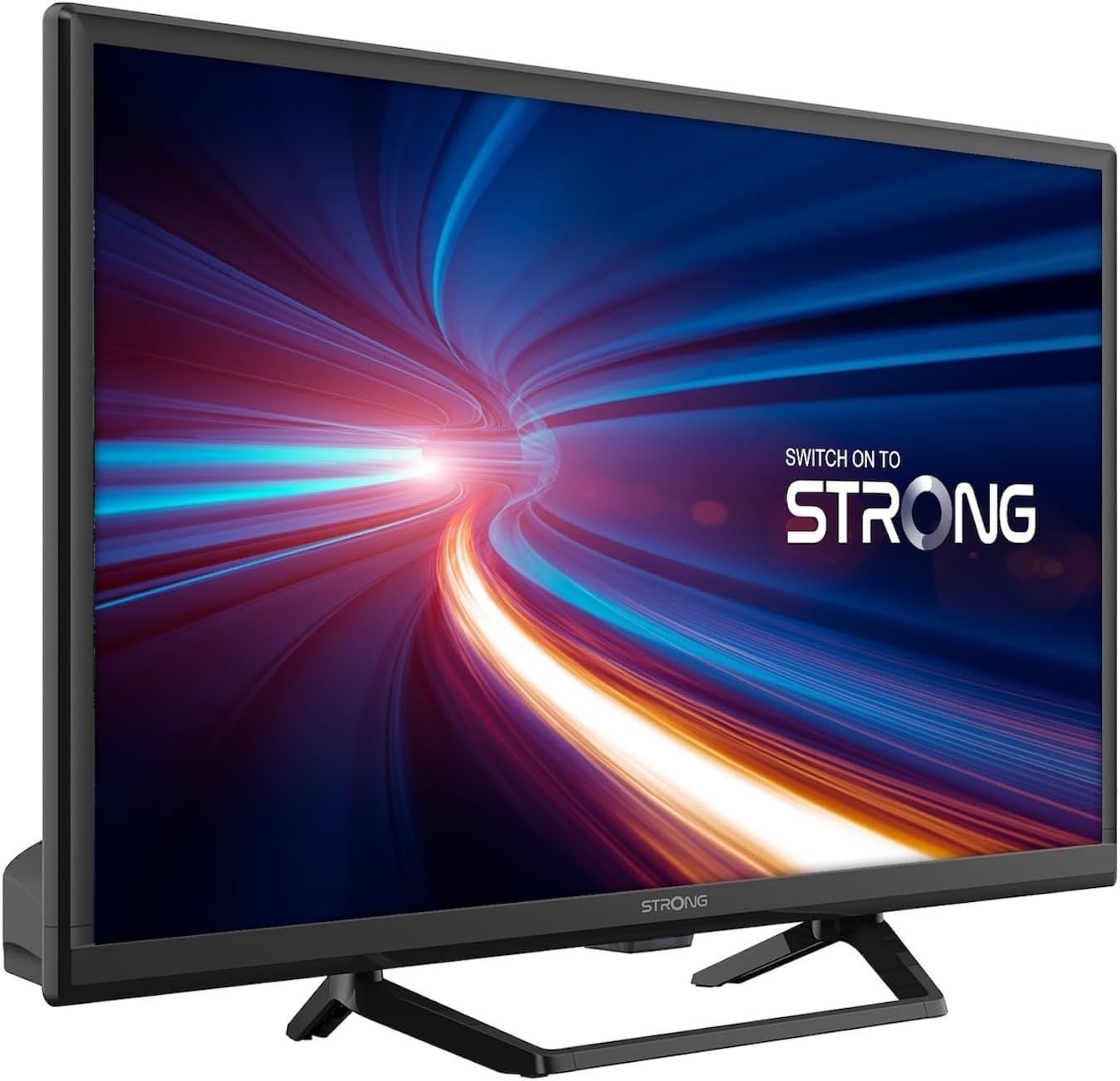
Whakaahua 1.1: Mua view of the Strong 24-inch HD TV.
2. Ihirangi mokete
Upon unpacking, please ensure all items listed below are present and in good condition. If any items are missing or damaged, contact your retailer immediately.
- Strong 24-inch HD TV (SRT24HE4023C)
- Tuukuru TV
- Mana Mamao (e hiahia ana kia 2 nga pākahiko AAA, kei roto)
- Pukapuka Kaiwhakamahi (tenei tuhinga)
3. Tatūnga
3.1. Huihui i te Tu
Carefully place the TV screen-down on a soft, clean surface to prevent scratches. Attach the provided stand to the base of the TV using the designated screws. Ensure the stand is securely fastened before placing the TV upright.
3.2. Hononga Mana
This TV operates on a 12V DC power supply, making it suitable for mobile applications. Connect the 12V power adapter to the TV's power input port and then to a compatible 12V power source. Ensure the power source can provide sufficient current for the TV's operation.
3.3. Te hono i nga taputapu o waho
Ko te pouaka whakaata he maha nga whiringa honohono:
- Tauranga HDMI (x2): Connect Blu-ray players, game consoles, or other HDMI-enabled devices. One port supports ARC (Audio Return Channel).
- Tauranga USB (x1): For playing multimedia files mai i nga taputapu rokiroki USB.
- Tāuru AV Mini: Hei hono i ngā pūrere tawhito ki ngā putanga ataata hiato me ngā putanga oro stereo.
- Antenna Input (ANT in): Connect a terrestrial antenna for DVB-T/T2 reception.
- Satellite Input (SAT in): Connect a satellite dish for DVB-S/S2 reception.
- Kāniwha CI: Whakauruhia he kōwae Atanga Whānui mō ngā hongere whakamuna.
- Putanga SPDIF: For digital audio output to an external sound system.
- Tihakihihi Mo te whakarongo motuhake.

Whakaahua 3.1: Whakamuri view showing various connectivity ports.
4. Nga Tohutohu Whakahaere
4.1. Wā Tuatahi Tāutanga
When you power on the TV for the first time, a setup wizard will guide you through initial settings such as language, country, and channel scanning. Follow the on-screen prompts to complete the setup.
4.2. Te Matawai Teihana
The TV features a triple tuner (DVB-T/T2, DVB-C, DVB-S/S2) for receiving digital terrestrial, cable, and satellite broadcasts. To scan for channels:
- Pehia te MENU pātene i runga i to mana mamao.
- Whakatere ki te Hongere or Tāutatanga tahua.
- Tīpakohia Matawai Aunoa or Matawai a-ringa depending on your preference and connection type.
- Follow the on-screen instructions to start the scan.
4.3. Using the Electronic Program Guide (EPG)
The EPG provides a schedule of current and upcoming TV programs. To access the EPG, press the EPG button on your remote control. You can browse programs, view details, and set reminders.
4.4. Multimedia Playback via USB
Insert a USB storage device into the USB port. The TV will typically prompt you to open the media browser. You can play various multimedia files, including videos, photos, and music.
4.5. Parental Control and Hotel Mode
The TV includes parental control features to restrict access to certain channels or programs based on age ratings. Hotel mode provides advanced settings for managing TV functions in a multi-unit environment.
5. Tiaki
5.1. Te horoi i te pouaka whakaata
Before cleaning, always unplug the TV from the power source. Use a soft, dry cloth to wipe the screen and cabinet. For stubborn marks, lightly dampen the cloth with water or a mild, non-abrasive screen cleaner. Never spray liquid directly onto the TV.
5.2. Whakakapinga Pūhiko Mana Mamao
The remote control uses two AAA batteries. If the remote control's range decreases or it stops responding, replace both batteries with new ones, ensuring correct polarity.
6. Te Raru
Mena ka pāngia koe e ngā raruraru me tō pouaka whakaata, tirohia ngā raruraru me ngā otinga e whai ake nei i mua i te whakapā atu ki te tautoko kiritaki.
| Raruraru | Take pea | Rongoā |
|---|---|---|
| Karekau he kaha | Power cable disconnected; no power from source. | Check power cable connection. Ensure 12V power source is active. |
| Karekau he pikitia, engari he oro | Incorrect input source selected; loose cable connection. | Pehia te PUTANGA button to select the correct input. Check HDMI/AV cable connections. |
| Karekau he oro, engari he pikitia kei reira | Volume too low or muted; audio settings incorrect. | Increase volume. Check mute status. Adjust audio output settings in the menu. |
| Te kounga o te pikitia koretake | Weak signal; incorrect resolution. | Check antenna/satellite connection. Perform a channel scan. Adjust picture settings. |
| Ko te mana mamao kaore e mahi | Batteries depleted or incorrectly inserted. | Replace batteries, ensuring correct polarity. Ensure no obstructions between remote and TV. |
7. Whakatakotoranga
| Āhuahira | Taipitopito |
|---|---|
| Tauira | SRT24HE4023C |
| Rahi Mata | 24 inihi (60 cm) |
| Hangarau Whakaatu | Papa LED, IPS |
| Whakatau | 1366 x 768p (HD Ready) |
| Aspect Ratio | 16:9 |
| Rere tāmata | 60 Hz |
| Wā Whakautu | 5 Milihekona |
| Ngā Tuners | DVB-T/T2, DVB-C, DVB-S/S2 |
| Kotēkē Ataata | HEVC 265 10-bit |
| Tauranga HDMI | 2 (1 with ARC support) |
| Tauranga USB | 1 |
| Other Inputs/Outputs | Mini AV In, CI Slot, SPDIF Out, Headphone Jack |
| Waewaewae ororongo | DTS |
| Tuku Hiko | 12 Volts DC |
| Ahu (W x H x D) | 55.29 x 36.6 x 14.78 cm (me te turanga) |
| Taumaha | 2.5 kg |
| VESA Maunga Taiepa | Tautokohia |
| Karaehe Pungao Pungao | E (View EPREL details) |
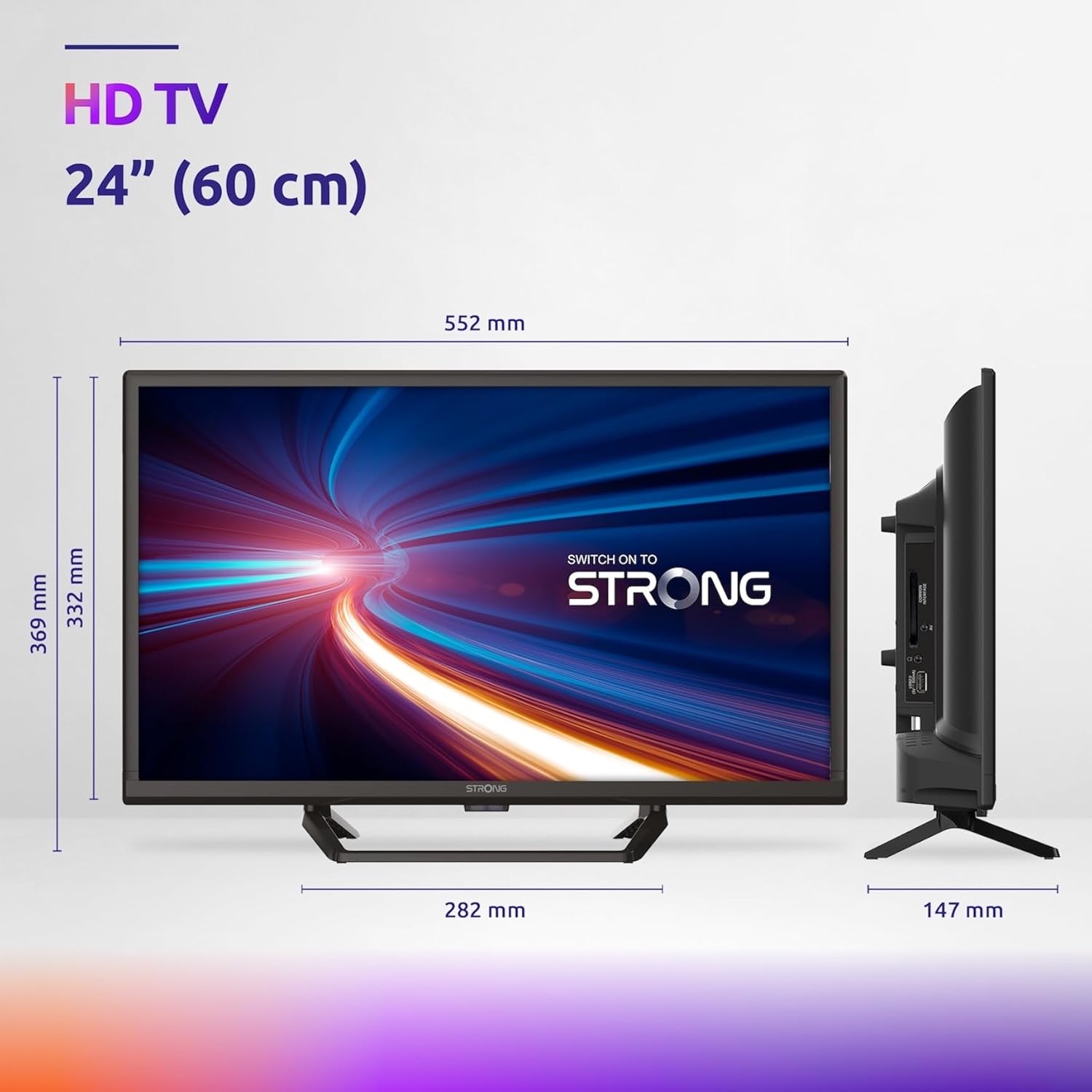
Figure 7.1: Product dimensions of the Strong 24-inch HD TV.

Figure 7.2: Energy efficiency label for the Strong SRT24HE4023C TV.
8. Pūtāhui me te Tautoko
Strong products are designed for reliability and performance. For warranty information and technical support, please refer to the warranty card included with your product or visit the official Strong webpae. Puritia to riirii hoko hei tohu mo te hoko mo nga kereme whakamana.
Mo etahi atu awhina, ka taea ano e koe te korero ki te Strong Brand Store on Amazon mo etahi atu korero hua me nga rauemi.


