1. Hua Neke Atuview
The BAOFENG UV-17R is a versatile dual-band ham radio designed for reliable communication. It features 999 channels, a robust 1800mAh battery, USB-C charging, and an IP54 water-resistant rating. This manual provides essential information for the safe and effective use of your radio.
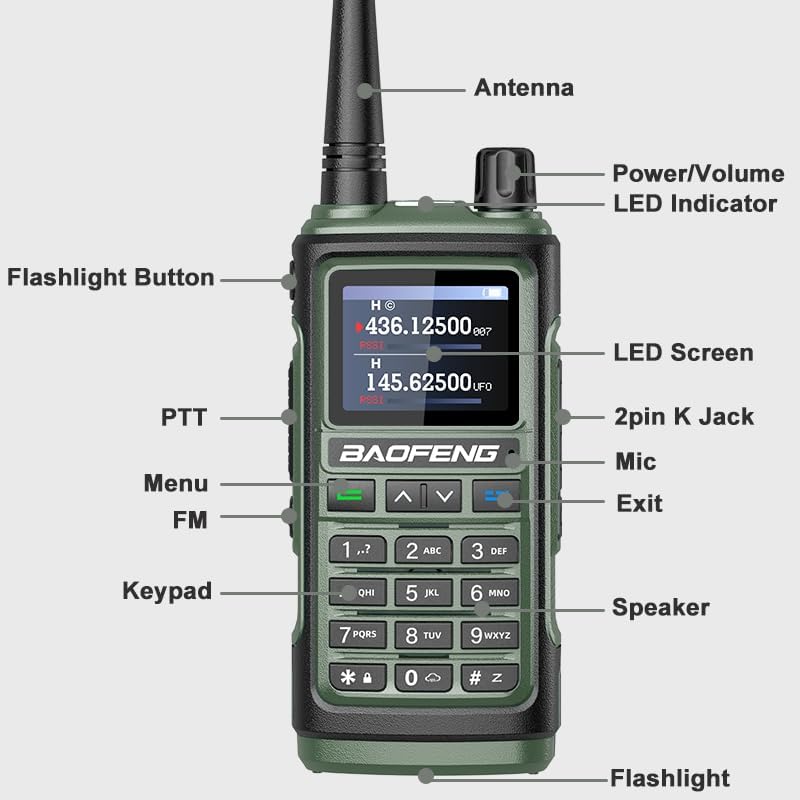
Whakaahua 1: BAOFENG UV-17R Radio Components. This image displays the front view of the radio with key components labeled, including the antenna, power/volume knob, LED indicator, flashlight button, PTT (Push-To-Talk) button, menu button, FM button, keypad, speaker, LED screen, 2-pin K jack, mic, exit button, and flashlight.
Āhuatanga matua:
- Mahinga Takirua-Taua: Supports UHF (420-450MHz) and VHF (144-148MHz) frequencies, plus FM radio.
- 999 nga hongere: Extensive channel capacity for various communication needs.
- USB-C te utu: Convenient charging via Type-C cable from multiple power sources.
- Frequency Copy Function: Directly copy frequencies from one radio to another without a PC.
- Matohi Huarere NOAA: Access 10 U.S.A. NOAA weather forecast channels for alerts.
- IP54 Ātete Wai: Ka whakarato i te tiaki mai i te puehu me te wai tauhiuhi.
- 1800mAh Pūhiko: Extended battery life for long standby times.
- Ko te rama rama-i roto: Strong light flashlight for illumination.
2. Tatūnga
2.1 Ihirangi mokete
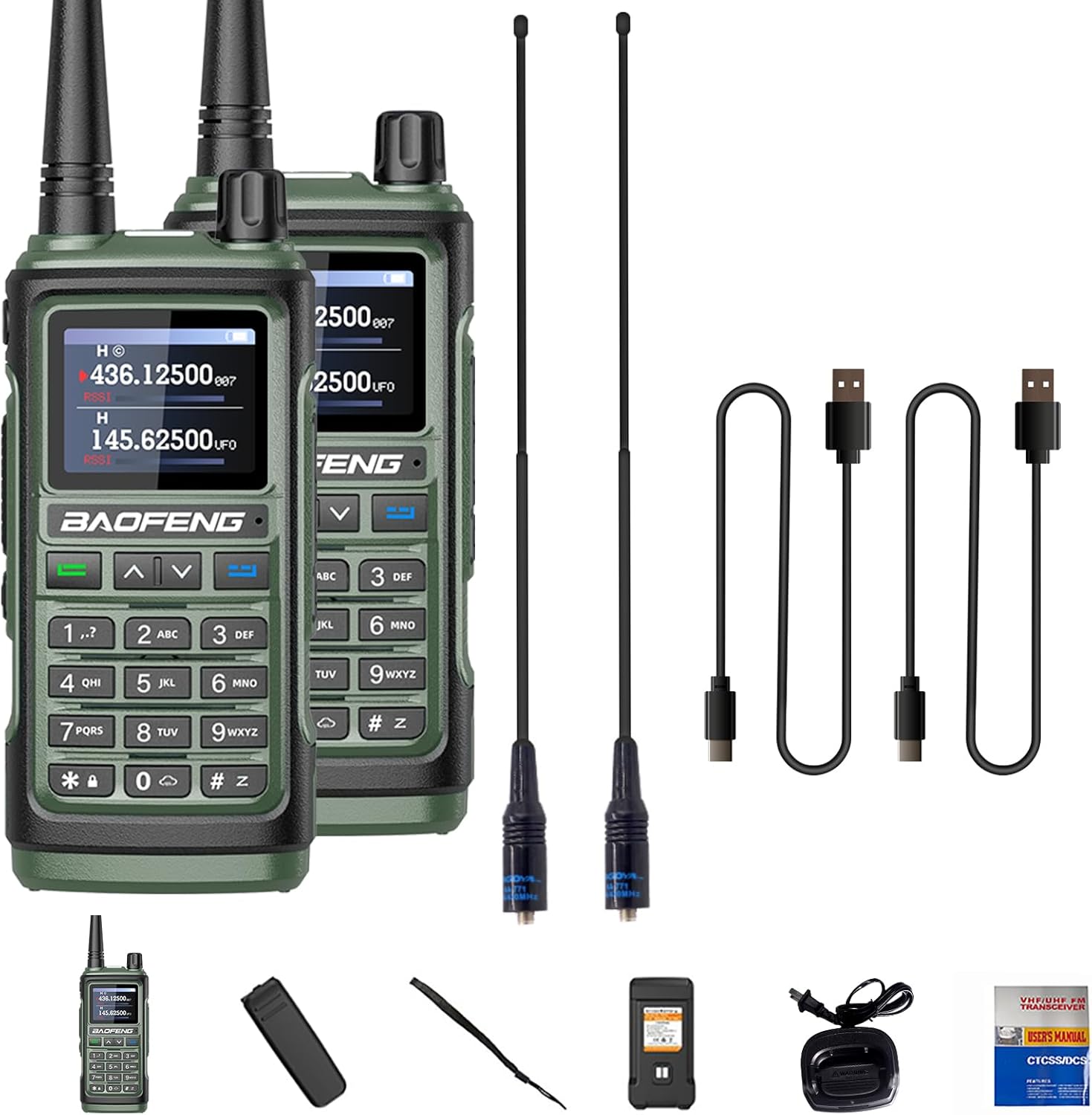
I mua i te tiimata, me whakarite kei roto katoa nga mea kei roto i te kete:
- BAOFENG UV-17R Portable Radio
- 1800mAh Pūhiko
- High Gain Antenna (e.g., 771 Antenna)
- Taonga Kaihoko
- Topenga whitiki
- Riki Ringa
- Pukapuka Kaiwhakamahi (tenei tuhinga)
- Momo-C taura
2.2 Tāuta Pūhiko
- Tiarohia te pākahiko 1800mAh ki te wahanga pākahiko kei muri o te reo irirangi.
- Peia ata te pākahiko ki tona waahi kia paoho pai.
- Ensure the battery is firmly attached. The design includes an added fixing screw for enhanced firmness.

Whakaahua 2: Battery Installation. This image illustrates the process of inserting the 1800mAh battery into the radio's compartment, highlighting the secure fit and the fixing screw mechanism.
2.3 Whakapiri Antenna
Screw the provided high-gain antenna clockwise onto the antenna connector at the top of the radio until it is finger-tight. Do not overtighten.
2.4 Whakataki Tuatahi
Before first use, fully charge the radio's battery. The UV-17R offers two charging methods:
- Taura USB-C: Connect the Type-C cable to the radio's USB-C port and to a compatible USB power source (e.g., car charger, PC USB port, power bank).
- Turanga Kaitohu: Place the radio in the provided charger base. Ensure the charging contacts align.
A full charge typically takes approximately 3 hours. The LED indicator will show charging status (e.g., red for charging, green for fully charged).
Whakaahua 3: USB-C Charging. This image demonstrates the radio connected to a USB-C cable for charging, indicating compatibility with various USB power sources and approximate battery life, standby time, and charging duration.
3. Nga Tohutohu Whakahaere
3.1 Hiko / Weto me te Mana Rōrahi
- To power on, rotate the Power/Volume knob clockwise until you hear a click.
- Continue rotating the knob clockwise to increase volume, and counter-clockwise to decrease.
- To power off, rotate the knob counter-clockwise until you hear a click.
3.2 Channel Selection and Frequency Mode
The UV-17R supports both channel mode and frequency mode. Use the keypad to enter frequencies directly or navigate through programmed channels.
- Aratau Channel: Allows selection of pre-programmed channels (up to 999). Use the up/down arrow keys or the keypad to select a channel number.
- Aratau Auautanga (VFO): Allows direct input of frequencies within the radio's operating range (UHF: 420-450MHz, VHF: 144-148MHz).

Whakaahua 4: Dual Band Operation. This image highlights the radio's capability to operate on both UHF (420-450MHz) and VHF (144-148MHz) bands, along with FM radio, emphasizing anti-interference and noise cancellation features.
3.3 Te Tuku me te Whiwhi
- To transmit, press and hold the PTT (Push-To-Talk) button on the side of the radio. Speak clearly into the microphone.
- Tukua te paatene PTT kia mutu te tuku me te hoki ki te whiwhi aratau.
- Me whakarite kei runga koe i te auau, i te hongere rānei e tika ana i mua i te tuku.
3.4 Taumahi Tārua Auautanga
The UV-17R features a wireless frequency copy function, allowing direct programming from one radio to another without a computer or programming cable.
- Ensure both radios are powered on and in close proximity.
- Follow the specific menu instructions on the UV-17R to initiate the frequency copy process. Refer to the on-screen prompts for guidance.

Whakaahua 5: Direct Frequency Copy. This image illustrates two radios wirelessly copying frequencies from each other, eliminating the need for a programming cable.
3.5 Whakatūpato Huarere NOAA
The radio can scan and provide alerts from 10 U.S.A. NOAA weather forecast channels. This feature is useful for receiving weather warnings, especially for outdoor activities.
- Access the NOAA function through the radio's menu.
- Select the desired NOAA channel or enable automatic scanning for alerts.
3.6 Mahi Rama
The UV-17R includes a strong light flashlight for illumination in low-light conditions.
- Press the dedicated Flashlight button (refer to Figure 1) to turn the flashlight on or off.
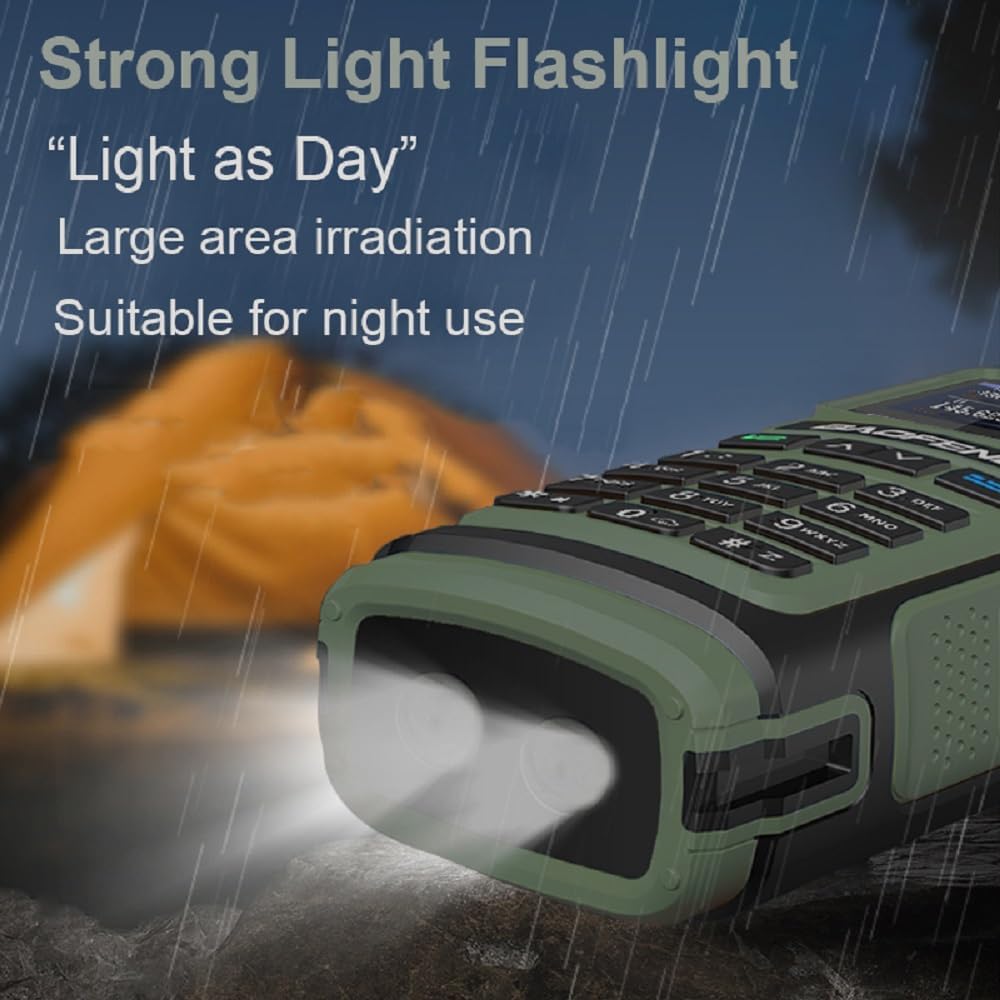
Whakaahua 6: Strong Light Flashlight. This image depicts the radio's powerful flashlight illuminating an outdoor scene at night, highlighting its utility for night use and large area irradiation.
3.7 Other Functions (VOX, CTCSS/DCS)
- VOX (Voice Operated Exchange): Allows hands-free transmission when voice is detected. Adjust VOX sensitivity in the menu.
- CTCSS/DCS (Continuous Tone-Coded Squelch System / Digital Coded Squelch): Used to filter out unwanted transmissions and allow communication only with radios using the same tone/code. Configure these settings via the menu.
4. Tiaki
4.1 Tiaki Pūhiko
- Hei whakanui ake i te roa o te pākahiko, kaua e whakamahia te pākahiko kia tino pau katoa.
- Charge the battery in a cool, dry environment.
- If storing the radio for an extended period, charge the battery to approximately 50% and remove it from the radio.
4.2 Te horoi
- Horoia a waho o te reo irirangi ki te ngohengohe, damp kakahu.
- Kaua e whakamahia he matū pakeke he horoi horoi ranei.
- Ensure the USB-C port and other connectors are free of dust and debris.
4.3 Atete Wai
The UV-17R has an IP54 rating, meaning it is protected against dust ingress and splashing water from any direction. It is not designed for submersion. Avoid exposing the radio to heavy rain or direct water jets.
5. Te Raru
If you encounter issues with your BAOFENG UV-17R, refer to the following common troubleshooting steps:
| Raruraru | Take pea | Rongoā |
|---|---|---|
| Kare te reo irirangi e kaha ana | He iti te pākahiko, kaore ranei i te tika te whakauru. | Whakakīia te pākahiko kia katoa. Me whakarite kia mau te tāutanga o te pākahiko. |
| Kaore e taea te tuku, te tango ranei | Incorrect frequency/channel. Antenna not attached. VOX/CTCSS/DCS settings. | Verify frequency/channel. Ensure antenna is securely attached. Check VOX, CTCSS, and DCS settings. |
| He kino te kounga ororongo | Low battery. Obstructions. Incorrect volume. | Charge battery. Move to an open area. Adjust volume. |
| Karekau e mahi te utu | Faulty cable/charger. Improper connection. | Try a different USB-C cable or charger base. Ensure connections are secure. |
6. Whakatakotoranga
| Āhuahira | Whakatakotoranga |
|---|---|
| Tau tauira | UV-17R |
| Awhe Auautanga | VHF: 144-148MHz, UHF: 420-450MHz, FM |
| Te maha o nga hongere | 999 |
| Pūhiko Raukaha | 1800mAh Lithium Ion |
| Whakauru Voltage | DC 7.4V |
| Taumata Atete Wai | IP54 (Ārai Wai) |
| Te Waahi Mahi | -10°C ki te 60°C |
| Antenna Impedance | 50 Ω |
| Te Awhe Korero Morahi | 3 Miles (approximate, varies by terrain) |
| Taumaha Tūemi | Approx. 2.93 pounds (package weight) / 46.91 ounces (item weight) |
| Ahu mōkihi | 8.26 x 8.07 x 4.64 inihi |
7. Pūtāhui me te Tautoko
7.1 Nga Korero Whakaputanga
Ka tae mai tenei hua me te 1-tau pūtāhui provided exclusively through "Shiqun Electronics Co., Ltd." The warranty covers manufacturing defects and malfunctions under normal use. Please retain your proof of purchase for warranty claims.
7.2 Tautoko Kiritaki
For technical assistance, warranty claims, or further inquiries, please contact the seller, Shiqun Electronics Co., Ltd., directly through your purchase platform or their official contact channels. Ensure you have your product model (UV-17R) and purchase details ready when contacting support.


