Kupu Whakataki
This manual provides detailed instructions for the setup, operation, maintenance, and troubleshooting of your Volkano Cyclone Series Portable Bluetooth Speaker. Please read this guide thoroughly before using the product to ensure proper function and longevity.
Nga korero haumaru
- Kaua e tukuna te kaikorero ki te wera nui, te ra tika, te makuku nui ranei.
- Keep the speaker away from water and liquids. This product is not water-resistant.
- Do not attempt to disassemble or modify the speaker. This may void the warranty and cause damage.
- Whakamahia anake te rahinga utu kua tohuatage (5V DC, 1A) to prevent damage to the battery and speaker.
- Kaua e taea e nga tamariki.
Ihirangi mokete
Me mohio kei roto katoa nga mea kei roto i te kete:
- Volkano Cyclone Series Portable Bluetooth Speaker
- Tauira Whakatau USB
- Tauira Tauira
- Pukapuka Kaiwhakamahi
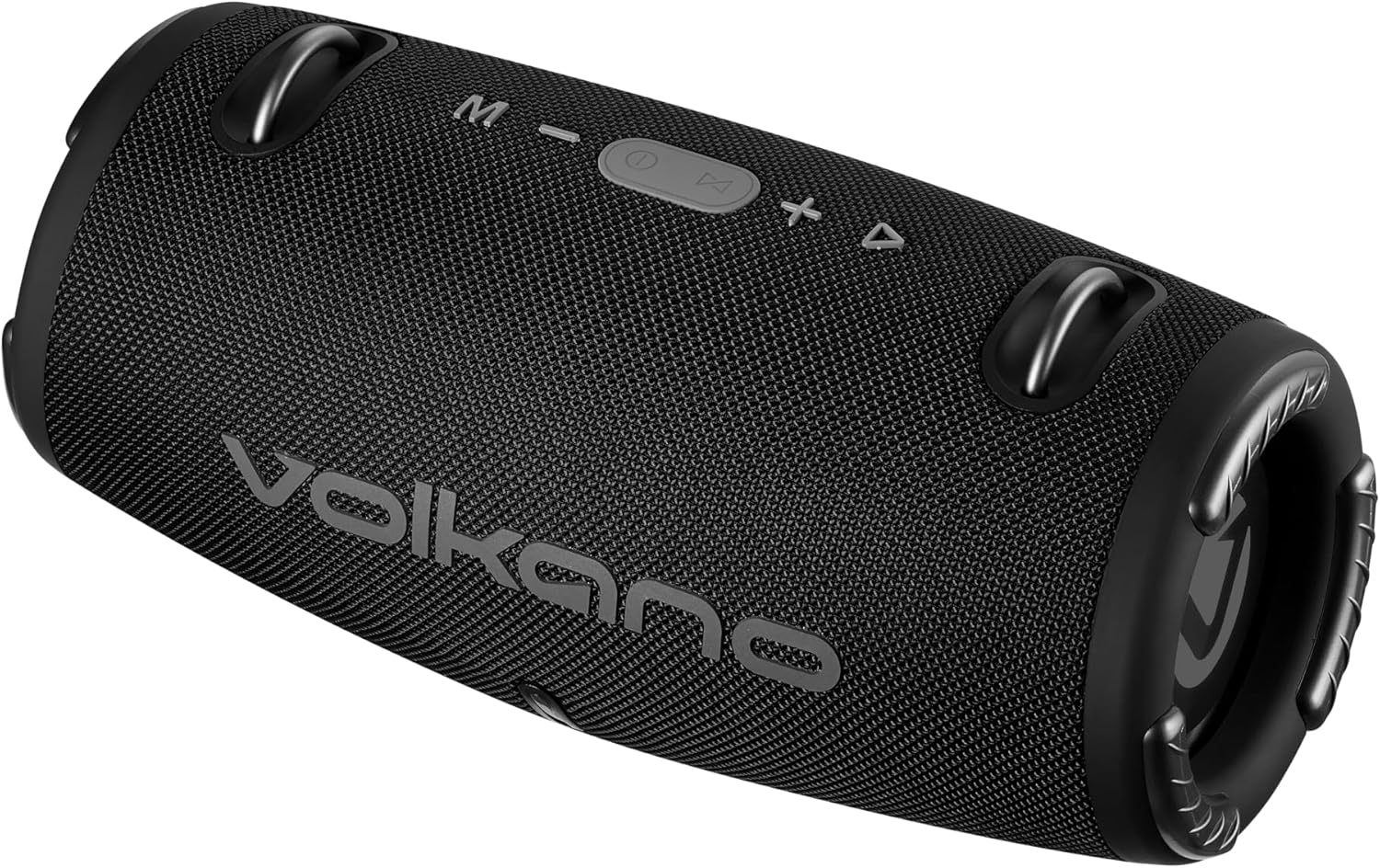
Whakaahua: Mua view of the Volkano Cyclone Series Portable Bluetooth Speaker, showing the Volkano logo and control buttons on top.
Ka mutu te huaview
Kia mohio koe ki nga waahanga me nga mana whakahaere a te kaikorero.
Paewhiri Mana
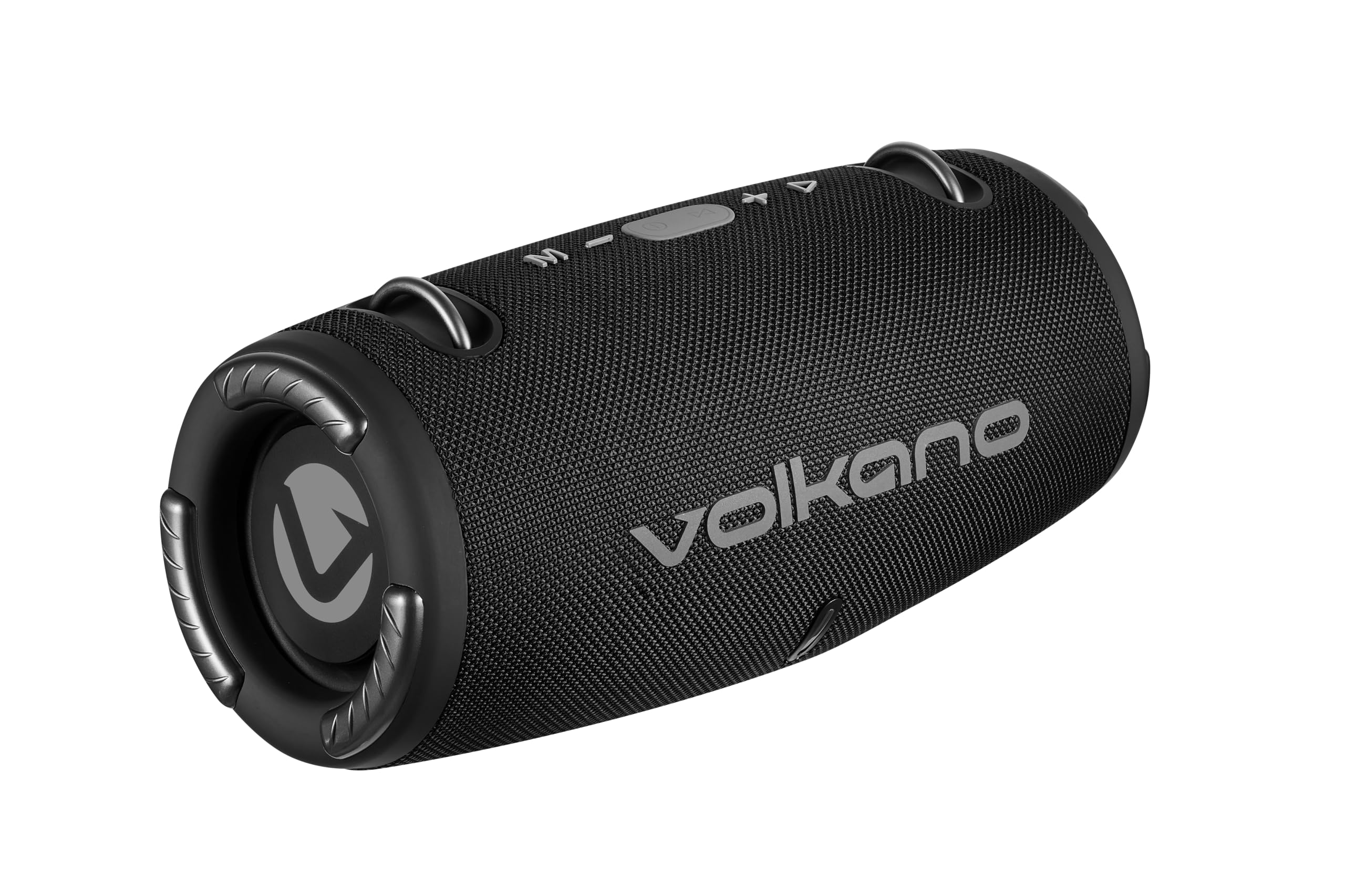
Whakaahua: Runga view of the speaker, highlighting the control buttons: Mode (M), Volume Down (-), Play/Pause/Call (Power button), Volume Up (+), and Track Skip (triangle).
- Pātene M (Aratau): Press to switch between Bluetooth, FM Radio, USB, and AUX modes.
- - (Volume Down) Button: Pēhia hei whakaiti i te oro. Pēhia kia mau ki te ara o mua.
- Pātene Purei/Whakamutu/Waea: Press to play or pause music. Press to answer or end calls. Hold to power on/off.
- + (Volume Up) Button: Press to increase volume. Hold to go to the next track.
- Tohu LED: Shows charging status and Bluetooth pairing status.
Tauranga me nga Hononga
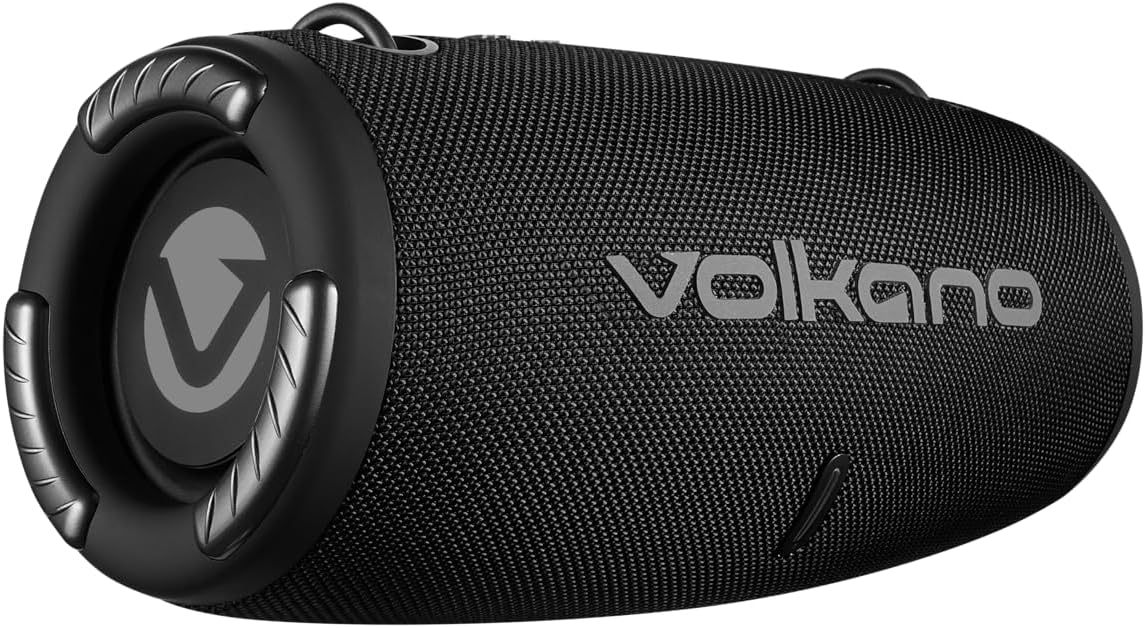
Whakaahua: Rear view of the speaker, showing the covered input ports for charging, USB, and AUX connections.
- Tauranga Whakatau DC 5V: Hei utu i te kaikorero mā te whakamahi i te taura USB kua whakaratohia.
- Tauranga USB: Hei purei waiata mai i te puku kohiko USB.
- Tāuru AUX: For connecting external audio devices via a 3.5mm auxiliary cable.
Tatūnga
Te utu i te Kai-korero
- Honoa te taura utu USB ki te tauranga DC 5V i runga i te kaikorero.
- Connect the other end of the USB cable to a compatible USB power adapter (5V DC, 1A output) or a computer's USB port.
- The LED indicator will illuminate to show charging status. Charging takes approximately 3.5 hours.
- Once fully charged, the LED indicator will change (e.g., turn off or change color). Disconnect the charging cable.
Te Hia/Weto
- To power on, press and hold the Play/Pause/Call button until you hear an audible prompt.
- To power off, press and hold the Play/Pause/Call button until you hear an audible prompt and the LED indicator turns off.
Nga Tohutohu Whakahaere
Tauira Nihokikorangi
- Ensure the speaker is powered on and in Bluetooth mode (indicated by a flashing LED). If not, press the 'M' button to switch modes.
- Enable Bluetooth on your smartphone or tablet (e.g., Android, iPhone).
- Rapua nga taputapu Nihokikorangi e waatea ana.
- Select "Volkano Cyclone" (or similar name) from the list.
- Kia honoa, ka mutu te kanapa o te tohu LED, ka noho pūmau tonu, ā, ka rangona he tangi whakaū.
- You can now play audio from your device through the speaker. The speaker has a wireless range of up to 10 meters.
Whakatangi Waiata
- Aratau Nihokikorangi: After pairing, play music directly from your connected device.
- Aratau USB: Insert a USB flash drive into the USB port. The speaker will automatically switch to USB mode and begin playing music.
- Aratau AUX: Connect an external audio device (e.g., MP3 player) to the AUX input using a 3.5mm audio cable. Press the 'M' button to switch to AUX mode.
- Aratau Irirangi FM: Press the 'M' button to switch to FM Radio mode. Use the Play/Pause button to auto-scan for stations. Use the +/- buttons to change stations.
Volume me te Mana Aroturuki
- Whakaritenga Rōrahi: Pēhia te pātene '+' hei whakanui i te oro, me te pātene '-' hei whakaiti i te oro.
- Riu Panuku: Pēhia te pātene '+'.
- Riu o mua: Pēhia te pātene '-'.
- Purei/Tatari: Press the Play/Pause/Call button.
Waea-a-ringa
- Ka mutu te waiata ina tae mai he waea i a koe e hono ana mā te Nihokikorangi.
- Press the Play/Pause/Call button to answer the call.
- Press the Play/Pause/Call button again to end the call.
- The speaker also supports voice control, allowing you to manage calls or music playback through voice commands if your connected device supports it.
Te tiaki
- Horoia te kaikorero ki te kakahu ngohengohe, maroke. Kaua e whakamahi i nga kai horoi me nga whakarewa.
- Whakaorangia te kaikorero ki te waahi makariri, maroke ina kore e whakamahia mo te wa roa.
- A ape i te tuku, te tuku ranei i te kaikorero ki nga paanga kaha.
- Whakakīia te pākahiko i ia wā, ahakoa kāore e whakamahia pinepinetia, kia mau tonu ai te hauora o te pākahiko.
Raparongoā
| Raruraru | Take pea | Rongoā |
|---|---|---|
| Karekau te kaikorero e kaha ana. | He iti te pākahiko. | Me utu te kaikorero mo te iti rawa 3.5 haora. |
| Kaore e taea te hono ma te Nihokikorangi. | Karekau te kaikorero i te aratau takirua; pūrere Nihokikorangi weto; tawhiti rawa atu i te kaikorero. | Ensure speaker is in Bluetooth mode (flashing LED). Turn device Bluetooth off/on. Move device closer (within 10m). |
| Karekau he tangi. | He iti rawa te oro; he hē te aratau i tīpakohia; kāore te pūrere e purei ana i te oro. | Increase speaker and device volume. Press 'M' to select correct input mode. Ensure audio is playing on the connected device. |
| He iti te kounga tangi. | He tawhiti rawa te taputapu; pokanoa; iti pūhiko. | Nekehia te pūrere kia tata ake. Āta karohia ngā arai. Whakakīia te pūoro. |
Whakatakotoranga
| Āhuahira | Taipitopito |
|---|---|
| Putanga Nihokikorangi | V5.1+EDR |
| Awhe Nihokikorangi | Tae atu ki te 10 mita |
| Pūhiko Raukaha | 3.7V, 1500mAh |
| Te wa takaro | 2 - 9 hours (depending on volume) |
| Whakataunga Whakauru | 5V DC, 1A |
| Waa Whakatau | Tata ki te 3.5 haora |
| Total RMS Power Output | 10 Watts |
| Rahi taraiwa | Dual 2.7 inch, 5 Watt drivers |
| Te aukati | 4 Aue |
| Whakautu auau | 50 Hz - 20 kHz |
| Te tairongo | 86 dB |
| Rahi Hua (L x W x H) | 295 x 140 x 140 mm |
| Taumaha Tūemi | 1.38 kg |
| Ātete wai | Kao |
| Aratau Putanga Ororongo | Tirooro |
| Tikanga Mana | Reo, Patene |
| Pūrere Hototahi | Android, iPhone |
| Kaihanga | SMD TECHNOLOGIES |
Pūtāhui me te Tautoko
This Volkano Cyclone Series Portable Bluetooth Speaker comes with a Rarangi Whakaiti.
For warranty claims, technical support, or further inquiries, please contact the manufacturer, SMD TECHNOLOGIES, or your local retailer. Keep your proof of purchase for warranty validation.


