Kupu Whakataki
Thank you for choosing the Hunter ExtremeAir Tower Bladeless Air Purifier. This 2-in-1 device combines advanced air purification with a powerful cooling fan, designed to improve air quality and comfort in your home. This manual provides essential information for the safe and efficient operation, maintenance, and troubleshooting of your appliance. Please read it thoroughly before use and retain it for future reference.

Image: The Hunter ExtremeAir Tower Bladeless Air Purifier, showcasing its sleek taupe design and bladeless fan ring.
Nga Tohutohu Haumaru Nui
To reduce the risk of fire, electric shock, or injury, always follow basic safety precautions when operating this appliance.
- Panuihia nga tohutohu katoa i mua i te whakamahi i te taputapu.
- Me whakarite kia rite te toha hiko ki te voltage kua tohua i runga i te taputapu.
- Kaua e whakahaere i tetahi mea powhiriwhiri me te taura pakaru, te mono ranei. Makahia te mea powhiriwhiri, hoki mai ranei ki tetahi whare ratonga whai mana mo te tirotiro me te whakatika.
- Kaua e rere te taura i raro i te whariki. Kaua e hipokina te taura ki nga whariki maka, nga omaoma, nga uhi pera ranei. Whakaritea te taura mai i te waahi waka me te waahi e kore e taka.
- Wewetehia te taputapu i nga wa katoa i mua i te horoi, te whakahaere ranei i tetahi mahi tiaki.
- Kaua e whakamahi i waho.
- Ko tenei taputapu ehara i te mea mo te whakamahi ma te hunga (tae atu ki nga tamariki) he iti te kaha o te tinana, te tairongo, te hinengaro, te kore wheako me te mohiotanga, mena ka tukuna atu ki a raatau te tirotiro, te tohutohu ranei mo te whakamahi i te taputapu e te tangata whai mana mo to raatau haumaru.
- Me mataki nga tamariki kia kore ai ratou e takaro ki te taputapu.
Nga waahanga hua
- Hoahoa 2-i-1: Combines air purification with a bladeless cooling fan.
- E 9 Whakakahuikui Fan: Adjustable airflow for personalized comfort.
- Whakatairite: Wide-angle oscillation for broader air distribution.
- Mahi Ataahua: Operates as quietly as 36 decibels in sleep mode.
- Matawā Whakahōtaka: Mō te whakaweto aunoa.
- Mana Pa me te Mana Mamao: Mahi watea.
- Tohu Whakakapi Tātari: Ensures optimal performance.
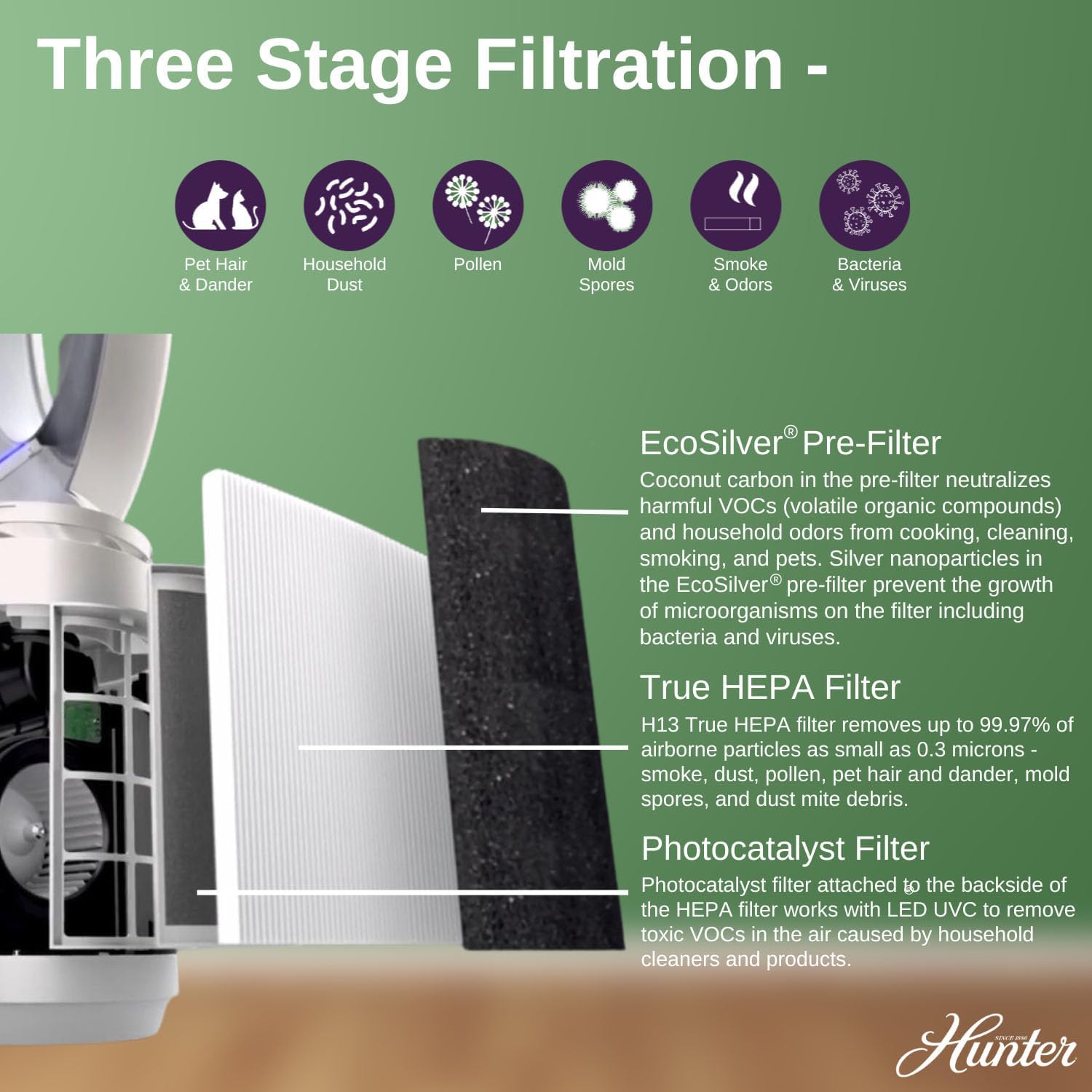
- Toru-Stage Pūnaha Tātari:
- EcoSilver® Tātari-mua: Coconut carbon pre-filter neutralizes VOCs and odors. Silver nanoparticles prevent growth of microorganisms.
- Tātari HEPA Pono: H13 True HEPA filter captures up to 99.97% of airborne particles as small as 0.3 microns (e.g., smoke, dust, pollen, pet dander, mold spores, dust mite debris).
- Tātari Kaihanga Whakaahua: Works with LED UVC to remove toxic VOCs.
- UVC Light Technology: Inhibits the growth of bacteria and viruses.
Whakaahua: He taipitopito view of the control panel on the Hunter ExtremeAir Tower Bladeless Air Purifier, highlighting buttons for On/Off Power, 9 Fan Speeds, Timer, Oscillation Mode, Sleep Mode, UV Mode, and Filter Light Indicators.

Whakaahua: He pahū view diagram illustrating the three-stage filtration system of the air purifier, including the EcoSilver Pre-Filter, True HEPA Filter, and Photocatalyst Filter, with descriptions of what each filter targets (e.g., pet hair, dust, pollen, mold spores, smoke, bacteria & viruses).
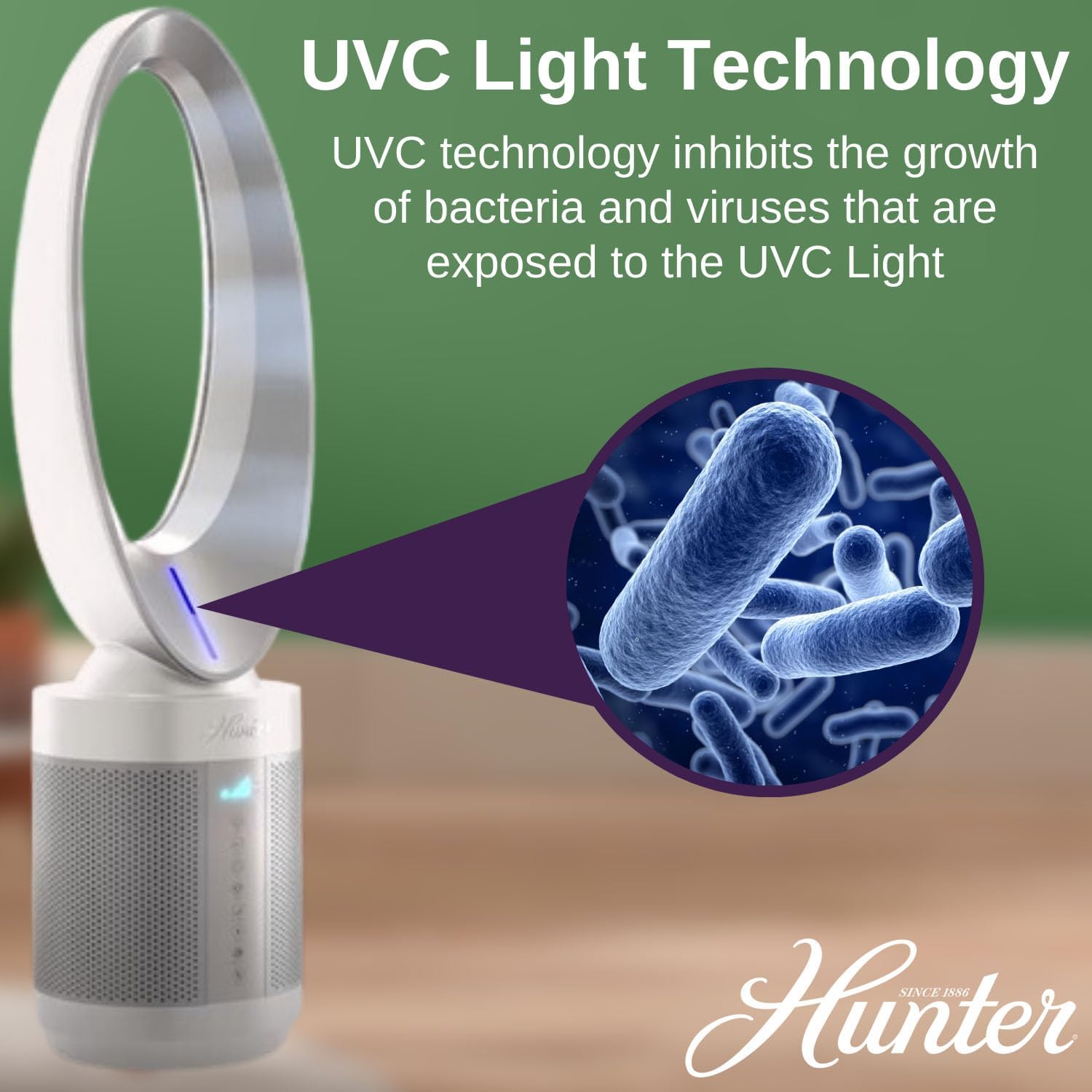
Image: A graphic demonstrating the UVC Light Technology feature, showing how UVC light inhibits the growth of bacteria and viruses within the air purifier.
Tatūnga me te Tāuta
- Wewete ana: Tangohia marietia te pūwero hau i roto i tōna takai. Puritia te takai mō te rokiroki, mō te kawe rānei a muri ake nei.
- Turanga: Place the air purifier on a firm, level surface. Ensure there is at least 6 inches (15 cm) of clear space around all sides for optimal airflow. Do not block air inlets or outlets.
- Hononga Hiko: Monohia te taura hiko ki te putanga hiko 120V AC paerewa.
- Initial Filter Check: Before first use, ensure all filters are correctly installed and any protective packaging has been removed from the filters. Refer to the "Filter Replacement" section for details.
Nga Tohutohu Whakahaere
Paewhiri Mana me te Mana Mamao
The air purifier can be operated using the touch controls on the unit or the included remote control.
- Hiko Whakaka/Weto: Pehia te ⏻ pātene hei whakakā, whakaweto rānei i te kōwae.
- Tere Kiri: Pehia te ⇌ button repeatedly to cycle through 9 fan speeds. The current speed will be indicated on the display.
- Matawā: Pehia te ⏱ button to set the operating timer (e.g., 1, 2, 4, 8 hours). The unit will automatically shut off after the set time.
- Whakatairite: Pehia te ↻ button to activate or deactivate the oscillation function, allowing the unit to rotate and distribute air across a wider area.
- Aratau Moe: Pehia te ☽ button to enter sleep mode. In this mode, the fan operates at a lower speed and the display lights dim for quiet operation.
- Aratau UV: Pehia te ☀ button to turn the UVC light technology on or off.
Te tiaki
Regular maintenance ensures optimal performance and extends the lifespan of your air purifier. Always unplug the unit before cleaning or performing any maintenance.
Te horoi i waho
Wipe the exterior surfaces of the air purifier with a soft, dry cloth. Do not use abrasive cleaners, waxes, or solvents as these may damage the finish. Do not allow water to drip into the air purifier.
Tātari Whakakapinga
The filter replacement indicator light will illuminate when it's time to replace the filters. Filter lifespan varies depending on usage and air quality. It is recommended to replace filters every 6-12 months.
- Unplug the unit: Ensure the air purifier is unplugged from the power outlet.
- Remove the top: Push the button located on the left side of the base and turn the top counterclockwise to unlock and remove it.
- Remove old filters: Lift the old filters out of the unit using the attached tabs. Dispose of used filters responsibly.
- Insert new filters: Place the new pre-filter onto the front of the HEPA filter and secure it by pressing down on the outer edges.
- Huihuia: Place the new filters back into the unit. Line up the top with the notches on the base and turn clockwise to lock it securely.
- Tautuhi Anō Tohu Tātari: After replacing filters, plug in the unit and press and hold the "Filter" button (often indicated by a filter icon) for 3-5 seconds until the indicator light resets.

Image: A four-panel visual guide demonstrating the filter replacement process for the Hunter HPF520. It shows unplugging the unit, removing the top by pressing a button and turning, lifting out old filters, inserting new pre-filters onto HEPA filters, and finally placing new filters back and securing the top.
Raparongoā
| Raruraru | Take pea | Rongoā |
|---|---|---|
| Karekau te waeine e ka ana. |
|
|
| He iti te rere o te hau, he ngoikore ranei te purenga. |
|
|
| He haruru rerekee te waeine. |
|
|
| Kaore e mahi te mana mamao. |
|
|
Whakatakotoranga
| Tau tauira | HPF520 |
| Waitohu | Kaiwhaiwhai |
| Hunga Hua | 9" D x 9" W x 35.5" H (22.86 cm D x 22.86 cm W x 90.17 cm H) |
| Taumaha | 9.75 Pauna (4.42 kg) |
| Te Rahi o te Papa | 117 Square Feet (10.87 sq meters) |
| Momo Kaiwhakahaere | Mana Mamao, Mana Pa |
| Nga Tere o te Kaiwhaiwhai | 9 |
| Taumata Haruru (Aratau Moe) | As quiet as 36 decibels |
| Momo Tātari | EcoSilver Pre-Filter, True HEPA Filter (H13), Photocatalyst Filter, UVC Light |

Image: A diagram illustrating the dimensions of the Hunter ExtremeAir Tower Bladeless Air Purifier, showing a height of 35.2 inches and a width of 9.3 inches.

Image: A room size chart demonstrating the air exchange rates per hour for the Hunter HPF520 in various room sizes, including bedroom (10'x15'x8'), kitchen (20'x15'x8'), bathroom (10'x10'x8'), living room (20'x20'x8'), and another bedroom (10'x20'x8').
Pūtāhui me te Tautoko
For warranty information, product registration, or technical support, please visit the official Hunter webpaetukutuku, whakapā atu ranei ki ta raatau ratonga kaihoko.
- Kaihanga: Kamupene Kaiwhaiwhai Hunter
- Webpae: www.hunterfan.com
- Whakapā: Tirohia te kohinga hua, te kaihanga ranei webpaetukutuku mō ngā taipitopito whakapā ratonga kiritaki motuhake.
Whakakahoretanga Ture: Ko nga korero e pa ana ki nga taapiringa kai kaore ano kia arotakehia e te FDA, kaore i te whakaaro ki te tirotiro, ki te rongoa, ki te rongoa, ki te aukati ranei i nga mate, i nga ahuatanga hauora ranei. (Note: This disclaimer was provided in the source product information, though it appears to be a generic disclaimer not directly related to an air purifier.)


