1. Kupu Whakataki
The ENGWE Folding 4 Wheel Mobility Scooter is designed to provide reliable and comfortable transportation for seniors and adults with mobility challenges. Featuring a powerful 250W motor, a long-range battery, and a stable four-wheel design, this scooter offers enhanced independence for daily activities and outdoor excursions. Its user-friendly controls and thoughtful safety features ensure a secure and enjoyable riding experience.
This manual provides essential information on the assembly, operation, maintenance, and specifications of your new mobility scooter. Please read it thoroughly before first use to ensure proper setup and safe operation.

Figure 1: The ENGWE Folding 4 Wheel Mobility Scooter.
2. Nga korero haumaru
Ko tō haumaru te mea nui rawa atu. Me whai tonu i ngā aratohu haumaru e whai ake nei:
- Always wear appropriate safety gear, including a helmet, if local regulations require or if you feel it enhances your safety.
- Ensure the scooter is fully charged before each use, especially for longer trips.
- Familiarize yourself with all controls, including the throttle, brakes, and horn, before operating the scooter.
- Kaua e whakahaere i te kuta i raro i te awe o te waipiro me te raau taero.
- Maintain a safe speed and always be aware of your surroundings, including pedestrians and other vehicles.
- Avoid sudden stops or turns, especially at higher speeds.
- Kaua e neke ake i te kaha o te taumaha o te 265 lbs (120 kg).
- Engage the parking brake when stopped on an incline or when dismounting.
- Regularly inspect tires, brakes, and battery connections for any signs of wear or damage.
- The scooter is designed with a slope safety mechanism, ensuring it remains motionless on slopes when parked.
3. Ihirangi mokete
Before assembly, please verify that all components are present in the package:
- Main Scooter Body
- Huihuinga nohoanga
- Tautoko Mauī me Matau
- Kete I Mua
- Pūhiko Pūhiko
- Installation Tools (wrenches, Allen keys)
4. Tatūnga me te Runanga
Follow these steps to assemble your ENGWE Mobility Scooter:
4.1. Te Wetewete i te Pouaka me te Whakaritenga Tuatahi
Carefully remove all components from the packaging. Ensure all protective wrapping is removed from the scooter body and parts.
4.2. Folding Riser Installation (Handlebar Adjustment)
Adjust the handlebar to your desired height and secure it firmly. The handlebar can be folded for compact storage or transport.
4.3. Tāutanga nohoanga
- Insert the seat post into the designated opening on the scooter body.
- Press the seat fixed rod to lock the seat securely in place.
- Install the left and right armrests onto the seat assembly, tightening the adjustment knobs to secure them.
4.4. Kete Tāutatanga
Attach the front basket to the designated mounting point on the handlebar column. Press and tighten it down to ensure it is secure.

Figure 2: Visual guide for the four main assembly steps.
Video 1: ENGWE EASE1 Mobility Scooter Unboxing & Assembly. This video demonstrates the complete unboxing and assembly process, including attaching the seat, armrests, and basket.
5. Nga Tohutohu Whakahaere
Understand how to operate your scooter safely and effectively.
5.1. Te Whakataki i te Pūhiko
Locate the charging port on the handlebar column. Connect the provided charger to the port and then to a standard electrical outlet. The battery indicator lights will show the charging status. Ensure the battery is fully charged before first use and after each significant period of use.

Figure 3: The switchable handbrake, which also controls power.
5.2. Te Whakakā/Te Whakaweto me te Kōwhiringa Aratau
Before use, ensure the brake lever is adjusted backward to electric mode for the scooter to run properly. Insert the key into the ignition and turn it to the 'ON' position to power on the scooter. To power off, turn the key to the 'OFF' position.
The scooter has two modes: Manual (Push Only) and Electric (Drive). To switch to manual mode, push the brake lever forward. In this mode, the scooter cannot use electric functions and can only be pushed by hand. To switch to electric mode, pull the brake lever backward. In this mode, the scooter can be driven electrically but cannot be pushed by hand.
Video 2: Manual Mode - Push Only, Cannot Use Electric Function. This video demonstrates how to engage manual mode for pushing the scooter.
Video 3: Mobility Scooter - Electric Mode - Can Drive, Cannot Hand Push. This video shows the scooter operating in electric mode.
5.3. Paewhiri Mana ki rungaview
The control panel is located on the handlebar. It includes:
- Speed Adjustment Knob: Turn clockwise for higher speed, counter-clockwise for lower speed.
- Tohu Ora Pūhiko: Ka whakaatu i te taumata utu pākahiko onāianei.
- Pātene Rama: Press to turn the front light on or off.
- Pātene Haona: Pēhia kia whakatangihia te haona.
- Forward/Backward Levers: Press the right thumb throttle to move forward. Press the left thumb throttle to move backward.

Whakaatu 4: Taipitopito view of the scooter's operation panel.
5.4. Driving and Maneuvering
Once powered on and in electric mode, gently press the appropriate throttle lever to begin moving. The scooter offers stable performance on various terrains, including grass, damaged concrete, and rocky roads, thanks to its four 8-inch solid tires and 5.5 inches of ground clearance.

Figure 5: The scooter is designed for stability on diverse surfaces.
5.5. Folding for Transport
The scooter is designed to fold in 10 seconds and 2 steps, making it compact for transport in an RV or SUV.
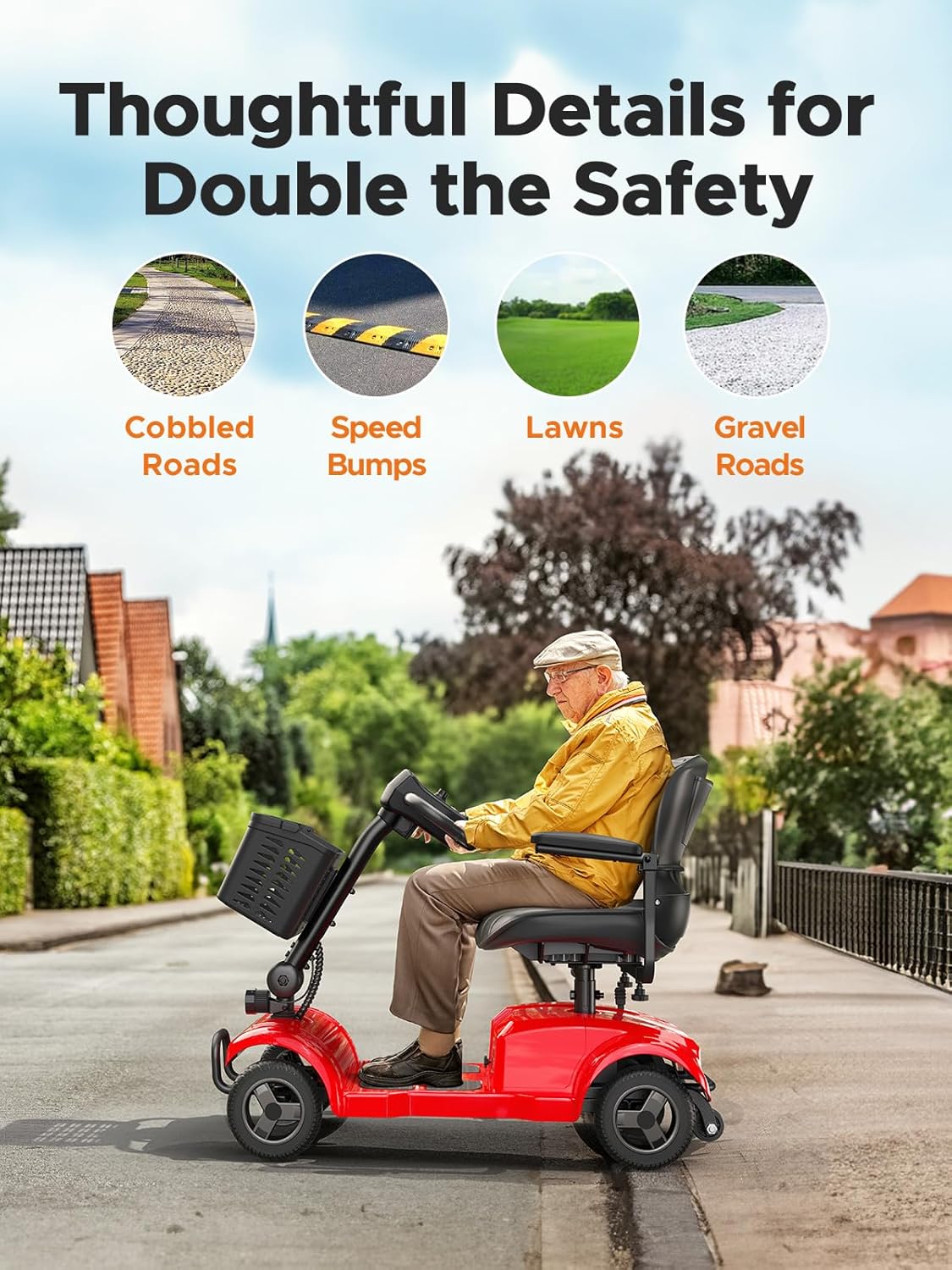
Figure 6: The scooter's compact folded size for easy transport.
6. Tiaki
Regular maintenance ensures the longevity and optimal performance of your mobility scooter:
- Tiaki Pūhiko: Always charge the battery fully after each use. Avoid completely draining the battery, as this can reduce its lifespan. Store the scooter in a cool, dry place when not in use.
- Te horoi: Horoia te kuta me te panuiamp cloth. Avoid using harsh chemicals or abrasive cleaners. Do not spray water directly onto electrical components.
- Tire: While the scooter uses solid tires, regularly check them for any signs of wear or damage.
- Tirohanga Whānui: Periodically check all nuts, bolts, and fasteners to ensure they are tight. Inspect the seat, armrests, and basket for any damage.
7. Te Raru
Anei etahi take noa me o raatau otinga ka taea:
| Raruraru | Take pea | Rongoā |
|---|---|---|
| E kore e huri te kuta. | Battery is not charged; Key is not fully inserted or turned to 'ON'; Brake lever is in manual mode. | Charge the battery; Ensure key is fully inserted and turned to 'ON'; Adjust brake lever to electric mode. |
| Scooter moves slowly or lacks power. | Low battery charge; Speed adjustment knob set too low; Exceeding weight capacity. | Recharge the battery; Adjust speed knob clockwise; Ensure user weight is within limits. |
| Nga haruru rereke i te wa e mahi ana. | Loose components; Obstruction in wheels. | Check and tighten all fasteners; Inspect wheels for debris. |
If you encounter issues not listed here or if solutions do not resolve the problem, please contact ENGWE customer support for assistance.
8. Whakatakotoranga
Key specifications for the ENGWE Folding 4 Wheel Mobility Scooter (Model EASE1-RED):
| Āhuahira | Whakatakotoranga |
|---|---|
| Tau tauira | EASE1-RED |
| Te Mana Motini | 24V 250W |
| Pūhiko | 24V 12Ah |
| Rated Range | Approx. 15.5 maero (25 km) |
| Tere Tere | 6.2 mph (10 km/h) |
| Taumaha Taumaha | 265 lbs (120 kg) |
| Whakamama Papa | 5.5 inihi |
| Momo Taira | 8-inihi Potae Mārō |
| Rauemi Noho | Hiako Faux |
| Teitei nohoanga | 15.8 Inihi |
| Tae | Whero |
| Whenua Taketake | Haina |
9. Pūtāhui me te Tautoko
For information regarding the product warranty, please refer to the warranty card included with your purchase or contact ENGWE customer support directly. Keep your proof of purchase for any warranty claims.
For technical support, spare parts, or any other inquiries, please visit the official ENGWE webpaetukutuku, whakapā atu ranei ki ta raatau tari ratonga kaihoko. Ko te nuinga o nga wa ka kitea nga korero whakapiri i runga i te kohinga hua, i te kaihanga ranei webpae.


