1. Kupu Whakataki
Mauruuru koe mo te hokoasing the Samsung UE50DU7172 50-inch 4K LED Smart TV. This manual provides essential information for the safe and efficient use of your television. Please read these instructions thoroughly before operating the device and retain them for future reference.
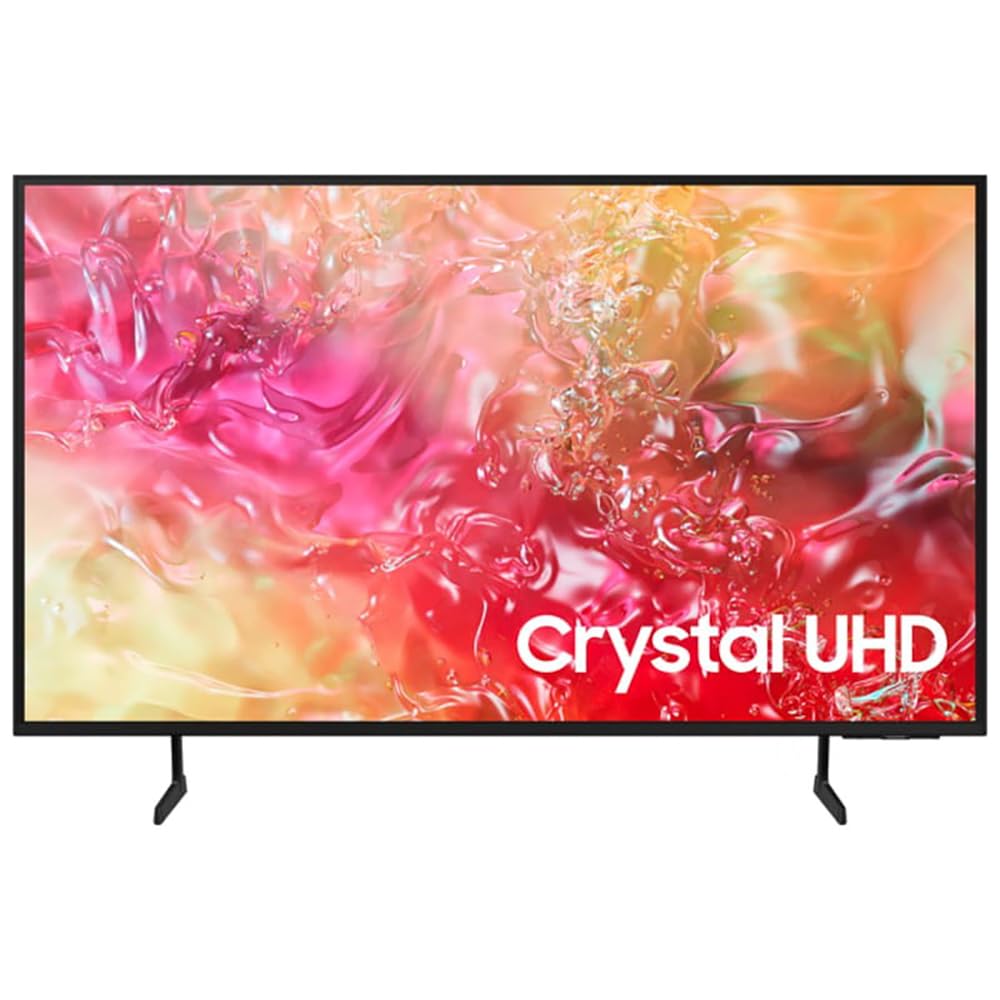
Whakaahua 1.1: Mua view of the Samsung UE50DU7172 50-inch 4K LED Smart TV.
2. Nga korero haumaru
Hei whakaiti i te tupono o te wiri hiko, te ahi, te whara ranei, me whai tonu i enei tikanga tiaki haumaru:
- Kaua e tukuna tenei taputapu ki te ua, ki te makuku ranei.
- Kaua e araia nga whakatuwheratanga hau. Tāutahia kia rite ki nga tohutohu a te kaihanga.
- Kaua e whakauruhia ki te taha o nga puna wera penei i nga radiators, nga rehita wera, nga umu, me etahi atu taputapu (tae atu ki ampkaiwhakaora) e whakaputa ana i te wera.
- Tiakihia te taura hiko kia kaua e hikoi, ka kowhakina mai ranei, ina koa ki nga moko, nga waahi waatea, me te waahi ka puta mai i te taputapu.
- Me whakamahi noa i nga taapiri / taputapu kua tohua e te kaiwhakanao.
- Tirohia nga ratonga katoa ki nga kaimahi tohu tohu. E hiahiatia ana te mahi kaimahi ina kua pakaru te taputapu.
3. Ihirangi mokete
Manatokona kei te noho nga waahanga katoa i roto i te pouaka:
- Samsung UE50DU7172 50-inch 4K LED Smart TV
- Remote Control (Bluetooth)
- Uea Hiko (AC)
- Ngā Wāhanga Tū (mēnā kāore i te whakairihia ki te pakitara)
- Pukapuka Kaiwhakamahi (tenei tuhinga)
- Batteries for Remote Control (2 x AAAA, may be included)
4. Tatūnga
4.1. Stand Installation or Wall Mounting
If using the included stand, carefully attach it to the TV following the instructions provided in the separate stand assembly guide. Ensure all screws are tightened securely.
For wall mounting, use a VESA-compatible wall mount (200 x 200 mm standard) and consult a professional for installation to prevent damage or injury. The TV weighs approximately 11 kg.
4.2. Te Mana Hononga
Connect the power cable to the TV's power input and then plug it into a wall outlet (220-240V AC, 50Hz). Ensure the connection is firm.
4.3. Tatūnga Tuatahi
I runga i te hiko tuatahi, ma te pouaka whakaata koe e arahi i roto i te tukanga tatūnga tuatahi. Kei roto i tenei ko:
- Language selection (French is an available option).
- Hononga whatunga (Wi-Fi, Ethernet ranei).
- Channel scanning (DVB-T2, DVB-S2, DVB-C tuners are supported).
- Samsung account login (optional, for full Smart TV features).
5. Nga Tohutohu Whakahaere
5.1. Mana Mamao
The included Bluetooth remote control allows you to navigate the TV's interface. Insert 2 AAAA batteries (if not pre-installed) into the remote. Pair the remote with the TV during initial setup or by following the on-screen instructions if pairing is lost.
5.2. Nga Mahi Awhina
- Hiko Whakaka/Weto: Pēhia te pātene Power i te mamao.
- Mana Rōrahi: Whakamahia nga paatene Rōrahi/Whakararo.
- Tīpakonga Hongere: Use the Channel Up/Down buttons or the number pad (if available on your remote model).
- Pūtake Tāuru: Press the Source button to select between connected devices (HDMI, USB, etc.).
6. Ataahua Ataahua
Your Samsung UE50DU7172 TV runs on the Tizen operating system, offering a range of smart functionalities:
- Puka Ataata: Access streaming applications, web browser, and other smart features.
- Apple AirPlay 2: Rere tika mai i o taputapu Apple.
- Bixby: Use voice commands for TV control and information.
- Whakakotahitanga SmartThings: Tūhono me te whakahaere i ngā taputapu kāinga atamai hototahi.
- Aratohu Papatono Hiko (EPG): View TV schedules for digital channels.
- HbbTV: Access interactive services from broadcasters.
7. Hononga
The TV offers various ports and wireless options for connecting external devices:
- Tauranga HDMI: 3 ports (HDMI 1.4 compatible), supporting eARC (Enhanced Audio Return Channel) for high-quality audio to sound systems.
- Tauranga USB: 1 port (USB 2.0/3.0 compatible) for media playback from USB drives.
- Itarangi (LAN): RJ45 port for wired internet connection.
- Tāuru RF: 2 inputs for antenna/cable and satellite connections.
- CI+ Slot: For conditional access modules (CAM) to decrypt pay-TV channels.
- Wi-Fi: Built-in Wi-Fi (5 GHz) for wireless internet access.
- Nihokikorangi 5.2: For connecting wireless headphones, soundbars, and other compatible devices.
- Anynet+: Samsung's HDMI-CEC feature for controlling compatible devices connected via HDMI with a single remote.
8. Tiaki
8.1. Te horoi i te pouaka whakaata
Always unplug the TV before cleaning. Use a soft, dry cloth to wipe the screen and cabinet. Do not use liquid cleaners, sprays, or abrasive materials, as they may damage the TV's surface.
8.2. Whakahōu Pūmanawa
Ensure your TV's software is up to date for optimal performance and security. You can check for updates via the TV's settings menu (Settings > Support > Software Update).
9. Te Raru
Mena ka raru koe ki to pouaka whakaata, tirohia nga rongoa e whai ake nei:
- Kore Mana: Tirohia mehemea kei te hono pai te taura hiko ki te pouaka whakaata me te putanga pakitara. Me mohio kei te mahi te putanga.
- Kore Pikitia/Oro: Manatokohia kua tīpakohia te pūtake tāuru tika. Tirohia ngā hononga taura katoa (HDMI, pūihi). Whakamātauria te tīmata anō i te pouaka whakaata.
- Mana Mamao Kaore i te Mahi: Whakakapihia nga pākahiko. Me whakarite karekau he arai i waenga i te mamao me te pouaka whakaata. Tauhoatia ano te mamao Nihokikorangi ki te tika.
- Kounga Pikitia Kino: Check antenna/cable connections. Adjust picture settings in the TV menu. Ensure the source content is high quality.
- Kaore he Hononga Ipurangi: Check your Wi-Fi router or Ethernet cable. Reconnect to the network via TV settings.
For more detailed troubleshooting, consult the e-Manual accessible through your TV's settings or visit the Samsung support webpae.
10. Whakatakotoranga
| Āhuahira | Whakatakotoranga |
|---|---|
| Ingoa Tauira | Smart TV Samsung 50DU7172 |
| Tau tauira | 8806095478357 |
| Rahi Mata | 50 inihi (127 cm) |
| Hangarau Whakaatu | LED |
| Whakatau | 4K Ultra HD (3840 x 2160 px) |
| Rere tāmata | 60 Hz |
| Tautoko HDR | HDR10 and/or HLG |
| Pūnaha Mahi | Tizen |
| Hononga | Wi-Fi (5 GHz), Bluetooth 5.2, Ethernet LAN |
| Tauranga HDMI | 3 (HDMI 1.4, eARC compatible) |
| Tauranga USB | 1 (USB 2.0/3.0 compatible) |
| Putanga Ororongo | 2.0 Channels, 20W RMS, Q-Symphony |
| VESA Whakaeke Paerewa | 200 x 200 mm |
| Ahu (W x H x D) | 112 henimita x 64.7 henimita x 6 henimita (kāore he tūnga) |
| Taumaha | 11 Kirokaramu |
| Tuku Hiko | 220-240V AC, 50Hz |
| Karaehe Pungao | G |
11. Pūtāhui me te Tautoko
This Samsung UE50DU7172 TV comes with a 1-tau iti pūtāhui mai i te ra o te hokonga. Ka kapi tenei whakamana i nga hapa hangahanga i raro i te whakamahinga noa. Tena koa pupurihia to tohu mo te hoko mo nga kereme whakamana.
For technical support, service requests, or further information, please visit the official Samsung support website or contact your local Samsung customer service center. You may need your model number (UE50DU7172) and serial number (found on the back of the TV) when contacting support.


