Kupu Whakataki
The JBL Live Flex 3 wireless in-ear Bluetooth earbuds offer a premium audio experience with advanced features designed for convenience and sound quality. This manual provides detailed instructions for setup, operation, and maintenance to ensure optimal performance of your earbuds.

Image: The JBL Live Flex 3 earbuds, featuring an open-back stick design, are shown alongside their smart charging case. The earbuds are black with metallic accents, and the case has a small display screen.
He aha kei roto i te Pouaka
Manatokohia kei te noho nga waahanga katoa i roto i te kete:
- 1 Pair of JBL Live Flex 3 Earbuds
- 4 Pairs of Ear Tips in Different Sizes
- 1 USB-C Utaura Whakatau
- 1 Smart Charging Case
- 1 Pire Whakatupato
- 1 Pepa Arataki Tere/Haumaru

Image: The JBL Live Flex 3 earbuds are placed inside their open charging case. Icons around the image highlight features such as wireless charging, Google Finder for locating lost earbuds, water and dust resistance, and control via the JBL Headphones app.
Tatūnga
1. Takirua Tuatahi
- Whakahiko: Whakatuwherahia te putea utu. Ka uru aunoa nga taringa ki te aratau takirua.
- Hononga Nihokikorangi: On your device (smartphone, tablet, computer), navigate to the Bluetooth settings and select "JBL Live Flex 3" from the list of available devices.
- FastPair (Android 6.0+): For Android devices running 6.0 or higher, a pop-up notification will appear on your screen when the earbuds are nearby. Tap to connect.
- Microsoft Swift Pair (Windows 10 v1803+): For Windows 10 devices (version 1803 or later), a notification will appear to facilitate quick pairing.
2. JBL Headphones App
Enhance your listening experience by downloading the JBL Headphones app. The app allows you to customize audio settings, manage noise cancellation, and access additional features. Rapua "JBL Headphones" in your device's app store.
Nga Tohutohu Whakahaere
Mana Pa
The JBL Live Flex 3 earbuds feature intuitive touch controls. Specific functions can be customized via the JBL Headphones app.
- Purei/Tatari: Paoa kotahi i runga i te taringa taringa ano.
- Riu Panuku: Pato rua ki te purongo matau.
- Riu o mua: Paa-toru ki te purongo maui.
- Whakautu/Whakamutu Waea: Paoa kotahi i runga i te taringa taringa ano.
- Whakakore Waea: Patohia me te pupuri i runga i tetahi purongo.
- Whakahohe i te Kaiawhina Reo: Pēhia me te pupuri i runga i te purongo katau (ka taea te whakarite).
Smart Charging Case Features
The innovative smart charging case provides direct control over your earbuds without needing your phone.

Image: The JBL Live Flex 3 smart charging case is shown with its display screen active, illustrating equalizer settings. The screen shows 'EQUALIZER' at the top, with 'JAZZ' selected, and a toggle switch for the equalizer function. The JBL logo is visible below the screen.
- Whakaritenga Ororongo: Adjust equalizer settings directly from the case's touch screen.
- Mana Haruru: Toggle True Adaptive Noise Cancellation or Ambient Aware modes.
- Oro Mokowā: Enable or disable spatial audio features.
- Whakamōhiotanga: Whakahaere karere i muaview tautuhinga.
- Whakahaere Waea: Answer or reject calls directly from the case.
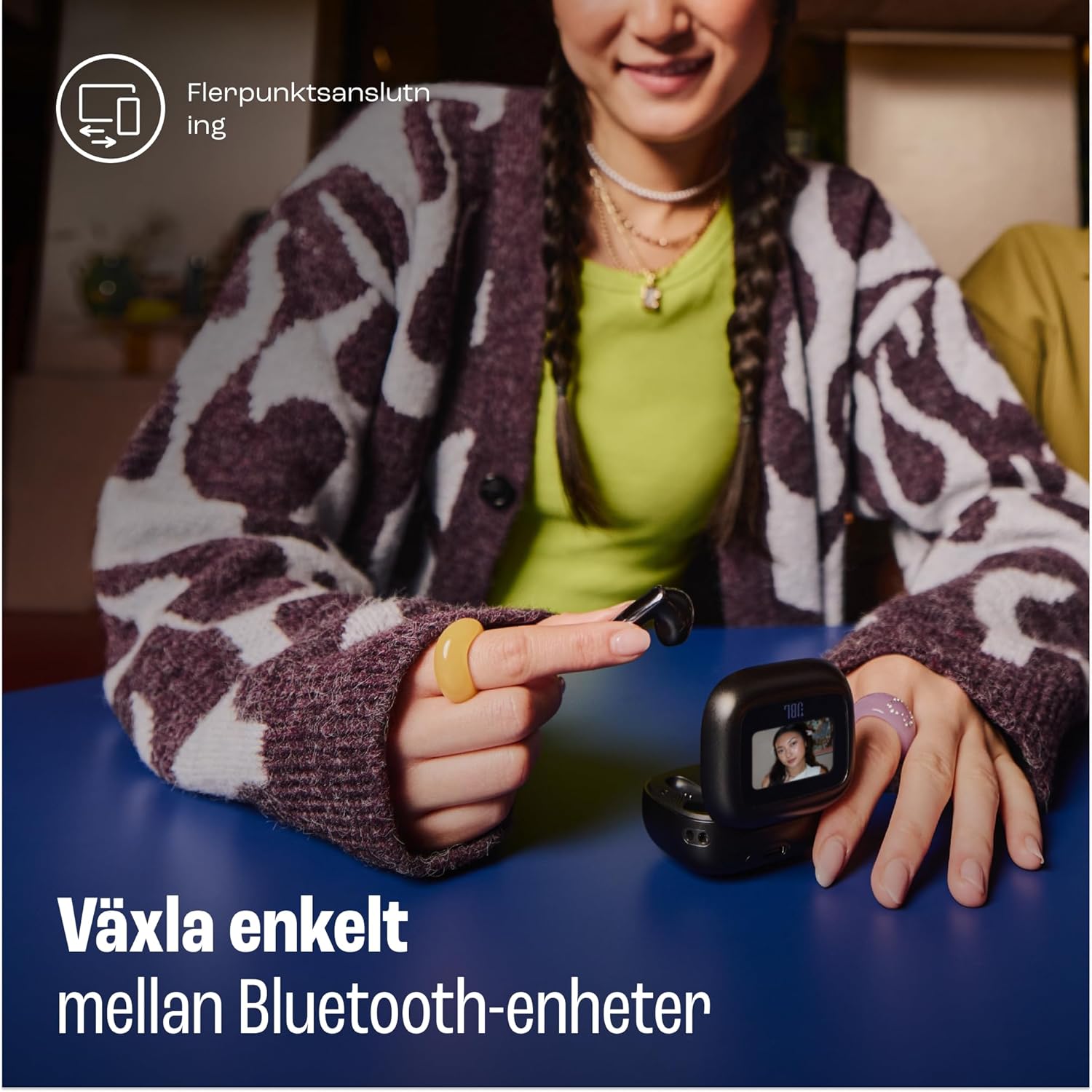
Image: A woman is shown using the touch screen of the JBL Live Flex 3 smart charging case to interact with her devices. The text on the image indicates the ability to easily switch between Bluetooth devices, highlighting the multi-point connection feature.
Te Whakakorenga Haruru Tūturu
The earbuds feature True Adaptive Noise Cancellation, which uses four noise-sensing microphones to adapt to your surroundings in real-time. This allows you to filter out external noise for an immersive listening experience.

Image: The JBL Live Flex 3 earbuds are depicted with a graphic of sound waves, illustrating the True Adaptive Noise Cancellation feature. The text emphasizes the ability to fine-tune your audio experience by adjusting noise reduction.
Multi-point Audio Switch Connection
Seamlessly switch between two Bluetooth devices. For example, you can transition from watching a video on your tablet to answering a call on your phone without re-pairing.
Google Finder
If you misplace your earbuds, utilize the Google Finder service to help locate them within a network of Android devices.
Te Wai me te Atete Puehu
The JBL Live Flex 3 earbuds are IP54 rated, making them water and dust-resistant. This protection allows for use during outdoor activities in various weather conditions.
Te Whakataki me te Pūhiko
The earbuds and charging case provide a combined playtime of up to 50 hours.

Image: The JBL Live Flex 3 charging case is open, displaying the earbuds inside. Text overlays indicate a total of 50 hours of uninterrupted playtime with wireless charging, broken down into 10 hours from the earbuds, an additional 40 hours from the charging case, and 4 hours of playtime from a 10-minute charge.
- Wā Purei taringa: Tae atu ki te 10 haora i runga i te utu kotahi.
- Te Wā Tākaro Katoa me te Pouaka: Tae atu ki te 50 haora.
- Whakataki Tere: Mā te utunga 10 meneti ka roa te purei mō te 4 hāora pea.
- Kei te utu i te keehi: Connect the provided USB-C cable to the charging port on the case and a power source. The case also supports wireless charging.
- Tiaki Pūhiko: To prolong battery life, fully charge the battery at least once every 3 months. Battery life may vary based on usage and environmental conditions.
Te tiaki
- Te horoi: Regularly clean the earbuds and charging contacts with a dry, soft cotton swab. Avoid using harsh chemicals or abrasive materials.
- Rokiroki: Mena karekau e whakamahia, penapenahia nga purongo ki roto i to pukoro hei tiaki kia mau tonu te utu.
- Puranga wai: While water-resistant, avoid prolonged submersion in water. Ensure earbuds are dry before placing them back in the charging case.
Raparongoā
- Kore Oro: Ensure earbuds are charged and properly paired. Check device volume and earbud placement.
- Nga Take Hononga: Try unpairing and re-pairing the earbuds. Ensure no other Bluetooth devices are interfering.
- Karekau e Whakatakihia nga taringa: Clean the charging contacts on both the earbuds and the case. Ensure the charging cable is securely connected.
- Whakakore Haruru Kaore e Mahi: Verify that True Adaptive Noise Cancellation is enabled via the smart case or JBL Headphones app.
Whakatakotoranga
| Āhuahira | Whakatakotoranga |
|---|---|
| Ingoa Tauira | JBL Live Flex 3 |
| Hangarau Hononga | Ahokore (Nihokikorangi 5) |
| Mana Haruru | Whakakore Haruru urutau |
| Pūhiko Wawaenga Te Ora | 50 haora (me te putea utu) |
| Waa Whakatau | 15 minutes (for fast charge) |
| Taumata Atete Wai | IP54 (Atete Wai) |
| Taumaha Tūemi | 72 Karamu |
| Momo Mana | Mana Pa |
| Nga Waahanga kei roto | Earbuds, Ear Tips, USB-C Cable, Charging Case, Warranty, Quick Guide |
Pūtāhui me te Tautoko
For warranty information and customer support, please refer to the warranty bill included in your package or visit the official JBL webpae. Ka taea hoki e koe te toro ki te Toa JBL i Amazon mo etahi atu taipitopito hua me nga rauemi tautoko.


