1. Kupu Whakataki
Kei roto i tēnei pukapuka ngā mōhiotanga nui mō te whakamahinga haumaru me te whai hua o tō ViewSonic VA2732-MH-W 27-inch Full HD IPS Monitor. Please read these instructions thoroughly before operating the device and retain them for future reference.
Ko te ViewSonic VA2732-MH-W is a 27-inch Full HD (1920x1080) IPS monitor designed for office and home use. It features a 100Hz refresh rate and 1ms (MPRT) response time for smooth visuals, EyeProtech+ technology for reduced eye strain, and multi-OS compatibility with Windows and macOS systems. The monitor includes built-in 2W x 2 stereo speakers and offers versatile connectivity options.

Whakaahua 1.1: ViewSonic VA Series Monitors for Office and Home Environments.
2. Tatūnga me te Tāuta
2.1 Ihirangi mokete
Manatokona kei roto katoa nga mea kei roto i te kete:
- ViewSonic VA2732-MH-W Monitor x1
- 3-pin Power Plug x1
- HDMI Cable (v1.4) x1
- Pūurutau AC/DC x1
- Arataki Tere Tere x1
2.2 Aroturuki Huihuinga
Follow the instructions in the Quick Start Guide for attaching the stand to the monitor. Ensure all connections are secure.
2.3 VESA Maunga
The monitor is VESA compatible (100 x 100 mm) for wall or arm mounting. Use appropriate VESA-compliant mounting hardware (sold separately) and follow the mounting kit's instructions.
2.4 Te hono atu ki te Rorohiko
Connect the monitor to your computer using the provided HDMI cable or a VGA cable (not included). Ensure the cables are securely plugged into both the monitor and your computer's video output port.

Whakaahua 2.1: Whakamuri view of the monitor displaying available connectivity ports (HDMI, VGA, and 3.5mm Audio Out).
2.5 Hononga Hiko
Connect the AC/DC adapter to the monitor's power input, then plug the 3-pin power plug into a power outlet. Press the power button on the monitor to turn it on.
3. Mahi
3.1 Mana Aroturuki
The monitor features physical control buttons and an On-Screen Display (OSD) menu for adjustments.
- Mana-a-tinana: Key 1 (Favorite), Key 2, Key 3, Key 4, Key 5 (Power).
- Mana Whakaatu Ma-Mata (OSD): Tīpako Tāuru, Whakatika Ororongo, ViewMode, Color Adjust, Manual Image Adjust, Setup Menu.
3.2 Visual Performance and Features
The monitor features a SuperClear IPS Panel with 109% sRGB color gamut for vibrant and accurate visuals. It offers a 100Hz refresh rate and 1ms (MPRT) response time for fluid motion.

Image 3.1: SuperClear IPS Panel for accurate and vivid colors.

Image 3.2: High 100Hz Refresh Rate and 1ms Response Time for smoother action.
3.3 ViewAratau tatūkē
Ko te ViewMode feature provides optimized settings for various applications:
- Kēmu: Optimized for gaming visuals.
- Whitiāhua: Enhanced for video playback.
- Web: Suitable for general web tirotiro
- Kuputuhi: Reduces eye strain for reading documents.
- Mono: Black and white display mode.

Whakaahua 3.3: ViewMode offers optimized presets for different tasks.
3.4 EyeProtech+ for Eye Comfort
EyeProtech+ combines Flicker-Free technology and a low blue light filter to minimize eye strain during extended viewnga wa.

Image 3.4: EyeProtech+ reduces blue light emission and eliminates flicker.

Image 3.5: Visual representation of Flicker-Free and Blue Light Filter technologies.
3.5 Nga waahanga ororongo
The monitor includes two 2W built-in stereo speakers. An additional 3.5mm Audio Out port is available for connecting external headphones or speakers.

Image 3.6: Location of built-in speakers on the monitor.
3.6 Multi-OS Compatibility
The VA2732-MH-W is certified for Windows 10/11 and tested for macOS, ensuring broad compatibility with various operating systems.
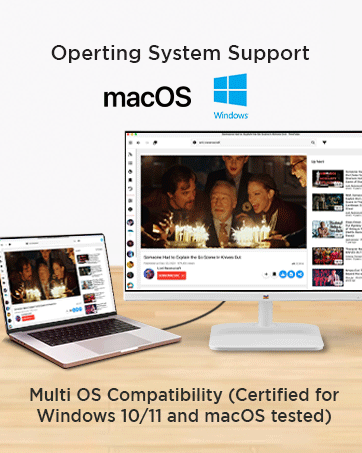
Image 3.7: Multi-OS compatibility with Windows and macOS.
4. Tiaki
4.1 Te horoi i te Aroturuki
Hei horoi i te mata o te aroturuki, me ata muru ki te kakahu ngohengohe, karekau. Mo nga tohu pakeke, dampen the cloth with a mild, non-abrasive screen cleaner. Avoid using harsh chemicals or abrasive materials that could damage the anti-glare surface or 3H hard coating.
Mo te aroturuki casinwhakamahia he kakahu ngohengohe, maroke. Kaua e rehu tika ngā mea horoi ki runga i te mata.
4.2 Eco Mode for Energy Efficiency
The monitor features an Eco Mode with 'Conserve', 'Optimize', and 'Standard' settings to manage power consumption. Adjusting these settings can reduce energy usage.

Image 4.1: Eco Mode helps reduce energy consumption.
5. Te Raru
If you encounter issues with your monitor, refer to the Quick Start Guide for basic troubleshooting steps. Common issues and potential solutions include:
- Kore Whakaatu: Ensure all cables (power and video) are securely connected. Check if the monitor is powered on. Verify the correct input source is selected via the OSD menu.
- Kounga Atahanga Kino: Adjust resolution and refresh rate settings on your computer. Use the OSD menu to fine-tune brightness, contrast, and color settings.
- Kore Oro: Check the audio cable connection (if using external speakers/headphones). Adjust the volume via the OSD menu and your computer's sound settings. Ensure the correct audio output device is selected on your computer.
For more complex issues, contact ViewTautoko kiritaki Sonic.
6. Whakatakotoranga
Kei raro nei ngā whakaritenga hangarau mō te ViewSonic VA2732-MH-W monitor:
| Āhuahira | Whakatakotoranga |
|---|---|
| Waitohu | ViewSonic |
| Tau tauira | VA2732-MH-W |
| Rahi Mata | 27 Inihi (68.58 cm) |
| Momo Paewhiri | IPS (SuperClear) |
| Whakatau | 1920 x 1080 (Katoa HD) |
| Aspect Ratio | 16:9 |
| Rere tāmata | 100Hz |
| Wā Whakautu | 1ms (MPRT) |
| Tirohanga | 250 cd/m² |
| Tauwehenga Pūrata Pateko | 1,000: 1 (angamaheni) |
| Tauwehenga Pūrata Hihiko | 50M:1 |
| Tae Gamut | 109% sRGB |
| Hononga | 1x HDMI 1.4, 1x VGA, 1x 3.5mm Audio Out |
| Kaikōrero | 2x 2W Stereo Speakers |
| VESA Hototahi | 100 x 100 mm |
| Whakamahi Hiko (Ahua) | 28W |
| Te Whakamahi Hiko (Max) | 30W |
| Power Consumption (Eco Mode Conserve) | 20W |
| Whakamahi Hiko (Tua-atu) | 0.3W |
| Dimensions (Physical) | 615 x 459 x 225 mm |
| Taumaha Kupenga | 4.1 kg |
| Tae | Mā |
7. Pūtāhui me te Tautoko
7.1 Pūtāhui Kaihanga
Ko te ViewSonic VA2732-MH-W monitor comes with a 3 Tau Pūtāhui Kaihanga Paerewa i te Pae. Tena koa pupurihia to tohu mo te hoko mo nga kereme whakamana.
7.2 Manufacturer and Importer Information
Kaihanga / Kaihoko: ViewSonic Technologies INDIA Private Limited
GST Number: 33AABCV7912Q1ZV
Wāhi noho: No.25/14 B-8 GEMS Court., Khadher Nawaz Khan Road., Nungambakkam Chennai -600006
7.3 Tautoko Kiritaki
For technical assistance, warranty service, or further inquiries, please contact ViewSonic customer support through their official channels. Refer to the Quick Start Guide or the ViewSonic webpae mo nga korero whakapiri.


