1. Kupu Whakataki
This manual provides detailed instructions for the proper use and maintenance of your Sandberg Pocket Radio FM+AM Recharge, Model 421-02. Please read this manual thoroughly before operating the device to ensure optimal performance and longevity.
2. Hua Neke Atuview
The Sandberg Pocket Radio is a compact, portable device designed for receiving FM and AM radio broadcasts. It features a built-in rechargeable battery and a digital display for easy tuning.
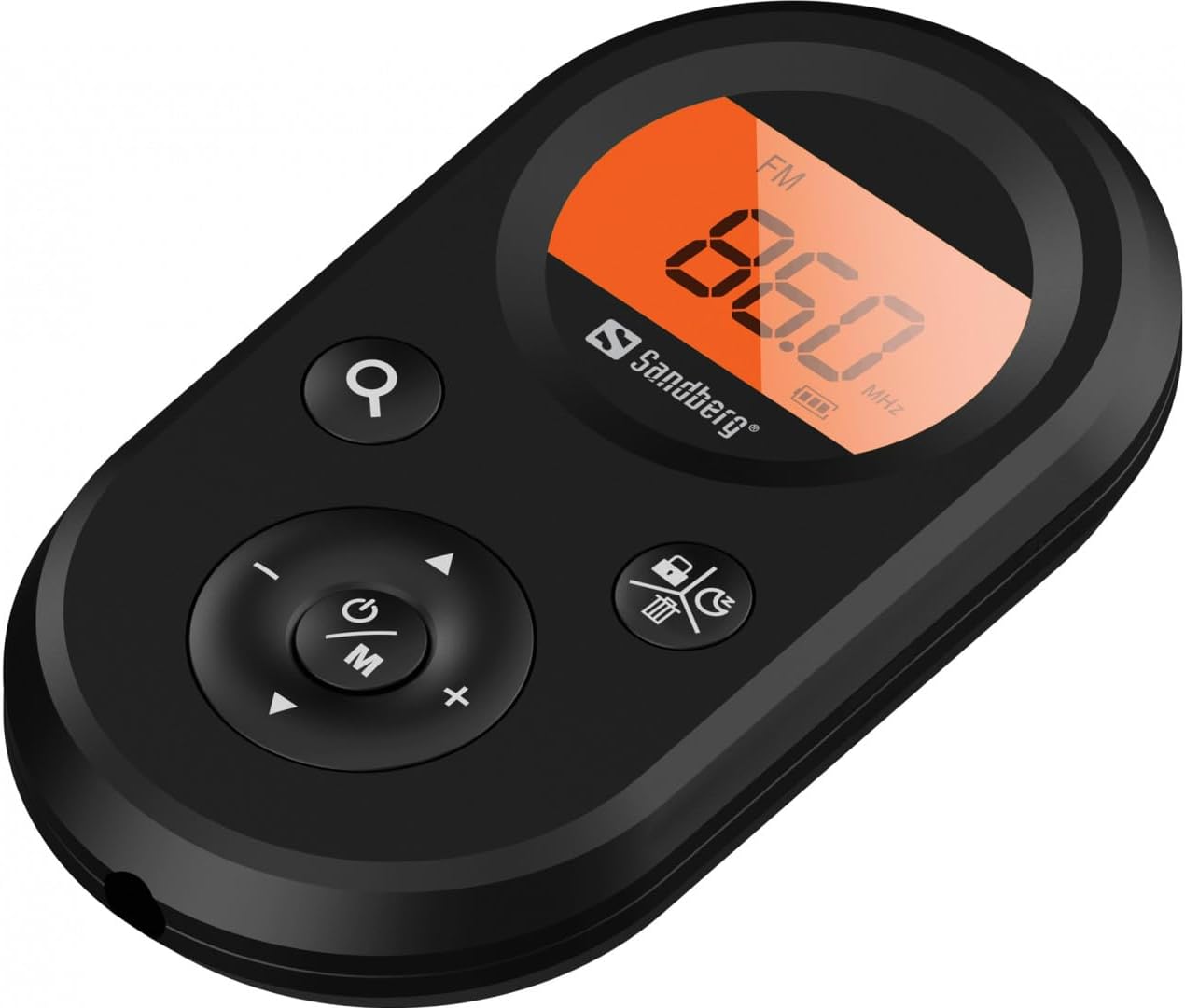
Whakaahua 1: Mua view of the Sandberg Pocket Radio, displaying the frequency and controls.
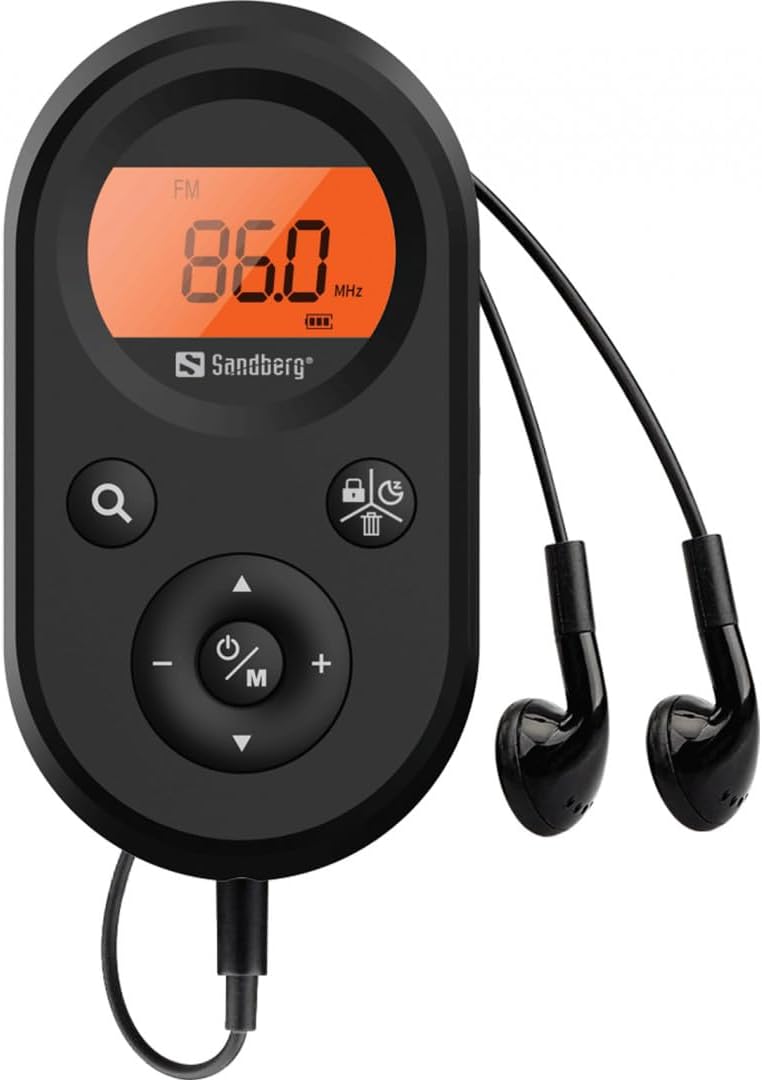
Figure 2: The radio connected to the included earphones, which also function as the FM antenna.
Ihirangi mōkī:
- 1 x Sandberg Pocket Radio FM+AM Recharge (Model 421-02)
- 1 x Waea taringa
- 1 x Charging cable (USB-A to USB-C, 50 cm)
3. Tatūnga
3.1 Te Whakataki i te Pūhiko
- Connect the small end of the included USB-C charging cable to the charging port on the radio.
- Connect the standard USB-A end of the cable to a USB power adapter (not included) or a computer's USB port.
- The radio's display will indicate charging status. A full charge typically takes a few hours.
- Disconnect the charging cable once the battery is fully charged.
3.2 Te Hononga Waea Tukunga
The included earphones are essential for operation as they serve as the antenna for FM reception. Without them, FM reception will be severely limited or non-existent.
- Insert the 3.5mm jack of the earphones into the earphone port on the radio.
- Kia mau te hononga.
4. Nga Tohutohu Whakahaere
4.1 Hiko / Whakaweto
- Hei whakakā i te reo irirangi, pēhi me te pupuri i te Power/Mode (ⓘ/M) button for approximately 2-3 seconds. The display will light up.
- Hei whakaweto i te reo irirangi, pēhi me te pupuri i te Power/Mode (ⓘ/M) button again for approximately 2-3 seconds. The display will turn off.
4.2 Mode Selection (FM/AM)
- While the radio is powered on, short press the Power/Mode (ⓘ/M) button to switch between FM and AM radio bands. The current band will be indicated on the display.
4.3 Nga Teihana Tuning
- Matawai Aunoa: To automatically scan for and store available stations, press and hold the Search (⌕) button. The radio will scan through the frequency range and save stations with strong signals.
- Whakatika ā-ringa: To manually tune to a specific frequency, short press the Runga (▲) or Raro (▼) buttons to adjust the frequency incrementally.
4.4 Mana Rōrahi
- Hei whakanui ake i te rahinga, paatohia te Rōrahi Whakarunga (+) pātene.
- Hei whakaheke i te rahinga, paatohia te Raro Whakararo (-) pātene.
4.5 Whakaaturanga Whakaaturanga
The digital display shows the current radio band (FM or AM), the tuned frequency, and the battery level indicator.
5. Tiaki
5.1 Te horoi
- Horoia te taha waho o te reo irirangi ki te kakahu ngohengohe, maroke.
- Do not use abrasive cleaners, solvents, or strong chemicals, as these can damage the surface.
- A ape i te makuku ki roto i nga kohao.
5.2 Tiaki Pūhiko
- Hei whakaroa i te ora o te pākahiko, karohia te tuku katoa i te pākahiko.
- Penapenahia te reo irirangi ki te wāhi hauhautanga, maroke ina kore e whakamahia mō te wā roa.
- Whakakīia anō te pākahiko i ia wā mēnā he roa te wā e rongoa ana hei ārai i te tukunga nui o te wai.
6. Te Raru
- Kore Mana: Ensure the battery is charged. Connect the radio to a power source using the USB-C cable.
- Kore Oro: Check that the earphones are securely plugged in. Adjust the volume using the Rōrahi Whakarunga (+) pātene.
- Te Whiwhinga FM Kino: Ensure the earphones are fully plugged in, as they function as the FM antenna. Try repositioning the radio or the earphone cable for better signal.
- Cannot Save Favorite Stations: This model does not support saving favorite radio stations. Stations are found via automatic scan or manual tuning each time.
- Whakaatu Kaore i te Mahi: If the display is blank or flickering, try recharging the battery. If the issue persists, contact customer support.
7. Whakatakotoranga
| Āhuahira | Whakatakotoranga |
|---|---|
| Tau tauira | 421-02 |
| Taumahi Auau AM | 522-1710 KHz (9KHz) / 520-170KHz (10KHz) |
| Awhe Auautanga FM | 76-108 MHz |
| AM Maharahara | <20mV/m |
| FM Signal to Noise Ratio | >40db |
| Te Mana Putanga Morahi | 6.5mW |
| Pūhiko Raukaha | 5000 mAh, 3.7V (1.85 Wh) |
| Hangarau Hononga | Auxiliary (for earphones/antenna) |
| Puna Mana | Pūhiko Powered |
| Taumaha Tūemi | 60 Karamu (2.12 hekere) |
8. Pūtāhui me te Tautoko
Sandberg products are manufactured to high quality standards. For information regarding warranty terms and conditions, or for technical support, please refer to the official Sandberg webpaetukutuku, whakapā atu ranei ki ta raatau ratonga kaihoko. Puritia to riiki hoko hei tohu mo te hoko.


