Mauruuru koe mo te hokoasing the RadioShack True Wireless Outdoor Speaker. This portable speaker delivers high-fidelity sound with 20W output, dynamic RGB lighting, and True Wireless Stereo (TWS) capabilities for an immersive audio experience. Its sleek design and long-lasting rechargeable battery make it ideal for both indoor and outdoor use. Please read this manual carefully to ensure proper use and maintenance of your speaker.
Image: The RadioShack True Wireless Outdoor Speaker, black with an orange accent on the handle, viewed from a slight angle showing the front grille and top controls.
He aha kei roto i te Pouaka
Image: A red background with white text listing the contents: 1x Portable Bluetooth Speaker, 1x Type-C Charging cable, 1x Audio cable.
1x RadioShack True Wireless Outdoor Speaker
1x Momo-C Uera Whakatau
1x Ahuru Ororongo
1x Manual Kaiwhakamahi (tenei tuhinga)
Ka mutu te huaview
The RadioShack True Wireless Outdoor Speaker is designed for robust performance and portability. Key features include:
Oro Pono-Teitei: 20W output for clear audio and deep bass.
Rarama RGB Hihiko: Built-in customizable lighting to enhance your listening experience.
Tirotiro Ahokore Tika (TWS): Ability to pair two speakers for immersive stereo sound.
Hoahoa Maama me te Hou: Crafted in black for seamless integration into any environment.
Kawe me te Watea: Built-in long-lasting rechargeable battery for on-the-go use.
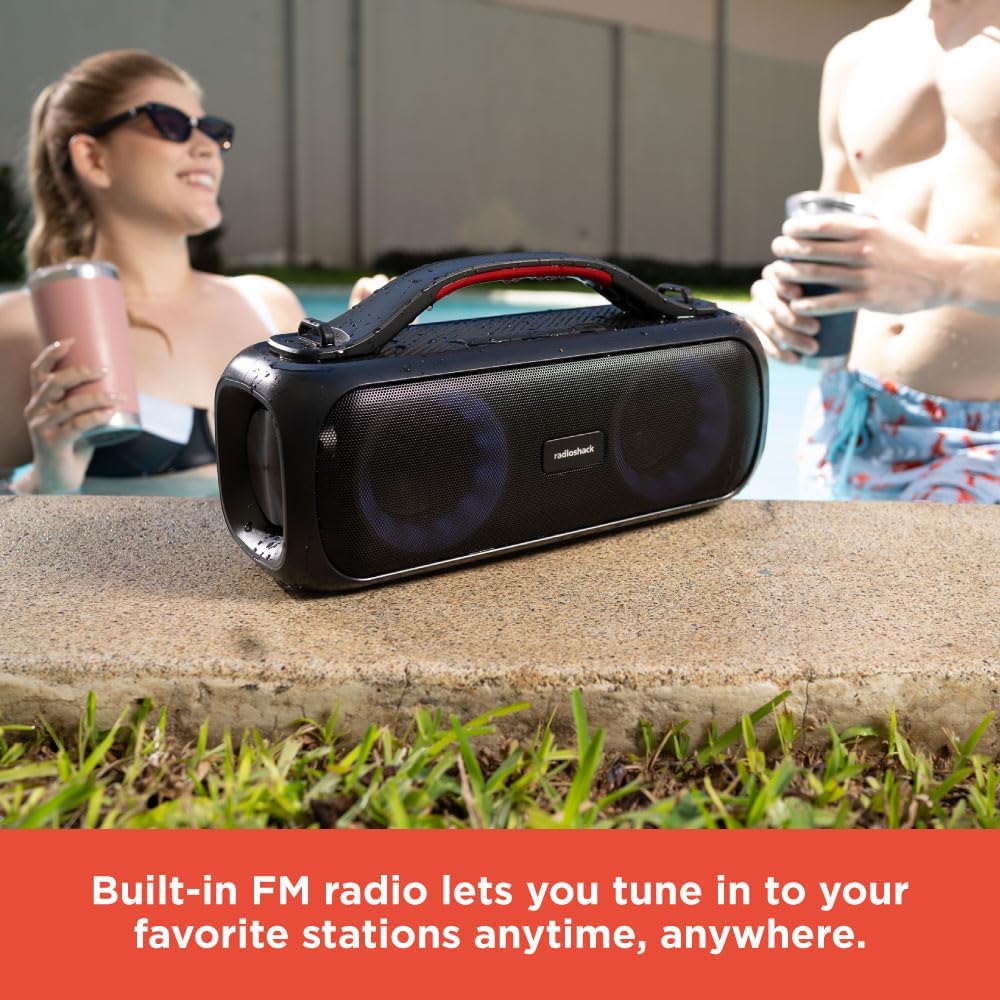
Te Reo Irirangi FM Hanga-roto: Tune into your favorite stations anytime.
Image: An icon grid illustrating features: 4-hour charging time, Type-C charging port, rechargeable battery, compatible with Bluetooth 5.0, 32ft wireless range, water resistant, 20W output, True Wireless Pairing.
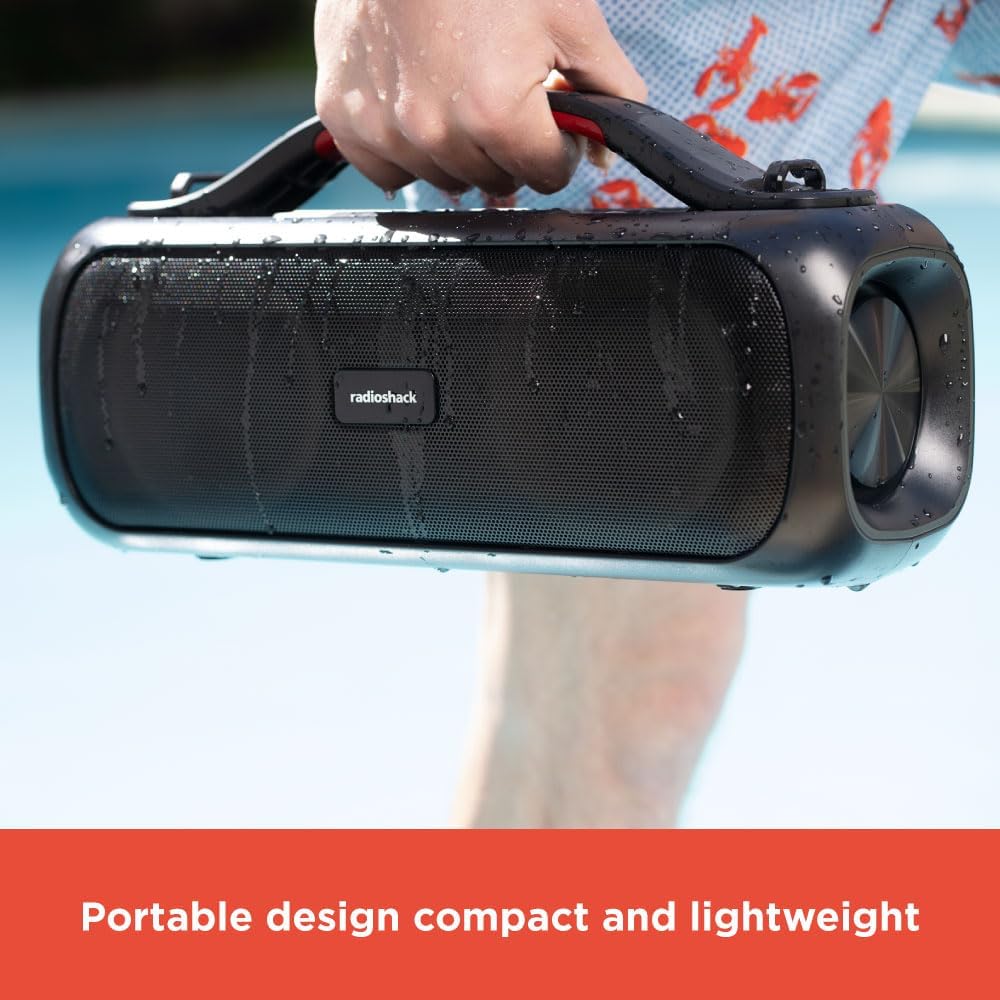
Image: A hand holding the black portable speaker, which appears slightly wet, against a blue background, emphasizing its portability.
Tatūnga
Te utu i te Kai-korero
Connect the supplied Type-C charging cable to the speaker's charging port.
Honoa te tahi pito o te taura ki te urutau hiko USB hototahi (kaore i whakauruhia).
Ka marama te rama tohu utu. Tata ki te 4 haora te utunga katoa.
Once fully charged, the indicator light will change or turn off (refer to specific light behavior in the operating section).
Whakahoahoa Nihokikorangi Tuatahi
Me whakarite kua whakakiia te kaikorero i mua i te whakamahinga tuatahi.
Patohia me te pupuri i te paatene Hiko (⏻) for 2-3 seconds to turn on the speaker. You will hear an audible prompt.
Ka uru aunoa te kaikorero ki te aratau takirua Nihokikorangi, e tohuhia ana e te rama LED e kanapa ana.
I runga i to taputapu (smartphone, tablet, pona), whakaahei i te Nihokikorangi me te rapu mo nga taputapu e waatea ana.
Select "RadioShack Speaker" from the list of devices.
Once connected, you will hear a confirmation sound, and the LED indicator will become solid.
Nga Tohutohu Whakahaere
Te Hiko / Whakaweto
Press and hold the Power button for 2-3 seconds to turn the speaker ON or OFF.
Mana Rōrahi
Pehia te + pātene hei whakanui ake i te rōrahi.
Pehia te - paatene hei whakaiti i te rahinga.
Playback Control (Bluetooth Mode)
Patohia te paatene Whakaari / Okioki (▶‖) hei purei, hei whakamutu rānei i te puoro.
Pēhi me te pupuri + mo te ara e whai ake nei.
Pēhi me te pupuri - mo te ara o mua.
Rarama RGB Hihiko
The speaker features dynamic RGB lighting that can be adjusted.
Pēhia te pātene Rama (💡) to cycle through different lighting modes or turn the lights off.
Image: The RadioShack speaker with its RGB lights illuminated, placed outdoors near a pool, with people in the background.
Whakawhanaitangi Stereo Ahokore Pono (TWS)
To achieve a true stereo sound experience, you can pair two RadioShack True Wireless Outdoor Speakers together.
Me mohio kei te noho nga kaikorero e rua me te kore e hono ki tetahi taputapu Nihokikorangi.
On one speaker (this will be the primary speaker), press and hold the TWS button (TWS icon) for 2-3 seconds. You will hear a pairing tone.
Ka rapu te kaikorero tuatahi mo te kaikorero tuarua.
Once connected, you will hear a confirmation tone, and the LED indicators on both speakers will synchronize.
Now, connect your device to the primary speaker via Bluetooth as described in the "Initial Bluetooth Pairing" section.
Ka purei te ororongo i roto i nga kaikorero e rua.
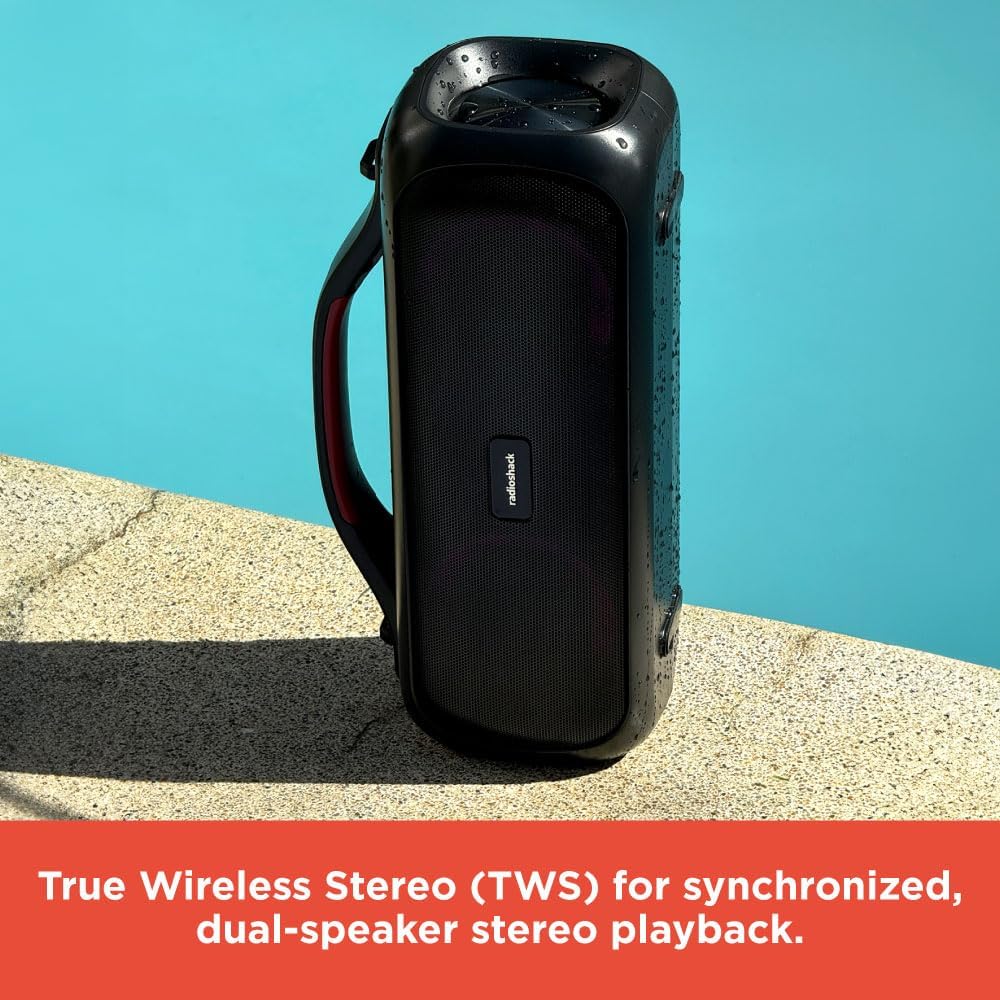
Image: Two RadioShack True Wireless Outdoor Speakers placed near a pool, demonstrating their True Wireless Stereo (TWS) capability for synchronized playback.
Aratau Irirangi FM
Pēhia te pātene Aratau (M) hei huri ki te aratau Reo Irirangi FM.
Patohia te paatene Whakaari / Okioki (▶‖) to auto-scan and save available FM stations.
Whakamahia te + a - ngā pātene hei whakatere i waenga i ngā teihana kua tiakina.
Aratau Aux-in
Connect one end of the supplied audio cable to the speaker's AUX-in port.
Honoa tetahi pito ki te putanga oro o tō pūrere.
Ka huri aunoa te kaikōrero ki te aratau Aux-in.
Whakahaerehia te purei me te oro tika mai i tō pūrere hono.
Te tiaki
Horoia te kaikorero ki te kakahu ngohengohe, maroke. Kaua e whakamahi i nga kai horoi me nga whakarewa.
Keep the speaker away from extreme temperatures, direct sunlight, and excessive moisture.
While the speaker is designed for outdoor use, avoid submerging it in water.
Whakaorangia te kaikorero ki te waahi makariri, maroke ina kore e whakamahia mo te wa roa.
Charge the battery at least once every three months to prolong its lifespan.
Raparongoā
Raruraru
Take pea
Rongoā
Kare te kaikorero e ka ana.
Pūhiko iti; Kaore i roa te pehi i te paatene hiko.
Whakakīia te pūoro kia katoa; Pēhia, ka pupuri i te pātene Mana mō te 2-3 hēkona.
Kaore e taea te hono ma te Nihokikorangi.
Kāore te kaikorero i te aratau takirua; Kua weto te Nihokikorangi o te pūrere; kua hono kē te kaikorero ki tētahi atu pūrere.
Ensure speaker is in pairing mode (flashing LED); Turn on Bluetooth on your device; Disconnect from other devices.
Karekau he tangi.
He iti rawa te rōrahi; Ko te aratau hē i tohua; Kaore te taputapu e purei ororongo.
Increase speaker and device volume; Ensure correct mode (Bluetooth, Aux, FM) is selected; Check audio playback on your device.
Ka rahua te takirua TWS.
Speakers too far apart; One speaker already connected to a device.
Place speakers closer together; Ensure both speakers are disconnected from other Bluetooth devices before TWS pairing.
Whakatakotoranga
Āhuahira
Taipitopito
Ingoa Tauira
RadioShack True Wireless Speaker 20 Watts RGB
Momo Kaikorero
Kawe
Te Mana Putanga
20W (RMS)
Hangarau Hononga
Nihokikorangi 5.0
Mokowoko Korekore
Tae atu ki te 32 putu (10 mita)
Puna Mana
Ma te Puhiko (1 te pākahiko Lithium Ion kei roto)
Waa Whakatau
Approx. 4 haora
Hunga Hua
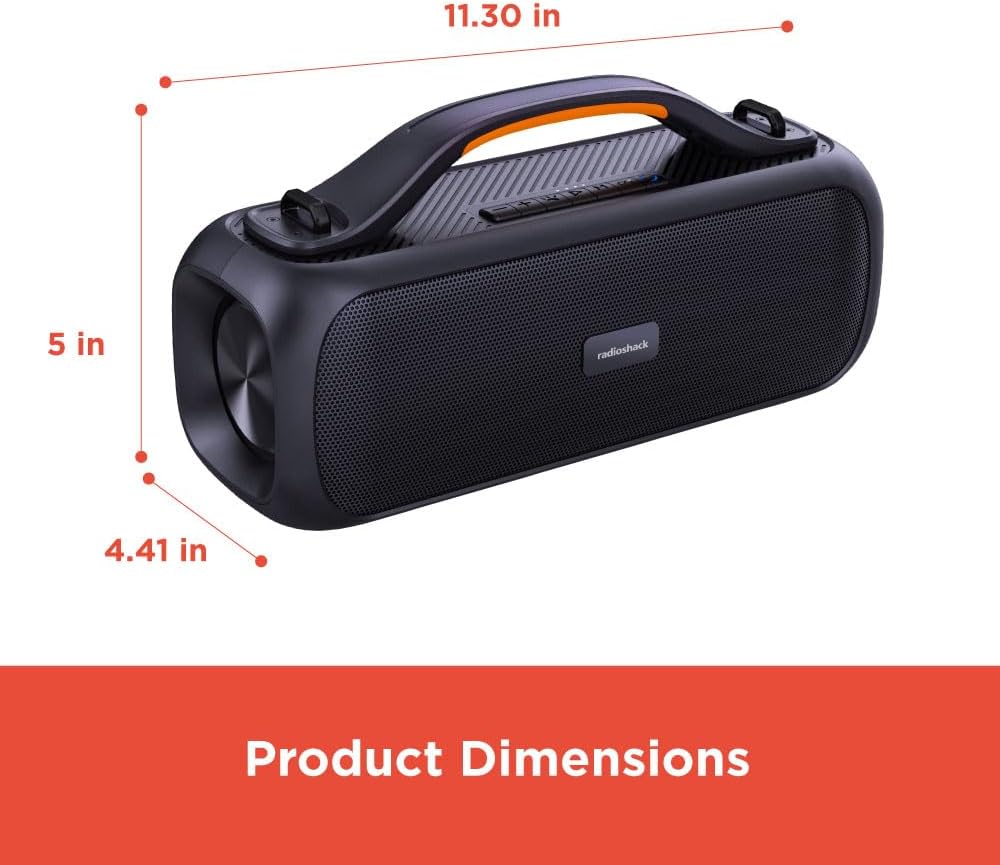
5"D x 11.3"W x 4.41"H
Taumaha Tūemi
5.52 pauna
Tae
Pango
Nga waahanga motuhake
Multiroom (TWS), RGB Lighting, FM Radio
Whakamahi Manakohia
Roto/Wawaho
Ātete wai
Yes (Splash resistant, not fully waterproof)
Note: While designed for outdoor use and resistant to splashes, this speaker is not fully waterproof and should not be submerged.
Image: A diagram showing the product dimensions: 11.30 inches (width), 5 inches (depth), and 4.41 inches (height).
Ataata Hua Whaimana
Ataata: He whakaaturanga ataata hua whai manacasing the RadioShack True Wireless Outdoor Speaker, highlighting its features like portability, TWS, RGB lighting, and high-fidelity sound in various outdoor settings.
Pūtāhui me te Tautoko
RadioShack products come with a limited warranty. For detailed warranty information, technical support, or service inquiries, please refer to the warranty card included with your product or visit the official RadioShack webpae.
Ratonga Kiritaki: Please refer to the contact information provided on the product packaging or the official webpae.
Tuhinga e pa ana - 4001764
RadioShack 4001942 & 4001944 Ruarua PA Kaikōrero Manual Kaiwhakamahi pukapuka Kaiwhakamahi mo RadioShack 4001942 me 4001944 Tärua 10-inihi me te 15-inihi 2-ara Kaikorero PA. Kei roto ko nga korero, nga mea whakakakahu, ampKo nga korero mo te paewhiri mana, nga mahi kaitoro MP3, te aratohu mana mamao, te takirua Nihokikorangi, me nga korero nui mo te haumaru/FCC.
RadioShack TCR-200 Waea Ripene Recorder Pukapuka a te Kaipupuri Aratohu kaiwhakamahi matawhānui mo te RadioShack TCR-200 Waea Recorder Recorder. Akohia nga ahuatanga, te whakaurunga, te mahi, te tiaki, me nga whakaaro nui o te ture mo te tuhi waea waea.
Radioshack 4001974 Retro Style Speaker Manual Manual He pukapuka whakamahi matawhānui mo te Radioshack 4001974 Retro Style Speaker. Akohia nga korero, nga ahuatanga, nga mana whakahaere o mua, te mahi mamao, te takirua Nihokikorangi, nga hononga o muri, me nga aratohu whakamahinga nui.
Te Waea Pukoro Radioshack e tu ana me te Pukapuka Kaiwhakamahi Kaitohu Ahokore He pukapuka whakamahi mo te Radioshack Cell Phone Stand with Wireless Charger, tauira 2733350. Kei roto ko nga tohutohu mo te whakamahi, nga tohu tohu, nga whakatupato, nga tawhā hua, me te korero FCC i te reo Ingarihi me te Spanish.